1. Introduzione
Thank you for choosing the ELEPHAS Projector. This projector is designed to provide a high-quality home theater experience with its 800 ANSI lumens brightness, 1080p HD resolution, and versatile connectivity options. Enjoy officially licensed streaming apps like Netflix, Prime Video, and YouTube directly from the device, along with seamless dual-band WiFi and Bluetooth 5.0 for enhanced audio. This manual will guide you through the setup, operation, and maintenance of your new projector.
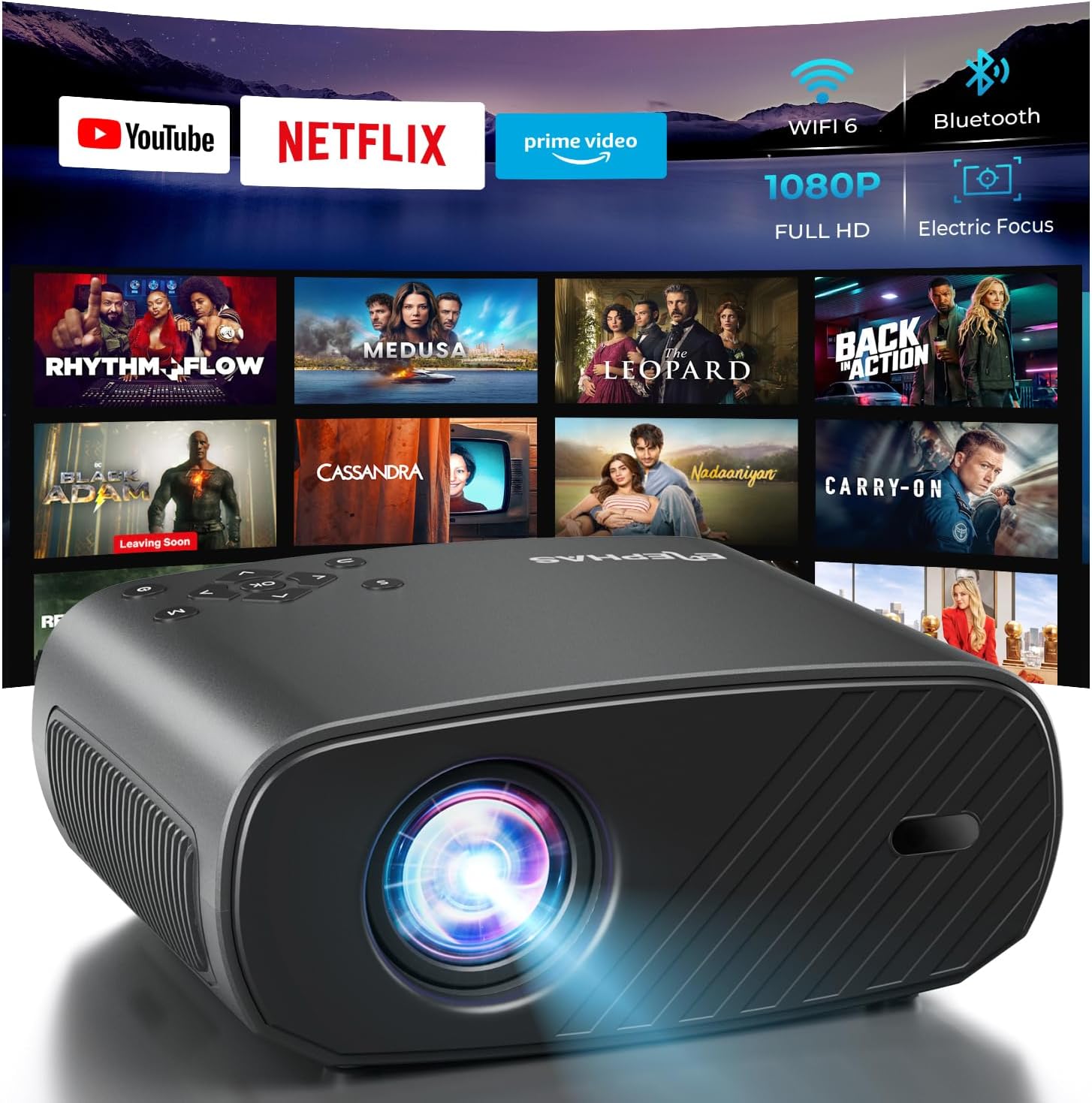
The ELEPHAS Projector offers a comprehensive entertainment solution with integrated streaming services and advanced display technology.
2. Informazioni sulla sicurezza
- Non ostruire le aperture di ventilazione. Garantire un flusso d'aria adeguato attorno al proiettore per evitare il surriscaldamento.
- Non guardare direttamente nell'obiettivo del proiettore quando lamp è acceso, poiché la luce intensa può causare danni agli occhi.
- Tenere il proiettore lontano da acqua o altri liquidi. Non esporlo a pioggia o umidità.
- Utilizzare solo l'adattatore di alimentazione fornito con il proiettore.
- Evitare di posizionare il proiettore su superfici instabili, dove potrebbe cadere.
- Scollegare il proiettore durante i temporali o quando non viene utilizzato per lunghi periodi.
3. Contenuto della confezione
Si prega di selezionare la casella per i seguenti elementi:
- ELEPHAS Projector (BL128-PLUS)
- Cavo di alimentazione
- Cavo HDMI
- Telecomando
- Manuale d'uso
4. Prodotto finitoview
Familiarize yourself with the various components and ports of your ELEPHAS Projector.

The projector features multiple connectivity options for diverse media sources.
Pannello frontale:
- Lente: Proietta l'immagine sullo schermo.
Pannello posteriore:
- Porte HDMI (HDMI1, HDMI2): Connect to devices like laptops, gaming consoles, or streaming sticks.
- Porte USB (USB1, USB2): Collega unità USB per la riproduzione di contenuti multimediali o per alimentare dispositivi esterni.
- Porta AV: Collegati ai dispositivi più vecchi tramite un cavo AV.
- Porta per cuffie: Connect external headphones or speakers via a 3.5mm audio jack.
- Potenza in ingresso: Collegare il cavo di alimentazione.
5. Impostazione
5.1 Posizionamento
Posizionare il proiettore su una superficie stabile e piana. Per una visione ottimale viewing, ensure the projector is aligned with your projection surface (wall or screen). The projector can project images up to 150 inches. The ideal projection distance will vary based on desired screen size.

The ELEPHAS Projector delivers stunning brightness and clarity for an immersive viewesperienza di acquisizione.
5.2 Collegamento di alimentazione
- Collegare il cavo di alimentazione alla porta di ingresso dell'alimentazione del proiettore.
- Collegare l'altra estremità del cavo di alimentazione a una presa di corrente.
- Premere il pulsante di accensione sul proiettore o sul telecomando per accenderlo.
5.3 Regolazione iniziale dell'immagine
The ELEPHAS Projector features cutting-edge electric focus and auto keystone correction for instant image perfection.
- Correzione trapezoidale automatica: The projector will automatically adjust the image to correct trapezoidal distortion, ensuring a rectangular picture even if the projector is not perfectly aligned.
- Messa a fuoco elettrica: The projector will automatically adjust the focus for a sharp image. Manual adjustments can typically be made via the remote control if needed.
6. Istruzioni per l'uso
6.1 Collegamento dei dispositivi
Your projector supports various input sources:
- HDMI: Connect your laptop, gaming console, Blu-ray player, or streaming devices (e.g., Firestick) to the HDMI ports. Select the corresponding HDMI input from the projector's source menu.
- USB: Inserire un'unità flash USB in una porta USB per riprodurre contenuti multimediali files (videos, photos, music). Navigate to the media player application on the projector's interface.
- Wireless Connectivity (Wi-Fi): The projector supports dual-band WiFi (2.4G and 5G) for seamless screen mirroring from iOS and Android devices. Access the screen mirroring function from the main menu and follow the on-screen instructions to connect your device.

Effortlessly connect your mobile devices wirelessly for screen mirroring.
6.2 Applicazioni di streaming
The ELEPHAS Projector comes with officially licensed Netflix, Prime Video, and YouTube apps pre-installed, allowing direct access to a vast library of content.

Enjoy seamless access to popular streaming platforms directly from the projector.
- Navigate to the desired app from the home screen using the remote control.
- Log in with your account credentials to start streaming.
6.3 Audio Bluetooth
Migliora la tua esperienza audio collegando altoparlanti o cuffie Bluetooth esterni.

Connect wirelessly to your favorite audio devices via Bluetooth 5.0.
- Vai al menu delle impostazioni del proiettore.
- Seleziona "Bluetooth" e attivalo.
- Metti il tuo dispositivo audio Bluetooth in modalità di associazione.
- Select your device from the list of available devices on the projector screen to connect.
7. Manutenzione
7.1 Pulizia della lente
Use a soft, lint-free cloth specifically designed for optical lenses. Do not use abrasive cleaners or cloths, as they can scratch the lens.
7.2 Pulizia del corpo del proiettore e delle prese d'aria
Wipe the projector's exterior with a soft, dry cloth. Use a small brush or vacuum cleaner with a soft brush attachment to gently clean the ventilation openings to prevent dust buildup, which can affect performance and lifespan.
8. Risoluzione Dei Problemi
| Problema | Possibile causa | Soluzione |
|---|---|---|
| Nessuna immagine sullo schermo | Power cable disconnected; Incorrect input source selected; Device not powered on. | Check power connection; Select correct input source (HDMI1/2, USB); Ensure connected device is on. |
| L'immagine è sfocata | Out of focus; Projector not perpendicular to screen. | Allow auto-focus to adjust or manually adjust focus via remote; Auto keystone correction should fix image shape. |
| Nessun suono | Volume too low/muted; External audio device not connected properly; Incorrect audio output selected. | Increase volume; Check Bluetooth connection or 3.5mm cable; Ensure projector's audio output is set correctly. |
| Problemi di connessione Wi-Fi/Bluetooth | Out of range; Interference; Incorrect password. | Move closer to router/device; Reduce interference; Re-enter password. |
| Il rumore della ventola è evidente | Funzionamento normale; prese d'aria bloccate. | A slight fan noise is normal for projectors. Ensure vents are not blocked and are clean. |
9. Specifiche
| Caratteristica | Dettaglio |
|---|---|
| Marca | ELEFE |
| Numero di modello | BL128-PLUS |
| Risoluzione dello schermo | 1920 x 1080 (Full HD) |
| Luminosità | 800 ANSI Lumen |
| Rapporto di contrasto | 10,000:1 |
| Tecnologia di connettività | Bluetooth, HDMI, USB, Wi-Fi |
| Caratteristiche speciali | Auto Focus, Built-In Speaker, Netflix Official License, Prime Video, YouTube Support |
| Uso consigliato | Cinema in casa |
| Peso dell'articolo | 4.64 libbre |
| Dimensioni del pacco | 13.98 x 10.87 x 5.28 pollici |
10. Garanzia e supporto
The ELEPHAS Projector is backed by a Garanzia di 1 anno dalla data di acquisto. Questa garanzia copre i difetti di fabbricazione e assicura prestazioni affidabili del dispositivo.
For any questions, setup assistance, troubleshooting, or warranty claims, please contact ELEPHAS customer support. Our dedicated team is available 24/7 to provide prompt and helpful service.
Please refer to the contact information provided on the ELEPHAS official websito o la documentazione relativa all'acquisto per i canali di supporto più aggiornati.


