Introduzione
This manual provides detailed instructions for the safe and efficient operation of your CGOLDENWALL T 598 Wire Binding Machine. Please read this manual thoroughly before use and retain it for future reference. This machine is designed for punching and binding documents with wire coils, suitable for office, school, and home use.
Informazioni sulla sicurezza
- Utilizzare sempre la macchina su una superficie stabile e piana.
- Durante il funzionamento, tenere le mani e gli abiti larghi lontani dalle parti in movimento.
- Do not exceed the maximum punching or binding capacity to prevent damage to the machine.
- Ensure the punching blades are clean and free of debris before use. The blades are pre-oiled to prevent rust; perform test punches on scrap paper to remove excess oil.
- Regularly empty the waste bin to avoid jams.
- Tenere fuori dalla portata dei bambini.
Contenuto della confezione
Your CGOLDENWALL T 598 Wire Binding Machine package includes:
- CGOLDENWALL T 598 Wire Binding Machine
- 10 binding wires (11.1 mm / 7/16'')
- Manuale d'uso
Prodotto finitoview
The CGOLDENWALL T 598 features a robust design for efficient document binding.

34 Individual Retractable Blades: Allows for precise punching and accommodates non-standard paper sizes by retracting unwanted blades.
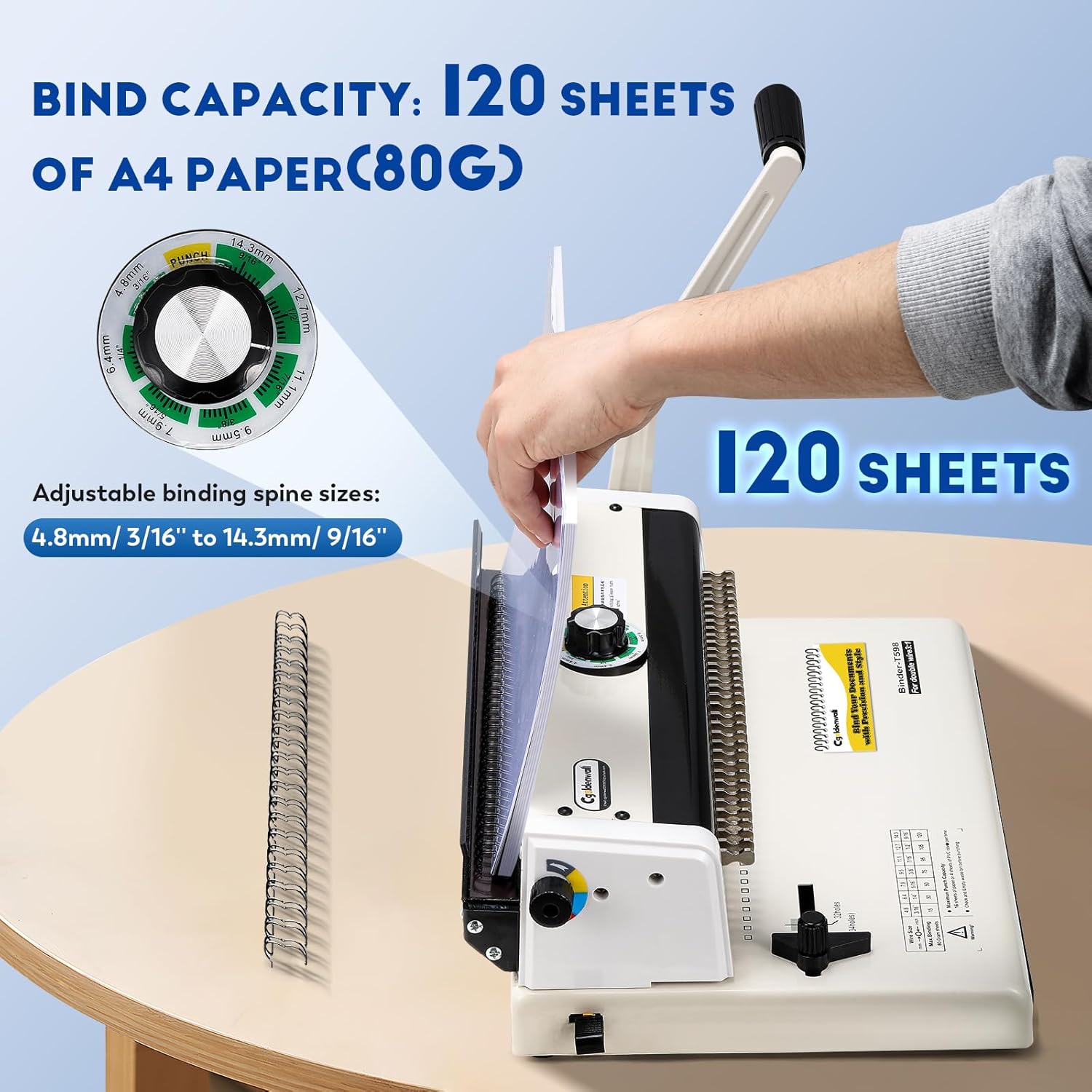
High Binding Capacity: Binds up to 120 sheets of 80g A4 paper using 14.3mm (9/16'') wire spines.

Adjustable Paper Margin: Set the margin depth to 2.5mm, 4.5mm, or 6.5mm for professional results.
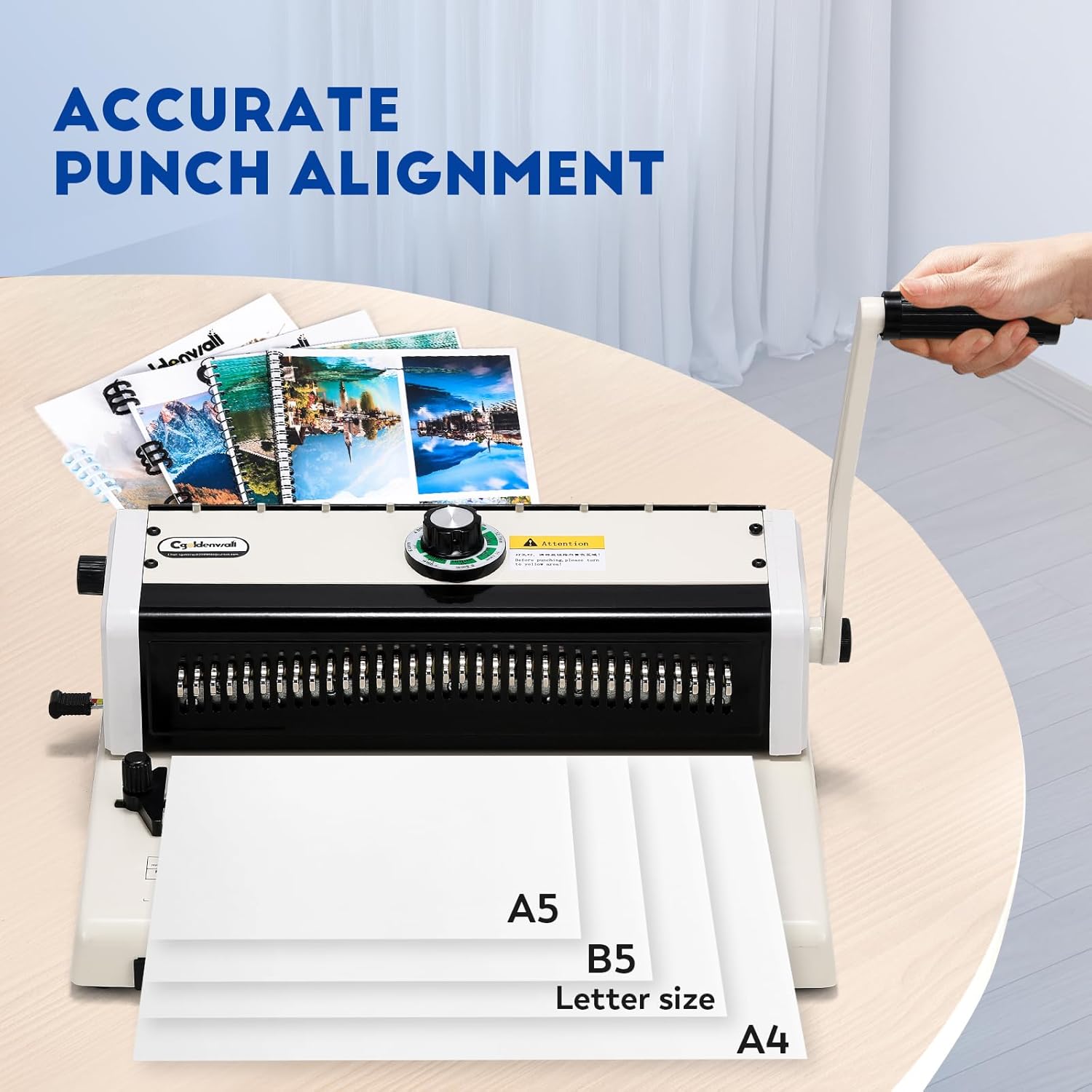
Precise Punch Alignment: Features positioning knobs for accurate alignment of Letter, A4, and A5 paper sizes.

Costruzione durevole: Built with carbon steel blades, a steel base and shell, comfortable handle, and non-slip feet for stability and longevity.
Impostare
Configurazione iniziale
- Unpack the binding machine and place it on a stable, flat surface.
- Attach the operating handle by inserting it into the designated slot and securing it.
- Before first use, perform several test punches on scrap A4 paper to remove any residual oil from the cutting blades. This prevents oil stains on important documents.
- Ensure the waste bin is properly inserted and empty.
Istruzioni per l'uso
Follow these steps for punching and binding your documents.
1. Adjusting Paper Margin
- Locate the paper margin adjuster on the side of the machine.
- Select the appropriate margin depth (2.5mm, 4.5mm, or 6.5mm) by sliding the adjuster.
2. Punching Documents
- Set Punch Alignment: Use the positioning knob to align the paper guide for your desired paper size (A4, A5, B5, Letter).
- Retract Blades (if needed): If punching non-standard paper sizes or to avoid punching certain holes, retract the individual blades by pulling them forward.
- Inserisci carta: Insert the paper squarely into the paper entry slot, ensuring it is pushed all the way in and aligned with the paper guide. Note: Ensure the pointer on the binding size regulator is aligned with the yellow 'PUNCH' area before punching.
- Punch: Firmly pull the operating handle down to punch the holes. Release the handle slowly.
- Remove the punched paper. Repeat for all sheets.

Illustration of the punching process.
3. Binding Documents (Wire Coil)
- Place Wire: Hang the wire coil onto the hooks of the binding unit.
- Caricare la carta: Insert the punched paper onto the wire coil. Ensure the paper touches the bottom of the closing unit.
- Adjust Wire Size: Rotate the binding size regulator to the correct position based on the diameter of your wire coil (e.g., 4.8mm to 14.3mm).
- Chiudi filo: Gently pull the operating handle down to close the wire coil. Note: Do not apply excessive force to avoid deforming the wire into an oval shape.
- Remove the bound document.

Illustration of the wire binding process.
4. Binding Documents (Plastic Comb)
The machine supports plastic comb binding. Follow the general steps for wire binding, but use a plastic comb and adjust the closing mechanism accordingly.
This video demonstrates the installation of the handle, punching process, and both wire and plastic comb binding methods. It also shows how to adjust the margin and retract blades for custom punching.
Manutenzione
- Svuotare il cestino: Regularly check and empty the oversized waste bin to prevent paper jams and ensure smooth operation.
- Lame pulite: Periodically clean the punching blades with a soft, dry cloth to remove paper dust and debris.
- Lubrificazione: The blades are pre-lubricated. If punching becomes difficult over time, a small amount of machine oil can be applied to the blades, followed by test punches on scrap paper.
- Magazzinaggio: Conservare la macchina in un ambiente asciutto e privo di polvere quando non viene utilizzata.

The oversized waste bin collects punched paper scraps.
Risoluzione dei problemi
- Inceppamenti della carta: If paper gets stuck during punching, gently pull the paper out. Do not force the handle. Check for bent blades or excessive paper load.
- Incomplete Punches: Ensure the paper is fully inserted and the handle is pulled down firmly and completely. Reduce the number of sheets if necessary.
- Uneven Holes: Verify that the paper guide is correctly set for the paper size and that the paper is inserted straight.
- Binding Wire Deforms: Ensure the binding size regulator is set correctly for the wire diameter. Do not apply excessive force when closing the wire.
Specifiche
| Caratteristica | Specificazione |
|---|---|
| Capacità di perforazione | 16 sheets (80g A4 paper) |
| Capacità di rilegatura | 120 sheets (80g A4 paper) |
| Perforare i fori | 34 square holes (4x4 mm) |
| Pece | 3:1 (3 holes per inch) |
| Adjustable Paper Margin | 2.5mm, 4.5mm, 6.5mm |
| Compatible Binding Spines | Wire coils (4.8mm - 14.3mm), Plastic combs |
| Dimensioni del prodotto | Dimensioni: 390 x 270 x 150 mm |
| Peso netto | 8.5 kg |
| Numero di modello | Il 598 |
Garanzia e supporto
For warranty information or technical support, please contact CGOLDENWALL customer service through the retailer where the product was purchased. Please have your model number (T 598) and purchase date available when contacting support.


