Introduzione
The infiniity DM56 Sport Smartwatch is designed to enhance your active lifestyle by providing comprehensive fitness and health tracking capabilities. Featuring a vibrant 1.43-inch AMOLED HD display, built-in GPS, and extensive health monitoring, this smartwatch is a reliable companion for both daily wear and rigorous activities. This manual provides essential information for setting up, operating, and maintaining your DM56 smartwatch.
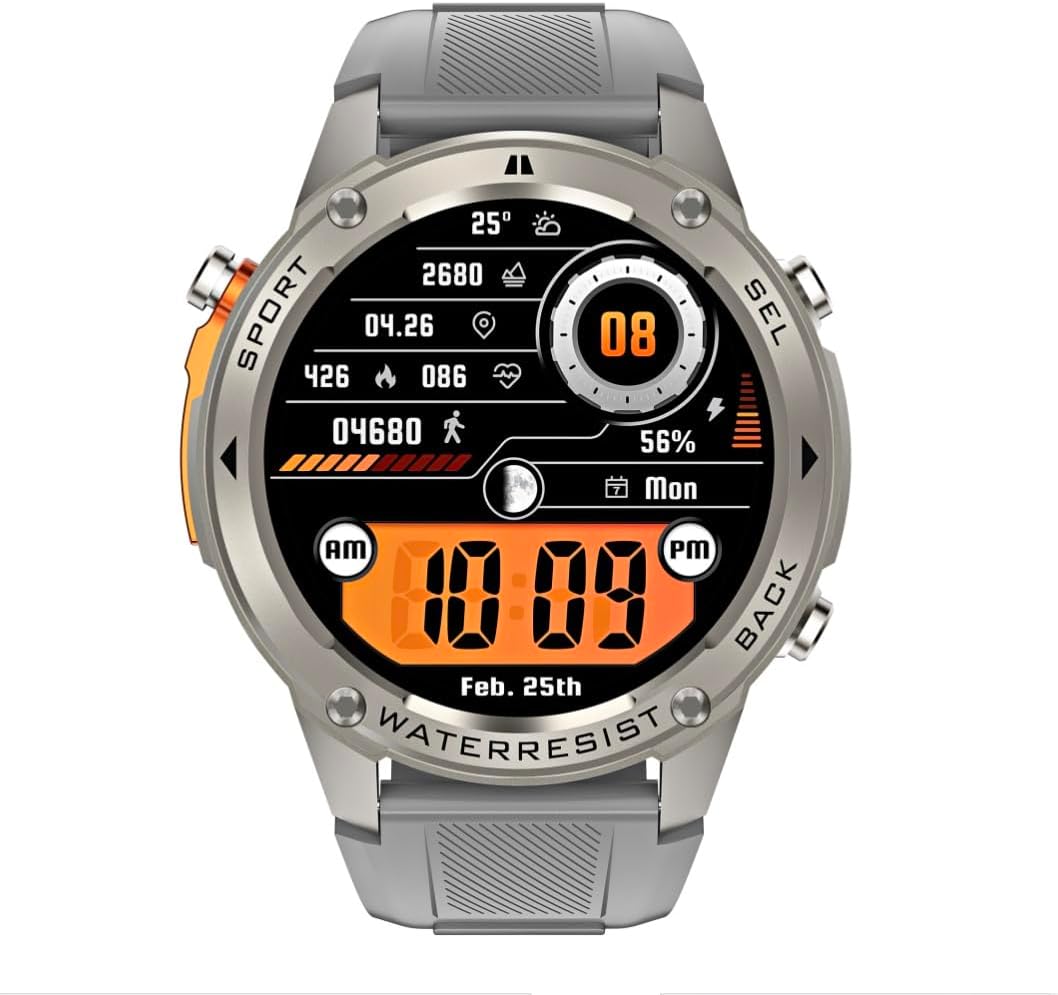
Immagine: Frontale view of the infiniity DM56 Sport Smartwatch, displaying a digital watch face with time, date, activity data, and battery level. The watch features a silver bezel and a light grey silicone strap.
Informazioni sulla sicurezza
- Non tentare di smontare o modificare il dispositivo. Ciò potrebbe invalidare la garanzia e causare danni.
- Tenere il dispositivo lontano da temperature estreme, dalla luce solare diretta e da liquidi corrosivi.
- Evitare di esporre il dispositivo a forti urti o cadute.
- Consultare un medico prima di iniziare un nuovo regime di allenamento, soprattutto se si hanno problemi di salute preesistenti.
- The device is 5ATM waterproof, suitable for swimming and showering, but not for diving or high-pressure water activities.
- Use only the provided charging cable and a compatible power adapter (5V, 0.5A) to prevent damage.
Cosa c'è nella scatola
- infiniity DM56 Sport Smartwatch
- Cavo di ricarica
- Manuale dell'utente (questo documento)
Impostare
1. Ricarica dello smartwatch
Before first use, fully charge your DM56 smartwatch. Connect the magnetic charging cable to the charging contacts on the back of the watch and plug the USB end into a power source (e.g., computer USB port or a 5V/0.5A USB power adapter).

Immagine: Posteriore view of the DM56 smartwatch, highlighting the optical heart rate sensor and magnetic charging contacts. The watch features a light grey silicone strap.
The watch display will show the charging status. A full charge typically takes approximately 2 hours.
2. Installazione e associazione dell'app
To unlock the full functionality of your DM56 smartwatch, you need to download and install the companion application on your smartphone.
- Scarica l'App: Cercare the "infiniity Fit" app (or similar, check packaging for exact name) in the Apple App Store (for iOS 11 and above) or Google Play Store (for Android 5.0 and above).
- Creare un account: Apri l'app e segui le istruzioni sullo schermo per creare un nuovo account utente o per effettuare l'accesso se ne hai già uno.
- Abilita Bluetooth: Assicurati che il Bluetooth sia abilitato sul tuo smartphone.
- Accoppia dispositivo: In the app, navigate to the "Device" or "Add Device" section. The app will scan for available smartwatches. Select "DM56" from the list of discovered devices.
- Conferma associazione: Potrebbe apparire una richiesta di associazione sia sul telefono che sullo smartwatch. Conferma l'associazione su entrambi i dispositivi.
- Configurazione completa: Once paired, the app will guide you through initial settings such as personal profile, notification preferences, and health monitoring permissions.
Istruzioni per l'uso
1. Navigazione di base
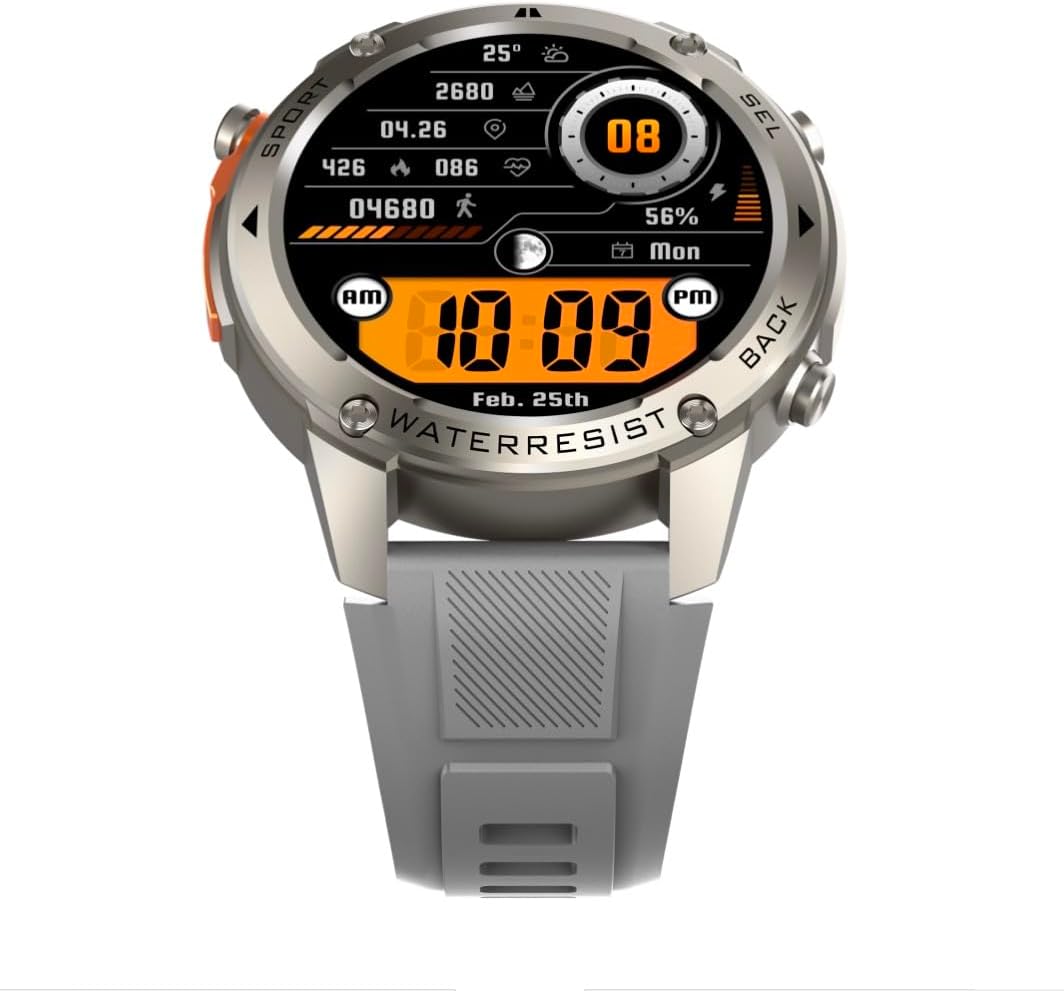
Immagine: Frontale view of the DM56 smartwatch, showcasing its 1.43-inch AMOLED display with a digital watch face showing time, date, steps, heart rate, and battery level. The watch has a silver bezel and light grey strap.
- Schermo tattile: Swipe left/right to navigate between main screens (e.g., activity, heart rate, weather). Swipe up to access notifications. Swipe down to access quick settings. Tap to select an item or enter a menu.
- Pulsanti laterali: The DM56 features multiple physical buttons.
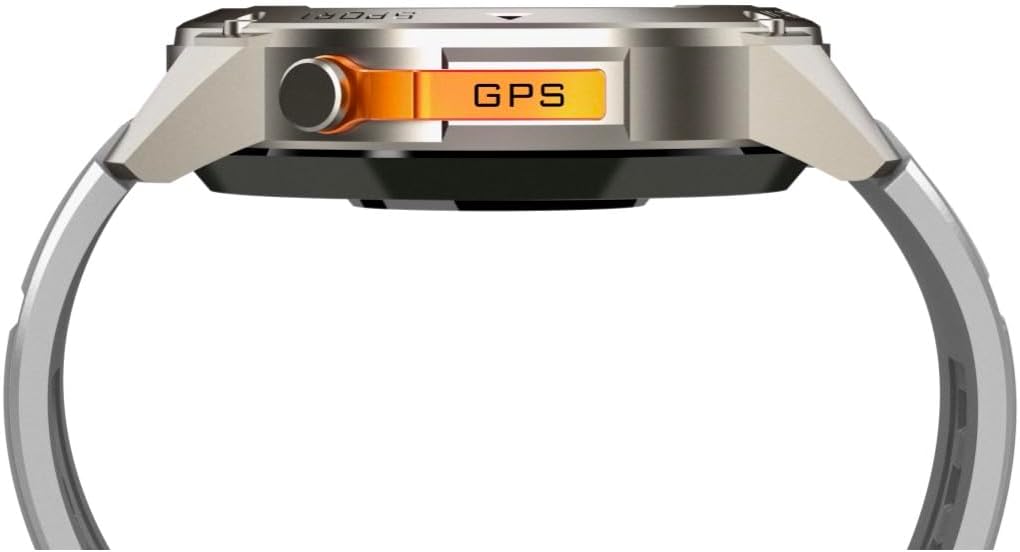
Immagine: Lato view of the DM56 smartwatch, highlighting the orange "GPS" button on the right side of the watch case. This button is used for quick access to GPS functions or sport modes.
- Power/Home Button: Typically located on the top right. Press to wake/sleep the screen, or long-press to power on/off. From any screen, press to return to the watch face.
- Sport/GPS Button: Often highlighted (e.g., orange). Press to quickly launch sport modes or activate GPS.
- Select/Back Buttons: Used for navigating menus, confirming selections, or going back to the previous screen. Refer to the on-screen prompts for specific button functions.
2. Caratteristiche dello schermo
The 1.43-inch AMOLED display offers vibrant colors and deep blacks. It supports an Always-On Display (AOD) mode, allowing you to see the time and essential information without raising your wrist or tapping the screen. AOD settings can be configured in the companion app.
3. Monitoraggio della salute
The DM56 smartwatch is equipped with the VC30F sensor for comprehensive health tracking:
- Monitoraggio della frequenza cardiaca: Il monitoraggio continuo della frequenza cardiaca fornisce informazioni sulla tua salute cardiovascolare. View dati in tempo reale sull'orologio o tendenze dettagliate nell'app.
- Monitoraggio dell'ossigeno nel sangue (SpO2): Measures the oxygen saturation level in your blood.
- Monitoraggio del sonno: Tiene traccia automaticamente del tuo sonnotages (deep, light, REM) and provides a sleep quality score.
- Monitoraggio dello stress: Monitora i tuoi livelli di stress durante il giorno.
- Pedometro: Conta i passi giornalieri, la distanza e le calorie bruciate.
Nota: i dati di monitoraggio della salute sono solo di riferimento e non devono essere utilizzati per diagnosi o trattamenti medici.
4. Modalità Sport e GPS
The DM56 supports over 170 sports modes, with 14 built-in modes and the ability to add more via the app. It features L1+L5 dual-frequency GPS and multi-system positioning (GPS, GLONASS, BDS, Galileo, NAVIC, QZSS) for accurate outdoor activity tracking.
- Iniziare un allenamento: Press the Sport/GPS button or navigate to the "Workout" menu on the watch. Select your desired activity (e.g., Outdoor Running, Cycling).
- Acquisizione GPS: For outdoor activities, ensure you are in an open area for faster GPS signal acquisition. The watch will indicate when GPS is ready.
- Durante l'allenamento: The watch will display real-time metrics such as duration, distance, pace, heart rate, and calories burned.
- Conclusione di un allenamento: Press the appropriate button or swipe on the screen to pause or end the workout. Confirm to save the data. Detailed workout summaries are available in the app.
5. Smart Notifications and Calls
Once paired with your smartphone, the DM56 can receive notifications for calls, SMS messages, and various apps. You can answer or reject calls directly from the watch.
- Abilitazione delle notifiche: Configure which app notifications you wish to receive in the companion app settings.
- ViewNotifiche: Scorri verso l'alto sul quadrante dell'orologio per view notifiche recenti.
- Rispondere/rifiutare le chiamate: When an incoming call arrives, tap the green icon to answer or the red icon to reject. The watch uses its built-in microphone and speaker for calls.
6. Resistenza all'acqua (5 ATM)
The DM56 has a 5ATM waterproof rating, meaning it can withstand water pressures equivalent to a depth of 50 meters. It is suitable for swimming in pools or shallow water, showering, and daily use. It is not recommended for diving, snorkeling, or high-speed water sports.
- Non azionare i pulsanti sott'acqua.
- Dopo l'esposizione all'acqua salata, sciacquare l'orologio con acqua dolce e asciugarlo accuratamente.
Manutenzione
- Pulizia: Pulisci regolarmente la cassa e il cinturino dell'orologio con un panno morbido damp cloth. For the charging contacts and sensors on the back, use a dry cotton swab to remove any dust or debris.
- Sostituzione del cinturino: The silicone straps are replaceable. Refer to the quick-release pins on the underside of the strap for removal and attachment.
- Aggiornamenti software: Periodically check the companion app for firmware updates. Updates often include performance improvements, bug fixes, and new features. Ensure your watch is sufficiently charged before starting an update.
- Magazzinaggio: Se si conserva l'orologio per un periodo prolungato, caricarlo al 50% circa e conservarlo in un luogo fresco e asciutto.
Risoluzione dei problemi
| Problema | Possibile soluzione |
|---|---|
| L'orologio non si accende. | Assicurati che l'orologio sia completamente carico. Collegalo al cavo di ricarica e a una fonte di alimentazione per almeno 30 minuti. |
| Impossibile effettuare l'associazione con lo smartphone. |
|
| Notifiche non ricevute. |
|
| Dati sanitari imprecisi. |
|
| GPS signal acquisition is slow. |
|
Specifiche
| Caratteristica | Dettaglio |
|---|---|
| Nome del modello | 56 marchi |
| Marca | Infinito |
| Display | 1.43 Inches AMOLED, 466x466 pixels |
| Sensori | Frequenza cardiaca (VC30F), accelerometro (STK8321), magnetometro (bussola), barometro+altitudine (SPL07-03) |
| Connettività | Bluetooth 5.3 |
| Capacità della batteria | 500 mAh (ioni di litio) |
| Livello di impermeabilità | 5 ATM (fino a 50 metri) |
| GPS | Built-in GPS (L1+L5 dual-frequency), Multi-System Positioning (GPS, GLONASS, BDS, Galileo, NAVIC, QZSS) |
| Compatibilità | Android 5.0+ e iOS 11 e versioni successive |
| Caratteristica speciale | Display sempre attivo |
| Peso dell'articolo | 0.65 once |
| Dimensioni del pacco | 4.25 x 4.25 x 2.8 pollici |
Garanzia e supporto
For warranty information and technical support, please refer to the official Infinity webo contattare direttamente il servizio clienti. Conservare la ricevuta d'acquisto come prova d'acquisto per eventuali reclami in garanzia.
Produttore: Infiniity


