Introduzione
This manual provides detailed instructions for the GODIYMODULES TPA3116D2 Digital Power Amplifier Board. Designed for ease of use and high performance, this compact mono amplifier board features a TPA3116 digital power amplifier chip and an integrated volume potentiometer, making it suitable for a wide range of audio applications. Please read this manual thoroughly before operation to ensure proper setup and optimal performance.
Caratteristiche
- Utilizes the TPA3116 digital power amplifier chip for efficient audio amplificazione.
- Compact design, ideal for space-constrained projects.
- Integrated volume potentiometer for convenient audio level adjustment.
- Supports a wide working voltagLa gamma è compresa tra 5 V e 24 V CC.
- Delivers a maximum output power of 100W in mono configuration.
Specifiche
| Parametro | Valore |
|---|---|
| Volume di lavorotage | CC 5V-24V |
| Board Dimensions (L x W) | 45 mm x 33 mm (1.77 x 1.30 pollici) |
| Altezza totale (circa) | 22 mm (0.87 pollici) |
| Potenza massima in uscita | 100 W (Mono) |
| Chipset | TPA3116D2 |
| Tipo di montaggio | Montaggio in superficie |
| Numero modello articolo | BTL-100WFYY-002 |
Impostare
Follow these steps to set up your TPA3116D2 Digital Power AmpScheda lifier:
- Collegamento elettrico: Connect a DC power supply within the 5V-24V range to the VCC and GND terminals. Ensure correct polarity to prevent damage.
- Ingresso audio: Connect your audio source (e.g., smartphone, MP3 player) to the IN+ and IN- terminals.
- Uscita altoparlante: Connect your mono speaker to the OUT+ and OUT- terminals. Ensure the speaker impedance is compatible with the amppiù vivace.

Immagine: in alto view del amplifier board, highlighting the input (IN), output (OUT), and power (VCC) connection points.

Image: A pair of TPA3116D2 amppannelli di supporto, mostraasing their compact size and integrated volume control.
Istruzioni per l'uso
Once the board is correctly wired and powered on, you can begin operation:
- Regolazione del volume: Use the integrated potentiometer knob to adjust the output volume. Rotate clockwise to increase volume and counter-clockwise to decrease it.
- Riproduzione audio: Start playing audio from your connected source. The amplifier will output the sound through the connected speaker.
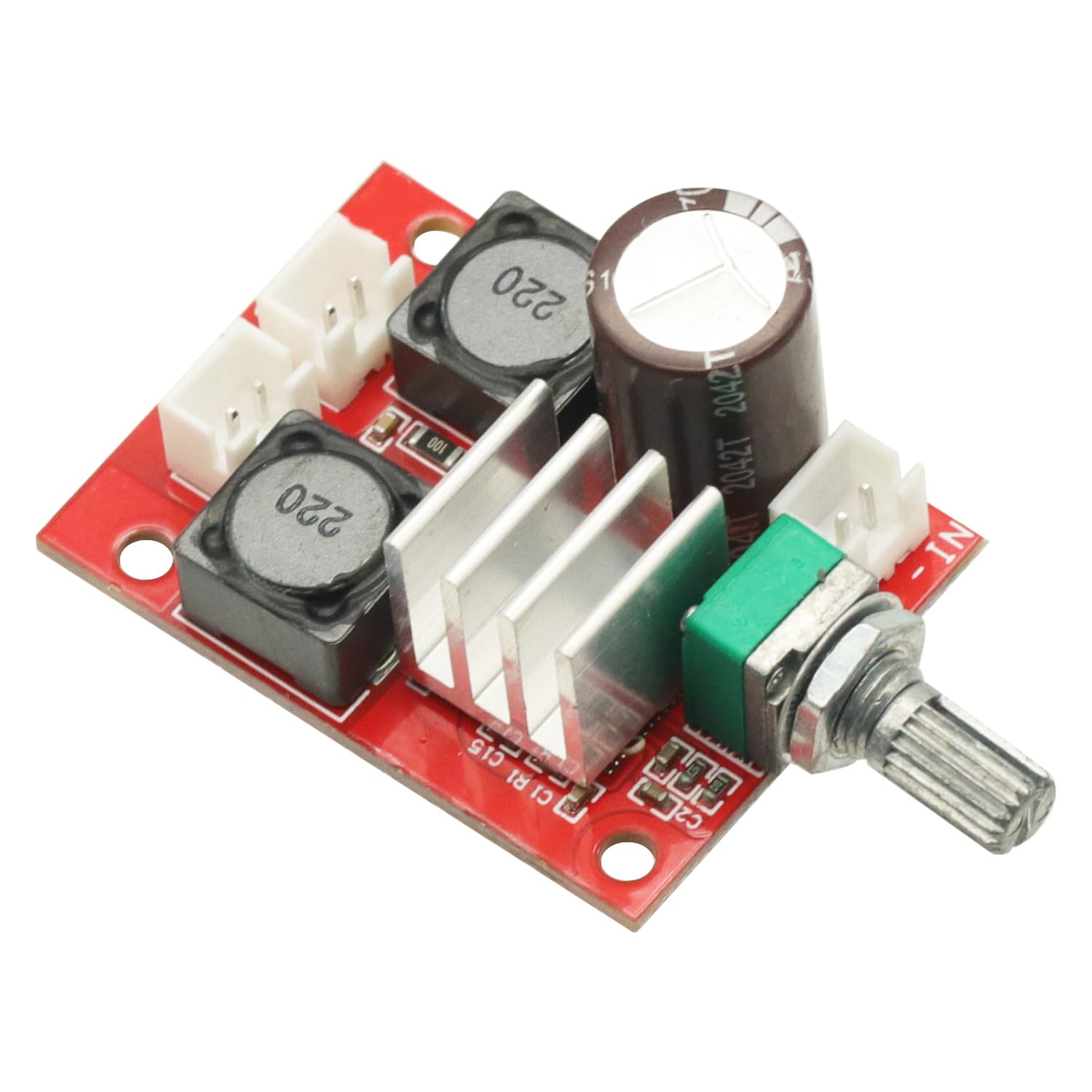
Immagine: Angolata view del amplifier board, clearly showing the volume adjustment potentiometer.
Manutenzione
Per garantire la longevità e le prestazioni ottimali del tuo ampscheda di lificazione, seguire queste linee guida per la manutenzione:
- Mantenere asciutto: Avoid exposing the board to moisture or liquids, which can cause short circuits and damage.
- Pulisci delicatamente: Se necessario, utilizzare un panno morbido e asciutto. Non utilizzare prodotti chimici aggressivi o materiali abrasivi.
- Maneggiare con cura: Avoid dropping or subjecting the board to strong impacts. When handling, minimize contact with electronic components to prevent static discharge.
- Ventilazione: Ensure adequate airflow around the board, especially during extended operation, to prevent overheating.
Risoluzione dei problemi
Se riscontri problemi con il tuo ampscheda di lifier, fare riferimento ai seguenti problemi comuni e alle relative soluzioni:
- Nessun potere:
- Check if the DC power supply is connected correctly and providing voltage nell'intervallo 5V-24V.
- Verify power supply polarity.
- Nessuna uscita audio:
- Ensure the audio input source is active and connected properly to IN+ and IN-.
- Check speaker connections to OUT+ and OUT-.
- Confirm the volume potentiometer is not set to minimum.
- Suono distorto:
- Verify that the input audio signal is not too strong, causing clipping.
- Check the power supply for stability; insufficient current can cause distortion.
- Assicurarsi che l'impedenza dell'altoparlante corrisponda a amprequisiti del fornitore.
Garanzia e supporto
This product is covered by a standard return policy. If you are not satisfied with your purchase, you may be eligible for a return or replacement within 30 days of receipt, subject to the seller's terms and conditions.
For technical support, troubleshooting assistance beyond this manual, or warranty inquiries, please contact the seller directly through the platform where the product was purchased. Provide your order details and a clear description of the issue for prompt assistance.


