Introduzione e chiusuraview
Thank you for choosing the KinetCam Wireless Indoor Security Camera. This 2K HD Wi-Fi camera is designed for real-time monitoring of your indoor spaces, offering features like motion detection, instant notifications, and a long-lasting rechargeable battery. This manual provides essential information for setting up, operating, and maintaining your camera to ensure optimal performance.

Image: The KinetCam Wireless Indoor Security Camera shown next to a smartphone displaying the camera's live feed and app interface.
Le caratteristiche principali includono:
- Video HD 2K: Cattura cibo chiaro e dettagliatotage.
- Connettività Wi-Fi: Easy connection to 2.4G Wi-Fi networks (5G Wi-Fi not supported).
- Monitoraggio in tempo reale: View live feed from anywhere via the mobile app.
- Rilevamento movimento e avvisi: Receive instant notifications upon detecting movement.
- Batteria ricaricabile: Up to 100 days standby time (depending on activity).
- Visione notturna: Visione notturna automatica per una visione chiara viewin condizioni di scarsa illuminazione.
- Archiviazione locale e cloud: Supports TF card up to 256GB (not included) and optional cloud storage.
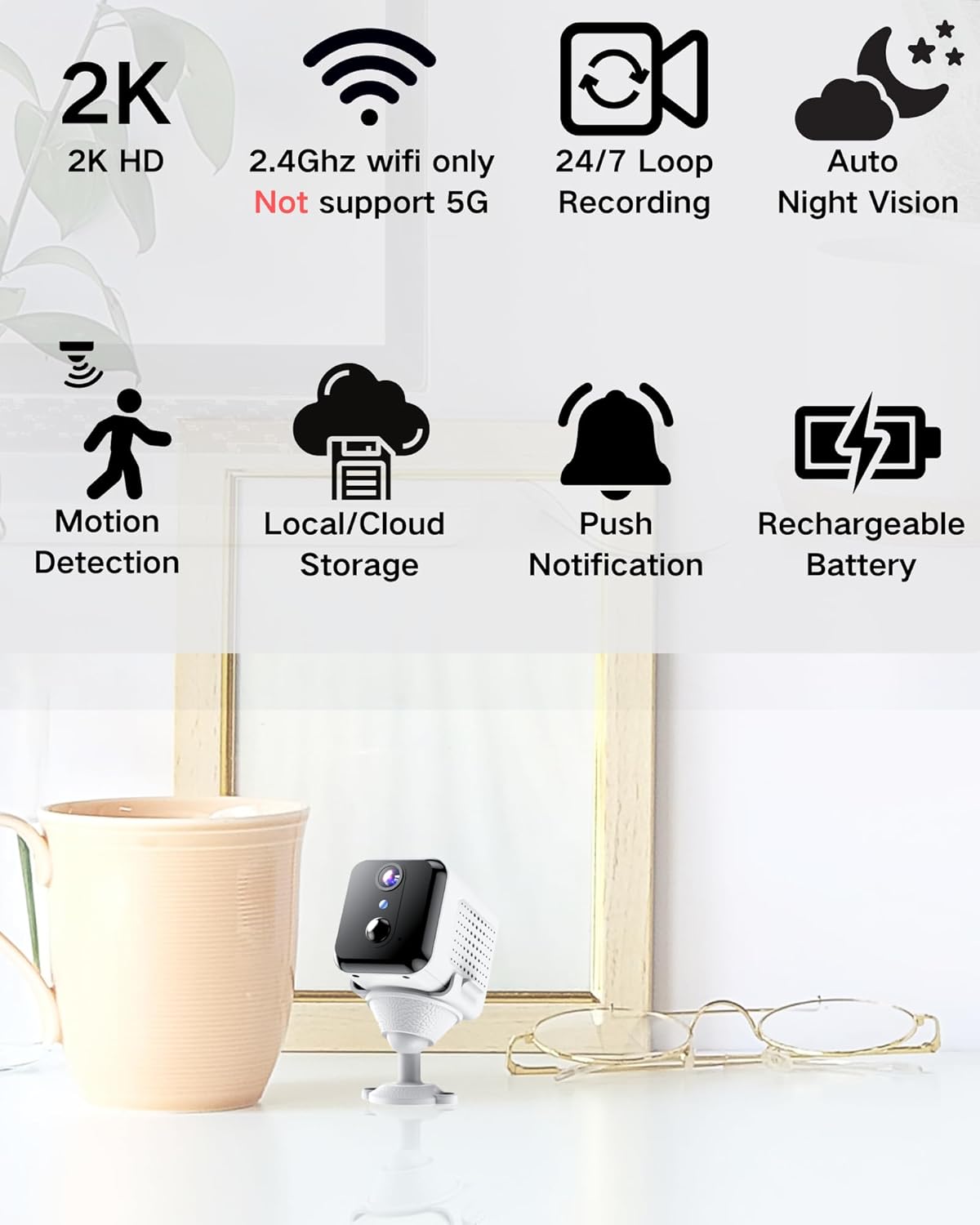
Image: Visual representation of the camera's main features, including 2K HD, 2.4GHz Wi-Fi support, loop recording, night vision, motion detection, storage options, push notifications, and rechargeable battery.
Cosa c'è nella scatola
Si prega di controllare il contenuto della confezione dopo averla disimballata:
- Corpo macchina fotografica
- Base di installazione
- Manuale d'uso
Guida all'installazione
1. Caricare la fotocamera
Before initial use, fully charge the camera using the provided USB cable and a compatible power adapter (not included). The charging indicator light will show the charging status.

Image: An illustration highlighting the internal rechargeable battery of the KinetCam camera, emphasizing its long standby capability.
2. Installazione dell'app
Download the "KinetCam" app from your smartphone's app store (Google Play Store for Android or Apple App Store for iOS). Alternatively, scan the QR code provided in the quick start guide (if applicable) to download the app.
3. Connessione al Wi-Fi
- Assicurati che il tuo smartphone sia connesso a un Rete Wi-Fi a 2.4 GHz. The camera does not support 5GHz Wi-Fi.
- Open the KinetCam app and create an account or log in.
- Follow the in-app instructions to add a new device. This typically involves powering on the camera and scanning a QR code displayed on your phone with the camera's lens, or connecting via an access point.
- Once connected, the camera's indicator light will change, and you will see the camera listed in your app.

Image: A user interacting with the KinetCam app on a smartphone, illustrating the ease of connecting the camera to a Wi-Fi network.
4. Montaggio della fotocamera
The camera comes with an installation base for flexible placement. You can place it on a flat surface or mount it to a wall. Ensure the camera has a clear line of sight to the area you wish to monitor.
- Attach the camera body to the installation base.
- For wall mounting, use appropriate screws (not included) to secure the base to the desired location.
Istruzioni per l'uso
1. Vivere View
Open the KinetCam app and select your camera from the device list to access the live video feed. You can view the 2K HD video in real-time.

Image: A smartphone screen showing a clear 2K live video feed from the camera, including a demonstration of its night vision capabilities in a dark room.
2 Rilevamento del movimento e avvisi
The camera features PIR (Passive Infrared) motion detection. When motion is detected, the camera will automatically record and send an instant notification to your smartphone. You can adjust motion sensitivity settings within the app.

Image: A smartphone screen showing a motion detection alert from the KinetCam app, demonstrating how the camera sends immediate notifications when activity is detected.
3. Registrazione e archiviazione
The camera supports continuous loop recording and event-triggered recording. You have two storage options:
- Archiviazione locale: Insert a TF (microSD) card (up to 256GB, not included) into the camera's designated slot for local video storage.
- Archiviazione cloud: Optional cloud storage services may be available through the app for secure off-site storage of your recordings. Refer to the app for subscription details.

Image: A visual explanation of the camera's storage options, including support for a TF card (up to 256GB) and optional cloud storage.
4. Visione notturna
The camera automatically switches to night vision mode in low-light conditions, providing clear black-and-white video up to 15 feet.
Manutenzione
- Ricarica della batteria: Recharge the camera battery when the app indicates low power to ensure continuous operation.
- Pulizia: Pulisci delicatamente l'obiettivo e il corpo della fotocamera con un panno morbido e asciutto. Evita di utilizzare prodotti chimici aggressivi o materiali abrasivi.
- Aggiornamenti del firmware: Periodically check the KinetCam app for available firmware updates to ensure your camera has the latest features and security enhancements.
Risoluzione dei problemi
| Problema | Possibile soluzione |
|---|---|
| La fotocamera non si connette al Wi-Fi. |
|
| Nessun feed video in diretta. |
|
| Avvisi di movimento non ricevuti. |
|
| Scarsa qualità video. |
|
Specifiche
| Caratteristica | Dettaglio |
|---|---|
| Nome del modello | CAM-A |
| Uso interno/esterno | Al chiuso |
| Dispositivi compatibili | Smartphone |
| Fonte di alimentazione | Alimentato a batteria (1 batteria ai polimeri di litio inclusa) |
| Protocollo di connettività | Wi-Fi (solo 2.4 GHz) |
| Tipo di montaggio | Montaggio a parete |
| Risoluzione di acquisizione video | 2K |
| Viewangolo di ing | 150 gradi |
| Gamma di visione notturna | 15 piedi |
| Dimensioni del prodotto (L x P x A) | 3.19 x 2.1 x 2.1 pollici |
| Peso dell'articolo | 7 once |
| Componenti inclusi | Camera Body, Installation Base, User Manual |
Garanzia e supporto
For warranty information and customer support, please refer to the documentation included with your purchase or visit the official KinetCam website. If you encounter any issues not covered in this manual, please contact KinetCam customer service for assistance.
You can visit the KinetCam store on Amazon for more information: KinetCam Amazon Store