Introduzione
This manual provides essential instructions for setting up, operating, maintaining, and troubleshooting your GOBOULT Dire Smartwatch. Please read this guide thoroughly to ensure optimal performance and longevity of your device.
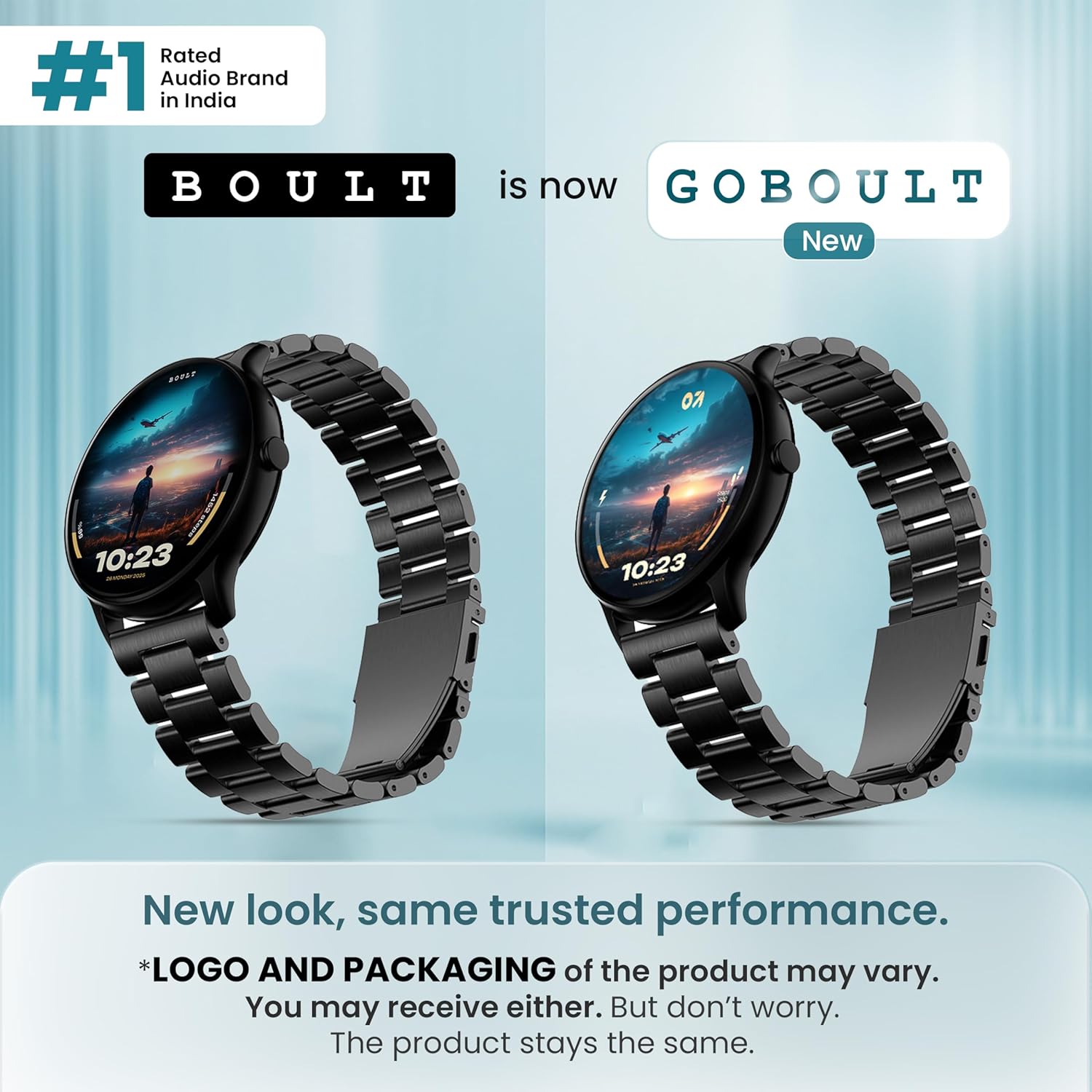
Immagine: Frontale view of the GOBOULT Dire Smartwatch, showcasinil suo display e il cinturino.
Cosa c'è nella scatola
Verifica che tutti i seguenti articoli siano inclusi nella confezione del prodotto:
- GOBOULT Dire Smartwatch (Jet Black)
- Cavo di ricarica
- Manuale dell'utente (questo documento)
- Scheda di garanzia
Impostare
1. Ricarica iniziale
Before first use, fully charge your smartwatch. Connect the provided charging cable to the magnetic charging points on the back of the watch and to a standard USB power adapter (not included). A full charge typically takes approximately 150 minutes.
2. Accensione/Spegnimento
- Per accendere: Press and hold the side button until the GOBOULT logo appears on the screen.
- Per spegnere: Tieni premuto il pulsante laterale, quindi seleziona "Spegni" sullo schermo.
3. Installazione e associazione dell'app
- Download the companion application (e.g., 'Boult Fit' or similar as indicated in the packaging) from your smartphone's app store (compatible with iOS and Android).
- Assicurati che il Bluetooth sia abilitato sul tuo smartphone.
- Apri l'app e segui le istruzioni sullo schermo per creare un account o accedere.
- Select 'Add Device' or 'Pair Device' within the app and choose 'Boult Dire' from the list of available devices.
- Conferma la richiesta di associazione sia sullo smartphone che sullo smartwatch.
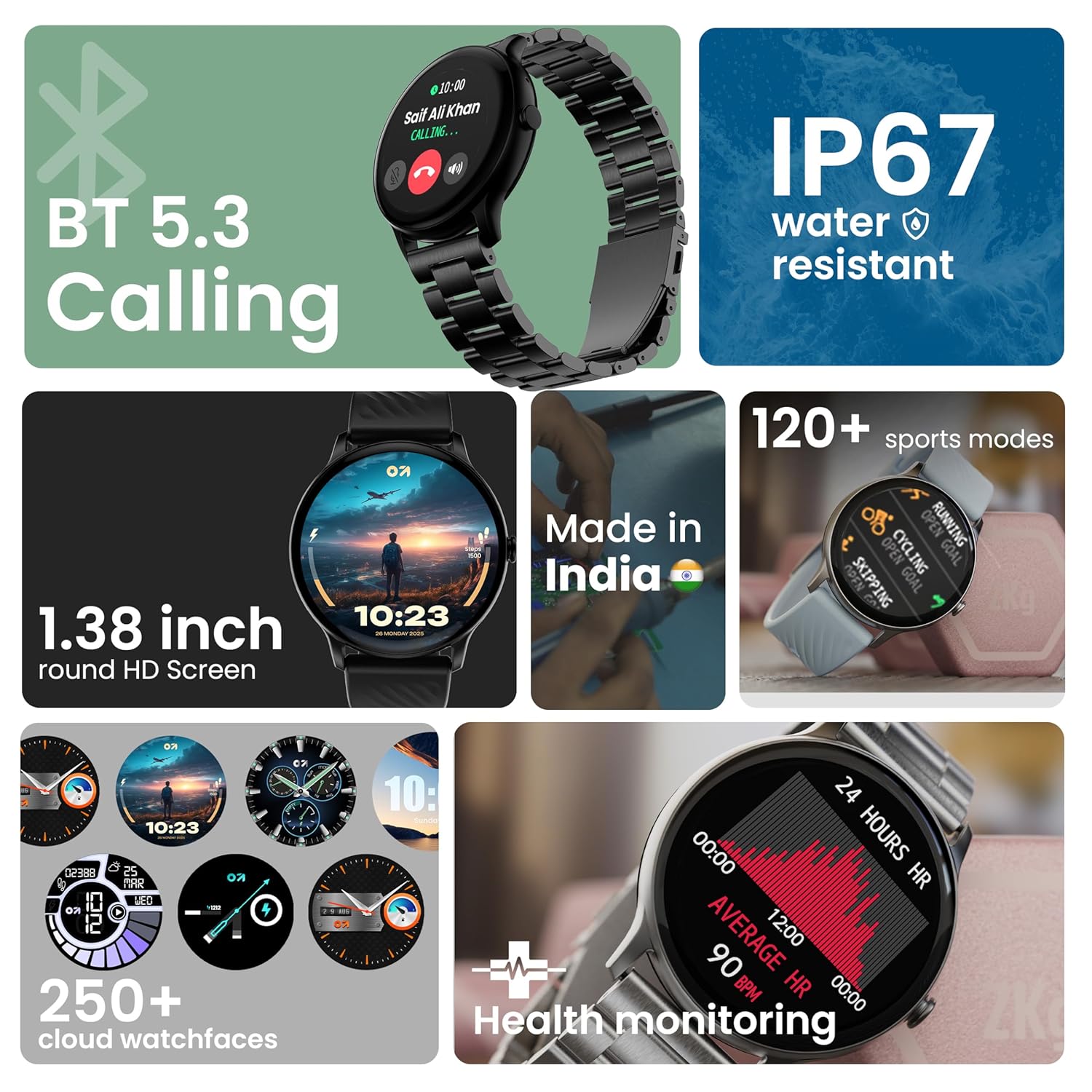
Immagine: Oltreview of key smartwatch features including Bluetooth 5.3 Calling, IP67 water resistance, 1.38-inch HD screen, 250+ watchfaces, 120+ sports modes, and health monitoring.
Istruzioni per l'uso
1. Visualizza la navigazione
The 1.38-inch 2.5D curved HD display is fully touch-sensitive. Swipe left, right, up, or down to navigate through menus, notifications, and widgets. Tap to select items.
2. Personalizzazione dei quadranti dell'orologio
Your smartwatch supports over 250 cloud watch faces. To change the watch face, long-press on the current watch face on the home screen, then swipe left or right to browse and tap to select. More options are available through the companion app.
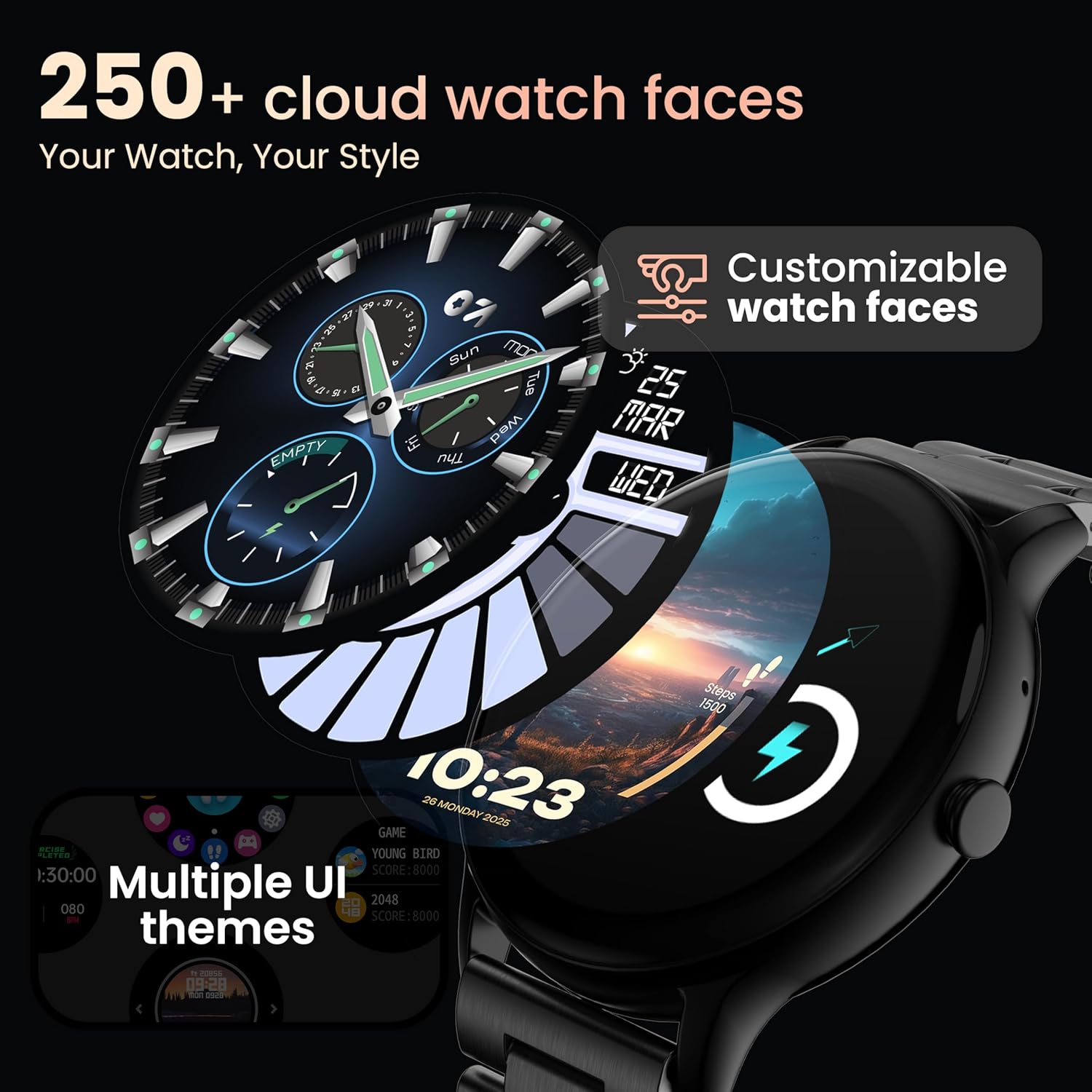
Image: A visual representation of various customizable watch faces and UI themes available on the smartwatch.
3. Chiamate Bluetooth
With Bluetooth 5.2 technology, you can make and receive calls directly from your wrist. The smartwatch features a dedicated speaker and microphone. Access the call function from the main menu to dial, answer, or reject calls. Contact synchronization is available via the companion app.
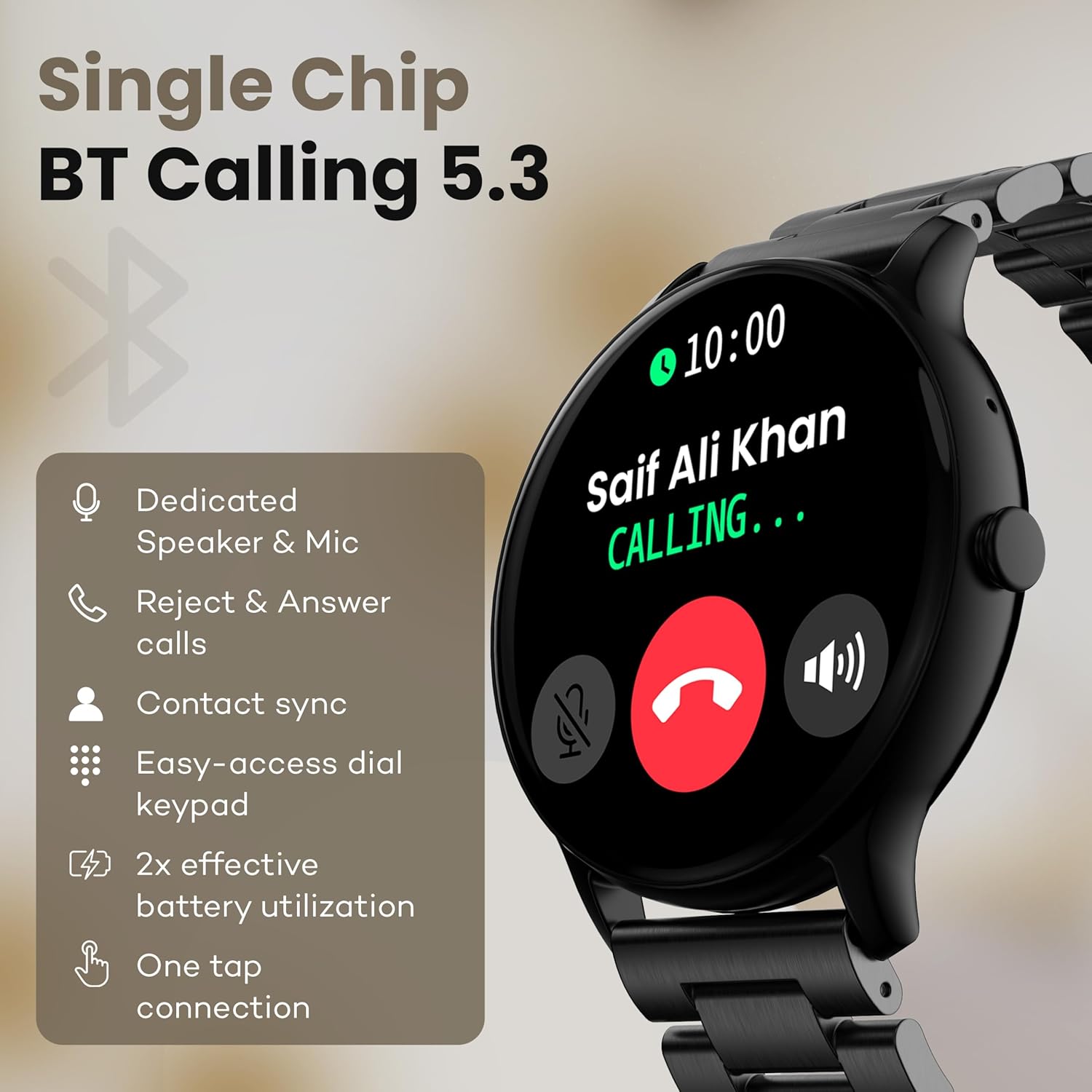
Image: The smartwatch screen showing an incoming call, highlighting features like dedicated speaker & mic, call rejection/answering, contact sync, and easy-access dial keypad.
4. Modalità sportive
The device supports over 120 sports modes. Navigate to the 'Sports' menu to select your activity. The watch will track metrics such as calories burned, distance, and heart rate during your workout.
5. Assistente vocale AI
Activate the AI Voice Assistant feature (if enabled via the app) to control your watch or smartphone using voice commands.
6. Controllo della fotocamera
Use your smartwatch as a remote shutter for your smartphone camera. Open the camera control feature on your watch and tap to take a picture.
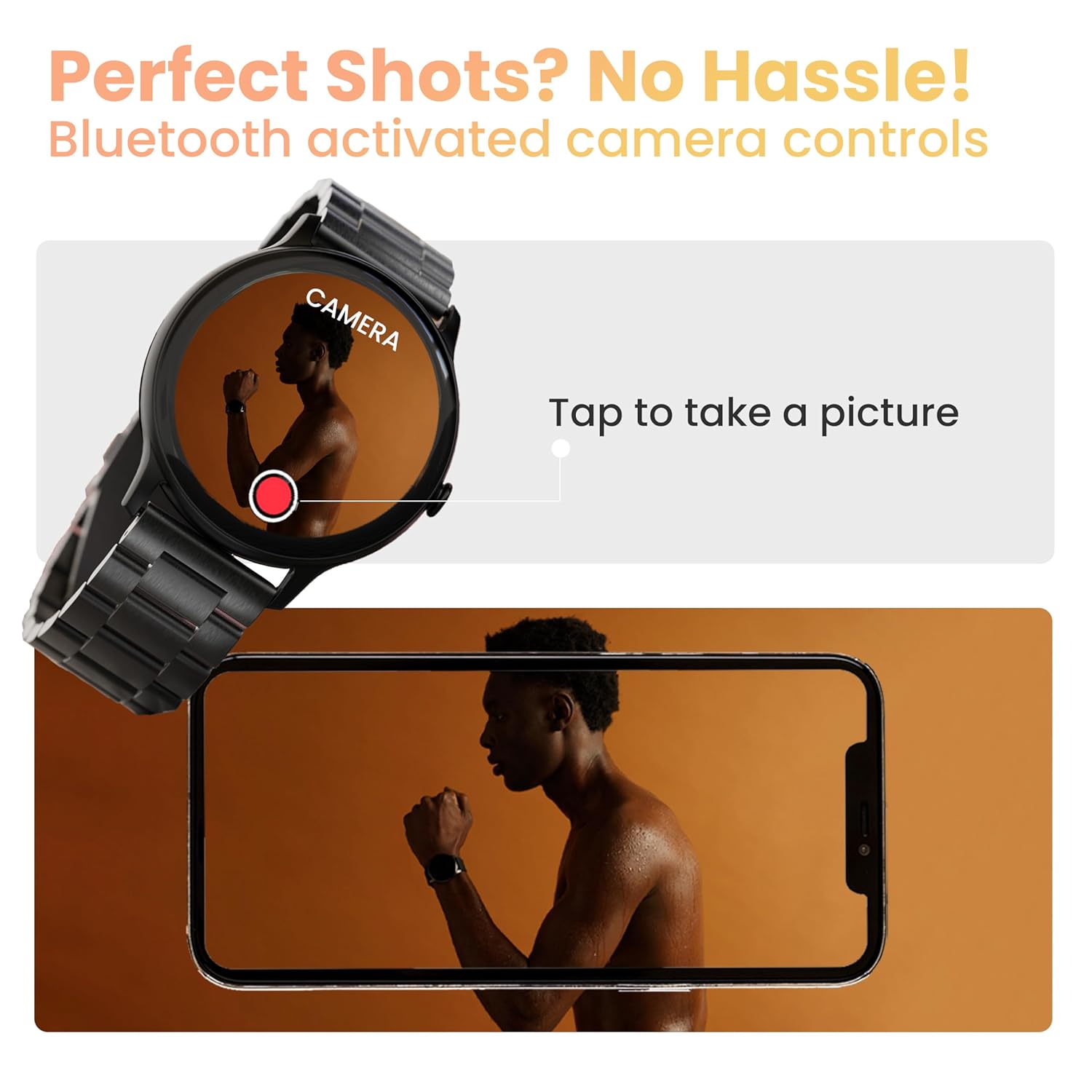
Image: The smartwatch displaying a camera interface, indicating its ability to control a smartphone camera via Bluetooth.
7. Notifiche
Receive notifications from your paired smartphone directly on your wrist. Ensure notification permissions are granted in the companion app.

Image: The smartwatch displaying various updates and reminders, such as message notifications and 'Time to Drink Water'.
8. Mini Games
The smartwatch includes pre-installed mini-games for entertainment. Access them through the main menu.
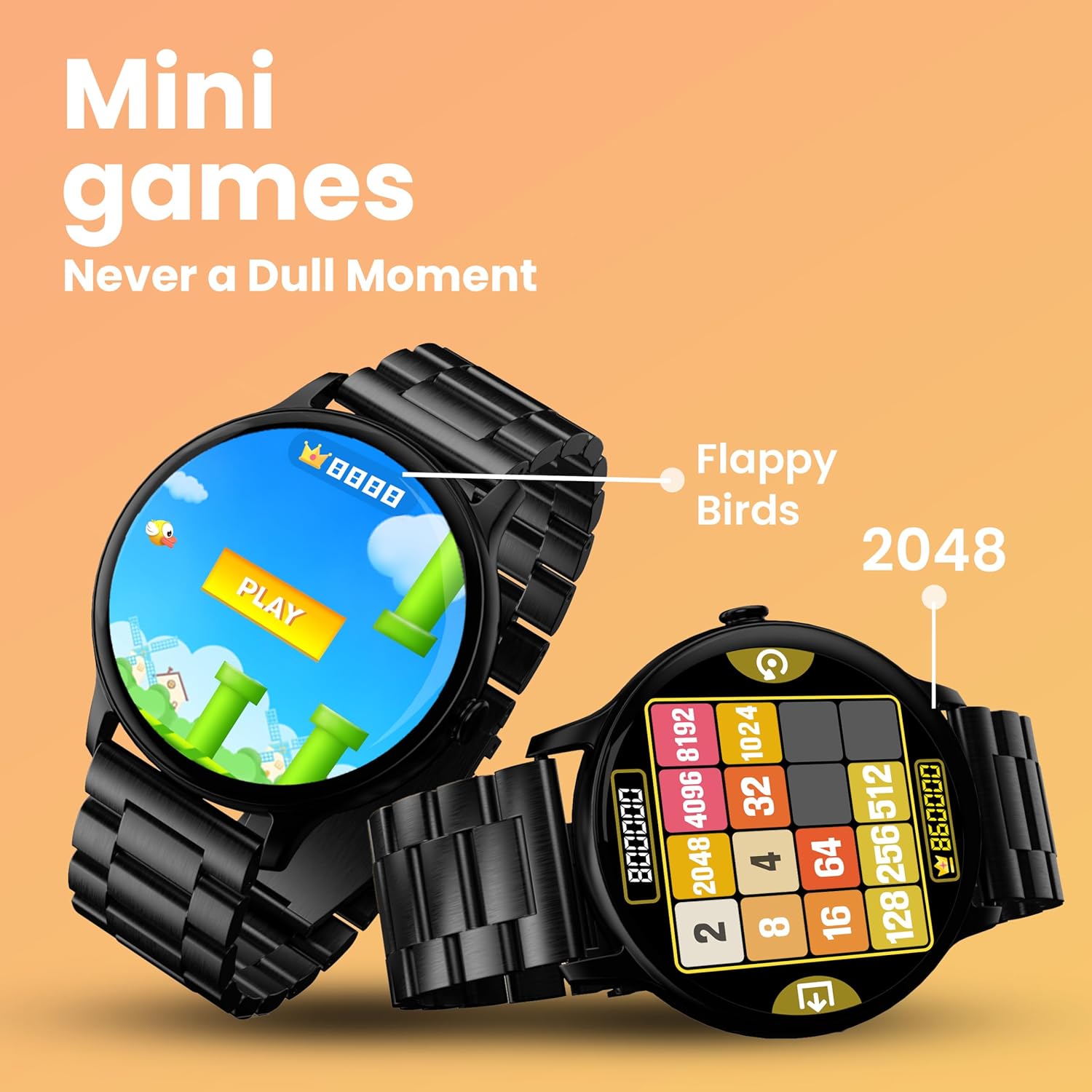
Image: The smartwatch screen showing two mini-games, 'Flappy Birds' and '2048', available for play.
Funzionalità di monitoraggio della salute
Your GOBOULT Dire Smartwatch is equipped with several health monitoring functions:
- 24x7 Heart Rate Monitor: Tiene traccia in modo continuo della tua frequenza cardiaca durante tutto il giorno.
- SpO2 Blood Oxygen Saturation Monitor: Misura i livelli di ossigeno nel sangue.
- Monitoraggio del ciclo mestruale femminile: Aiuta a monitorare e prevedere i cicli mestruali.
- Promemoria per bere acqua: Ti invita a bere acqua a intervalli regolari.
- Promemoria sedentarietà: Ti avvisa quando sei rimasto inattivo per troppo tempo.
- Monitoraggio del sonno: Analizza i tuoi ritmi e la qualità del sonno.
- Calories Count & Meditation: Tracks calorie expenditure and offers guided meditation features.
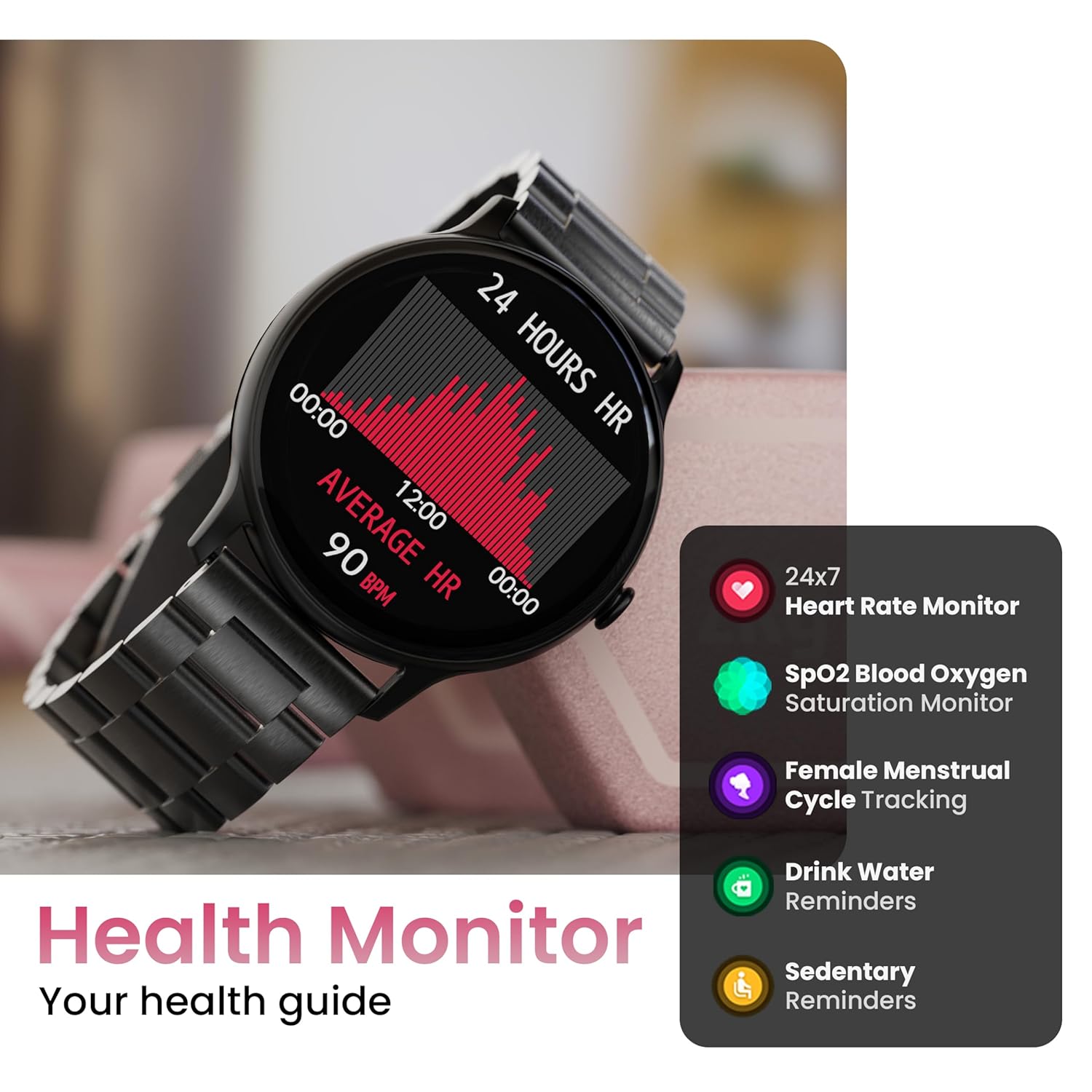
Image: The smartwatch displaying a heart rate graph, alongside icons for Heart Rate Monitor, SpO2, Female Menstrual Cycle Tracking, Drink Water Reminders, and Sedentary Reminders.
Funzionalità intelligenti
Trova il mio telefono
If your paired smartphone is misplaced, use the 'Find Device' feature on your smartwatch. Navigate to the watch menu, select 'Find Device', and tap the search button. Your connected phone will ring or vibrate, helping you locate it.
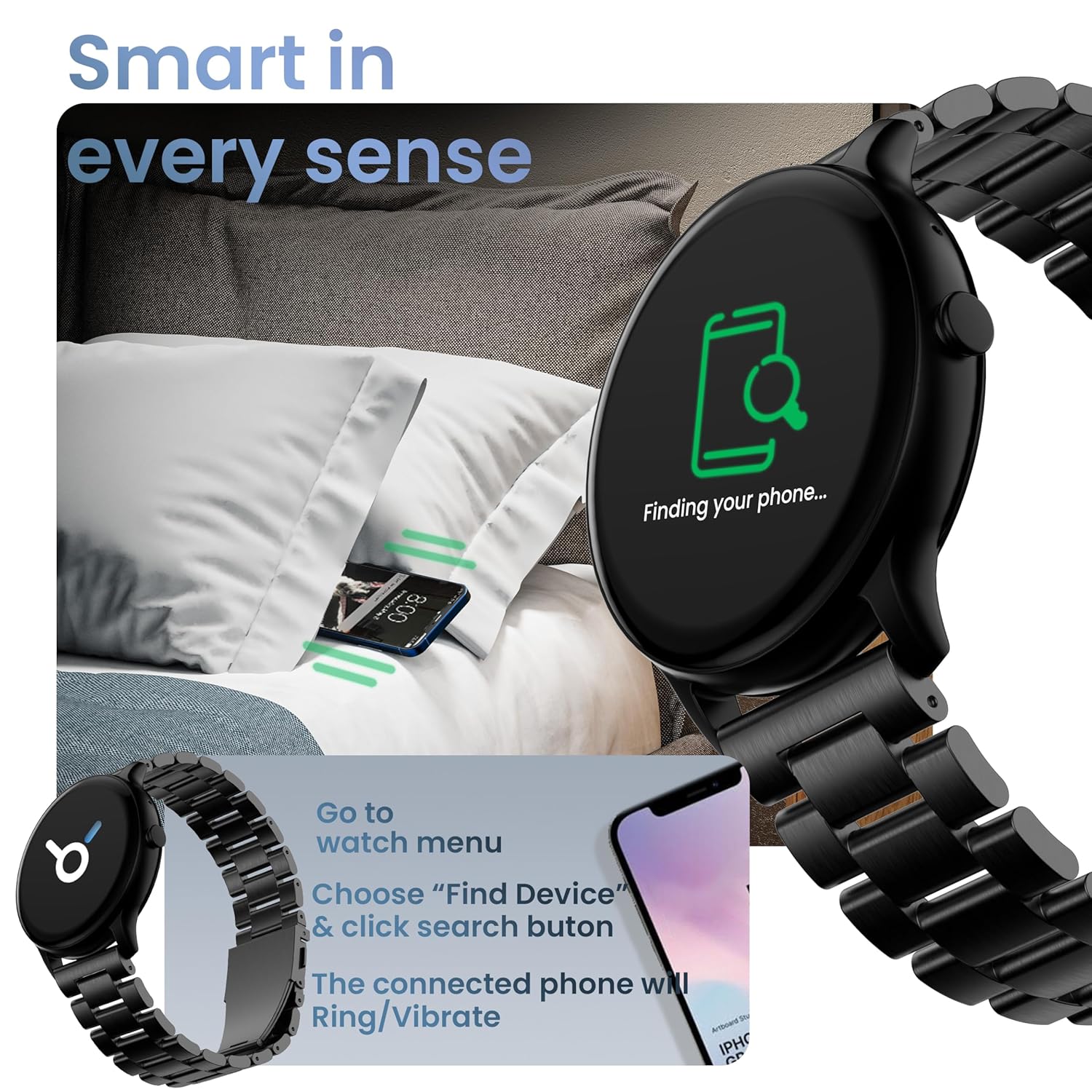
Image: The smartwatch displaying 'Finding your phone...' with an illustration of a phone vibrating under a pillow, demonstrating the 'Find Device' function.
Manutenzione
Pulizia del dispositivo
Wipe the smartwatch regularly with a soft, dry, lint-free cloth. For stubborn dirt, slightly dampLavare il panno con acqua. Evitare l'uso di prodotti chimici aggressivi o materiali abrasivi.
Resistenza all'acqua e alla polvere (IP67)
The GOBOULT Dire Smartwatch is IP67 rated, meaning it is resistant to dust and can withstand immersion in water up to 1 meter for 30 minutes. It is suitable for daily use, including splashes and sweat. However, it is not recommended for swimming, showering with hot water, or diving.
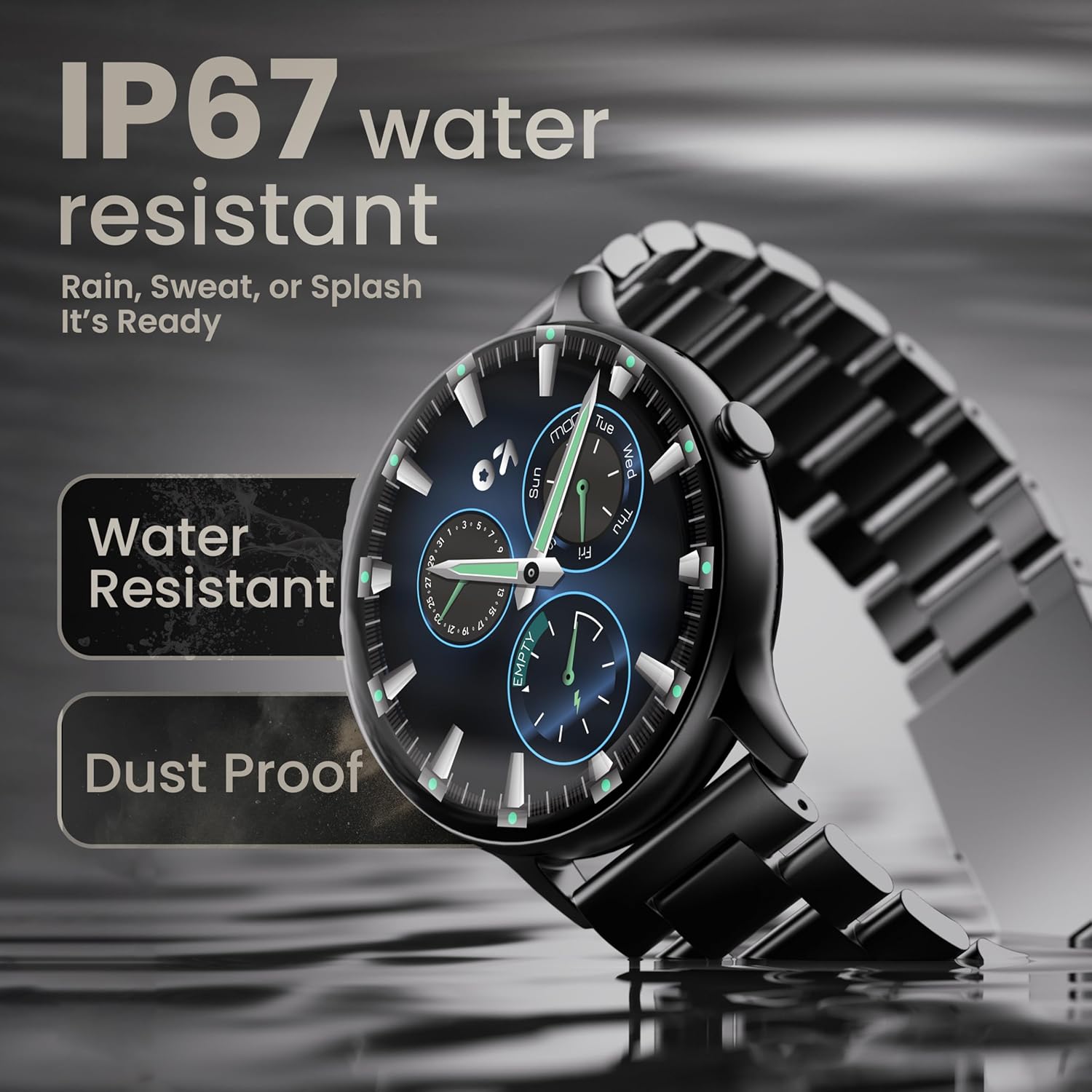
Image: The smartwatch submerged partially in water, with text indicating 'IP67 water resistant' and 'Rain, Sweat, or Splash It's Ready'.
Cura della batteria
To maximize battery life (up to 7 days on average), avoid extreme temperatures and fully discharge the battery occasionally before recharging. Use only the provided charging cable.
Risoluzione dei problemi
| Problema | Soluzione |
|---|---|
| L'orologio non si accende | Assicurati che l'orologio sia completamente carico. Collegalo al caricabatterie per almeno 30 minuti. |
| Impossibile associare allo smartphone | Make sure Bluetooth is enabled on your phone. Restart both the watch and phone. Ensure the companion app is installed and open. Check if the watch is already paired with another device. |
| Le notifiche non vengono visualizzate | Verify that notification permissions are granted for the companion app in your phone's settings. Ensure the watch is connected via Bluetooth. |
| Dati sanitari imprecisi | Assicurati che l'orologio sia ben aderente al polso, né troppo stretto né troppo largo. Pulisci il sensore sul retro dell'orologio. |
| Durata breve della batteria | Reduce screen brightness, disable unnecessary features like continuous heart rate monitoring if not needed, and limit frequent notifications. Ensure background app usage is optimized. |
Specifiche
| Caratteristica | Dettaglio |
|---|---|
| Marca | GOBOULT |
| Nome del modello | Boult Dire |
| Dimensioni dello schermo | 1.38 pollici |
| Tipo di visualizzazione | HD, 2.5D Curved |
| Luminosità | 500 nit |
| Versione Bluetooth | 5.2 |
| Resistenza all'acqua | IP67 (resistente alla polvere e all'acqua) |
| Durata della batteria (media) | 7 giorni |
| Tempo di carica della batteria | 150 minuti |
| Compatibilità del sistema operativo | iOS, Android |
| Peso dell'articolo | 40 grammi |
| Materiale del telaio | Lega di zinco |
| Componenti inclusi | Charging Cable, Smartwatch, User Manual, Warranty Card |
Garanzia e supporto
Your GOBOULT Dire Smartwatch comes with a manufacturer's warranty. Please refer to the included Warranty Card for detailed terms, conditions, and duration of the warranty period.
For technical assistance, product inquiries, or warranty claims, please contact GOBOULT customer support through the contact information provided on your Warranty Card or the official GOBOULT websito.


