1. Introduzione
The Sygonix SY-6421352 RFID Code Keypad is a robust and secure access control solution designed for various environments, including corporate buildings, leisure facilities, and smart homes. It offers flexible access methods via PIN, RFID card, or a combination of both. With an IP66 weather-resistant die-cast zinc housing and illuminated keys, it ensures reliable operation even in challenging conditions.
2. Informazioni sulla sicurezza
- Leggere attentamente tutte le istruzioni prima dell'installazione e dell'uso.
- Ensure proper power supply (12V DC/AC, 24V DC/AC) to avoid damage.
- Per evitare rischi elettrici, l'installazione deve essere eseguita da personale qualificato.
- Do not expose the device to extreme temperatures or corrosive substances.
- Regularly check for signs of wear or damage. Disconnect power before any maintenance.
3. Contenuto della confezione
Verificare che tutti gli articoli siano presenti nel pacco:
- Sygonix SY-6421352 RFID Code Keypad
- Adesivo di montaggio
- 4x Viti
- 4x spine a muro
- Vite a testa esagonale
- Chiave
- Cablaggio
- 2x Diodi
- 2x Piezo resistors
- Manuale d'uso

4. Specifiche
| Caratteristica | Specificazione |
|---|---|
| Metodi di accesso | PIN / Card / PIN + Card |
| Capacità dell'utente | Fino a 1010 utenti |
| Uscite a relè | 2 |
| Frequenza RFID | EM125 kHz |
| Materiale | Zinco pressofuso |
| Grado di protezione IP (ingresso) | IP66 (resistente alle intemperie) |
| Tipo di visualizzazione | GUIDATO |
| Tastiera | Illuminato |
| Voltage | 12V DC/AC, 24V DC/AC |
| Peso | 400 grammi |
5. Installazione
5.1 Unpacking and Component Overview
Carefully remove the keypad and all accessories from the packaging. Familiarize yourself with the keypad's front and back, noting the wiring harness connection point.

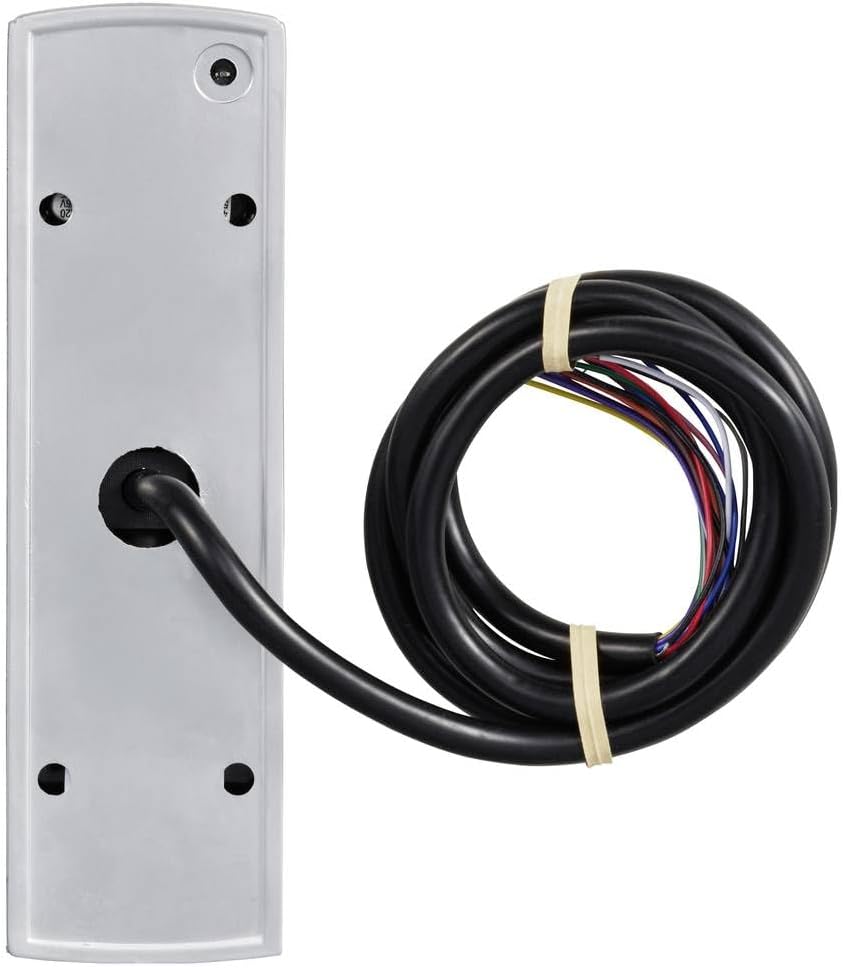
5.2 Schema elettrico
The following video provides a detailed overview of the wiring connections for the access control system, including the keypad, lock, power supply, exit button, proximity card reader, and doorbell. Ensure all connections are secure and follow local electrical codes.
6. Istruzioni per l'uso
6.1 Apertura della porta
The keypad supports various unlocking methods: card only, PIN only, or a combination of card and PIN. The following video illustrates these methods.
6.2 Adding User Settings
To grant access, you need to add user cards or PINs to the system. The video below explains the process for adding new users.
6.3 Deleting User Settings
If a user's access needs to be revoked, their card or PIN can be removed from the system. The following video details the steps for deleting user settings.
7. Manutenzione
- Pulizia: Utilizzare un morbido, damp cloth to clean the keypad surface. Avoid abrasive cleaners or solvents.
- Ispezione: Periodically check the wiring for any signs of damage or loose connections.
- Firmware: Controllare il produttore websito per eventuali aggiornamenti firmware disponibili.
- Protezione ambientale: The IP66 rating ensures protection against dust and strong jets of water. However, avoid prolonged submersion or exposure to extreme weather conditions beyond its rating.
8. Risoluzione Dei Problemi
- La tastiera non risponde: Check power supply connections. Ensure the unit is receiving adequate power.
- Carta non riconosciuta: Ensure the RFID card is correctly presented to the reader. Verify the card is properly registered in the system.
- PIN not working: Double-check the entered PIN. Ensure the PIN is correctly registered and the user mode allows PIN access.
- La porta non si sblocca: Verify the lock mechanism is functioning correctly. Check wiring between the keypad, power supply, and lock. Ensure the correct access method (card/PIN) is being used.
- System beeps continuously: Refer to the specific beep codes in the full manual for diagnostic information. This may indicate an error or an open circuit.
9. Garanzia e supporto
This Sygonix SY-6421352 RFID Code Keypad comes with a 2-year warranty. For technical support, troubleshooting assistance, or warranty claims, please contact your retailer or the manufacturer's customer service. Keep your proof of purchase for warranty validation.


