1. Introduzione e oltreview
The SONOFF ZigBee 3.0 USB Dongle Plus (Model: ZBDongle-E) is a versatile USB stick designed to function as a universal ZigBee gateway. It enables local control of ZigBee devices within various open-source smart home platforms, eliminating the need for multiple brand-specific ZigBee hubs. This dongle is pre-flashed with ZigBee coordinator firmware based on EZNet 6.10.3, making it ready for integration with systems such as Home Assistant, openHAB, and Zigbee2MQTT.

Image 1.1: The SONOFF ZigBee 3.0 USB Dongle Plus, showcasing its design and potential applications with a Raspberry Pi and a laptop.
2. Caratteristiche principali
- Pre-flashed Firmware: Comes pre-flashed with ZigBee coordinator firmware based on EZNet 6.10.3, ready for immediate use.
- Ampia compatibilità: Supports popular smart home platforms including Home Assistant, openHAB, and Zigbee2MQTT.
- Chip ad alte prestazioni: Built on the EFR32MG21 chip, offering a +20dBm output gain for extended range.
- Antenna esterna: Features an SMA interface for an external rotatable antenna, enhancing signal strength and flexibility.
- Alloggiamento durevole: Encased in an aluminum housing to effectively reduce signal interference from surrounding peripherals.
- Funzionalità del router: Can be re-flashed with router firmware to extend the ZigBee network range.
- Software Flow Control: Improves communication reliability, especially in environments with high data congestion.

Immagine 2.1: Un dettaglio sopraview of the dongle's key features, including its hardware design and software capabilities.
3. Istruzioni per l'installazione
- Collegare l'antenna: Screw the external SMA antenna onto the dongle's connector. Ensure it is securely fastened but do not overtighten.
- Inserire nella porta USB: Plug the SONOFF ZigBee 3.0 USB Dongle Plus into an available USB port on your host device (e.g., Raspberry Pi, PC, mini-PC). An optional 1.5m USB extension cable can be used for better signal placement, especially if the host device is in an enclosed space or causes interference.
- Installazione del driver (Windows/macOS): For Windows and macOS operating systems, corresponding drivers may need to be installed. Refer to the SONOFF official website or community forums for the latest driver downloads and installation guides. Linux-based systems typically have built-in support.
- Configurazione software: Integrate the dongle with your chosen smart home platform (e.g., Home Assistant, openHAB, Zigbee2MQTT). Follow the specific setup instructions provided by your platform for adding a new ZigBee coordinator. The dongle is pre-flashed as a coordinator.

Image 3.1: The ZigBee USB Dongle Plus connected to a Raspberry Pi, illustrating a typical setup scenario.
4. Istruzioni per l'uso
4.1. Coordinator Mode (Default)
The ZBDongle-E is pre-flashed with coordinator firmware. In this mode, it acts as the central hub for your ZigBee network, managing all connected ZigBee devices. Once connected to your smart home platform, you can begin pairing ZigBee end devices and routers to build your network.
- Ensure your smart home software (e.g., Home Assistant with ZHA or Zigbee2MQTT) is configured to recognize the dongle's serial port.
- Initiate the device pairing process within your smart home platform.
- Follow the pairing instructions for your specific ZigBee end devices or routers to add them to the network.
4.2. Modalità router
The Dongle Plus can also be flashed with router firmware. In router mode, the dongle extends the range of your existing ZigBee network by relaying signals between the coordinator and other devices. This is particularly useful for large homes or areas with weak ZigBee signals.
- To use the dongle as a router, you will need to flash it with appropriate router firmware. This process typically involves using specific flashing tools and firmware files. Detailed guides are available on community forums (e.g., Home Assistant, Zigbee2MQTT communities).
- After flashing, plug the dongle into a USB power source (e.g., a USB wall adapter or a powered USB hub) at a strategic location within your ZigBee network to extend coverage.
- The router will automatically join your existing ZigBee network if it's in pairing mode, or you may need to initiate pairing from your coordinator.
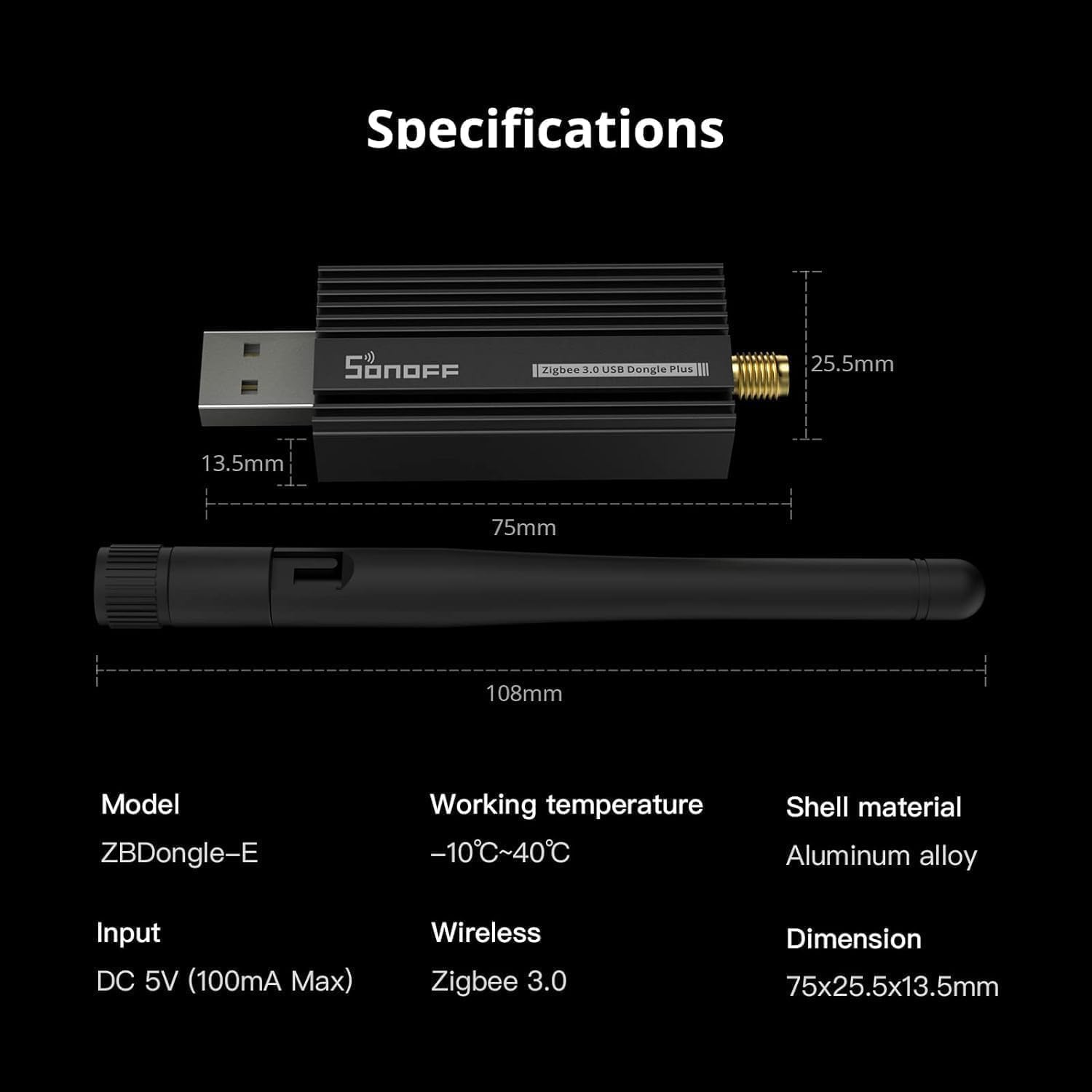
Image 4.1: A visual representation of how the Dongle Plus can function as a router to expand the ZigBee network coverage.
5. Compatibilità
The SONOFF ZigBee 3.0 USB Dongle Plus is designed for broad compatibility with various operating systems and smart home platforms:
- Smart Home Platforms:
- Home Assistant (via ZHA or Zigbee2MQTT)
- apriHAB
- Zigbee2MQTT
- Other open-source automation platforms
- Sistemi operativi:
- Linux (including Ubuntu, Raspbian)
- Windows (driver installation required)
- macOS (driver installation required)
Note: For Windows and macOS, specific drivers must be installed to ensure proper functionality. Refer to the manufacturer's support resources for driver downloads.

Image 5.1: Supported operating systems for the ZigBee USB Dongle Plus.
6. Specifiche
| Attributo | Valore |
|---|---|
| Modello | ZBDongle-E |
| Temperatura di lavoro | Temperatura ambiente -10°C ~ 40°C |
| Materiale del guscio | Lega di alluminio |
| Ingresso | CC 5 V (100 mA massimo) |
| Protocollo wireless | ZigBee 3.0 |
| Dimensioni (Dongle) | Dimensioni: 75 x 25.5 x 13.5 mm |
| Lunghezza dell'antenna | 108 millimetri |
| Peso dell'articolo | 2.89 once (circa 82 g) |
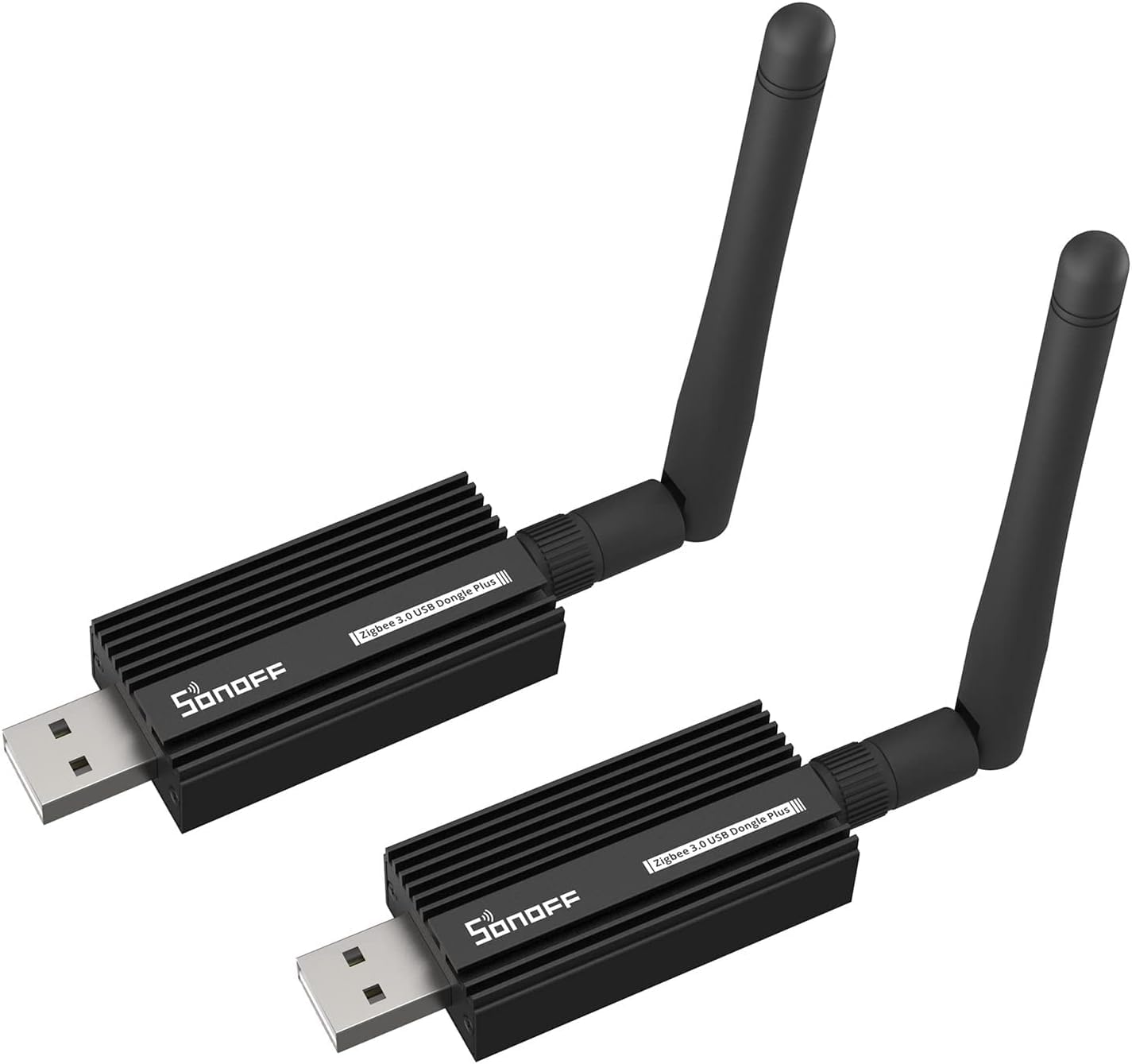
Image 6.1: Detailed specifications and dimensions of the ZBDongle-E.
7. Descrizione dell'hardware
The internal components of the ZBDongle-E are designed for robust ZigBee communication and easy interaction. Key components include:
- EFR32MG21 Chip: The core ZigBee microcontroller.
- Chip da USB a seriale: Facilitates communication between the dongle and the host device via USB.
- Pulsante di reset: Utilizzato per reimpostare il dispositivo.
- Pulsante di avvio: Utilizzato per accedere alla modalità bootloader, in genere per installare un nuovo firmware.
- LDO (Low-Dropout Regulator): Provides stable power to the internal components.
- ZigBee LED (Router): Indicates ZigBee network activity, especially when configured as a router.
- LED di potenza: Indicates that the device is powered on.

Image 7.1: Annotated diagram of the ZBDongle-E's internal hardware components.
8. Risoluzione Dei Problemi
- Dispositivo non riconosciuto:
- Assicurarsi che il dongle sia completamente inserito nella porta USB.
- Try a different USB port or a different host device.
- For Windows/macOS, verify that the necessary drivers are installed correctly.
- Check the host device's device manager or system logs for errors.
- ZigBee Devices Not Pairing:
- Confirm that your smart home platform is in pairing mode.
- Ensure the ZigBee device is within range of the dongle or an existing ZigBee router.
- Reset the ZigBee device to factory settings before attempting to pair again.
- Check for potential 2.4GHz Wi-Fi interference; try using a USB extension cable to move the dongle away from the host device or other wireless transmitters.
- Segnale/portata scadenti:
- Use a USB extension cable to position the dongle away from metal enclosures or other electronics that might cause interference.
- Ensure the external antenna is securely attached and oriented correctly.
- Consider adding more ZigBee routers (e.g., other ZBDongle-E units flashed as routers, or always-on ZigBee mains-powered devices) to strengthen your mesh network.
- Problemi relativi al firmware:
- If experiencing unexpected behavior, consider re-flashing the dongle with the latest stable coordinator firmware.
- Always back up your ZigBee network configuration before performing firmware updates.
9. Manutenzione
- Aggiornamenti del firmware: Periodically check for firmware updates from the SONOFF official website or relevant community forums (e.g., Home Assistant, Zigbee2MQTT). Keeping the firmware updated can improve performance, stability, and compatibility.
- Ispezione fisica: Ensure the dongle and antenna are free from dust and physical damage. Keep the device in a dry environment.
- Stato di salute della rete: Regularly monitor your ZigBee network's health through your smart home platform to identify and address any weak links or unresponsive devices.
10. Garanzia e supporto
Per informazioni sulla garanzia, supporto tecnico o ulteriore assistenza, fare riferimento al sito ufficiale SONOFF website or contact their customer service directly. Community forums for Home Assistant, openHAB, and Zigbee2MQTT also provide extensive resources and peer support for integrating and troubleshooting the ZBDongle-E.
SONOFF Ufficiale Websito: https://sonoff.tech/


