Introduzione
The Sena Surge is a cutting-edge open-face smart helmet that combines retro styling with modern communication technology. It features an integrated communication system, HD speakers, and a microphone to keep riders connected. This manual provides essential information for setting up, operating, and maintaining your Sena Surge helmet.
Informazioni sulla sicurezza
The Sena Surge helmet complies with Federal Motor Vehicle Safety Standard 218 (FMVSS 218) and is DOT certified. Always ensure the helmet is properly fitted and secured before riding.

Image: Sena Surge Open Face Smart Motorcycle Helmet in Matte Black. This image displays the helmet's sleek design and integrated communication unit.
Contenuto della confezione
- Sena Surge Helmet
- Sacchetto
- Cheek Pads
- Fodera per la testa
- Paranuca
- Short Visor
- Cavo USB-C
- Padiglione auricolare

Image: The Sena Surge helmet displayed with its various accessories, including the pouch, USB-C cable, and ear cups.
Impostare
Measuring for Correct Fit
To ensure optimal safety and comfort, it is crucial to select the correct helmet size. Measure your head circumference and refer to the size guide below.
Video: This video demonstrates how to properly measure your head to find the correct Sena helmet size, ensuring a snug and safe fit.
| Misurare | Circonferenza della testa (pollici) | Taglia del cappello (pollici) |
|---|---|---|
| Piccolo | 21.6 - 22 | 6.9 - 7 |
| Medio | 22.5 - 22.9 | 7.1 - 7.3 |
| Grande | 23.3 - 23.6 | 7.4 - 7.5 |
| Extra-large | 24 - 24.4 | 7.6 - 7.8 |
| XX-Large | 24.8 - 25.1 | 7.9 - 8 |
Accensione
To power on the Sena Surge helmet, press and hold the Pulsante centrale e il + Pulsante simultaneously for one second. A voice prompt will confirm activation and battery level.
Video: This segment from the Surge Tech Talk demonstrates how to power on the Sena Surge helmet and explains its basic features.
Accoppiamento Bluetooth
Upon powering on, the helmet automatically enters phone pairing mode. You can connect your Bluetooth-equipped smartphone to listen to music, receive GPS navigation cues, or make hands-free calls.

Image: A smartphone screen showing the Sena Motorcycles app, indicating successful connection to the helmet and displaying various control options.
Operating the Sena Surge
Mesh Intercom Connectivity
The Sena Surge features integrated Mesh communication and Bluetooth connectivity. It supports two types of Mesh Intercom:
Open Mesh Technology
Open Mesh allows connection to any other Sena Mesh headset in the area with a single button press, enabling communication up to 0.8 miles away. It supports multiple channels (up to 6) for flexible group communication.
Group Mesh Intercom
Group Mesh supports a private group chat for up to 24 participants. Only invited users can join, ensuring privacy.
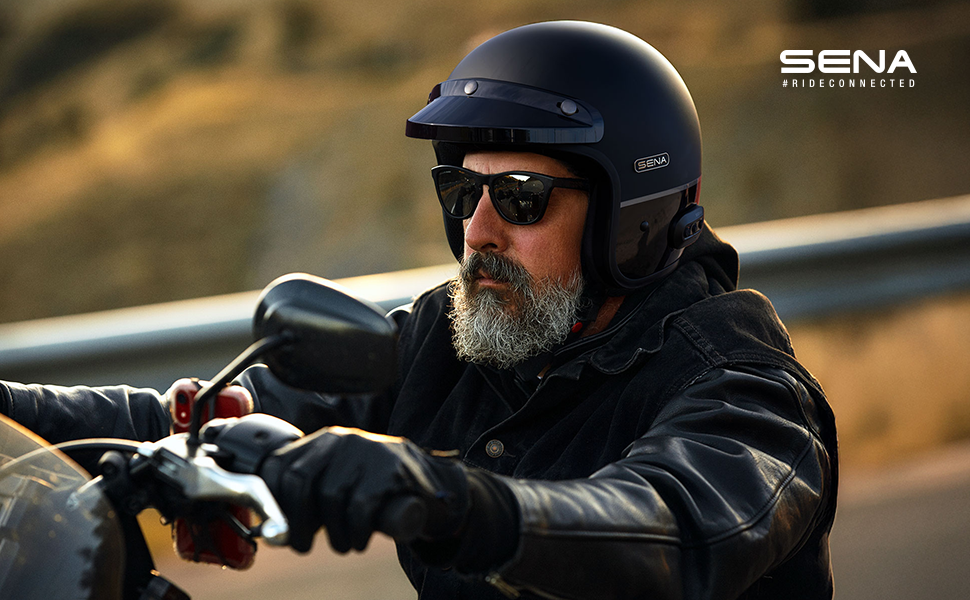
Image: An infographic highlighting key features of the Sena Surge helmet, including Mesh Intercom 3.0, built-in HD speakers and mic, over-the-air updates, multi-language voice prompts, and Sena Smartphone Apps.
Audio Quality and Noise Control
The helmet is built with advanced noise control to isolate your voice and eliminate wind noise and ambient sounds for crystal clear audio.
Controllo del volume
Volume is controlled using the front '+' button and the rear '-' button on the side of the helmet.
Microfono disattivato
To mute your microphone, long-press the Pulsante a rete per un secondo.
Applicazione Sena Moto
Manage settings, choose voice prompt languages (English, Spanish, French), and perform over-the-air firmware updates using the Sena Motorcycles App on your smartphone.

Image: A smartphone displaying the Sena Motorcycles App, showing options for managing helmet settings and firmware updates.
Manutenzione
Pulizia
The helmet's liner is removable and washable for easy cleaning. Refer to the full user manual for detailed cleaning instructions.
Ricarica
The Sena Surge offers up to 18 hours of talk time and fully recharges in approximately 2.5 hours via the USB-C port. Ensure the helmet is fully charged before long rides.
Risoluzione dei problemi
For common issues, refer to the Sena Motorcycles App for firmware updates, which often resolve performance issues. Ensure your helmet is fully charged. For further assistance, contact Sena customer support.
Specifiche
| Caratteristica | Dettaglio |
|---|---|
| Sport | Motociclismo |
| Specifica Met | PUNTO |
| Forma | Ovale |
| Produttore | Sena |
| Nome del modello | Ondeggiare |
| Codice UPC | 885465021728 |
| Numero di parte | SURGE-MBGB00L3 |
| Peso dell'articolo | 3.7 libbre |
| Dimensioni del pacco | 13.5 x 11 x 10.5 pollici |
| Numero modello articolo | SURGE-MBGB00L3 |
| Batterie | 1 batterie ai polimeri di litio richieste. (incluse) |
| Misurare | Grande |
| Quantità del pacchetto dell'articolo | 1 |
| Caratteristiche speciali | Bluetooth |
| Componenti inclusi | Helmet / Pouch / Cheek Pads / Head Liner / Neckroll / Short Visor / USB-C cable / Ear Cup |
| Batterie incluse? | SÌ |
| Sono necessarie batterie? | SÌ |
| Tipo di cella della batteria | Polimero di litio |
| Colore | Matte Black/Gloss Black |
| Materiale | Fibra di vetro |
| Tipo di servizio del veicolo | Motociclo |
Garanzia e supporto
Informazioni sulla garanzia
The Sena Surge helmet comes with a Garanzia di 3 anno covering helmet integrity and electronics.
Assistenza clienti
Per ulteriore supporto, visitare il Sena Store or refer to the detailed user manual available online.


