1. Introduzione
This manual provides instructions for the hOmeLabs 2.4 Gallon Touchless Sensor Trash Can, Model HME0084. This product features a motion-activated sensor for hands-free operation and a retractable butterfly lid design. Please read this manual thoroughly before use and retain it for future reference.
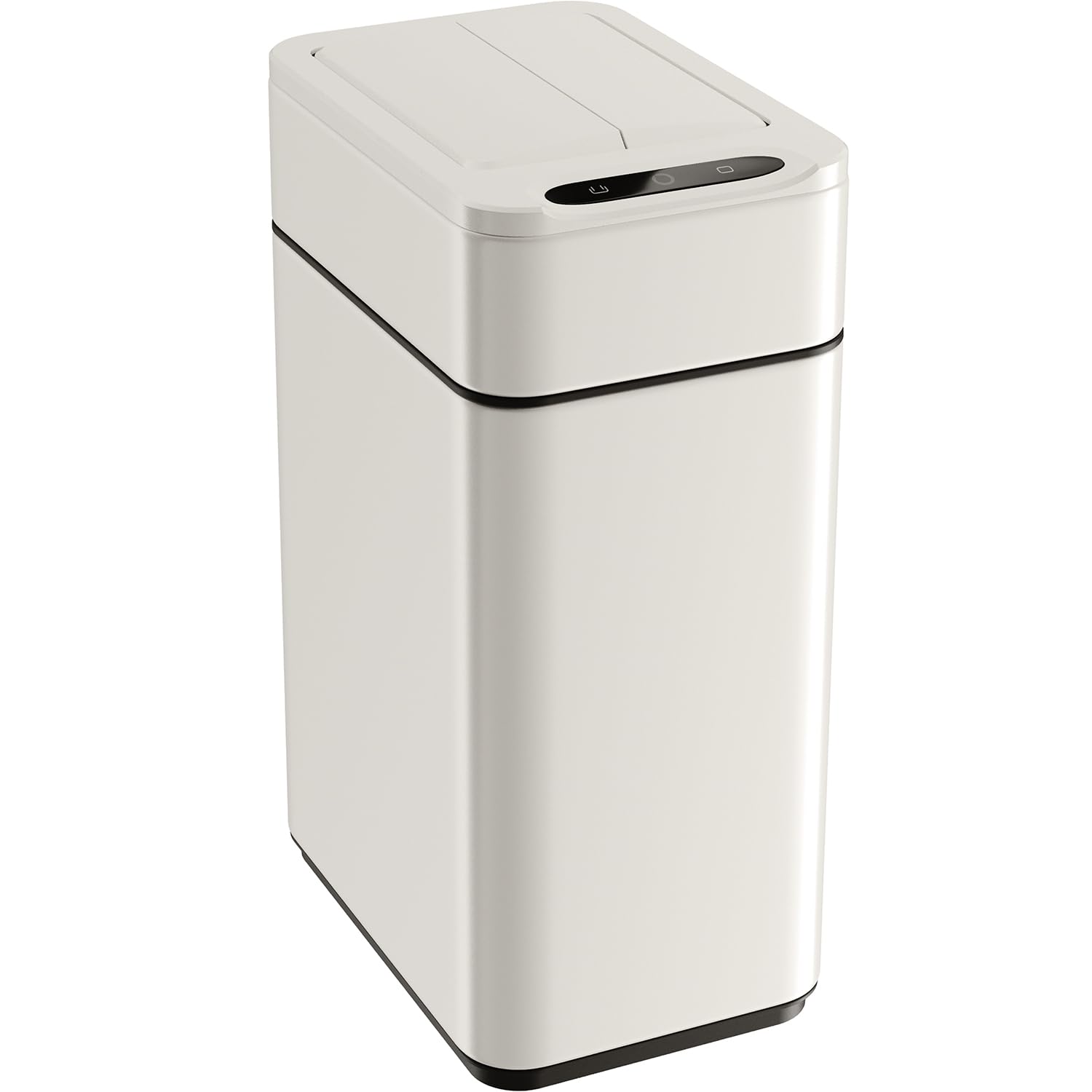
Image 1.1: The hOmeLabs 2.4 Gallon Touchless Sensor Trash Can in Creamy White.
2. Informazioni sulla sicurezza
Per garantire un funzionamento sicuro, osservare le seguenti precauzioni:
- Do not immerse the lid assembly in water or any other liquid. The lid contains electronic components.
- Pulisci l'esterno con adamp stoffa. Evitare detergenti abrasivi.
- Do not force the lid open or closed manually, as this may damage the motor mechanism.
- Keep the sensor area clear of obstructions to ensure proper operation.
- Ensure batteries are inserted with correct polarity. Remove batteries if the unit will not be used for an extended period.
- Questo prodotto è destinato esclusivamente all'uso in ambienti interni.
- Tenere fuori dalla portata dei bambini e degli animali domestici per evitare attivazioni accidentali o danni.
3. Componenti del prodotto
Familiarize yourself with the parts of your touchless sensor trash can:
- Sensor Lid Assembly: Contains the infrared sensor, motor, and retractable butterfly lid.
- Trash Can Body: The main container for waste.
- Bag Retainer Ring: Secures the trash bag in place and conceals the bag edges.
- Vano batteria: Located on the underside of the lid assembly.
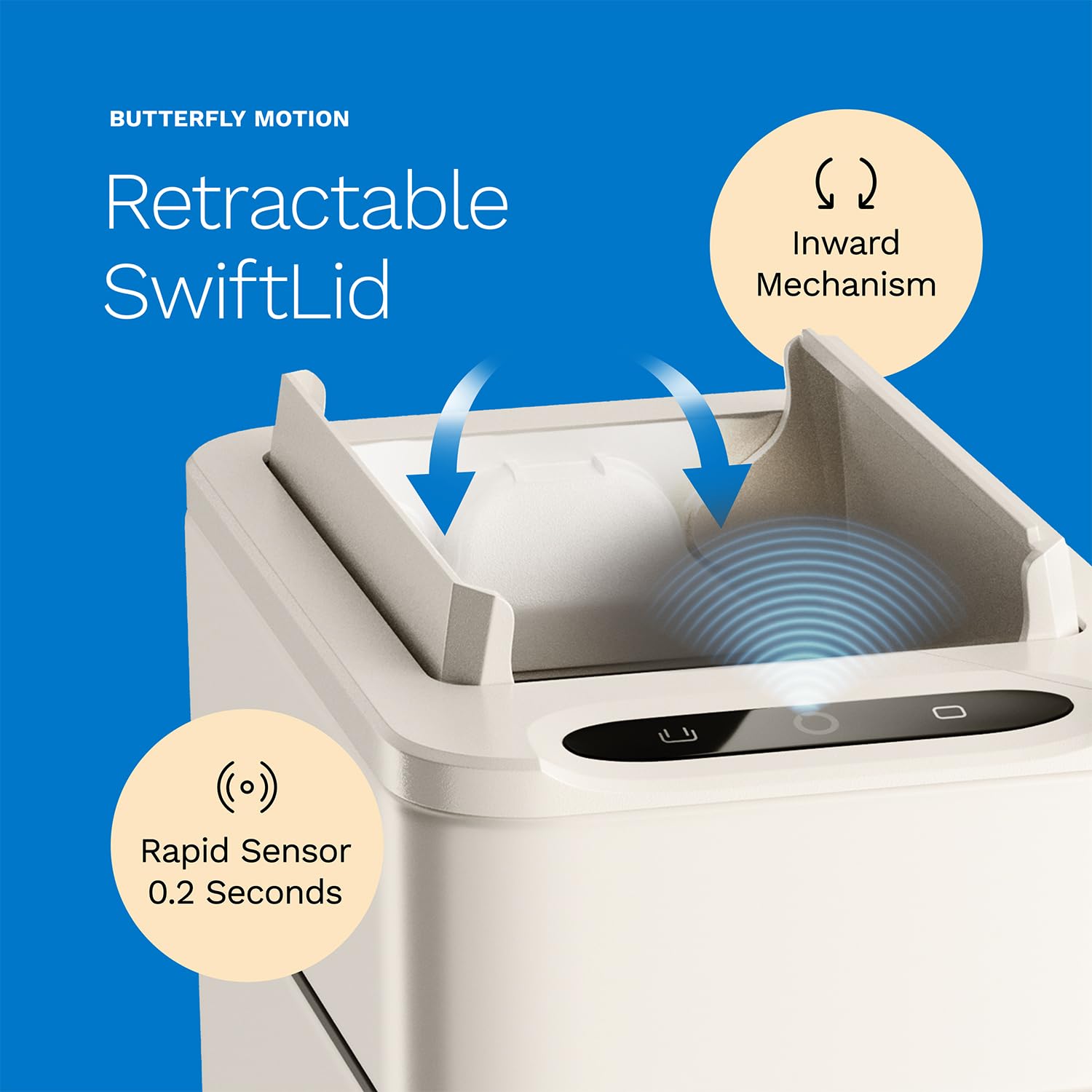
Immagine 3.1: Dettagliata view of the sensor and retractable butterfly lid mechanism.

Image 3.2: The interior of the trash can, highlighting the bag retainer ring.
4. Istruzioni per l'installazione
- Installa le batterie:
- Individuare il vano batteria nella parte inferiore del coperchio del sensore.
- Aprire il coperchio del vano batterie.
- Insert 2 AA batteries (included) according to the polarity indicators (+/-).
- Chiudere saldamente il coperchio del vano batterie.

Image 4.1: Illustration of AA batteries for installation.
- Place Trash Bag:
- Lift the sensor lid assembly off the trash can body.
- Place a 2.4-gallon trash bag into the can body.
- Fit the top edge of the trash bag over the bag retainer ring.
- Lower the sensor lid assembly back onto the trash can body, ensuring the bag is neatly tucked and secured by the retainer ring.
- Posizionare il cestino:
Place the trash can in your desired location. Ensure the sensor area is not obstructed and there is sufficient clearance for the lid to retract fully.

Image 4.2: The trash can positioned in a space-efficient manner under a desk.
5. Funzionamento
The hOmeLabs Touchless Sensor Trash Can is designed for convenient, hands-free waste disposal.
- Apertura automatica del coperchio:
Wave your hand approximately 6 inches above the infrared sensor located on the front of the lid. The butterfly lid will retract inward automatically.

Image 5.1: Demonstrating hands-free operation by waving a hand over the sensor.
- Automatic Lid Closing:
The lid will remain open for approximately 5 seconds after activation. It will then close automatically. If your hand or an object remains within the sensor's range, the lid will stay open until the obstruction is removed.
- Manual Open/Close Buttons:
For extended opening, press the "OPEN" button on the sensor panel. The lid will remain open until you press the "CLOSE" button.
6. Manutenzione
- Pulizia dell'esterno:
Wipe the exterior surfaces of the trash can body and lid with a soft, damp panno. Per macchie ostinate, è possibile utilizzare una soluzione di sapone delicato. Asciugare accuratamente con un panno pulito.
- Cleaning the Sensor Area:
Gently wipe the infrared sensor window with a soft, dry cloth to ensure optimal performance. Avoid using harsh chemicals or abrasive materials.
- Pulizia degli interni:
Remove the trash bag and wipe the interior of the can body with a damp cloth and mild detergent if necessary. Rinse and dry completely before inserting a new trash bag.
- Sostituzione della batteria:
When the lid operation becomes slow or inconsistent, it is time to replace the batteries. Follow the battery installation steps in the "Setup Instructions" section.
7. Risoluzione Dei Problemi
| Problema | Possibile causa | Soluzione |
|---|---|---|
| Il coperchio non si apre automaticamente. |
|
|
| Lid opens or closes slowly. | Batteria scarica. | Sostituire le batterie. |
| Il coperchio non si chiude completamente. |
|
|
| Il coperchio emette rumori insoliti. | Mechanical obstruction or wear. | Ensure no foreign objects are caught in the lid mechanism. If noise persists, contact customer support. |
8. Specifiche
- Modello: HME0084
- Capacità: 2.4 galloni (9.08 litri)
- Dimensioni: 5.7 x 8.7 x 14.4 pollici (L x L x A)
- Peso: 2.8 libbre
- Materiale: Stainless Steel (Coated)
- Meccanismo di apertura: Motion-Sensor, Retractable Butterfly Lid
- Energia: 2 batterie AA (incluse)
- Colore: Bianco crema

Image 8.1: Product dimensions for the 2.4 Gallon model.
9. Garanzia e assistenza clienti
hOmeLabs products are designed with quality and performance in mind. For information regarding warranty coverage or to contact customer support, please refer to the warranty card included with your product or visit the official hOmeLabs websito.
Websito: www.homelabs.com