Introduzione
Thank you for choosing Raycon Bone Conduction Headphones. This manual provides essential information for the proper use, setup, and maintenance of your device. Please read it thoroughly before use.
These headphones utilize bone conduction technology, allowing you to hear audio while keeping your ears open to your surroundings. They are designed for active lifestyles, featuring a lightweight, water-resistant build and a secure fit.
Contenuto della confezione
- Raycon Bone Conduction Headphones
- Cavo di ricarica magnetico
- Manuale dell'utente (questo documento)
Prodotto finitoview
Familiarize yourself with the components of your Raycon Bone Conduction Headphones.

Figura 1: Fronte view of the Raycon Bone Conduction Headphones. The image shows the purple headphones with the Raycon logo visible on the left side, highlighting the open-ear design and the flexible band connecting the two ear pieces.

Figura 2: lato view of the Raycon Bone Conduction Headphones. This image displays the control buttons located on the right ear piece, along with the charging port area. The overall lightweight and ergonomic design is visible.
Caratteristiche principali:
- Design Open-Head: Allows situational awareness.
- Tecnologia a conduzione ossea: Delivers audio through cheekbones.
- Resistenza all'acqua IP68: Protection against sweat, rain, and spills.
- Costruzione leggera: Comodo da indossare a lungo.
- Adjustable Conduction Buds: For personalized sound and awareness balance.
- Bluetooth 5.3: Stable wireless connectivity.
- 13 ore di riproduzione: Maggiore durata della batteria.
Impostare
1. Carica delle cuffie
Prima del primo utilizzo, caricare completamente le cuffie.
- Connect the magnetic charging cable to the charging port on your headphones.
- Collegare l'altra estremità del cavo a un adattatore di alimentazione USB (non incluso) o alla porta USB di un computer.
- L'indicatore LED mostrerà lo stato di carica (ad esempio, rosso per la carica, blu per la carica completa).
- Una carica completa richiede in genere circa 1.5-2 ore.
2. Accensione/Spegnimento
- Per accendere: Press and hold the Power button for 3 seconds until the LED indicator flashes blue and you hear a power-on prompt.
- Per spegnere: Press and hold the Power button for 5 seconds until the LED indicator flashes red and you hear a power-off prompt.
3. Accoppiamento Bluetooth
Pair your headphones with your Bluetooth-enabled device (smartphone, tablet, laptop).
- Assicurati che le cuffie siano spente.
- Tenere premuto il pulsante di accensione per 5-7 secondi finché l'indicatore LED non lampeggia alternativamente in rosso e blu, indicando la modalità di associazione.
- Sul tuo dispositivo, vai alle impostazioni Bluetooth e abilita il Bluetooth.
- Cercare available devices and select "Raycon Bone Conduction" (or similar name).
- Once connected, the LED indicator will flash blue slowly, and you will hear a connection confirmation.
- Le cuffie si riconnetteranno automaticamente all'ultimo dispositivo associato quando saranno accese, se si trovano nel raggio d'azione.
Istruzioni per l'uso
Indossare le cuffie
Place the headphones with the transducers resting on your cheekbones, just in front of your ears. The band should wrap around the back of your head.
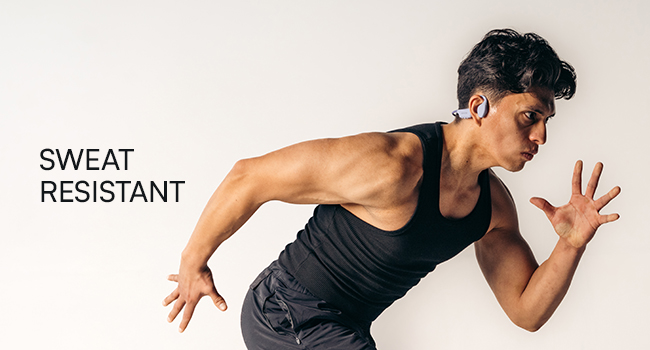
Figure 3: Illustration demonstrating the correct placement of the bone conduction headphones on the head, with the transducers positioned on the cheekbones near the ears. This image emphasizes the open-ear design.
The adjustable conduction buds allow you to slide them closer to your ear for louder sound or pull them back for increased environmental awareness. Experiment to find your preferred balance.
Funzioni dei pulsanti
| Pulsante/Azione | Funzione |
|---|---|
| Pulsante di accensione (tenere premuto per 3 secondi) | Accendere |
| Pulsante di accensione (tenere premuto per 5 secondi) | Power Off / Enter Pairing Mode |
| Pulsante multifunzione (pressione singola) | Riproduci/Metti in pausa la musica, Rispondi/Termina chiamata |
| Pulsante multifunzione (doppia pressione) | Traccia successiva |
| Pulsante multifunzione (pressione tripla) | Traccia precedente |
| Volume Up (+) Button (Single Press) | Aumentare il volume |
| Volume Down (-) Button (Single Press) | Diminuire il volume |
| Volume Up (+) Button (Press & Hold) | Attiva l'Assistente Vocale |
Effettuare e ricevere chiamate
- Rispondi alla chiamata: Premere una volta il pulsante multifunzione.
- Termina chiamata: Premere una volta il pulsante multifunzione durante una chiamata.
- Rifiuta chiamata: Tieni premuto il pulsante multifunzione per 2 secondi.
- Assistente vocale: Press and hold the Volume Up (+) button to activate your device's voice assistant (Siri, Google Assistant, etc.).
Manutenzione e cura
- Pulizia: Pulisci le cuffie con un panno morbido, damp stoffa. Non utilizzare prodotti chimici aggressivi o detergenti abrasivi.
- Resistenza all'acqua (IP68): These headphones are IP68 rated, meaning they are protected against dust and can withstand immersion in water up to 1.5 meters for up to 30 minutes. However, they are not designed for swimming or prolonged underwater use. Ensure the charging port is dry before charging.
- Magazzinaggio: Conservare le cuffie in un luogo fresco e asciutto, lontano dalla luce solare diretta e da temperature estreme.
- Cura della batteria: Per prolungare la durata della batteria, evitare di scaricare completamente le cuffie frequentemente. Ricaricarle regolarmente, anche se non vengono utilizzate per periodi prolungati.
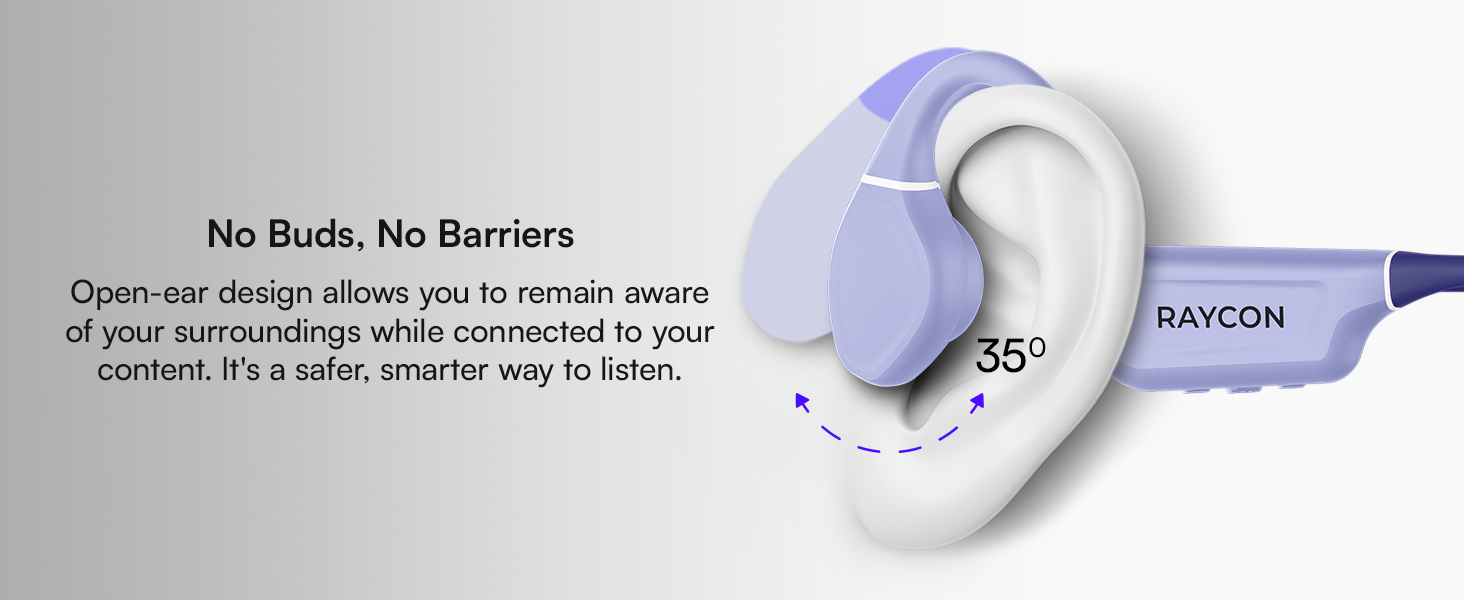
Figure 4: Image illustrating the water-resistant feature of the Raycon Bone Conduction Headphones, with water droplets splashing around them. This visually confirms their suitability for use in various weather conditions or during workouts.
Risoluzione dei problemi
| Problema | Possibile soluzione |
|---|---|
| Le cuffie non si accendono. | Ensure the headphones are charged. Connect to the charging cable and check the LED indicator. |
| Impossibile associare il dispositivo. |
|
| Nessun suono o volume basso. |
|
| Scarsa qualità delle chiamate. |
|
Specifiche
| Caratteristica | Dettaglio |
|---|---|
| Nome del modello | Cuffie a conduzione ossea |
| Numero di modello | RBB842-24E |
| Tecnologia di connettività | Senza fili (Bluetooth 5.3) |
| Portata Bluetooth | Fino a 33 piedi (10 metri) |
| Tipo di driver audio | Driver a conduzione ossea |
| Dimensioni del driver audio | 16 millimetri |
| Gamma di frequenza | 20 Hz - 20 KHz |
| Sensibilità | 91 dB |
| Impedenza | 8 Ohm |
| Durata della batteria | Fino a 13 ore |
| Livello di resistenza all'acqua | Grado di protezione IP68 |
| Materiale | Acrilonitrile Butadiene Stirene (ABS), Silicone |
| Peso dell'articolo | 5.6 once |
| Componenti inclusi | Cavo di ricarica magnetico |
| Codice UPC | 811162032804 |
Garanzia e supporto
For warranty information and customer support, please refer to the official Raycon webo contattare direttamente il servizio clienti. Conservare la prova d'acquisto per eventuali reclami in garanzia.
Supporto online: Visita Raycon Global Support per domande frequenti, guide alla risoluzione dei problemi e opzioni di contatto.
Informazioni sulla sicurezza
- Non smontare, riparare o modificare il prodotto.
- Do not expose the product to fire or extreme heat.
- Evitare l'ascolto ad alto volume per periodi prolungati per evitare danni all'udito.
- Use caution when using headphones in situations requiring awareness of your surroundings.
- Tenere fuori dalla portata dei bambini.


