1. Introduzione
The GOBOULT Crown R Pro 2 Smartwatch is designed to enhance your daily life with advanced features and health monitoring capabilities. It features a 1.43-inch HD AMOLED display, Bluetooth Calling 5.2, and a comprehensive health suite. This manual provides instructions for setup, operation, and maintenance of your smartwatch.

Image: The GOBOULT Crown R Pro 2 Smartwatch, showcasinil suo design elegante e il display vibrante.
2. Cosa c'è nella scatola
Si prega di controllare il contenuto della confezione dopo averla disimballata:
- GOBOULT Crown R Pro 2 Smartwatch
- Cavo di ricarica
- Manuale d'uso
- Scheda di garanzia
3. Per iniziare
3.1. Carica del dispositivo
Prima del primo utilizzo, caricare completamente lo smartwatch. Collegare il cavo di ricarica magnetico ai punti di ricarica sul retro dell'orologio e collegare l'estremità USB a un adattatore di alimentazione (non incluso) o alla porta USB di un computer.
- Tempo di ricarica: circa 150 minuti per una carica completa.
- Battery Life: Up to 7 days on a single charge, depending on usage.
3.2. Accensione/Spegnimento
- Accensione: Press and hold the side button for a few seconds until the GOBOULT logo appears.
- Spegni: Tieni premuto il pulsante laterale, quindi seleziona l'opzione "Spegni" sullo schermo.
3.3. Installazione e associazione dell'app
Per sfruttare appieno il potenziale del tuo smartwatch, scarica e installa l'applicazione complementare sul tuo smartphone.
- Scan the QR code in the manual or search for the 'BoultFit' app (or similar, as specified in the included manual) on your smartphone's app store (Google Play Store or Apple App Store).
- Installa l'applicazione e crea un account o accedi.
- Assicurati che il Bluetooth sia abilitato sul tuo smartphone.
- Open the app, navigate to 'Device' or 'Add Device', and select 'GOBOULT Crown R Pro 2' from the list of available devices.
- Conferma la richiesta di associazione sia sullo smartphone che sullo smartwatch.
4. Smartwatch Features and Operation
4.1. Display e quadranti dell'orologio
The smartwatch features a 1.43-inch HD AMOLED display with 600 Nits brightness for clear visibility in various lighting conditions.
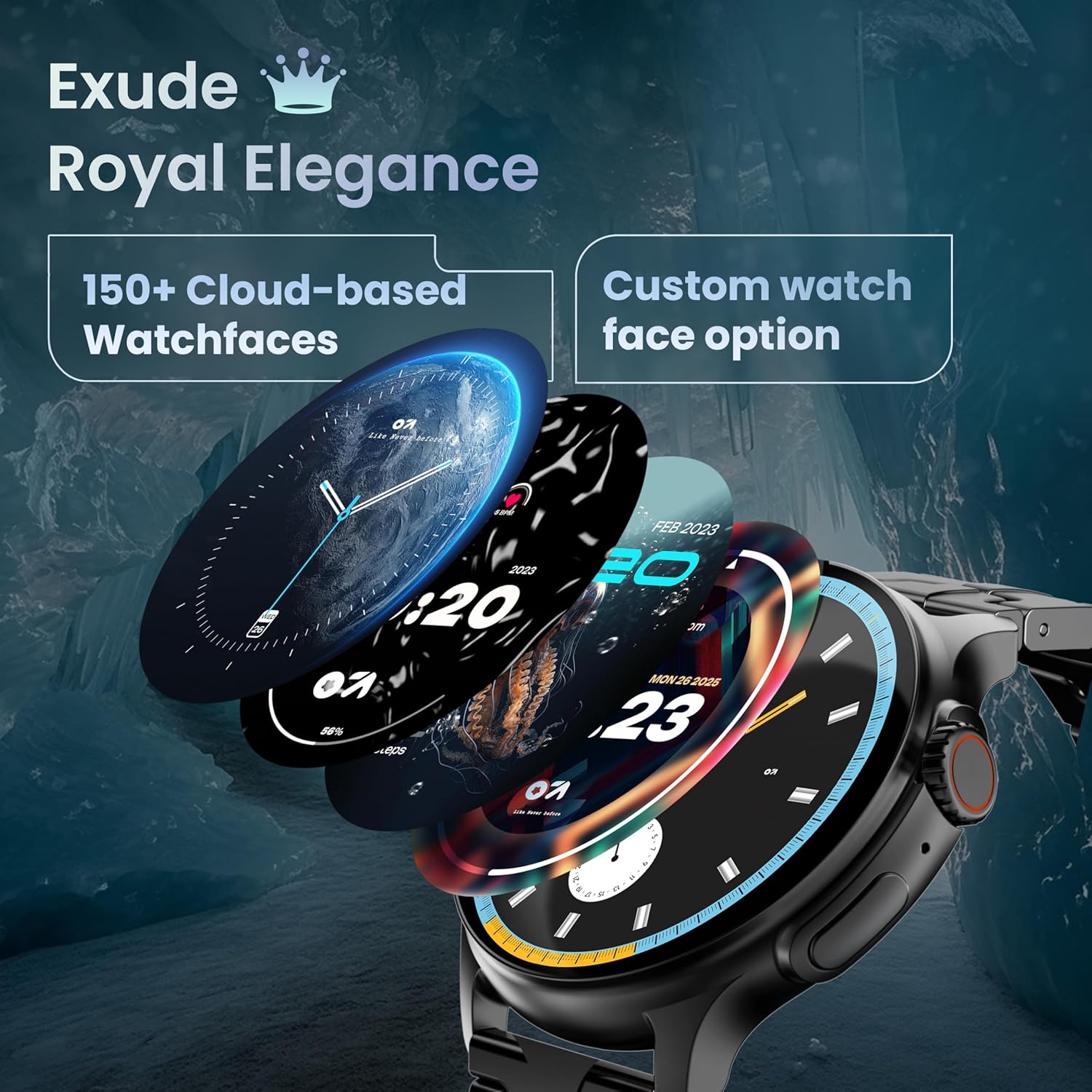
Image: A selection of over 150 watch faces available for customization.
- Modifica dei quadranti dell'orologio: Long-press the home screen to access watch face options. Swipe left or right to browse and tap to select. More watch faces are available through the companion app.
4.2. Navigazione e controlli
Navigate the smartwatch interface using touch gestures and the functional 'Working Crown'.

Image: Detail of the working crown, used for navigation and customization.
- Scorri verso il basso: Accedi alle impostazioni rapide (ad esempio luminosità, DND, risparmio batteria).
- Scorrere verso l'alto: View notifiche.
- Scorri verso sinistra/destra: Access widgets and main features (e.g., activity, heart rate, weather).
- Working Crown: Rotate to scroll through menus or lists. Press to return to the home screen or confirm selections.
4.3. Chiamate Bluetooth
The smartwatch supports Bluetooth Calling v5.2, allowing you to make and receive calls directly from your wrist.

Image: Illustration of the smartwatch's Bluetooth calling capabilities with integrated microphone and speaker.
- Rispondere alle chiamate: Tap the green phone icon on the screen when a call comes in.
- Effettuare le chiamate: Access the dial pad or contacts list from the smartwatch menu.
- Rifiutare le chiamate: Tap the red phone icon.
4.4. Modalità sportive
Track over 120 sports and fitness activities with detailed analytics.

Image: The smartwatch interface showing active sports tracking and various sports icons.
- Access the 'Sports' menu to select your desired activity.
- The watch will record data such as duration, calories burned, and heart rate during your workout.
4.5. Monitoraggio della salute
Monitor key health metrics in real-time.

Image: The health suite features, including heart rate, SpO2, and sleep monitoring.
- Cardiofrequenzimetro: Provides 24x7 heart rate tracking.
- SpO2 Blood Oxygen Saturation Monitor: Misura i livelli di ossigeno nel sangue.
- Monitoraggio del sonno: Tiene traccia dei modelli e della qualità del sonno.
- Monitoraggio del ciclo mestruale femminile: Aiuta a monitorare e prevedere i cicli mestruali.
- Monitoraggio attività: Registra i passi, la distanza e le calorie bruciate durante il giorno.
- Allenamento del respiro: Esercizi di respirazione guidata per il rilassamento.
4.6. Assistente vocale AI
Control your smartwatch hands-free using voice commands.

Image: The AI voice assistant feature, activated by pressing a button for 3 seconds.
- Press the dedicated button (or specified gesture) for 3 seconds to activate the AI voice assistant.
- Use voice commands to ask questions, set reminders, or manage tasks.
4.7. Notifications and Utilities
Receive SMS and push notifications directly on your wrist. The smartwatch also includes useful utilities.

Image: The 'Find My Phone' feature, which causes the connected phone to ring or vibrate.
- Notifiche: Ensure notification permissions are enabled in the companion app for your desired applications.
- Calcolatrice: Access the calculator from the app menu for quick calculations.
- Trova il mio telefono: Use this feature from the smartwatch to make your connected phone ring or vibrate, helping you locate it.
4.8. Resistenza all'acqua e alla polvere (IP67)
The smartwatch is IP67 rated, providing protection against dust and temporary immersion in water.
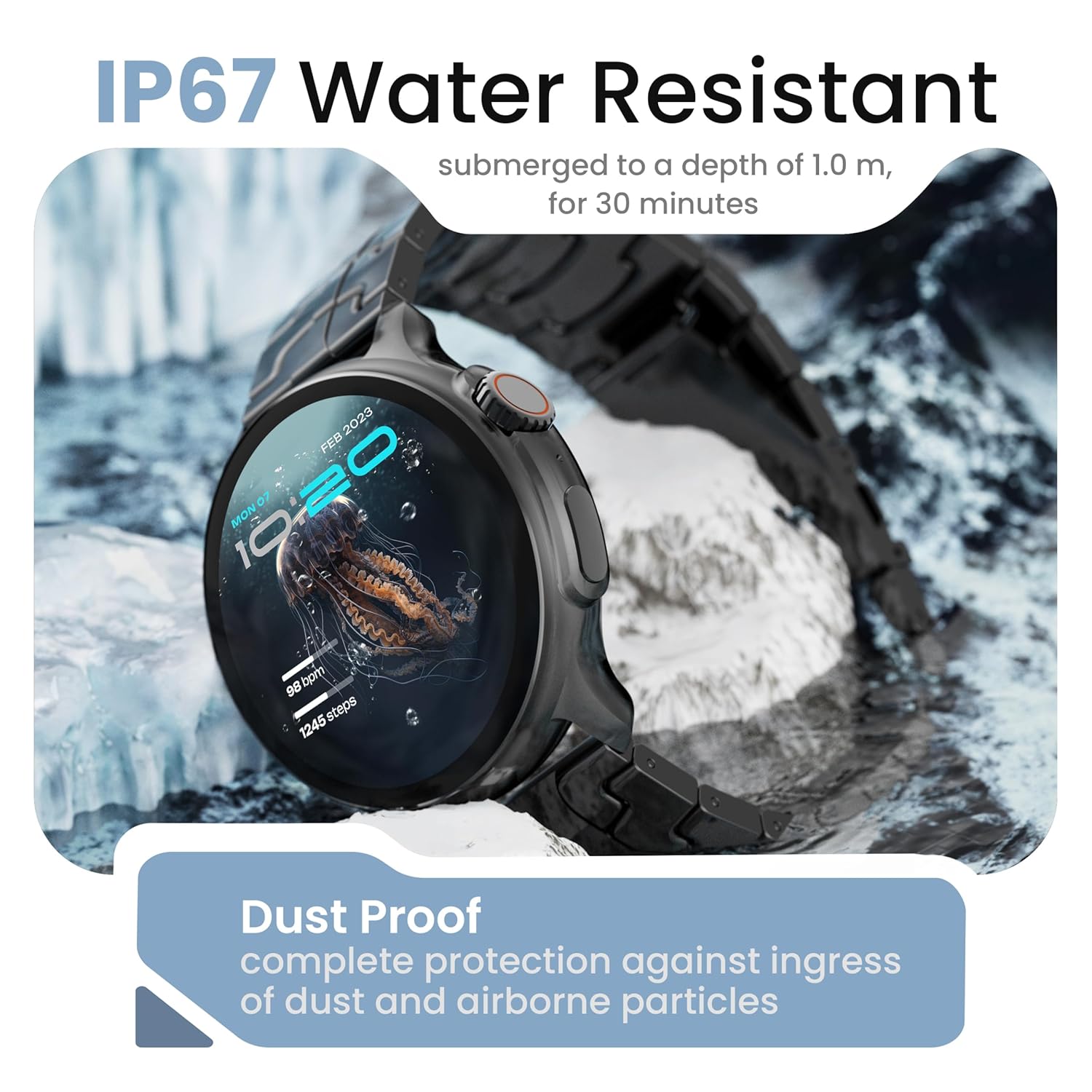
Image: The smartwatch demonstrating its IP67 water resistance, capable of being submerged up to 1 meter for 30 minutes.
- The device is resistant to sweat, splashes, and brief immersion in water up to 1 meter for 30 minutes.
- Evitare di utilizzare l'orologio in acqua calda, saune o bagni turchi.
- Non premere i pulsanti mentre l'orologio è immerso.
5. Cura e manutenzione
- Pulizia: Pulire regolarmente l'orologio e il cinturino con un panno morbido e asciutto. Se necessario, utilizzare un panno leggermenteamp panno e asciugarlo accuratamente.
- Evitare i prodotti chimici: Non utilizzare prodotti chimici aggressivi, solventi o detergenti aggressivi, poiché potrebbero danneggiare la finitura e le guarnizioni dell'orologio.
- Magazzinaggio: Conserva lo smartwatch in un luogo fresco e asciutto quando non viene utilizzato.
- Ricarica: Utilizzare solo il cavo di ricarica fornito.
6. Risoluzione Dei Problemi
6.1. Smartwatch Not Turning On
- Assicurati che l'orologio sia completamente carico. Collegalo al caricabatterie per almeno 30 minuti.
- Per forzare il riavvio, tenere premuto il pulsante laterale per un periodo prolungato (10-15 secondi).
6.2. Impossibile associare allo smartphone
- Assicurati che il Bluetooth sia abilitato sullo smartphone e sullo smartwatch.
- Make sure the smartwatch is within the Bluetooth range of your phone (typically 10 meters).
- Riavvia sia lo smartphone che lo smartwatch.
- Cancella la cache Bluetooth sul telefono (se applicabile) e prova a eseguire nuovamente l'associazione.
- Assicurati che l'app complementare sia aggiornata all'ultima versione.
6.3. Dati sanitari inesatti
- Assicurati che l'orologio sia indossato comodamente al polso, né troppo stretto né troppo largo.
- Pulisci i sensori sul retro dell'orologio.
- Evitare movimenti eccessivi durante le misurazioni.
- Note that smartwatch health data is for reference only and should not be used for medical diagnosis.
6.4. Notifiche non visualizzate
- Check if notification permissions are granted for the companion app and individual applications on your smartphone.
- Ensure the smartwatch is connected to your phone via Bluetooth.
- Disable 'Do Not Disturb' mode on both your phone and smartwatch.
7. Specifiche
| Marca | GOBOULT |
| Nome del modello | R Pro 2 |
| Dimensioni dello schermo | 1.43 pollici |
| Tipo di visualizzazione | Schermo AMOLED HD |
| Luminosità | 600 nit |
| Versione Bluetooth | 5.2 |
| Resistenza all'acqua | Grado di protezione IP67 |
| Durata della batteria (media) | 7 giorni |
| Tempo di carica della batteria | 150 minuti |
| Sistema operativo | Android (compatibile) |
| Peso dell'articolo | 56.5 grammi |
| Componenti inclusi | Smartwatch, Charging Cable, User Manual, Warranty Card |
8. Garanzia e supporto
8.1. Informazioni sulla garanzia
Your GOBOULT Crown R Pro 2 Smartwatch comes with a standard manufacturer's warranty. Please refer to the included Warranty Card for specific terms, conditions, and duration of the warranty.
8.2. Assistenza clienti
For any product-related queries, technical assistance, or warranty claims, please contact GOBOULT customer support through the following channels:
- Websito: Visit the official GOBOULT websito per FAQ e risorse di supporto.
- E-mail: Fare riferimento alla scheda di garanzia o al sito ufficiale websito per gli indirizzi email del servizio clienti.
- Telefono: Contact numbers may be available on the official GOBOULT website or warranty card.
Please have your product model number (R Pro 2) and purchase details ready when contacting support.


