1. Introduzione
Welcome to the user manual for your new OPPO Reno13 FS 5G smartphone. This guide provides essential information to help you set up, operate, maintain, and troubleshoot your device. Please read this manual thoroughly to ensure optimal performance and longevity of your smartphone.
The OPPO Reno13 FS 5G is a powerful device featuring a 6.67-inch AMOLED display, 512GB of internal storage, 12GB of RAM, and a robust 5800 mAh battery. It runs on Android 15 and is equipped with a Qualcomm Snapdragon 6 Gen 1 Mobile Platform, ensuring smooth and efficient performance for all your mobile needs.
2. Prodotto finitoview
Familiarize yourself with the physical components and design of your OPPO Reno13 FS 5G smartphone.
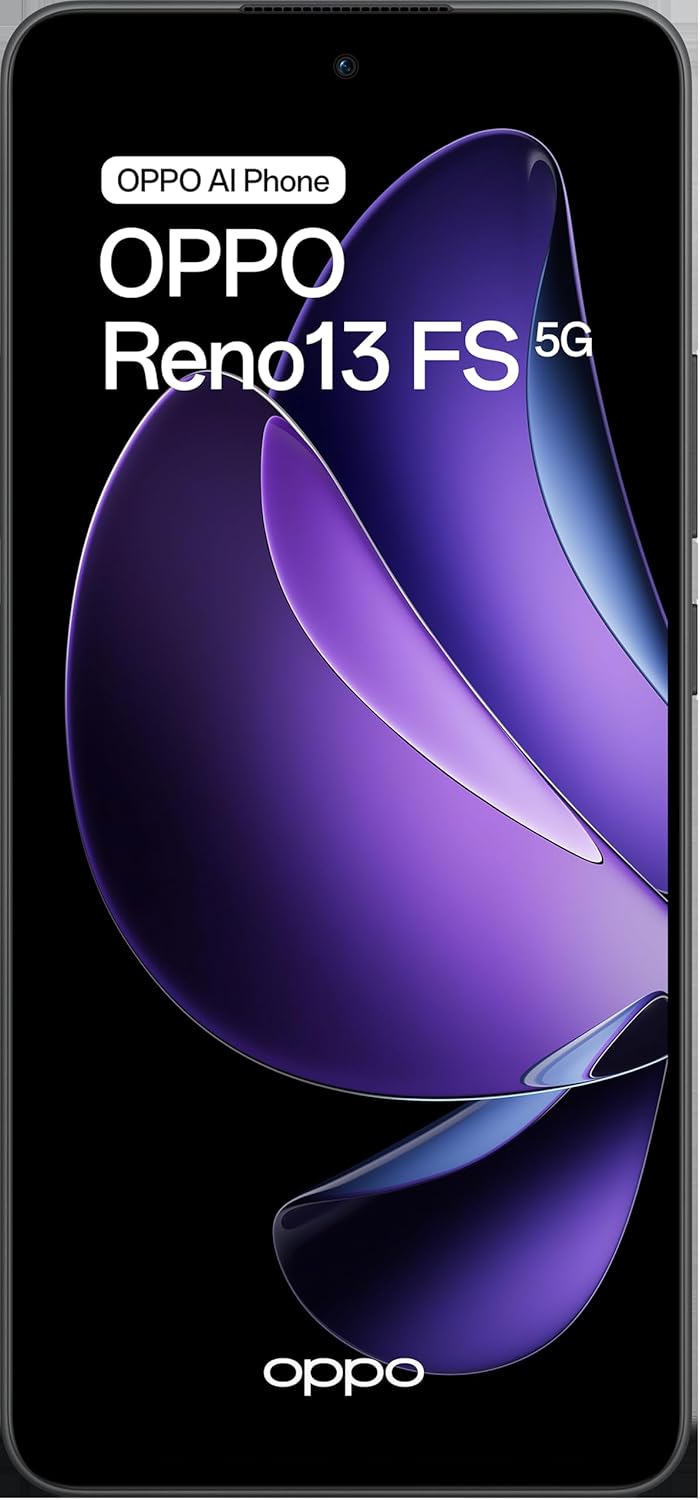
This image displays the front of the OPPO Reno13 FS 5G smartphone, highlighting its vibrant display and the prominent 'OPPO AI Phone' and 'OPPO Reno13 FS 5G' branding.
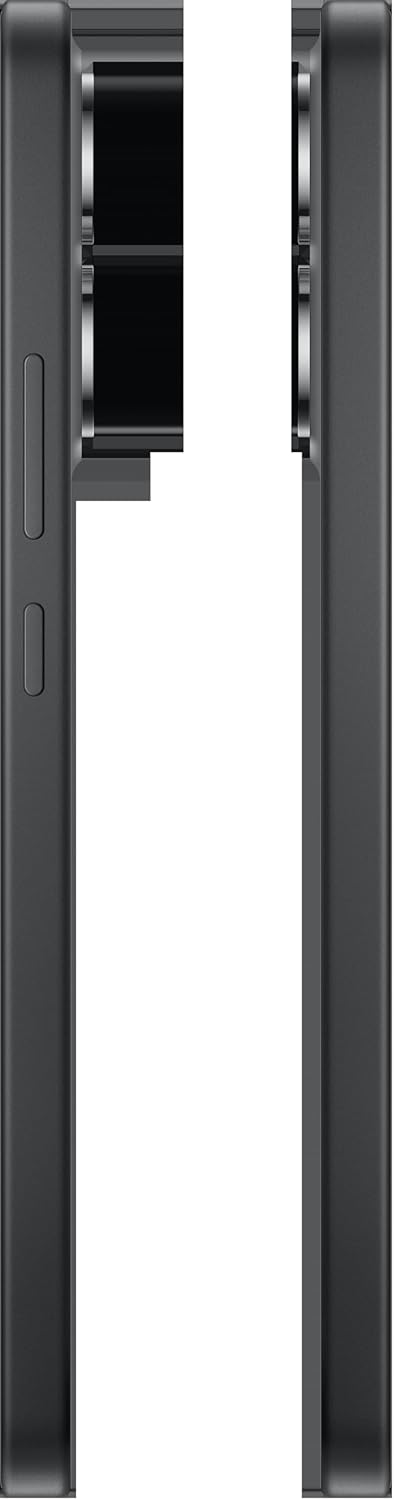
Un angolo view of the OPPO Reno13 FS 5G, showcasing the sleek design of the front display and the slim profile del dispositivo.

Questa immagine fornisce un lato chiaro view of the OPPO Reno13 FS 5G, detailing the placement of the volume rocker and power button.

The back of the OPPO Reno13 FS 5G is shown, featuring its distinctive camera module and the subtle OPPO branding at the bottom.

This image captures the top and bottom edges of the OPPO Reno13 FS 5G, revealing the USB-C charging port, speaker grille, and microphone.

This image presents both the front and back of the OPPO Reno13 FS 5G side-by-side, offering a complete visual overview del dispositivo.
3. Impostazione
3.1. Installazione della scheda SIM
The OPPO Reno13 FS 5G supports Dual-SIM functionality. To install your SIM cards:
- Individua il vassoio della scheda SIM sul lato del dispositivo.
- Insert the SIM ejector tool (usually found in the phone's packaging) into the small hole next to the tray and push gently until the tray pops out.
- Inserisci le schede Nano-SIM negli appositi slot sul vassoio. Assicurati che i contatti dorati siano rivolti verso il basso.
- If expanding storage, insert a microSDXC card into the dedicated slot (if available on your model).
- Spingere con cautela il vassoio nel telefono finché non scatta in posizione.
3.2. Ricarica iniziale e accensione
Before first use, it is recommended to fully charge your device. Use the provided USB-C cable and power adapter.
- Collegare il cavo USB-C alla porta di ricarica del telefono e l'adattatore a una presa di corrente.
- Once sufficiently charged, press and hold the Power button (located on the side) until the OPPO logo appears on the screen.
- Segui le istruzioni sullo schermo per completare la configurazione iniziale, inclusa la selezione della lingua, la connessione al Wi-Fi e la configurazione dell'account Google.
4. Istruzioni per l'uso
4.1. Navigazione di base
Your OPPO Reno13 FS 5G operates on Android 15, utilizing intuitive touch gestures:
- Rubinetto: Seleziona un elemento o apri un'applicazione.
- Scorri: Scorri schermate, elenchi o contenuti.
- Pizzico: Ingrandisci o rimpicciolisci le foto e web pagine.
- Premere a lungo: Accedi ai menu contestuali o sposta le icone.
4.2. Chiamate e messaggi
- Effettuare le chiamate: Apri l'app Telefono, inserisci il numero e tocca l'icona della chiamata.
- Invio di messaggi: Apri l'app Messaggi, tocca "Avvia chat", inserisci il destinatario e digita il messaggio.
4.3. Utilizzo della fotocamera
The OPPO Reno13 FS 5G features a 50MP main camera and a 32MP front camera.
- Apri l'app Fotocamera dalla schermata iniziale o dal menu delle applicazioni.
- Seleziona la modalità desiderata (Foto, Video, Ritratto, ecc.).
- Tocca il pulsante di scatto per scattare foto o avviare/interrompere la registrazione video.
- Use the toggle to switch between the front and rear cameras.
4.4. Connettività
- Wifi: Vai su Impostazioni > Rete e Internet > Wi-Fi per connetterti alle reti disponibili.
- Bluetooth: Vai su Impostazioni > Dispositivi connessi > Bluetooth per associarlo ad altri dispositivi Bluetooth.
- Dati mobili (5G): Assicurati che la tua scheda SIM sia attiva e che i dati mobili siano abilitati in Impostazioni > Rete e Internet > Rete mobile.
4.5. Gestione dell'archiviazione
Your device comes with 512GB of internal storage. You can expand this via microSDXC.
- Controlla regolarmente l'utilizzo dello spazio di archiviazione in Impostazioni > Archiviazione.
- Elimina non necessario files, app o cancella la cache per liberare spazio.
- Utilize cloud storage services for backups of photos and documents.
5. Manutenzione
5.1. Cura della batteria
The OPPO Reno13 FS 5G has a 5800 mAh non-removable battery.
- Evitare temperature estreme, poiché possono ridurre la durata della batteria.
- Per una ricarica ottimale, utilizzare il caricabatterie e il cavo originali.
- Evitare di scaricare completamente la batteria frequentemente. Caricarla prima che scenda troppo.
5.2. Pulizia del dispositivo
- Utilizzare un panno morbido e privo di lanugine per pulire lo schermo e il retro del telefono.
- Per macchie ostinate, leggermente dampPulisci il panno con acqua o con un detergente per schermi.
- Evitare l'uso di prodotti chimici aggressivi o materiali abrasivi.
5.3. Aggiornamenti software
Controlla e installa regolarmente gli aggiornamenti software per assicurarti che il tuo dispositivo disponga delle funzionalità più recenti, delle patch di sicurezza e dei miglioramenti delle prestazioni.
- Go to Settings > About phone > Software update.
- Connettiti a una rete Wi-Fi stabile prima di scaricare gli aggiornamenti.
6. Risoluzione Dei Problemi
Questa sezione affronta i problemi più comuni che potresti riscontrare con il tuo OPPO Reno13 FS 5G.
- Il dispositivo non si accende: Ensure the battery is charged. If it still doesn't turn on, try holding the Power button for 10-15 seconds.
- App che si bloccano/si bloccano: Close the app and reopen it. If the issue persists, clear the app's cache (Settings > Apps > [App Name] > Storage & cache > Clear cache).
- Problemi di connettività di rete: Check if Airplane mode is off. Restart your phone. Verify your SIM card is properly inserted. Contact your network provider if problems persist.
- Prestazioni lente: Close background apps, clear cache, and ensure sufficient storage space. Restarting the device can also help.
- Ripristino di fabbrica: As a last resort for persistent software issues, you can perform a factory reset (Settings > System > Reset options > Erase all data (factory reset)). Attenzione: questa operazione cancellerà tutti i dati presenti sul telefono. Esegui il backup dei dati importanti prima di procedere.
7. Specifiche
| Caratteristica | Specificazione |
|---|---|
| Numero di modello | OPPO Reno 13 FS 5G 12/512 Graphite Grey |
| Sistema operativo | Androide 15 |
| Processore | Qualcomm Snapdragon 6 Gen 1 Mobile Platform, 8 cores |
| Memoria RAM | 12 GB |
| Memoria interna | 512 GB (espandibile tramite microSDXC) |
| Display | 6.67 inches, AMOLED, 1080 x 2400 Pixels |
| Telecamera posteriore | 50MP; f/1.8; FOV 78°; 5P lens; AF; OIS supported |
| Fotocamera frontale | 32 MP, f/2.4, FOV 82°; 5P lens |
| Batteria | 5800 mAh, non rimovibile |
| Dimensioni (L x P x A) | Dimensioni: 16.22 x 7.5 x 0.78 cm |
| Peso | 192 grammi |
| Tipo di SIM | Doppia SIM (Nano SIM) |
| Compatibilità di rete | 2G GSM, 3G WCDMA, 4G FDD LTE, 5G (N1/N2/N3/N5/N7/N8/N12/N20/N26/N28/N38/N40/N41/N66/N77/N78) |
8. Garanzia e supporto
For detailed warranty information, please refer to the warranty card included with your product packaging or visit the official OPPO website. OPPO provides customer support for product inquiries, technical assistance, and service requests.
To obtain support, please visit the official OPPO support page or contact their customer service channels available in your region. Keep your proof of purchase and product serial number handy when seeking support.