Introduzione
This manual provides comprehensive instructions for the setup, operation, maintenance, and troubleshooting of your COLMI C8 MAX Smartwatch. Please read this manual carefully before using the device to ensure proper functionality and longevity.

Figura 1: The COLMI C8 MAX Smartwatch in gold with a beige strap, displaying the main watch face with fitness data and time.
1. Impostazione
1.1 Unboxing e componenti
Dopo aver aperto la confezione, assicurarsi che siano presenti tutti i componenti:
- COLMI C8 MAX Smartwatch
- Replacement Strap (if included in your package)
- Cavo di ricarica
- Manuale dell'utente (questo documento)
1.2 Ricarica del dispositivo
Before first use, fully charge your smartwatch. Connect the magnetic charging cable to the charging points on the back of the watch and plug the USB end into a standard USB power adapter (not included).
- Tempo di ricarica: circa 2 ore per una carica completa.
- Battery capacity: 250 mAh Lithium Polymer.
1.3 Accensione/Spegnimento
- Per accendere: Press and hold the side button until the COLMI logo appears.
- Per spegnere: Dal quadrante dell'orologio, scorri verso il basso per accedere alle impostazioni rapide oppure vai su "Impostazioni" > "Sistema" > "Spegnimento". Conferma la selezione.
1.4 Installazione e associazione dell'app
To unlock the full features of your COLMI C8 MAX Smartwatch, you need to install the companion application on your smartphone or tablet. The watch is compatible with both Android and iOS operating systems.
- Scan the QR code provided in the quick start guide or search for the official COLMI app in your device's app store (Google Play Store for Android, Apple App Store for iOS).
- Scarica e installa l'applicazione.
- Apri l'app e segui le istruzioni sullo schermo per creare un account o accedere.
- Abilita il Bluetooth sul tuo smartphone/tablet.
- Nell'app, vai alla sezione di associazione del dispositivo e seleziona "Aggiungi dispositivo" o un'opzione simile.
- The app will search for available devices. Select "COLMI C8 MAX" from the list.
- Confirm the pairing request on both your smartphone and the smartwatch. The watch utilizes Bluetooth 5.3 for stable connectivity.
2. Utilizzo dello smartwatch
2.1 Display e navigazione
The COLMI C8 MAX features a 1.93-inch IPS touchscreen with a resolution of 240 x 288 pixels, offering clear visuals and responsive touch control.
- Scorrere verso l'alto: Notifiche di accesso.
- Scorri verso il basso: Access quick settings (brightness, battery, DND, etc.).
- Scorri verso sinistra/destra: Navigate through widgets and main functions (activity, heart rate, weather, etc.).
- Rubinetto: Seleziona un elemento o apri un'applicazione.
- Premere il pulsante laterale: Torna al quadrante dell'orologio o apri il menu dell'app.
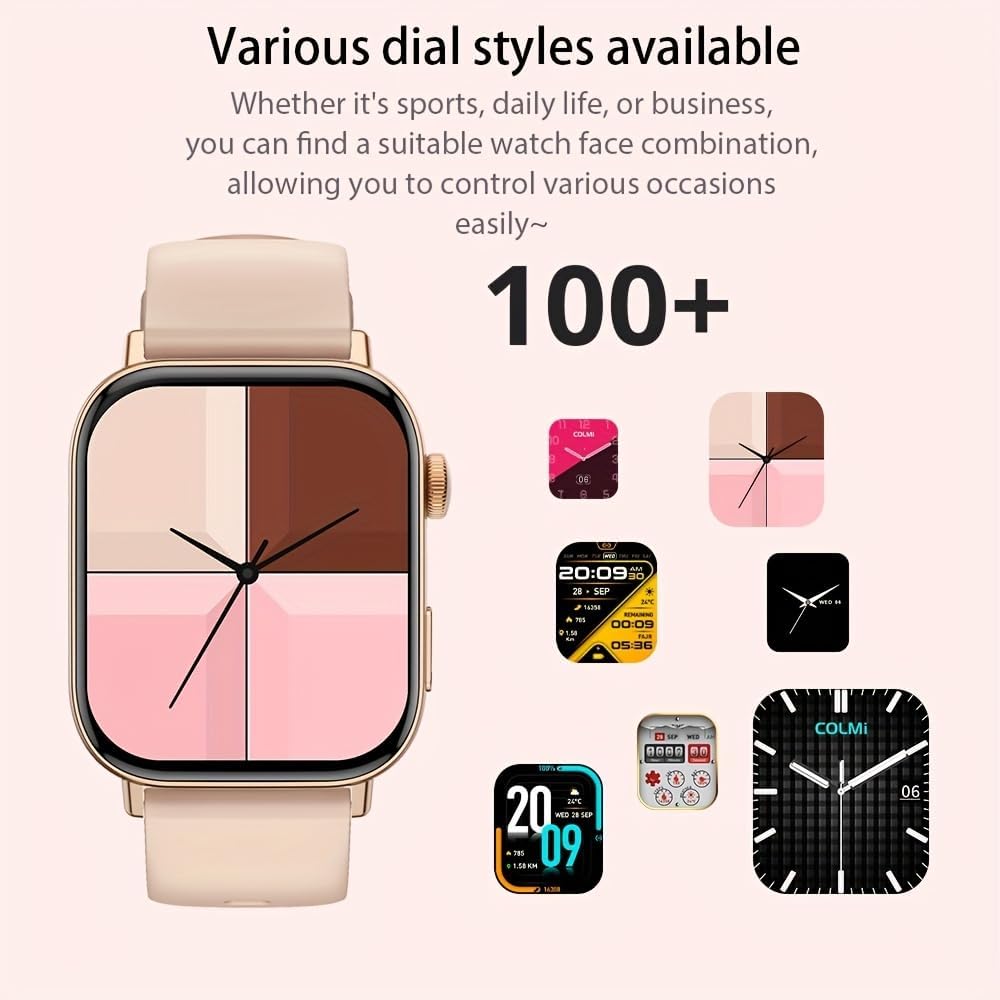
Figura 2: Lo smartwatch mostraasing a selection of its over 100 available dial styles, allowing for personalization.
2.2 Core Features and Functions
The COLMI C8 MAX is equipped with a wide range of features to support your daily activities and health monitoring.
- Monitoraggio fitness: Monitor steps, distance, calories burned, and active minutes. Includes a pedometer, heart rate monitor, and multi-sport modes (over 100 sports modes available, including walking, running, cycling, football, basketball, table tennis, badminton, mountaineering, rope jumping).

Figura 3: The smartwatch highlighting its extensive range of over 100 sports tracking modes, suitable for various physical activities.
- Monitoraggio del sonno: Tiene traccia dei modelli e della qualità del sonno.
- Comunicazione:
- Chiamate senza fili: Make and receive calls directly from your wrist. Access recent calls, dial pad, and contacts.
- Notifiche dei messaggi: Receive alerts for SMS, WhatsApp, emails, and other social media applications (Facebook, Snapchat, Twitter, Telegram, Instagram, LinkedIn).

Figura 4: The smartwatch demonstrating its wireless calling feature, showing an incoming call notification on the display.

Figura 5: The watch's ability to synchronize information and notifications from a connected smartphone, including messages from WhatsApp and other platforms.
- Assistente vocale AI: Use voice commands to interact with your watch for tasks like making calls, checking weather, or playing music.

Figura 6: Illustration of the intelligent voice assistant function, showing examples of voice commands and responses on the watch screen.
- Altre caratteristiche: Calendar, alarm clock, countdown timer, remote camera control, sedentary reminder, menstruation management.
3. Manutenzione
3.1 Resistenza all'acqua (IP68)
The COLMI C8 MAX Smartwatch has an IP68 water resistance rating, meaning it is protected against dust ingress and can withstand immersion in water up to 1.5 meters for 30 minutes. It is suitable for daily use, hand washing, and light rain. However, it is not recommended for hot showers, saunas, or diving, as steam and hot water can compromise the seals.
3.2 Pulizia dello smartwatch
To maintain the appearance and functionality of your device:
- Pulire lo schermo e il corpo con un panno morbido e privo di lanugine.
- Per sporco ostinato, leggermente dampLavare il panno con acqua. Evitare l'uso di prodotti chimici aggressivi o materiali abrasivi.
- Per garantire una ricarica efficiente, pulire regolarmente i contatti di ricarica.
- If the strap gets dirty, clean it according to its material type (e.g., silicone straps can be washed with mild soap and water).
3.3 Ottimizzazione della durata della batteria
The smartwatch offers a battery life of 5-10 days depending on usage, with an average life of 240 hours. To maximize battery life:
- Ridurre la luminosità dello schermo.
- Disattiva le notifiche non necessarie.
- Limitare il monitoraggio continuo della frequenza cardiaca se non necessario.
- Disattivare "Display sempre attivo", se disponibile.
4. Risoluzione Dei Problemi
If you encounter issues with your COLMI C8 MAX Smartwatch, refer to the following common problems and solutions:
| Problema | Possibile soluzione |
|---|---|
| L'orologio non si accende. | Assicurati che l'orologio sia completamente carico. Collegalo al caricabatterie per almeno 30 minuti. |
| Impossibile effettuare l'associazione con lo smartphone. |
|
| Le notifiche non vengono ricevute. |
|
| Dati di fitness imprecisi. |
|
| Lo schermo non risponde. | Restart the watch by pressing and holding the side button until it reboots. |
4.1 Ripristino delle impostazioni di fabbrica
If problems persist, you may need to perform a factory reset. This will erase all data on the watch and restore it to its original settings. Navigate to 'Settings' > 'System' > 'Reset' or 'Factory Reset' on your smartwatch and confirm.
5. Specifiche
| Caratteristica | Dettaglio |
|---|---|
| Nome del modello | C8 Max |
| Marca | COLMI |
| Display | 1.93-inch IPS Touchscreen, 240 x 288 pixels |
| Capacità della batteria | Polimeri di litio da 250 mAh |
| Durata della batteria | 5-10 days (typical usage), 240 hours average life |
| Resistenza all'acqua | Grado di protezione IP68 |
| Memoria | 128 MB Storage, 640 KB RAM |
| Connettività | Bluetooth 5.3 |
| Compatibilità | Android & iOS Smartphones/Tablets |
| Dimensioni | Dimensioni: 10 x 9 x 6.5 cm |
| Peso | 200 grammi |
| Componenti inclusi | Smartwatch, User Manual |
6. Garanzia e supporto
The COLMI C8 MAX Smartwatch comes with a manufacturer's warranty. Please refer to the warranty card included in your product packaging for specific terms and conditions, including warranty duration and coverage details.
For technical support, product inquiries, or warranty claims, please contact COLMI customer service through their official website or the contact information provided in your product documentation. Ensure you have your product model number (C8 Max) and purchase details ready when contacting support.


