1. Introduzione
This manual provides detailed instructions for the operation and maintenance of your Monster Open Touch Pro 100 Wireless Earbuds. Please read this manual thoroughly before use to ensure proper functionality and to maximize your listening experience.
2. Contenuto della confezione
Verifica che tutti gli articoli siano presenti nel tuo pacco:
- Monster Open Touch Pro 100 Wireless Earbuds (Left and Right)
- Custodia di ricarica con touch screen
- Cavo di ricarica USB (tipo C)
- Manuale dell'utente (questo documento)
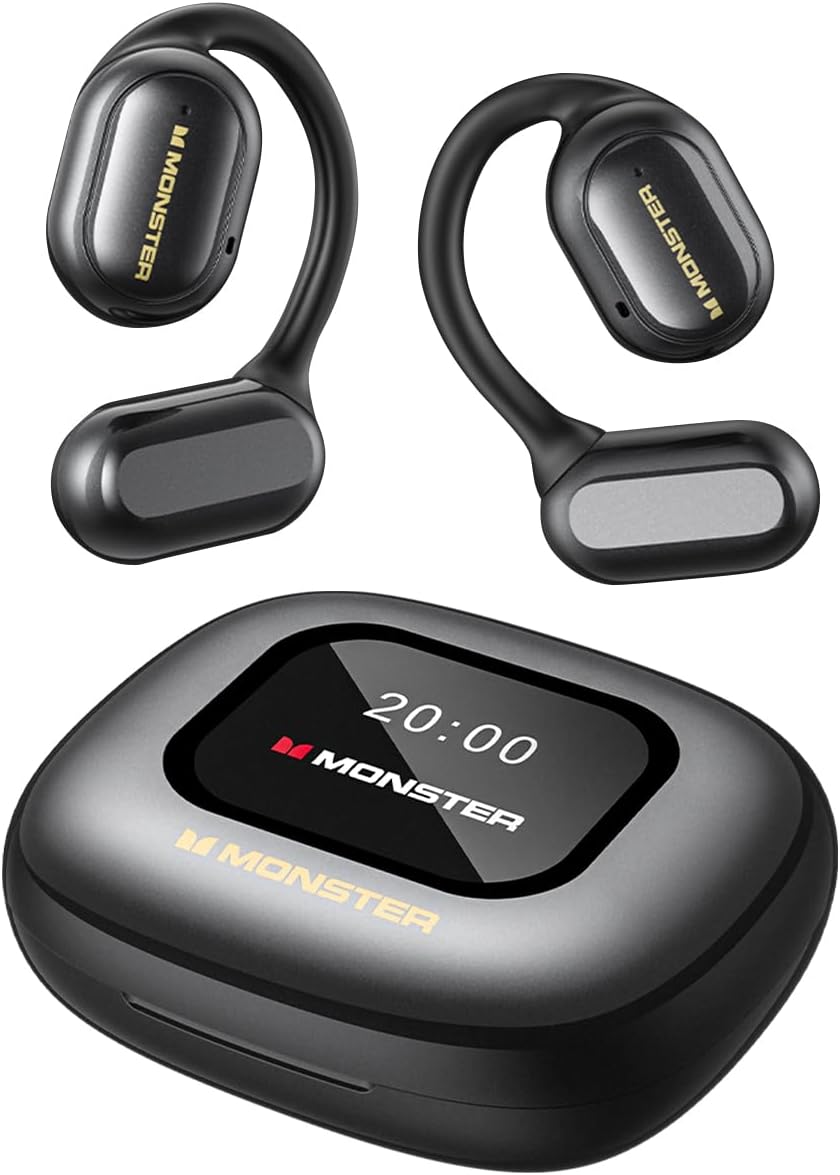
Image: The Monster Open Touch Pro 100 wireless earbuds and their charging case, illustrating the complete product package.
3. Prodotto finitoview
3.1 Componenti degli auricolari
- Design Open-Head: Permette di prendere consapevolezza dell'ambiente circostante.
- Ganci auricolari: Ergonomic curved design for secure and comfortable wear.
- Driver dinamici da 16.2 mm: For clear sound quality.
- Microfoni: For Environmental Noise Cancellation (ENC) during calls.
- Contatti di ricarica: Per la ricarica all'interno della custodia.
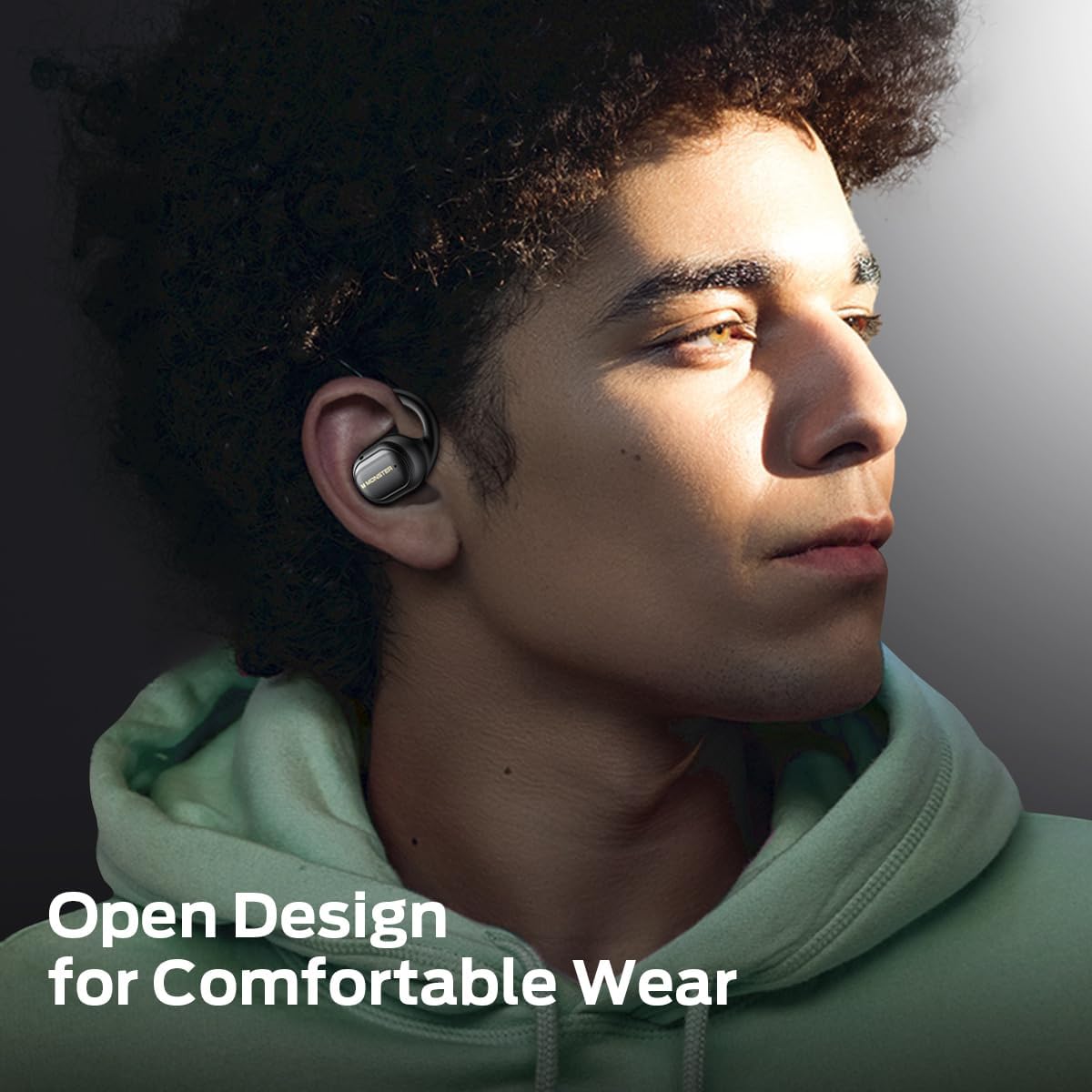
Image: A man wearing the Monster Open Touch Pro 100 earbud, demonstrating its open-ear design and comfortable fit.
3.2 Caratteristiche della custodia di ricarica
- LED Full-Color Smart Touch Screen: For control over music, settings, and more.
- Slot per schede TF: Supports independent MP3 playback (TF card not included).
- Porta di ricarica USB-C: Per ricaricare la custodia.

Image: The Monster Open Touch Pro 100 charging case displaying its LED full-color smart touch screen, showing various control options.
4. Impostazione
4.1 Carica iniziale
Before first use, fully charge the earbuds and the charging case. Place the earbuds into the charging case and connect the USB-C cable to the charging port on the case, then connect the other end to a USB power source (e.g., computer, wall adapter).
The LED screen on the charging case will indicate the charging status. A full charge typically takes approximately 1.5-2 hours for the case and earbuds.
4.2 Accensione/Spegnimento
- Accensione: Aprire la custodia di ricarica. Gli auricolari si accenderanno automaticamente ed entreranno in modalità di associazione.
- Spegni: Riposiziona gli auricolari nella custodia di ricarica e chiudi il coperchio. Si disconnetteranno e si spegneranno automaticamente.
4.3 Associazione Bluetooth
- Ensure the earbuds are charged and powered on (open the charging case).
- Sul tuo dispositivo (smartphone, tablet, laptop), attiva il Bluetooth.
- Cercare available Bluetooth devices and select "Monster Open Touch Pro 100".
- Once connected, the earbuds will indicate successful pairing, and the device will show them as connected.
The earbuds will automatically attempt to reconnect to the last paired device when removed from the case.
5. Istruzioni per l'uso
5.1 Controlli touch degli auricolari
The earbuds feature touch-sensitive areas for controlling playback and calls:
- Riproduci/Pausa: Single click on either L/R earbud.
- Prossima canzone: Double click on the Right earbud.
- Canzone precedente: Triple click on the Left earbud.
- Rispondi alla chiamata: Double click on either L/R earbud.
- Riagganciare la chiamata: Hold for 3 seconds on either L/R earbud.
- Attiva l'assistente vocale: Hold for 2 seconds on either L/R earbud.

Image: A visual guide to the touch controls on the Monster Open Touch Pro 100 earbuds, detailing actions for play/pause, track skipping, call management, and voice assistant activation.
5.2 Funzioni del touch screen della custodia di ricarica
The full-color touch screen on the charging case provides advanced controls:
- Controllo della riproduzione musicale: Play, pause, skip tracks, adjust volume directly from the screen.
- Modalità equalizzatore: Select from multiple equalizer presets (e.g., Rock and Roll, Pop, Normal, Jazz, Classic) to customize your audio experience.
- Cambio lingua: Change the system language of the case interface.
- Otturatore della fotocamera: Use the case as a remote shutter button for your smartphone camera.
- Trova il mio auricolare: Locate misplaced earbuds by activating an audible signal.
- Impostazioni: Accedi alle impostazioni aggiuntive del dispositivo.

Image: The Monster Open Touch Pro 100 charging case screen displaying the language selection interface, allowing users to switch between languages.

Image: The Monster Open Touch Pro 100 charging case screen displaying various equalizer modes such as Rock and Roll, Pop, Normal, Jazz, and Classic.
5.3 Independent MP3 Mode (TF Card)
The charging case features a TF card slot, allowing the earbuds to function as an independent MP3 player without requiring a connected phone or network.
- Insert a TF card (not included) with your music files into the designated slot on the charging case.
- On the touch screen, navigate to the "SD Music" option.
- Select and play your desired music directly from the TF card.
Note: Hot-swapping of the TF card is not supported. Ensure the device is powered off or in a safe state before inserting or removing the TF card.

Image: The Monster Open Touch Pro 100 charging case with a TF card being inserted, highlighting its independent MP3 playback capability.
6. Manutenzione
6.1 Pulizia
- Pulisci gli auricolari e la custodia di ricarica con un panno morbido, asciutto e privo di lanugine.
- Non utilizzare detergenti abrasivi, alcol o solventi chimici.
- Keep charging contacts clean and dry to ensure proper charging.
6.2 Resistenza all'acqua
The earbuds are rated IPX5 waterproof, meaning they are protected against low-pressure water jets from any direction. This makes them suitable for workouts and light rain.
Important: The charging case is NOT waterproof. Avoid exposing the charging case to water or moisture.

Image: A woman exercising while wearing the Monster Open Touch Pro 100 earbuds, illustrating their IPX5 waterproof performance against sweat and light moisture.
6.3 Conservazione
Quando non li usi, riponi gli auricolari nella loro custodia di ricarica per proteggerli e assicurarti che rimangano carichi. Conservali in un luogo fresco e asciutto, lontano da temperature estreme.
7. Risoluzione Dei Problemi
| Problema | Possibile causa | Soluzione |
|---|---|---|
| Gli auricolari non si accoppiano | Earbuds not in pairing mode; Bluetooth off on device; out of range. | Ensure case is open and earbuds are powered on. Turn Bluetooth off and on on your device. Move closer to your device. |
| Nessun suono dagli auricolari | Volume troppo basso; auricolari non collegati; riproduzione multimediale in pausa. | Increase volume on device and earbuds. Reconnect earbuds. Check media playback status. |
| La custodia di ricarica non si ricarica | Cable not connected properly; faulty cable/adapter; dirty charging port. | Ensure USB-C cable is securely connected. Try a different cable or power adapter. Clean the charging port gently. |
| Gli auricolari non si caricano nel caso | Auricolari non posizionati correttamente; contatti di ricarica sporchi. | Adjust earbuds in case to ensure proper contact. Clean earbud and case charging contacts. |
| Il touch screen non risponde | Problema software temporaneo; batteria scarica. | Restart the charging case (if possible, by closing and reopening). Ensure the case is sufficiently charged. |
8. Specifiche
| Caratteristica | Dettaglio |
|---|---|
| Nome del modello | Monster Open Touch Pro 100 |
| Tecnologia di connettività | Wireless (Bluetooth) |
| Versione Bluetooth | 5.4 |
| Posizionamento dell'orecchio | Orecchio aperto |
| Tipo di driver audio | Driver dinamico (16.2 mm) |
| Caratteristiche di controllo del rumore | Cancellazione del rumore ambientale (ENC) |
| Metodo di controllo | Tocco |
| Caratteristiche speciali | LED Full-Color Smart Screen, TF Card Support, IPX5 Waterproof (earbuds only) |
| Durata della batteria (auricolari) | Fino a 8 ore (carica singola) |
| Tempo di riproduzione totale | Fino a 30 ore (con custodia di ricarica) |
| Materiale | Silicone (ganci auricolari) |
| Peso dell'articolo | 7.4 once |
| Dispositivi compatibili | Smartphone, laptop, tablet, altoparlanti intelligenti |
9. Garanzia e supporto
Per informazioni sulla garanzia e sull'assistenza clienti, fare riferimento alla documentazione inclusa con l'acquisto o visitare il sito ufficiale Monster websito. Conservare la prova d'acquisto per eventuali reclami in garanzia.
Produttore: Mostro


