1. Introduzione
Grazie per l'acquistoasing the Surfola 15.6-inch HD Portable DVD Player, Model SD05W. This manual provides essential information for the safe and efficient use of your device. Please read it thoroughly before use and retain it for future reference.
2. Contenuto della confezione
Assicurati che tutti gli articoli elencati di seguito siano inclusi nel tuo pacco:
- Surfola 15.6-inch Portable DVD Player
- Telecomando
- AC Power Adapter (PSE certified, 100-240V global voltage compatibile)
- Caricabatteria da auto (cavo da 1.8 m)
- Cavo AV 3 in 1
- Manuale d'uso
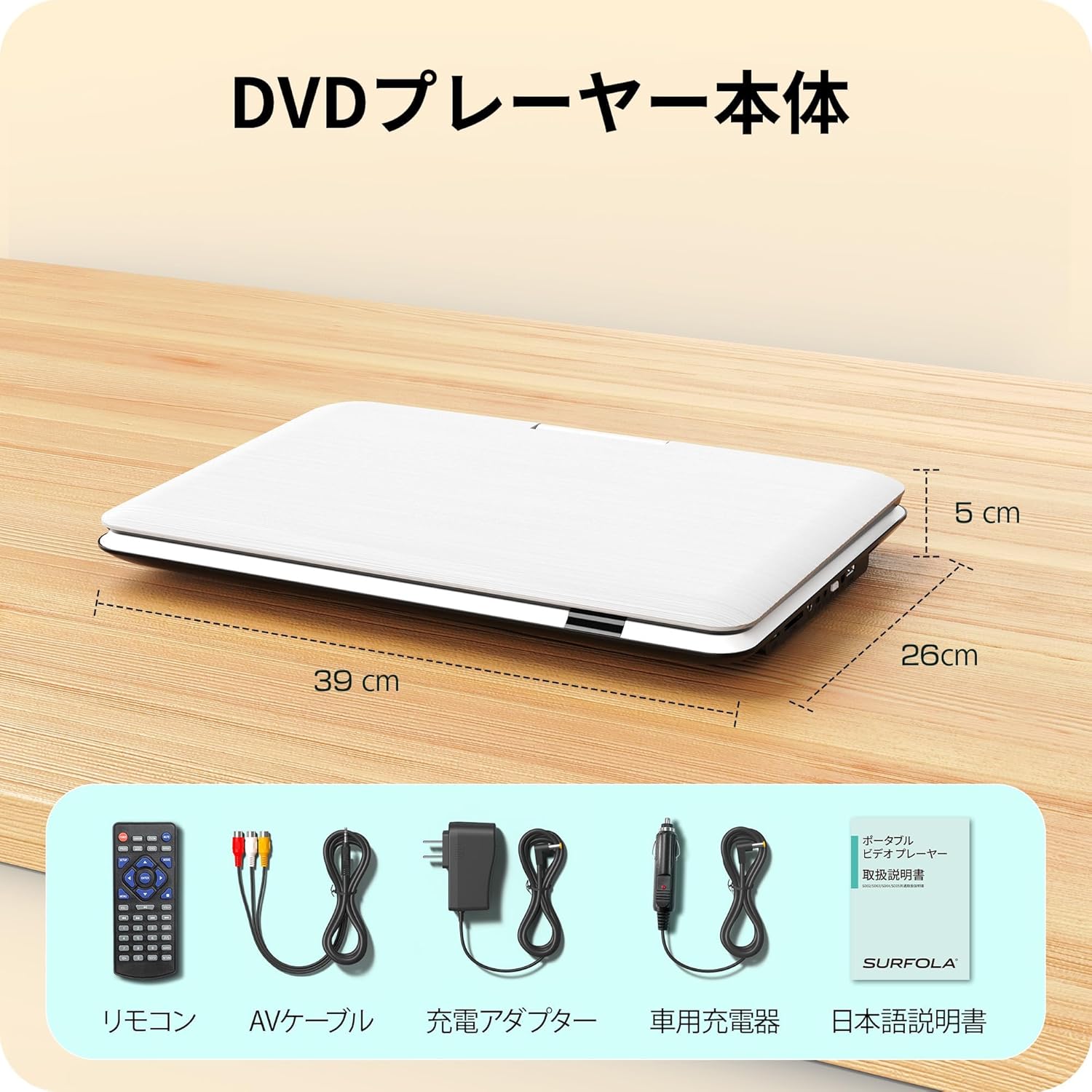
Image: Contents of the Surfola Portable DVD Player package, including the player, remote control, AV cable, AC adapter, car charger, and user manual.
3. Prodotto finitoview
Familiarize yourself with the various parts and connections of your portable DVD player.

Immagine: Lato view of the Surfola Portable DVD Player showing various connection ports. These include a USB port, SD card slot, AV OUT, AV IN, DC IN, Power Switch, and Headphone Jack.
Caratteristiche principali:
- Display LCD HD da 15.6 pollici: 1366x768 resolution for clear video playback.
- 270° Rotation & 180° Flip: Screen can be adjusted for optimal viewangoli di inclinazione.
- Region-Free & CPRM Compatible: Plays DVDs from any region and supports CPRM content.
- Supporto multiformato: Plays video, music, and photo files from USB drives (up to 16GB) and SD cards. Supported formats include MPEG, MP3, JPG. (Note: Blu-ray discs and MP4 format are not supported.)
- Funzione di ripresa: Riprende automaticamente la riproduzione dal punto in cui era stata interrotta l'ultima volta.
- Molteplici opzioni di alimentazione: Built-in 5000mAh battery for up to 6 hours of playback, AC adapter (100-240V), and car charger (DC12V).
- Ingresso/uscita AV: Connect to a TV or projector for a larger screen experience.
4. Impostazione
4.1 Accensione iniziale
- Connetti alimentazione: Use the provided AC adapter or car charger to power the device. For portable use, ensure the internal battery is charged.
- Attiva: Locate the power switch (usually on the side or back) and slide it to the "ON" position.

Image: A visual guide showing three simple steps: 1. Turn on the power, 2. Insert a DVD, 3. Video playback begins.
5. Istruzioni per l'uso
5.1 Riproduzione DVD di base
- Open Disc Cover: Gently lift the disc cover.
- Inserisci DVD: Place a DVD disc onto the spindle with the label side facing up. Ensure it is seated correctly.
- Close Disc Cover: Chiudere il coperchio del disco.
- Riproduzione: The player will automatically detect the disc and begin playback. Use the remote control or front panel buttons for play, pause, stop, and navigation.
5.2 Riproduzione da scheda USB/SD
- Inserisci supporto: Insert a USB flash drive (up to 16GB) into the USB port or an SD card into the SD card slot.
- Seleziona fonte: Use the "Source" or "Mode" button on the remote or player to select USB or SD mode.
- Sfogliare Files: Naviga attraverso il tuo files using the directional buttons and select the desired video, music, or photo file giocare.
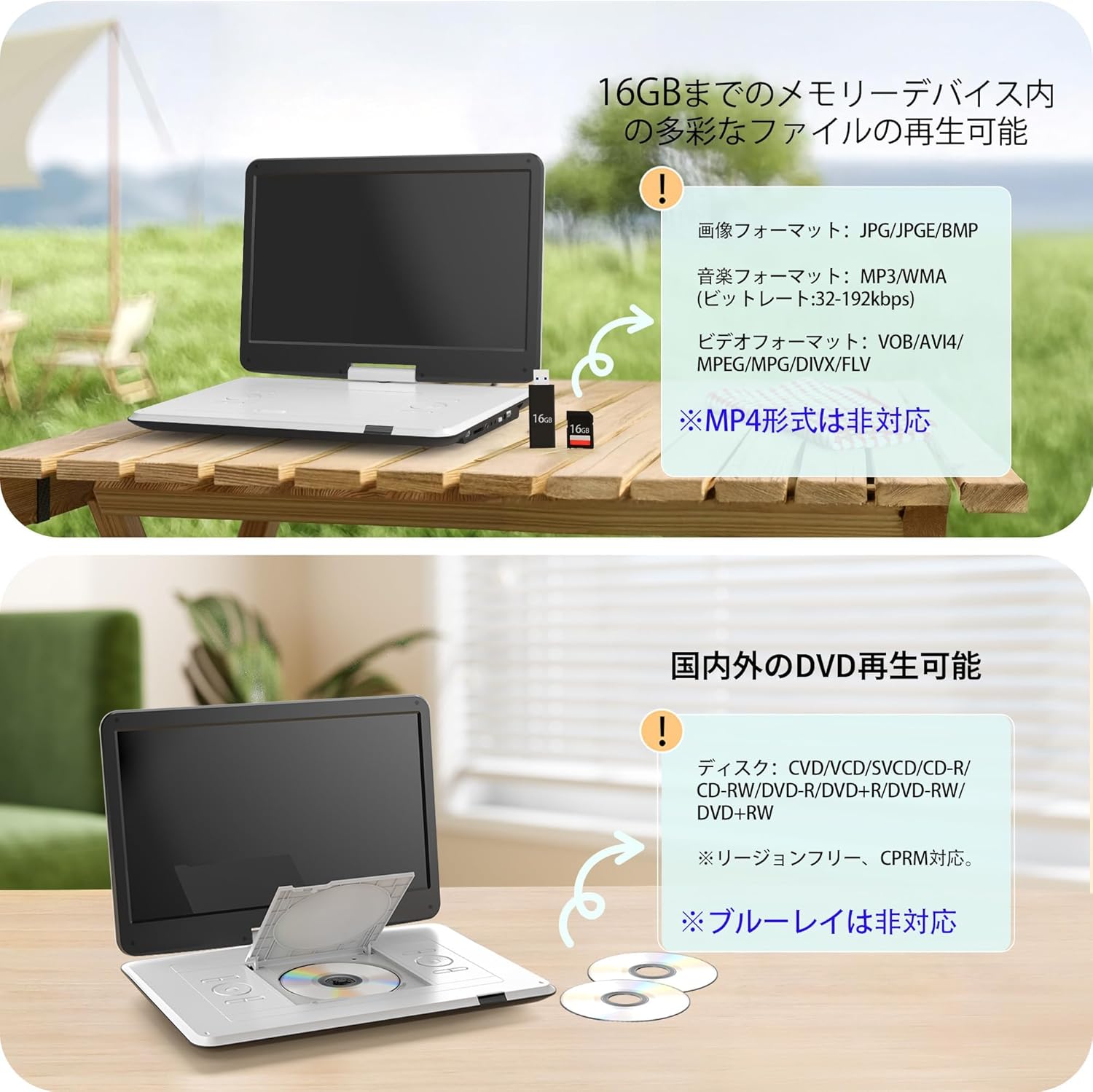
Image: The portable DVD player displaying content from a USB drive and SD card. Text indicates support for various image, music, and video formats, and notes that MP4 is not supported.
5.3 Regolazione dello schermo
The screen can be rotated 270 degrees and flipped 180 degrees for flexible viewing. Adjust the screen to your preferred angle for comfortable viewing in various environments, including in a car.

Image: Demonstrates the screen's ability to rotate 270 degrees and flip 180 degrees, showing various viewing configurations including a folded tablet-like mode.
5.4 Connecting to External Displays (TV/Projector)
Use the included 3-in-1 AV cable to connect your DVD player to a TV or projector for a larger viewesperienza di acquisizione.
- Connect AV Cable: Insert one end of the AV cable into the AV OUT port on the DVD player.
- Connetti al display: Connect the other end of the AV cable to the corresponding AV IN ports (Yellow for Video, Red/White for Audio) on your TV or projector.
- Seleziona ingresso: On your TV or projector, select the correct AV input source.

Image: The portable DVD player connected via AV cable to a television and a projector, demonstrating its capability to synchronize with external displays for a larger viewesperienza di acquisizione.
5.5 Funzione di ripresa
The player features a resume function that allows it to automatically continue playback from the exact point where it was last stopped, even after powering off the device. This is useful for uninterrupted viewing.

Image: A visual representation of the resume function, showing that playback continues from the last stopped position even after the device is powered off and on again.
6. Alimentazione
Your Surfola Portable DVD Player offers three power options:
- Batteria integrata: The 5000mAh internal battery provides up to 6 hours of continuous playback on a full charge.
- Adattatore per corrente alternata: Use the included AC power adapter for home use. It supports 100-240V, making it suitable for international travel.
- Caricabatterie per auto: The included 1.8m car charger connects to your vehicle's cigarette lighter socket (DC12V) for use on the go.
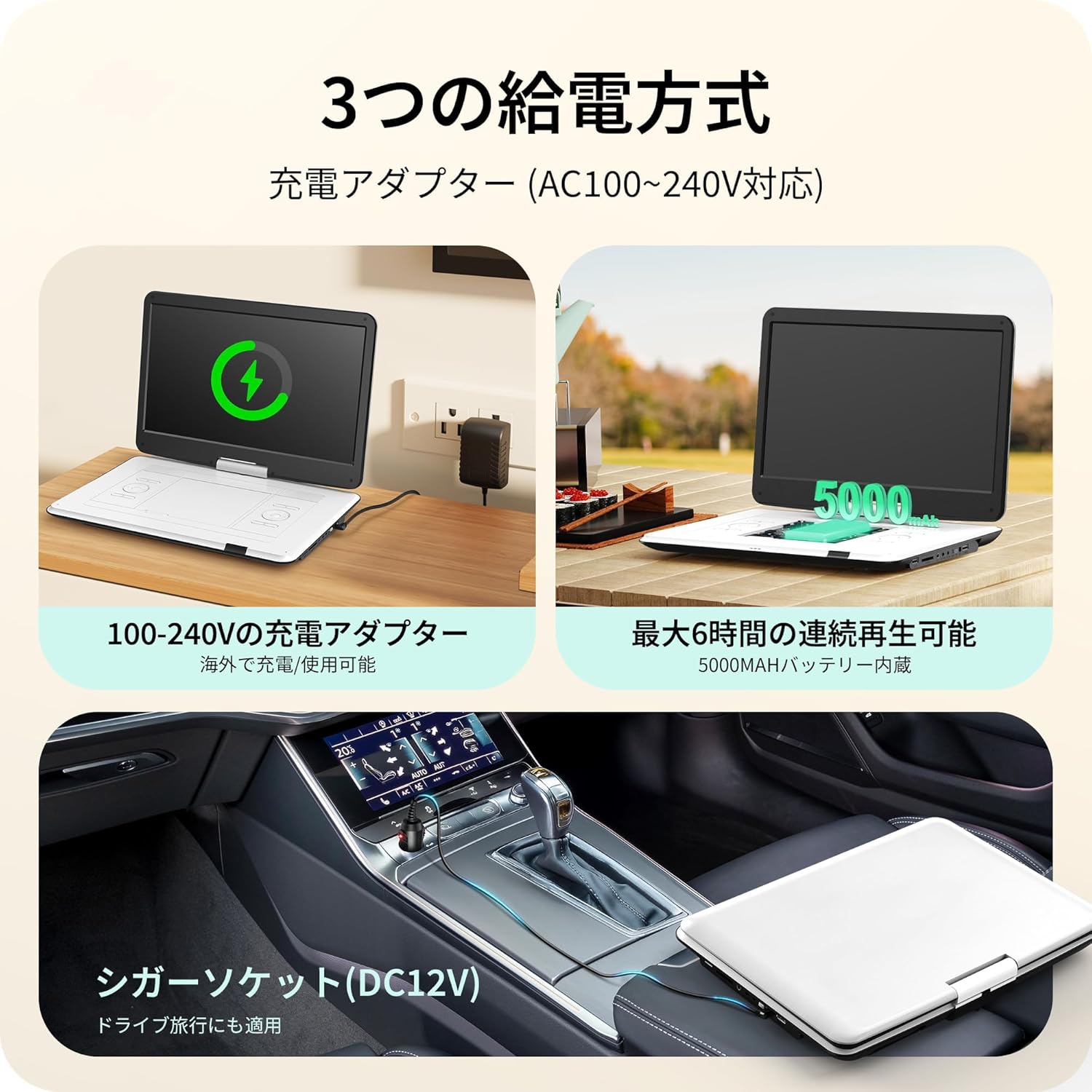
Image: Illustrates the three power supply methods: charging via AC adapter, continuous playback with the 5000mAh internal battery, and powering via car cigarette lighter socket.
7. Manutenzione
- Pulizia dello schermo: Utilizzare un panno morbido e privo di lanugine per pulire delicatamente lo schermo. Per i segni ostinati, strofinare leggermenteampPulisci il panno con acqua o un detergente per schermi. Evita prodotti chimici aggressivi.
- Pulizia del vassoio del disco: Keep the disc tray free of dust and debris. Use a soft brush or compressed air if necessary.
- Magazzinaggio: Quando non in uso, conservare il lettore in un luogo fresco e asciutto, lontano dalla luce solare diretta e da temperature estreme.
- Cura della batteria: Per prolungare la durata della batteria, evitare di scaricarla completamente frequentemente. Caricarla regolarmente, anche se non viene utilizzata per periodi prolungati.
8. Risoluzione Dei Problemi
| Problema | Possibile causa | Soluzione |
|---|---|---|
| Nessun potere | Batteria scarica, adattatore di alimentazione non collegato, interruttore di alimentazione spento. | Charge the battery, ensure AC adapter/car charger is properly connected, turn power switch ON. |
| Il disco non viene riprodotto | Disc inserted incorrectly, disc is dirty/scratched, unsupported disc type (e.g., Blu-ray). | Reinsert disc correctly, clean disc, try a different disc. Note that Blu-ray discs are not supported. |
| Nessun suono | Volume too low, headphones not connected properly, external speaker issue. | Increase volume, check headphone connection, ensure external speakers are working if connected. |
| Nessuna immagine sul display esterno | AV cable not connected correctly, incorrect input selected on TV/projector. | Check AV cable connections, select the correct AV input on your TV/projector. |
| Scheda USB/SD non riconosciuta | Unsupported format, card/drive capacity too large (over 16GB), media corrupted. | Ensure media is formatted correctly (e.g., FAT32), check capacity (max 16GB), try a different USB/SD card. |
9. Specifiche
| Caratteristica | Dettaglio |
|---|---|
| Numero di modello | SD05W |
| Dimensioni dello schermo | 15.6 pollici |
| Tipo di visualizzazione | LCD |
| Risoluzione | 1366x768 |
| Compatibilità del disco | DVD, CVD, VCD, SVCD, CD-R, CD-RW, DVD-R, DVD-RW, DVD+RW (Region-Free, CPRM compatible) |
| Supporto per schede USB/SD | Fino a 16 GB |
| Supported Formats (USB/SD) | Video: MPEG, VOB, AVI, DIVX, FLV; Audio: MP3, WMA; Image: JPG, JPEG, BMP |
| Capacità della batteria | 5000mAh |
| Tempo di riproduzione continua | Circa 6 ore |
| Potenza in ingresso | AC 100-240V (Adapter), DC 12V (Car Charger) |
| Connettività | USB, SD Card, AV IN, AV OUT, Headphone Jack |
| Dimensioni (circa) | 39 x 26 x 5 cm (15.35 x 10.24 x 1.97 pollici) |
| Peso (circa) | 1.8 kg (3.97 libbre) |
Nota: i dischi Blu-ray e il formato MP4 non sono supportati.
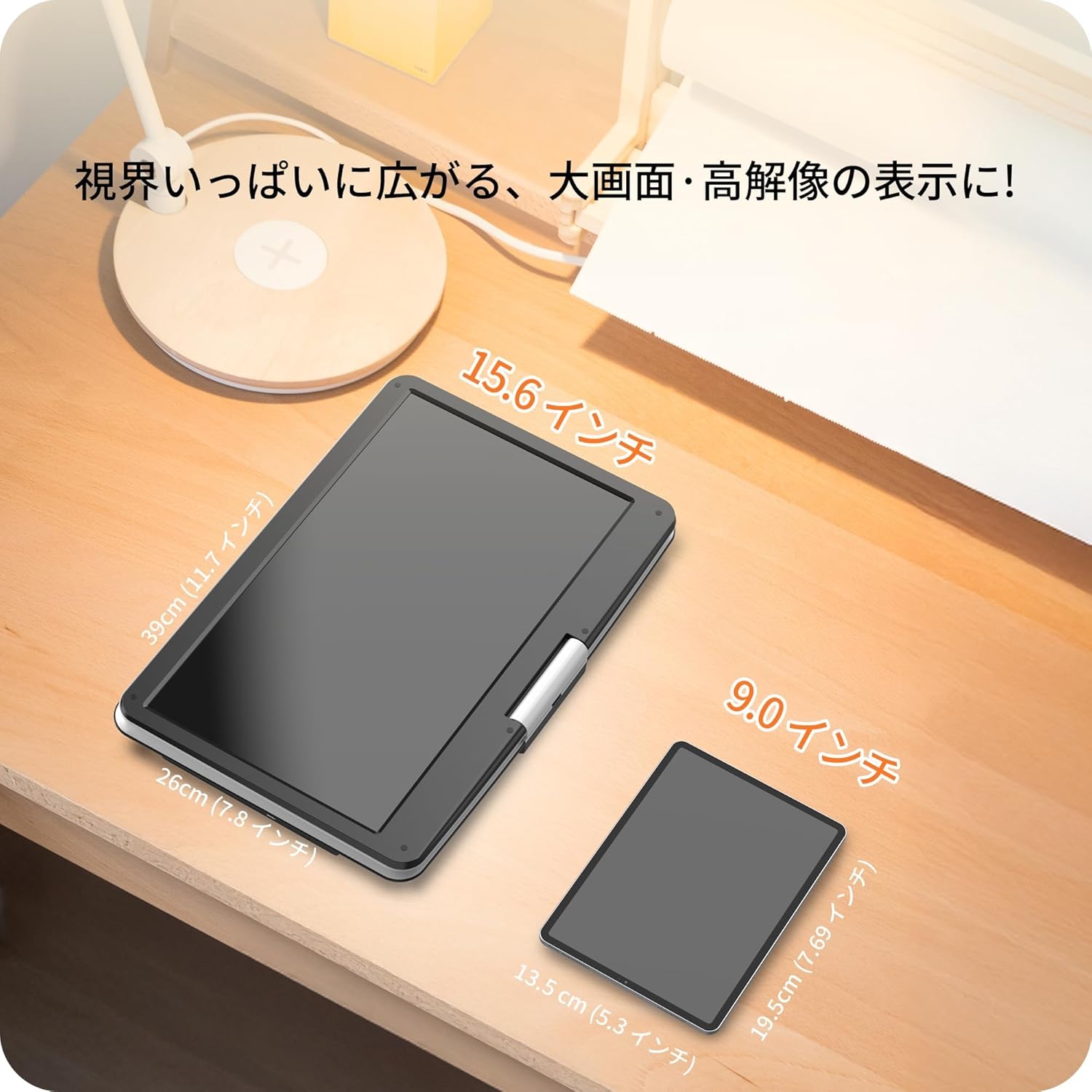
Image: A size comparison showing the 15.6-inch Surfola Portable DVD Player next to a smaller 9.0-inch player, highlighting its larger screen size.
10. Garanzia e supporto
For warranty information and customer support, please refer to the contact details provided in your product packaging or visit the official Surfola websito. Conservare la ricevuta d'acquisto come prova d'acquisto per eventuali reclami in garanzia.
Produttore: Surfola


