1. Introduzione
The Pure Classic H4i is a versatile internet radio designed to provide a comprehensive audio experience. It combines traditional radio functionalities with modern connectivity options, allowing access to a vast array of content. This manual provides detailed instructions for setting up, operating, and maintaining your Pure Classic H4i to ensure optimal performance and longevity.

Figura 1: Fronte view of the Pure Classic H4i Internet Radio, showcasing its display, control knobs, and buttons.
2. Cosa c'è nella scatola
Upon unpacking your Pure Classic H4i, please ensure all the following components are present:
- Pure Classic H4i Internet Radio Unit
- Guida rapida
- Telecomando
- Battery (for Remote control)
- Antenna telescopica
- Power Adapter with two plug adapters

Figure 2: The Pure Classic H4i unit shown alongside its remote control.
3. Guida all'installazione
3.1 Accensione iniziale
- Connetti alimentazione: Plug the provided power adapter into the DC input on the back of the Pure Classic H4i, then connect it to a wall outlet.
- Estendi antenna: Fully extend the telescopic antenna for optimal FM and DAB+ reception.
- Accensione: Premere il tasto Stand-by button on the front panel or remote control to turn on the radio.
3.2 Connessione di rete (Wi-Fi)
The Pure Classic H4i requires a Wi-Fi connection for Internet Radio and software updates. It supports 2.4GHz Wi-Fi networks.
- Selezione della lingua: Upon first power-up, the display will prompt you to select your preferred language. Use the Selezionare knob to navigate and press to confirm.
- Network Scan: The radio will automatically scan for available Wi-Fi networks.
- Seleziona rete: Utilizzare il Selezionare knob to choose your Wi-Fi network from the list and press to confirm.
- Inserisci la password: Utilizzare il Selezionare knob to navigate through characters (letters, numbers, symbols) and press to enter each character of your Wi-Fi password. Select the "Done" option when finished.
- Conferma della connessione: The radio will attempt to connect. Once successful, a Wi-Fi icon will appear on the display.
Note: The device only supports 2.4GHz Wi-Fi bands. Ensure your router is configured to allow connections on this frequency.
3.3 Initial Setup and Updates
- Impostazione del fuso orario: Follow the on-screen prompts to set your correct time zone.
- Scansione DAB+: The radio will perform an initial scan for DAB+ stations. This may take a few minutes.
- Aggiornamento del firmware: The radio may prompt you to update its firmware. It is recommended to perform this update to ensure you have the latest features and bug fixes. Follow the on-screen instructions.
- Audio Codec Update: After a firmware update, an audio codec update might be offered. Allow this to complete for optimal audio performance.

Figure 3: The Pure Classic H4i displaying station information on its color screen.
4. Istruzioni per l'uso
4.1 Controlli di base
- Manopola del volume: Rotate to adjust the listening volume.
- Seleziona manopola: Rotate to scroll through menus and lists. Press to confirm a selection.
- Pulsante Indietro: Ritorna al menu o alla schermata precedente.
- Pulsante sorgente: Cycles through available audio sources (Internet Radio, DAB+, FM, Bluetooth, USB, AUX).
- Pulsante Standby: Accende o spegne l'unità.
4.2 Sorgenti audio
The Pure Classic H4i offers multiple ways to enjoy audio content:

Figure 4: Visual representation of the multiple connectivity options available on the Pure Classic H4i.
- Radio Internet: Access thousands of radio stations worldwide via your Wi-Fi connection. Navigate by genre, location, or search for specific stations.
- Radio digitale DAB+: Enjoy high-quality digital radio broadcasts. The radio will automatically scan and list available stations.
- FM Radio: Tune into traditional FM radio stations. Use the tuning function to find stations or perform an auto-scan.
- Bluetooth 5.3: Pair your smartphone, tablet, or other Bluetooth-enabled device to stream audio wirelessly.
- Premere il tasto Fonte button until Bluetooth is selected.
- Premere il tasto Paio button (Bluetooth icon) on the radio.
- Enable Bluetooth on your device and select "Pure Classic H4i" from the list of available devices.
- Riproduzione USB: Connect a USB flash drive to the USB port on the back to play audio files (ad esempio, MP3, WMA).
- Ingresso AUX: Connect external audio devices (e.g., MP3 players, CD players) using a 3.5mm audio cable to the AUX input on the back.
4.3 Presets and Favourites
The Pure Classic H4i allows you to save up to 150 favourite stations for quick access.

Figure 5: The radio's interface highlighting the quick access buttons for favourite stations.
- Salvataggio di un preset:
- Sintonizzati sulla stazione desiderata.
- Press and hold one of the numbered preset buttons (1-4) or the Aggiungere button (for additional presets) until "Preset Saved" appears on the display.
- Richiamo di un preset:
- Briefly press the desired numbered preset button (1-4).
- For other saved favourites, press the Preferiti pulsante e utilizzare il Selezionare knob to choose from the list.
4.4 Smart Features: Timers and Alarms
The Pure Classic H4i includes convenient timing functions.

Figure 6: Icons representing the sleep timer, kitchen timer, and alarm functions.
- Sveglia: Set the radio to turn off automatically after a set period (e.g., 15, 30, 60 minutes). Press the Timer button repeatedly to cycle through options.
- Timer da cucina: A countdown timer useful for cooking or other activities. Access via the menu or dedicated button (if available).
- Funzione di allarme: Set one or more alarms to wake up to your favourite station or a buzzer. Configure alarm time, source, and volume through the menu settings.
- Funzione snooze: Quando suona un allarme, premere il tasto Selezionare knob or a designated snooze button to temporarily silence it for a few minutes.
4.5 Impostazioni audio (EQ)
Adjust the audio output to suit your preference with the built-in equalizer settings.

Figure 7: Icons indicating the powerful sound and equalizer settings of the radio.
- Navigate to the "Audio Settings" or "Equalizer" option in the main menu.
- Choose from preset EQ modes (e.g., Normal, Jazz, Rock, Classical) or a custom setting to adjust bass and treble levels.
5. Manutenzione
Proper care and maintenance will ensure the longevity of your Pure Classic H4i.
- Pulizia: Use a soft, dry cloth to clean the exterior of the radio. For stubborn marks, a slightly damp È possibile utilizzare un panno, seguito da un panno asciutto. Non utilizzare detergenti abrasivi, cere o solventi.
- Cura del display: The 2.4" color TFT display can be cleaned with a soft, lint-free cloth. Avoid pressing too hard on the screen.
- Ventilazione: Assicurarsi che le aperture di ventilazione dell'unità non siano ostruite per evitare il surriscaldamento.
- Antenna: Maneggiare l'antenna telescopica con cura per evitare piegature o rotture.
- Magazzinaggio: Se si conserva la radio per un periodo prolungato, scollegarla dall'alimentazione e conservarla in un luogo fresco e asciutto.
6. Risoluzione Dei Problemi
If you encounter issues with your Pure Classic H4i, refer to the following common problems and solutions:
| Problema | Possibile causa | Soluzione |
|---|---|---|
| Nessuna alimentazione / L'unità non si accende. | Adattatore di alimentazione non collegato o presa difettosa. | Assicurati che l'adattatore di alimentazione sia collegato saldamente alla radio e a una presa a muro funzionante. Prova una presa diversa. |
| Impossibile connettersi al Wi-Fi. | Password errata, fuori portata o rete a 5 GHz. | Double-check Wi-Fi password. Move the radio closer to the router. Ensure your Wi-Fi network is 2.4GHz. Restart your router. |
| Ricezione DAB+ o FM scadente. | Antenna non estesa, area con segnale debole. | Fully extend the telescopic antenna. Try repositioning the radio, especially near a window. Perform a new station scan. |
| Nessun suono dall'altoparlante. | Volume troppo basso, disattivato o sorgente selezionata non corretta. | Increase volume. Check if the radio is muted. Ensure the correct audio source (Internet Radio, DAB+, FM, Bluetooth, USB, AUX) is selected. |
| Il dispositivo Bluetooth non si accoppia. | Radio not in pairing mode, device too far, or already paired with another device. | Ensure the radio is in Bluetooth pairing mode. Move devices closer. Disconnect from other Bluetooth devices. |
| Lo schermo è vuoto o bloccato. | Problema temporaneo del software. | Unplug the power adapter from the radio, wait 10 seconds, then plug it back in to perform a soft reset. |
If the problem persists after trying these solutions, please refer to the warranty and support information.
7. Specifiche
| Caratteristica | Dettaglio |
|---|---|
| Numero di modello | 254585 |
| Marca | Puro |
| Dimensioni del prodotto (L x P x A) | 29 x 36.5 x 13 cm (approx. 200 x 117 x 140 mm for unit) |
| Peso | 1.2 kg |
| Uscita altoparlante | 10W full-range speaker |
| Display | 2.4" Color TFT Screen |
| Tecnologia di connettività | Bluetooth 5.3, Wi-Fi (2.4 GHz) |
| Bande radio supportate | Radio Internet, DAB+, FM |
| Ingressi | USB, AUX (3.5 mm) |
| Preimpostazioni | 150 (Internet Radio, DAB+, FM combined) |
| Caratteristiche speciali | Alarm & Sleep Timer, Kitchen Timer, Snooze Function, Quick Access Buttons |
| Fonte di alimentazione | Elettrico con cavo |
| Paese di origine | Cina |
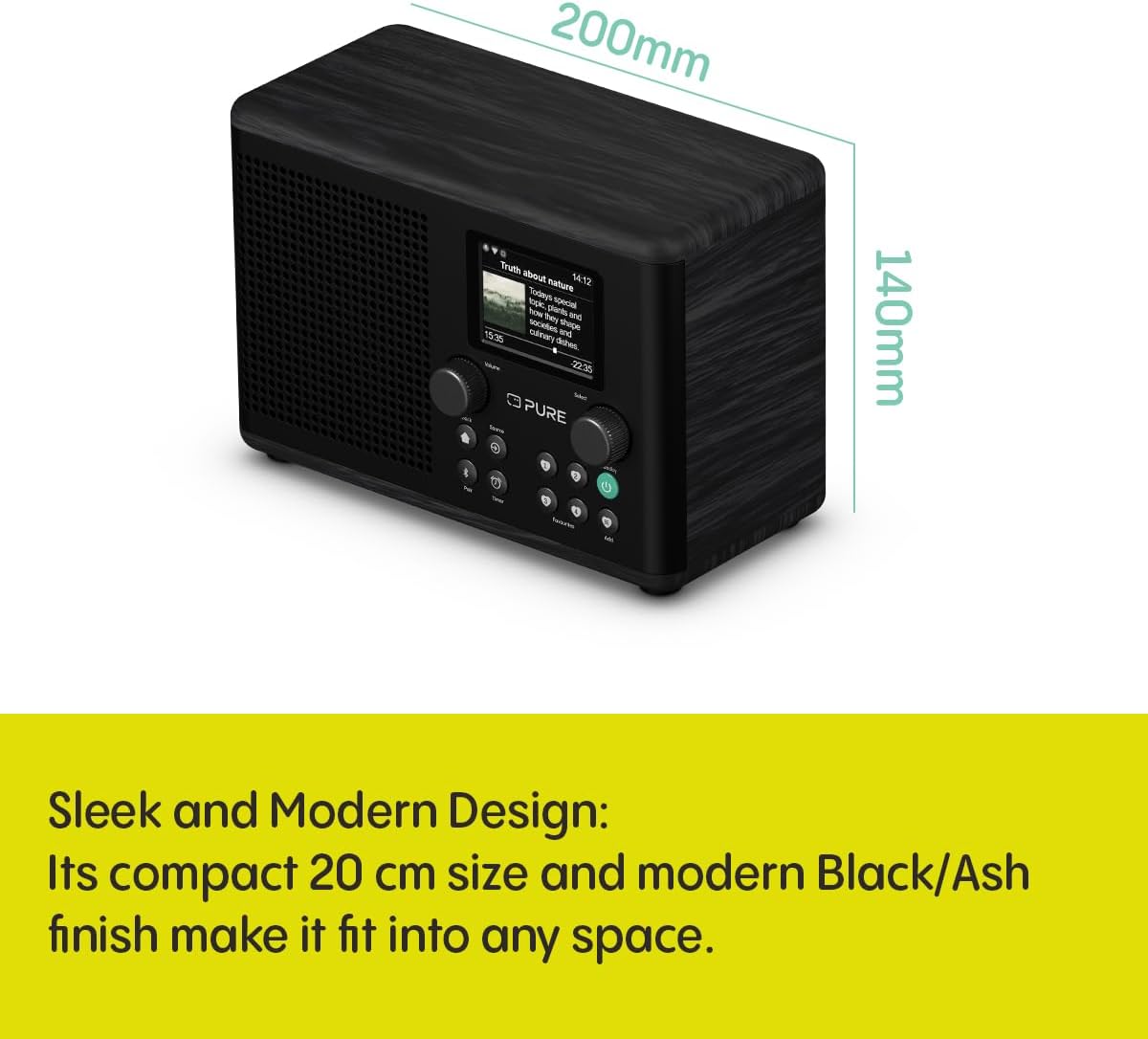
Figure 8: The Pure Classic H4i with its approximate dimensions indicated.
8. Garanzia e supporto
For warranty information, technical support, or service inquiries, please refer to the official Pure website or contact their customer support directly. The product typically comes with a manufacturer's warranty covering defects in materials and workmanship for a specified period from the date of purchase.
Conservare la prova d'acquisto per eventuali richieste di garanzia.
Risorse online: For the most up-to-date information, FAQs, and additional support, visit the Pure official websito: www.puro.com


