1. Introduzione
Thank you for choosing the Roborock Q10 VF Robot Vacuum and Mop. This device is designed to provide efficient and thorough cleaning of your home, combining powerful vacuuming with advanced mopping capabilities. This manual will guide you through the setup, operation, maintenance, and troubleshooting of your new robot cleaner to ensure optimal performance and longevity.
2. Informazioni sulla sicurezza
Si prega di leggere attentamente tutte le istruzioni di sicurezza prima di utilizzare questo prodotto. Il mancato rispetto di queste istruzioni può causare scosse elettriche, incendi o lesioni gravi.
- Questo apparecchio può essere utilizzato da bambini di età pari o superiore a 8 anni e da persone con capacità fisiche, sensoriali o mentali ridotte o prive di esperienza e conoscenza, solo se sorvegliati o istruiti sull'uso sicuro dell'apparecchio e se comprendono i pericoli connessi.
- I bambini devono essere sorvegliati per assicurarsi che non giochino con l'apparecchio.
- La pulizia e la manutenzione da parte dell'utente non devono essere eseguite da bambini senza supervisione.
- Utilizzare solo l'adattatore di alimentazione e la base di ricarica originali forniti dal produttore.
- Non utilizzare il robot in ambienti con fiamme libere o materiali infiammabili.
- Tenere capelli, abiti larghi, dita e tutte le parti del corpo lontano dalle aperture e dalle parti mobili.
- Non immergere il robot o la sua base di ricarica in acqua o altri liquidi.
- Ensure the robot is placed on a stable surface to prevent falls.
3. Impostazione
3.1 Disimballaggio e posizionamento
Carefully remove all components from the packaging. Place the charging dock against a wall on a hard, level surface, ensuring there is adequate space around it for the robot to maneuver. Connect the power adapter to the charging dock and plug it into a power outlet.

Image: The Roborock Q10 VF robot vacuum and mop with its charging dock, ready for initial setup.
3.2 Addebito iniziale
Place the robot on the charging dock. Ensure the charging contacts on the robot align with those on the dock. The robot will begin charging automatically. For first-time use, it is recommended to fully charge the robot before operation.
3.3 Download e connessione dell'app
Download the Roborock app from your mobile device's app store. Follow the in-app instructions to connect your robot to your home Wi-Fi network. Note: The robot supports only 2.4GHz Wi-Fi networks.
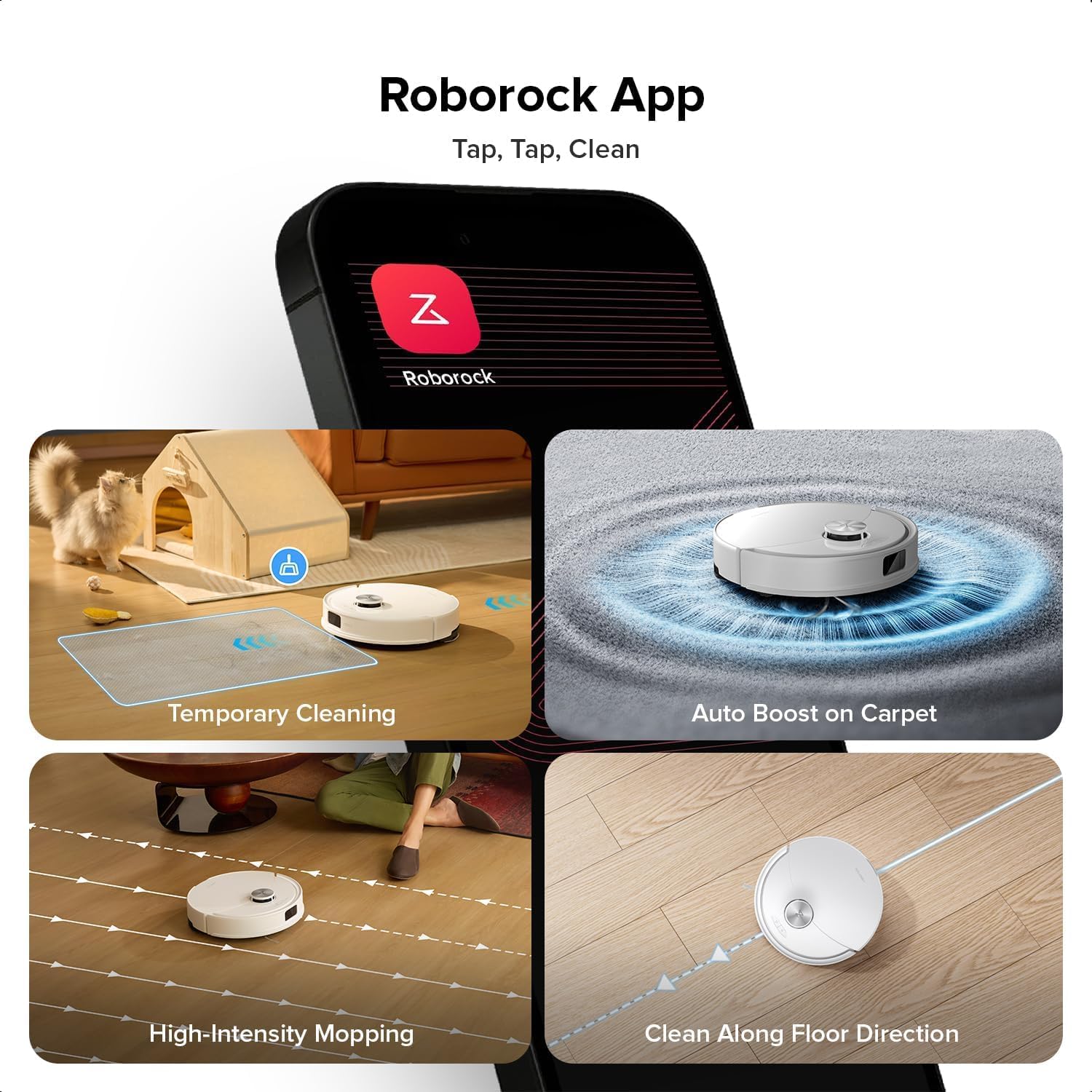
Image: A smartphone displaying the Roborock app interface, showing various cleaning options and controls.
3.4 Mappatura iniziale
Once connected, initiate a full cleaning cycle from the app. The robot will use its PreciSense LiDAR Navigation system to create a detailed map of your home. This map is crucial for efficient cleaning and allows for advanced features like zone cleaning and no-go zones.

Image: The Roborock Q10 VF robot vacuum using its LiDAR sensor to scan and map the surrounding environment for navigation.
4. Istruzioni per l'uso
4.1 Avvio e arresto della pulizia
Press the power button on the robot or use the Roborock app to start a cleaning cycle. Press the button again or use the app to pause or stop cleaning. The robot will automatically return to its charging dock when cleaning is complete or when its battery is low.
4.2 modalità di pulizia
The Roborock Q10 VF offers various cleaning modes accessible via the app:
- Solo vuoto: Per la rimozione di detriti secchi.
- Solo mocio: Per la pulizia a umido di pavimenti duri.
- Aspirapolvere e lavapavimenti: Aspirazione e lavaggio simultanei.
- Pulizia personalizzata: Seleziona stanze o zone specifiche da pulire.
4.3 Funzionalità avanzate
- HyperForce Suction: The robot provides an impressive 10000Pa suction power, effectively lifting hair, crumbs, and debris from deep carpets and floor crevices.
- ReactiveTech Obstacle Avoidance: Powered by structured light, this advanced system detects and navigates around obstacles effortlessly, even in cluttered rooms.

Image: The Roborock Q10 VF robot vacuum transitioning from a hard floor to a carpet, with its mop module automatically lifting to avoid wetting the carpet.
- Sistema di lavaggio con sollevamento automatico: The mop automatically lifts when carpet is detected, allowing for seamless cleaning of both hard floors and carpets in a single session without manual adjustments.

Image: The Roborock Q10 VF robot vacuum intelligently detecting and navigating around various household obstacles on the floor.
- Zone vietate intelligenti: The app allows you to define virtual no-go zones and invisible walls to restrict the robot from entering certain areas or crossing boundaries.
5. Manutenzione
Regular maintenance ensures your Roborock Q10 VF operates at peak performance. Always power off the robot before performing any maintenance.
5.1 Svuotamento del cestino
Open the robot's top cover and remove the dustbin. Empty its contents into a trash can. It is recommended to empty the dustbin after each cleaning cycle.
5.2 Cleaning the Main Brush and Side Brush
The Dual Anti-Tangle Design features a main brush and a side brush that work together to minimize hair tangles. Remove the main brush cover and lift out the main brush. Use the cleaning tool to remove any tangled hair or debris. Clean the side brush similarly. Reinstall all components securely.

Immagine: un primo piano view of the Roborock Q10 VF's underside, highlighting its dual anti-tangle main brush and side brush design.
5.3 Cleaning the VibraRise 2.0 Mopping System
Remove the mop pads from the robot. Wash the mop pads thoroughly with water and mild detergent. Allow them to air dry completely before reattaching. The VibraRise 2.0 system tackles stubborn stains with high-frequency scrubbing.
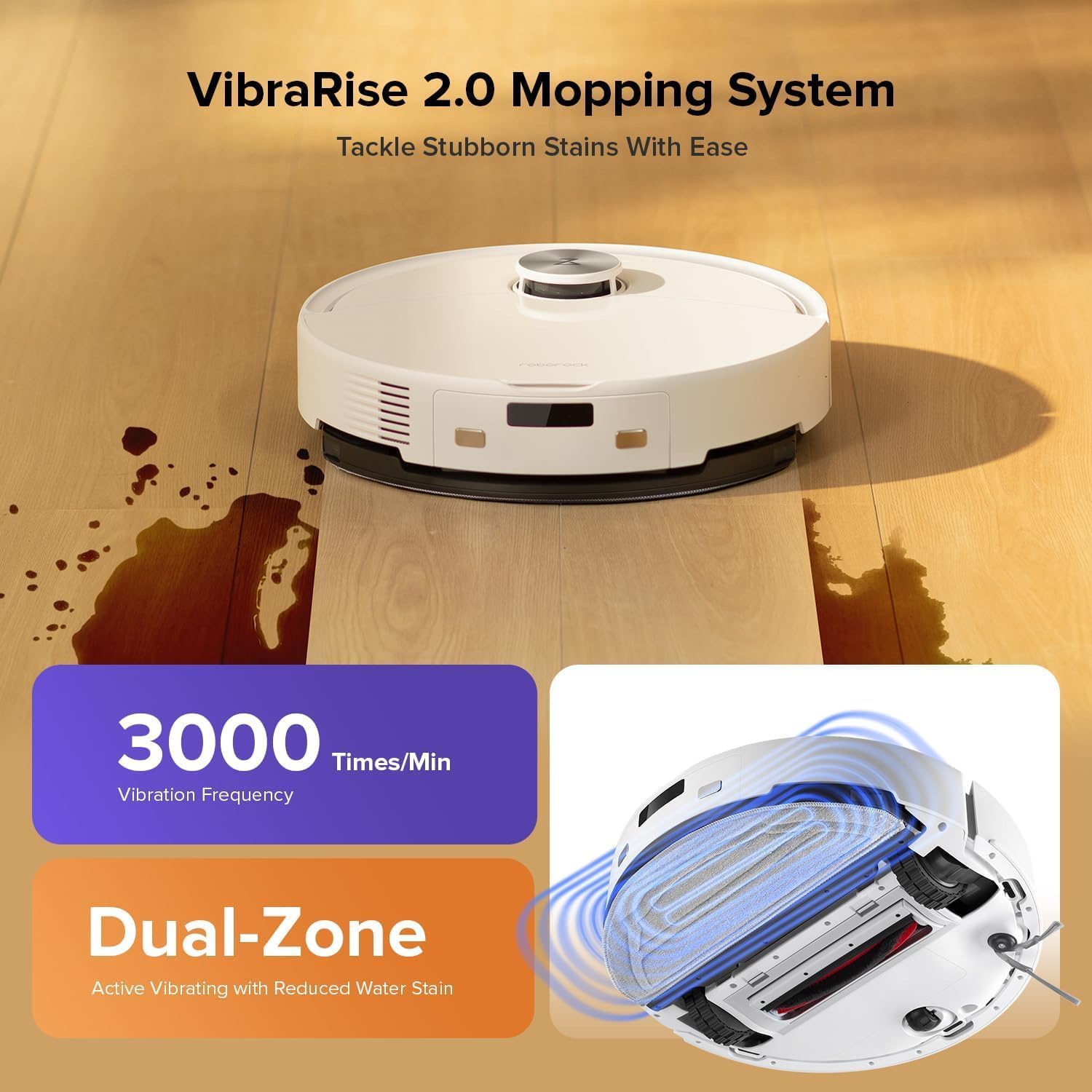
Image: The Roborock Q10 VF robot vacuum actively mopping a hard floor, illustrating the VibraRise 2.0 high-frequency scrubbing action.
5.4 Cleaning Filters and Sensors
Tap the filter to remove dust. The filter can be rinsed with water; ensure it is completely dry before reinstalling. Wipe all sensors (LiDAR, cliff sensors, wall sensors) with a soft, dry cloth to maintain optimal navigation and obstacle detection.
6. Risoluzione Dei Problemi
Se riscontri problemi con il tuo robot, fai riferimento ai seguenti problemi comuni e alle relative soluzioni:
| Problema | Possibile causa | Soluzione |
|---|---|---|
| Il robot non si accende | Batteria scarica; pulsante di accensione non premuto correttamente | Caricare il robot; tenere premuto il pulsante di accensione per 3 secondi |
| Impossibile connettersi al Wi-Fi | Incorrect Wi-Fi password; Not 2.4GHz network; Router issues | Verify password; Ensure 2.4GHz network; Restart router and robot |
| Scarse prestazioni di pulizia | Full dustbin; Clogged brushes/filter; Dirty sensors | Empty dustbin; Clean brushes and filter; Wipe sensors |
| Il robot si blocca spesso | Obstacles on floor; Dirty cliff sensors | Clear floor of small objects; Clean cliff sensors |
| Il mocio non si solleva dal tappeto | Carpet detection sensor dirty or blocked | Clean the carpet detection sensors on the underside of the robot |
7. Specifiche
| Caratteristica | Dettaglio |
|---|---|
| Marca | Roborock |
| Numero di modello | Q10VF02-00 |
| Colore | Bianco |
| Dimensioni del prodotto | Dimensioni: 39.2 x 46.8 x 14 cm |
| Peso dell'articolo | 15.2 chilogrammi |
| Voltage | 220.0 Volt |
| Livello di rumore | 65 dB |
| Autonomia massima | 250 minutes (4 hours 10 minutes) |
| Caratteristiche speciali | LiDAR Navigation, ReactiveTech Obstacle Avoidance, Auto-Lifting Mop |
| Raccomandazione di superficie | Carpet, Hardwood Floor |
| Tipo di controllore | Controllo dell'app |
| Componenti inclusi | Batteria |
| Tipo di filtro | Cloth and Foam |
| Capacità del bidone della spazzatura | 500 ml |
| Capacità del serbatoio dell'acqua | 200 ml |
| Maximum Vacuuming Area | 1,937 piedi quadrati |
8. Garanzia e supporto
Your Roborock Q10 VF Robot Vacuum and Mop comes with a standard manufacturer's warranty. For detailed warranty information, please refer to the warranty card included in your product packaging or visit the official Roborock website. For technical support, troubleshooting assistance, or to purchase replacement parts, please contact Roborock customer service through their official channels.
You can visit the official Roborock store on Amazon for more information and support: Roborock Amazon Store