1. Introduzione
This manual provides detailed instructions for the Taiahiro BK820 Typewriter Mechanical Gaming Keyboard and Mouse Combo. Designed for both gaming and daily computing, this combo offers a unique retro aesthetic combined with modern mechanical performance and customizable RGB lighting. Please read this manual thoroughly to ensure proper setup, operation, and maintenance of your new device.
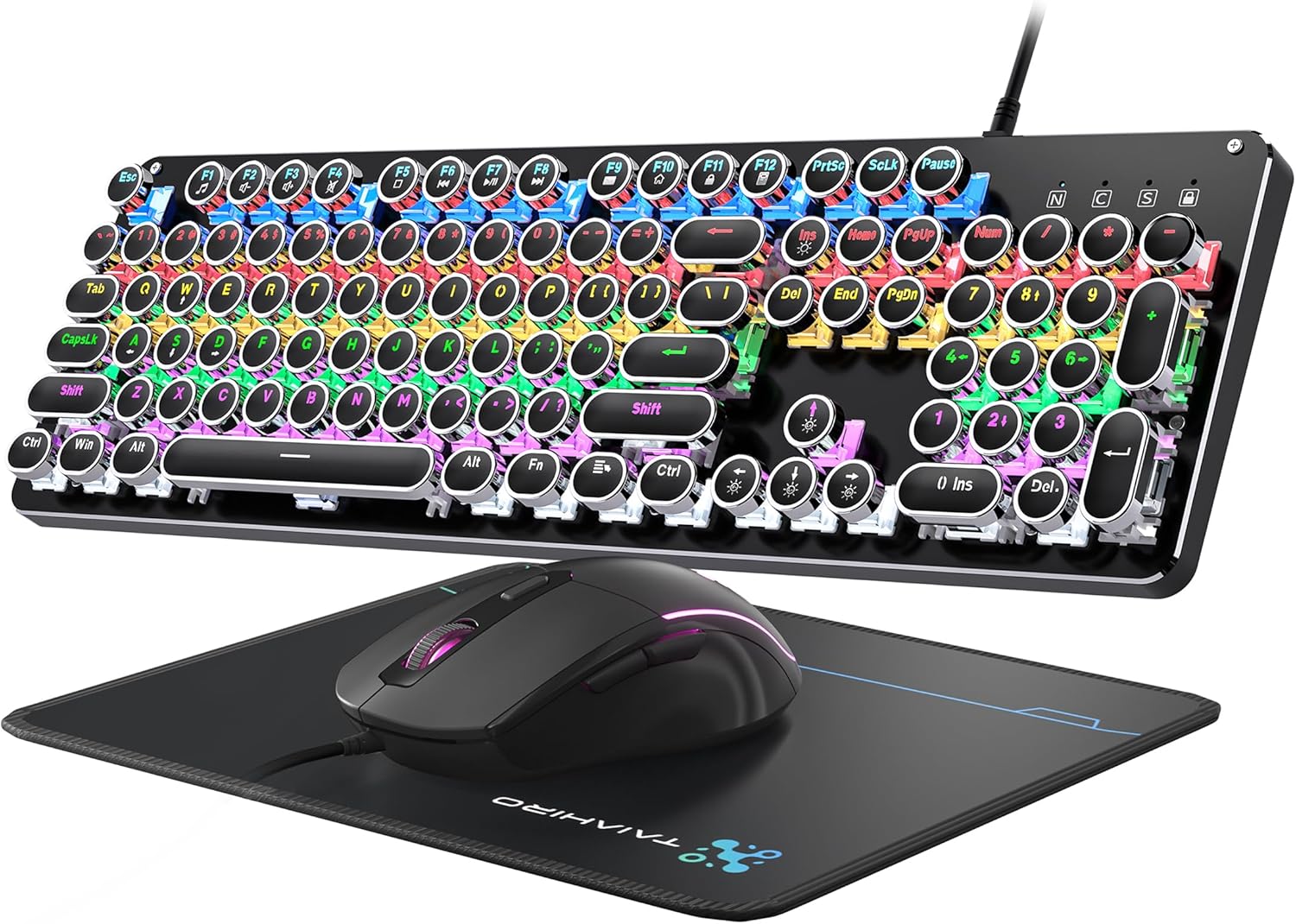
Figure 1: Taiahiro BK820 Typewriter Mechanical Gaming Keyboard and Mouse Combo.
2. Contenuto della confezione
The Taiahiro BK820 combo includes the following items:
- Tastiera meccanica della macchina da scrivere
- Mouse da gioco cablato
- Tappetino per il mouse
3. Caratteristiche del prodotto
The Taiahiro BK820 combo is equipped with several features to enhance your user experience:
- Typewriter Mechanical Keyboard and Mouse Set: Features mechanical blue switches, durable round keycaps, and an adjustable DPI optical mouse. Offers speed, accuracy, and comfort with a crisp click sound and precise tactile feedback.
- Metal Panel & Top Quality: The mechanical gaming keyboard is constructed from top-grade aluminum alloy with a matte finish. Double-shot-molded ABS keycaps are wear-resistant, non-fading, and removable for easy cleaning.
- 7 Colors Breathing RGB Gaming Mouse: Wired gaming mouse with a high-precision optical sensor and super-fast game engine. Features 4 Adjustable DPI Levels (800/1600/2400/3200), RGB backlighting, an anti-skid scroll wheel, and 7-color lighting with breathing and cycling effects.
- 104-Key Anti-Ghost Ergonomic Keyboard: 104 anti-ghosting keys for fast response. Full-size keyboard includes 12 multimedia keys and a number pad. Ergonomically designed with a high-low key layout, suspended round keys, and adjustable double kickstand feet to reduce hand fatigue.
- 11 Modes RGB Backlighting: Keyboard features 4-color RGB backlighting with 11 different lighting modes. Double-shot injection molded keycaps ensure clear backlight and extreme durability. Brightness and breathing speed are adjustable.
- Wide Compatible: USB 2.0 plug-and-play connection. Compatible with PC, laptop, Mac, and other devices, supporting Windows, Linux, and Mac OS systems.
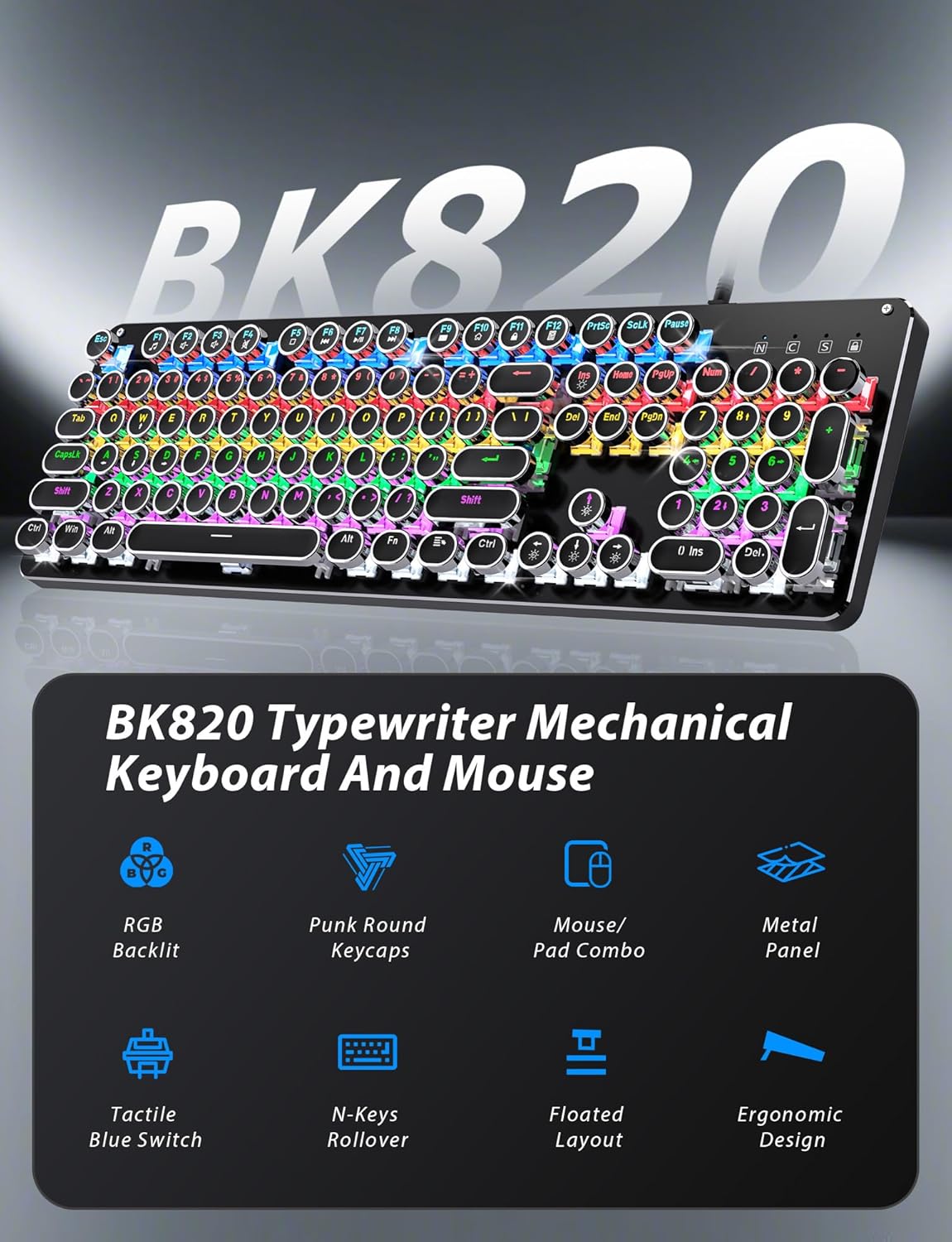
Figure 2: Key features of the Taiahiro BK820 combo.
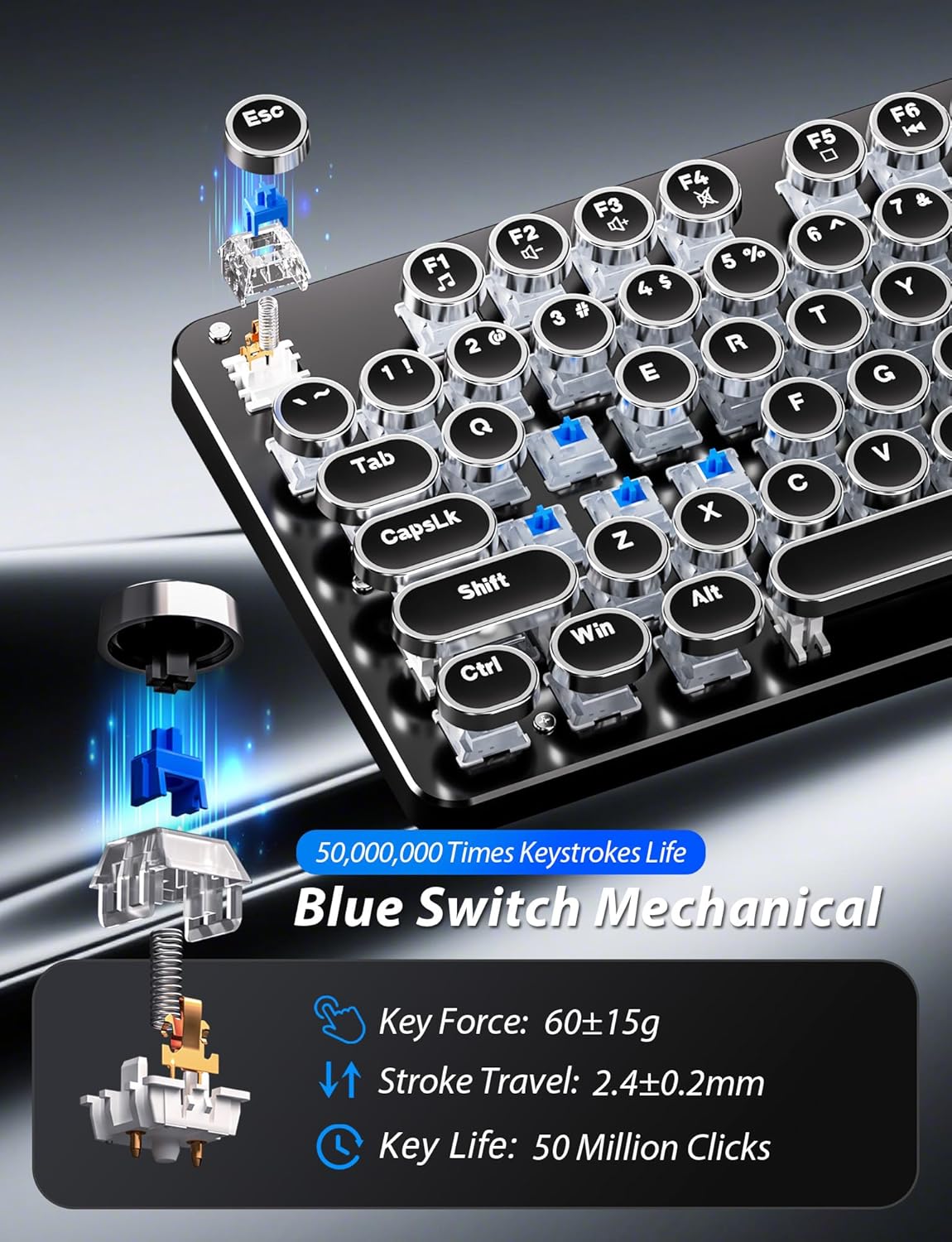
Figura 3: dettagliata view of the mechanical blue switches.
4. Istruzioni per l'installazione
- Collegare la tastiera: Plug the keyboard's USB cable into an available USB 2.0 port on your computer. The keyboard is plug-and-play and should be recognized automatically by your operating system.
- Collega il mouse: Plug the mouse's USB cable into another available USB 2.0 port on your computer. The mouse is also plug-and-play.
- Regola l'angolazione della tastiera: Flip the keyboard over. Extend the adjustable double kickstand feet located on the underside of the keyboard to achieve your preferred typing angle.
- Fissare il poggiapolsi (facoltativo): The keyboard features a magnetic wrist rest. Align the wrist rest with the front edge of the keyboard until it snaps into place.
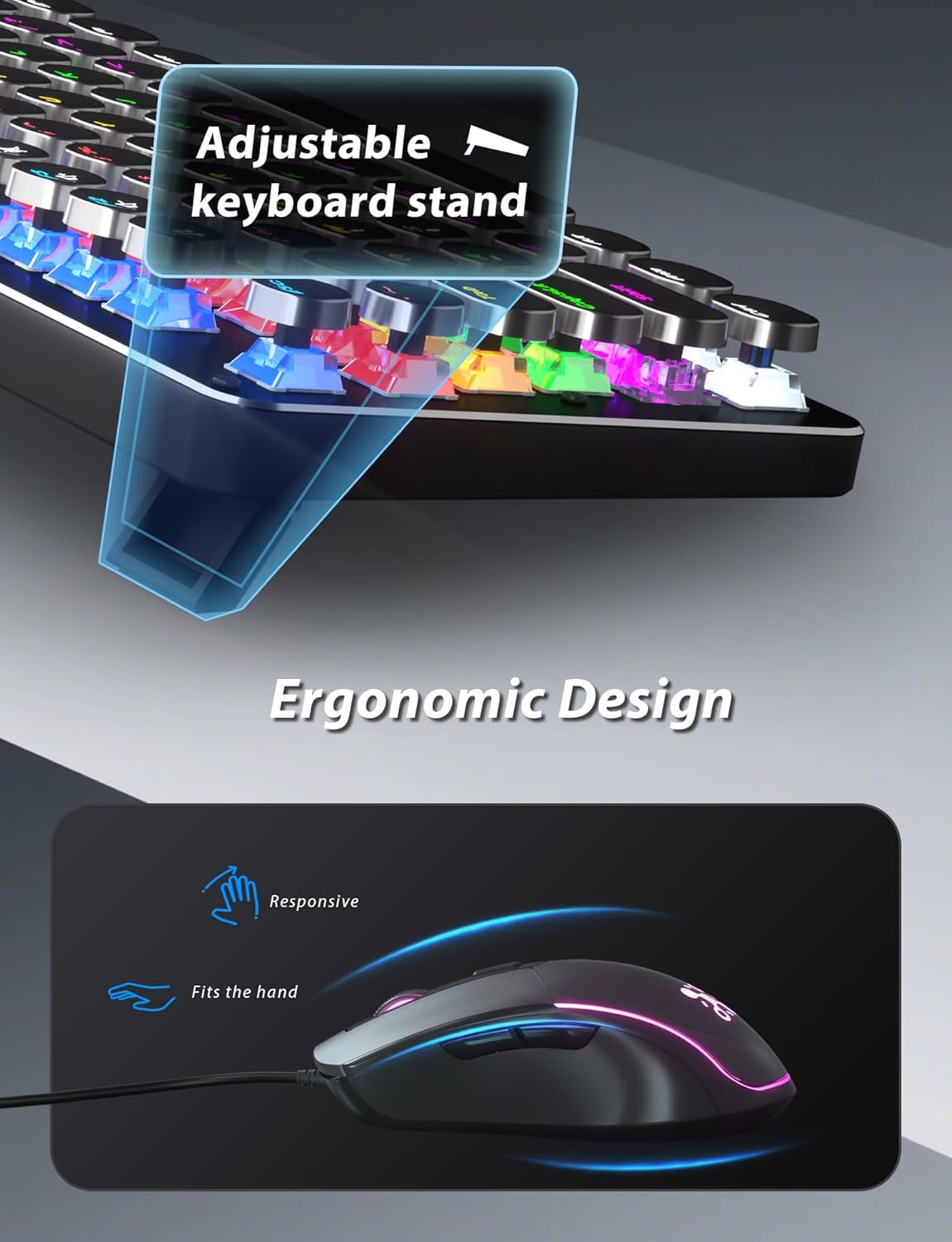
Figura 4: Supporto per tastiera regolabile per un comfort ergonomico.
5. Istruzioni per l'uso
5.1 Funzioni della tastiera
- Modalità di retroilluminazione RGB: Premere Fn+INS to cycle through 11 different RGB backlight modes.
- Regola la luminosità della retroilluminazione: Premere Fn + ↑ (freccia su) per aumentare la luminosità o Fn + ↓ (freccia giù) per diminuire la luminosità.
- Regola la velocità della retroilluminazione: Premere Fn + ← (freccia sinistra) to decrease animation speed or Fn + → (freccia destra) to increase animation speed for dynamic lighting modes.
- Modalità di gioco: The keyboard offers 6 preset gaming modes. Press Tasto F1 Attraverso Tasto F6 to activate specific key lighting for different game types.
- Tasti multimediali: Utilizzare il Fn chiave in combinazione con il F1-F12 keys for various multimedia controls (e.g., volume, play/pause, calculator).
- Blocco tasto Windows: Premere Fn + Win per bloccare o sbloccare il tasto Windows, impedendone la pressione accidentale durante il gioco.

Figure 5: Keyboard RGB backlight controls.
5.2 Funzioni del mouse
- Regolazione DPI: Press the DPI button located on the top of the mouse to cycle through 4 adjustable DPI levels (800/1600/2400/3200).
- Illuminazione RGB: The mouse features 7-color breathing and cycling RGB lighting that changes automatically.
- Pulsanti Avanti/Indietro: Utilizzare i pulsanti laterali per una navigazione rapida in web browser o altre applicazioni.

Figure 6: Taiahiro BK820 Gaming Mouse with RGB lighting and DPI button.
5.3 Video ufficiali del prodotto
Video 1: Questo video fornisce una panoramicaview of the 104-Key Retro Typewriter Mechanical Gaming Keyboard and Mouse combo, showcasinil suo design e le sue caratteristiche.
Video 2: This video demonstrates the unboxing experience of the BK820 Typewriter Mechanical Keyboard and Mouse, showing the contents as they are removed from the packaging.
Video 3: This video introduces the Typewriter Mechanical Keyboard and Mouse Combo, highlighting its design and functionality.
6. Manutenzione
To ensure the longevity and optimal performance of your keyboard and mouse:
- Pulizia dei tasti: The double-shot-molded ABS keycaps are removable. Gently pull them off to clean any dust or debris underneath. Use a soft, damp cloth to wipe the keycaps and the keyboard surface. Ensure all parts are dry before reattaching keycaps.
- Mouse Cleaning: Utilizzare un panno morbido e asciutto per pulire la superficie del mouse. Evitare l'uso di prodotti chimici aggressivi o materiali abrasivi.
7. Risoluzione Dei Problemi
- La tastiera o il mouse non rispondono: Ensure both the keyboard and mouse USB cables are securely plugged into your computer's USB ports. Try plugging them into different USB ports.
- Backlight Not Working/Adjusting: Verify that the keyboard is powered on. Use Fn+INS to cycle through modes. Adjust brightness with Fn + ↑/↓ and speed with Fn + ←/→.
- Windows Key Disabled: If the Windows key is not functioning, it might be locked. Press Fn + Win to toggle its lock status.
- DPI del mouse non cambia: Press the dedicated DPI button on the mouse to cycle through the available sensitivity settings.
8. Specifiche
| Marca | Taiahiro |
| Numero di modello | BK820 |
| Colore | Nero |
| Tecnologia di connettività | USB |
| Caratteristica speciale | Retroilluminato |
| Dispositivi compatibili | PC, portatile, Mac |
| Peso dell'articolo | 2.51 libbre |
| Dimensioni del pacco | 17.8 x 6.42 x 3.03 pollici |
9. Garanzia e supporto
For warranty information, technical support, or any inquiries regarding your Taiahiro BK820 Typewriter Mechanical Gaming Keyboard and Mouse Combo, please refer to the manufacturer's official websito o contattare direttamente il servizio clienti. Conservare la ricevuta d'acquisto per eventuali reclami in garanzia.