1. Introduzione
Thank you for choosing the CGOLDENWALL A3 Industrial Paper Cutter. This heavy-duty precision paper trimmer is designed for efficient and accurate cutting of various materials, including paper, photos, and cardboard, up to A3 size. Featuring infrared-assisted laser positioning and a durable carbon steel blade, it ensures clean, precise cuts for both professional and personal use. This manual provides essential information for safe operation, setup, maintenance, and troubleshooting.

Sopraview of the CGOLDENWALL A3 Industrial Paper Cutter, showcasinil suo design e le sue caratteristiche principali.
2. Istruzioni di sicurezza
To ensure safe operation and prevent injury or damage to the product, please read and follow these safety guidelines:
- Pericolo lama: The blade is extremely sharp. Always keep hands and fingers clear of the blade path.
- Guardia di sicurezza: Always use the folding safety guard. Ensure it is properly positioned over the material before cutting to prevent accidental contact with the blade.
- Blocco lama: Engage the blade lock switch when the paper cutter is not in use or during storage to prevent accidental blade movement.
- Spessore del materiale: Do not overload the cutter. Adjust cutting thickness based on the material's hardness to prevent blade damage or uneven cuts. The maximum capacity is 10 sheets of 80g paper.
- Superficie stabile: Operate the paper cutter on a stable, flat surface. The non-slip silicone pads on the bottom help ensure stability.
- Bambini e animali domestici: Keep the paper cutter out of reach of children and pets.
- Installazione e manutenzione: Exercise extreme caution during installation, cleaning, and maintenance procedures.
3. Componenti del prodotto
Familiarize yourself with the main parts of your CGOLDENWALL A3 Industrial Paper Cutter:
- Lama: High-hardness carbon steel blade for precise cutting.
- Maniglia ergonomica: Designed for comfortable grip and force-saving operation.
- Folding Safety Guard: Transparent guard to protect against accidental blade contact.
- Blade Lock Switch: Mechanism to secure the blade in its resting position.
- Laser Positioning System: Infrared-assisted red laser line for accurate alignment.
- Red Laser Switch: Button to activate and deactivate the laser.
- Graduated Metal Panel: One-piece stamped metal work table with precise measurement markings and angle guides.
- Non-slip Silicone Pads: Located on the bottom for stable operation.
- Vano batteria: Holds 2 AAA batteries for the laser system.
4. Impostazione
Follow these steps to set up your paper cutter for first use:
- Disimballaggio e ispezione: Carefully remove all components from the packaging. Inspect the unit for any signs of damage. Ensure all parts listed in the 'Product Components' section are present.
- Installazione della protezione di sicurezza:
- Insert the narrow end of the safety guard into its designated slot on the cutter base.
- Lift the blade handle slightly and push the other part of the safety guard diagonally into the fuselage jack until it is securely in place.

This image provides a two-step visual guide for installing the safety guard. Step 1 shows inserting the narrow end of the guard, and Step 2 shows lifting the blade to push the other part of the guard diagonally into the fuselage jack. A safety note is included.
- Laser Positioning System Setup:
- Locate the battery compartment, usually on the side or back of the laser module.
- Install 2 AAA batteries (included) into the compartment, ensuring correct polarity.
- Press the red switch to activate the laser line.

This image presents a three-step guide for adjusting the red laser line. Step 1 shows installing AAA batteries. Step 2 shows pressing the red switch to activate. Step 3 details how to adjust the angle and focus position of the laser line using a hexagonal key. Tips for using white paper during adjustment are also provided.
- Controllo della calibrazione: The unit is factory-calibrated. If you notice any misalignment of the laser line due to transport, please refer to the Troubleshooting section for recalibration instructions.
5. Istruzioni per l'uso
Follow these steps for precise and efficient cutting:
- Preparare il materiale: Place the paper, photo, or cardboard on the graduated metal panel. Ensure the material is flat and aligned against the guides for accurate measurement.
- Activate Laser (Optional): Press the red switch to project the laser line onto your material. This infrared-assisted positioning helps reduce cutting line deviation.
- Posizione Materiale: Align the material with the desired cutting line using the laser guide and the graduated markings on the panel. The panel supports multi-angle cutting.
- Materiale sicuro: Hold the material firmly in place with one hand, ensuring it does not shift during the cut.
- Engage Safety Guard: Ensure the folding safety guard is properly positioned over the material, covering the blade area.
- Taglio: With your other hand, firmly grasp the ergonomic handle. Apply steady downward pressure and smoothly pull the blade down to cut through the material. The force-saving lever structure reduces effort.
- Pubblicazione: Once the cut is complete, smoothly lift the blade back to its resting position.
- Capacità: Do not exceed 10 sheets of 80g paper or an equivalent thickness for other materials. It is recommended to adjust the cutting thickness based on the material's hardness to avoid overloading the blade.

This image illustrates the red laser line positioning feature. It highlights how to adjust the angle and focus position of the laser line for precise cuts.
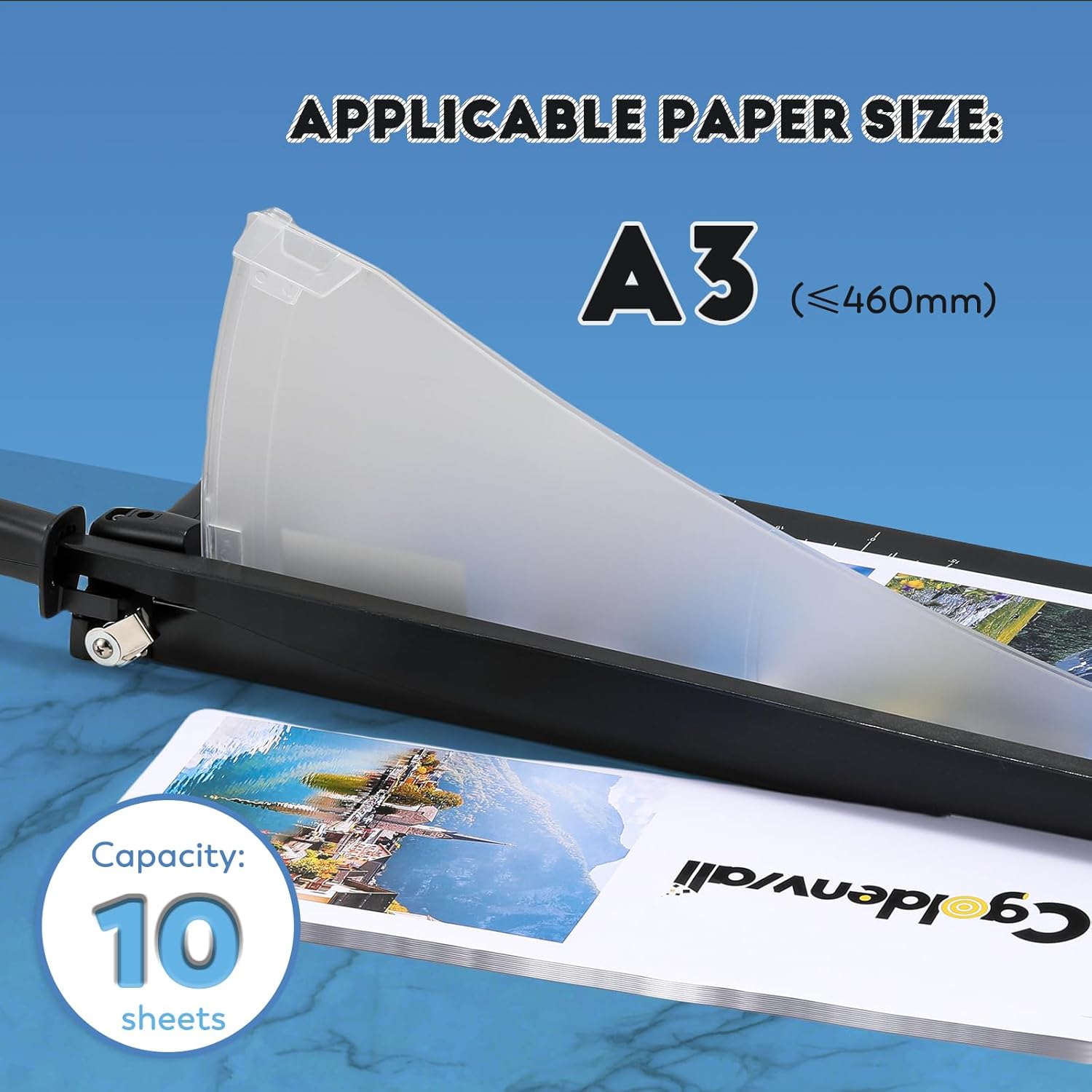
This image demonstrates the paper cutter's capacity, indicating it can handle A3 size paper (up to 460mm) and cut up to 10 sheets simultaneously.

This image highlights the dual safety design, featuring a transparent safety guard that covers the blade and a blade lock mechanism to prevent accidental operation.

This image displays the durable all-metal graduated panel, featuring precise measurement markings and angle guides for accurate cutting.
6. Manutenzione
Proper maintenance ensures the longevity and performance of your paper cutter:
- Cura della lama: The carbon steel blade is designed for durability. Keep it clean and free of adhesive residue or paper fibers. Do not attempt to sharpen the blade yourself, as this may damage it.
- Pulizia: Wipe the graduated metal panel and other surfaces with a soft, dry cloth. For stubborn marks, use a slightly damp cloth and dry immediately. Avoid abrasive cleaners or solvents, which can damage the finish.
- Batterie laser: Replace the 2 AAA batteries when the laser light dims or stops working. Ensure correct polarity when inserting new batteries.
- Magazzinaggio: Store the paper cutter in a clean, dry place. Always ensure the blade is locked and the safety guard is in place to prevent accidents.
7. Risoluzione Dei Problemi
Ecco le soluzioni ai problemi più comuni che potresti riscontrare:
- Laser Misalignment: If the laser line appears misaligned after transport or prolonged use, you can recalibrate it:
- Retrieve the hexagonal key, typically stored at the back of the cutter.
- Per regolare il angle of the line, gently turn the hexagonal key clockwise or counter-clockwise as needed.
- Per regolare il focus position of the line, simply move the hexagonal key left or right without rotating it.
Mancia: During adjustment, place a white sheet of paper on the cutting surface to improve the visibility of the red line position. After adjustment, perform a test cut to verify accuracy.
Note: Infrared rays may show thickness differences due to the principle of optical propagation; this is a normal physical phenomenon and does not affect precision.
- Blade Overload / Uneven Cuts: If the blade struggles to cut, produces rough edges, or results in uneven cuts:
- Reduce the number of sheets being cut. Ensure you are not exceeding the 10-sheet capacity for 80g paper.
- Adjust the cutting thickness based on the material's hardness. Thicker or denser materials require fewer sheets per cut.
- Ensure the material is properly aligned and held firmly against the guides.
- Check for any debris under the material or on the cutting surface that might interfere with the cut.
- Laser non funzionante:
- Check if the AAA batteries are correctly installed with the right polarity.
- Replace the AAA batteries if they are depleted.
- Ensure the red laser switch is pressed firmly.
8. Specifiche
| Marca | CGOLDENWALL |
| Modello | KZH 12 |
| Dimensioni del prodotto (L x P x A) | 69.85 x 21.34 x 25.91 cm (27.5 x 8.4 x 10.2 pollici) |
| Peso dell'articolo | 2.57 kg (5.7 libbre) |
| Capacità di taglio | 10 sheets of 80g paper |
| Lunghezza massima di taglio | A3 and below (≤460mm) |
| Materiale della lama | High-hardness Carbon Steel |
| Posizionamento | Infrared-assisted Laser Positioning |
| Power Source for Laser | 2 batterie AAA (incluse) |
| Materiale del pannello | One-piece stamped metal with baked enamel coating |

This image provides a visual representation of the paper cutter's dimensions and weight, including its cutting width, length, width, and overall weight.
9. Garanzia e supporto
For warranty information, technical support, or any inquiries regarding your CGOLDENWALL A3 Industrial Paper Cutter, please refer to the documentation provided with your purchase or contact CGOLDENWALL customer service directly. Please retain your purchase receipt as proof of purchase for any warranty claims.


