1. Introduzione
Welcome to the DOOGEE Tab A9 Pro user manual. This guide provides essential information to help you set up, operate, and maintain your new Android tablet. Please read this manual thoroughly before using the device to ensure proper functionality and safety.
2. Cosa c'è nella scatola
The DOOGEE Tab A9 Pro package includes the following items:
- 1 x DOOGEE Tab A9 Pro Tablet
- 1 cavo USB di tipo C
- 1 x Caricabatterie
- 1 x perno di espulsione SIM
- 1 x confezione
- 1 x Manuale utente
- 1 x Scheda di garanzia
- 1 x Screen Protector (pre-applicato)
3. Prodotto finitoview
The DOOGEE Tab A9 Pro features a sleek design and powerful components for an optimal user experience.
Caratteristiche principali:
- Display: 10.1-inch IPS HD Ultra-Clear Display (1280x800 pixels, 16.7 million colors, 16:10 aspect ratio, 1200:1 contrast, 2.5D cover glass).
- Processore: Unisoc T310 Quad-core, 2 GHz.
- Memoria e archiviazione: 20GB RAM (4GB base + 16GB virtual), 128GB ROM, expandable up to 2TB with microSD.
- Batteria: 6580 mAh Lithium battery for extended use.
- Telecamere: Fotocamera posteriore da 8 MP, fotocamera anteriore da 5 MP.
- Sistema operativo: Android 15.
- Connettività: Wi-Fi (2.4G/5G), Bluetooth 5.0.
- Audio: Dual 1217 BOX Speakers, 3.5mm Audio Jack.
- Sicurezza: Sblocco facciale.
- Dimensioni: 24.53 x 16.33 x 0.99 cm; 478 grams.
Componenti fisici:
Familiarize yourself with the tablet's physical layout.
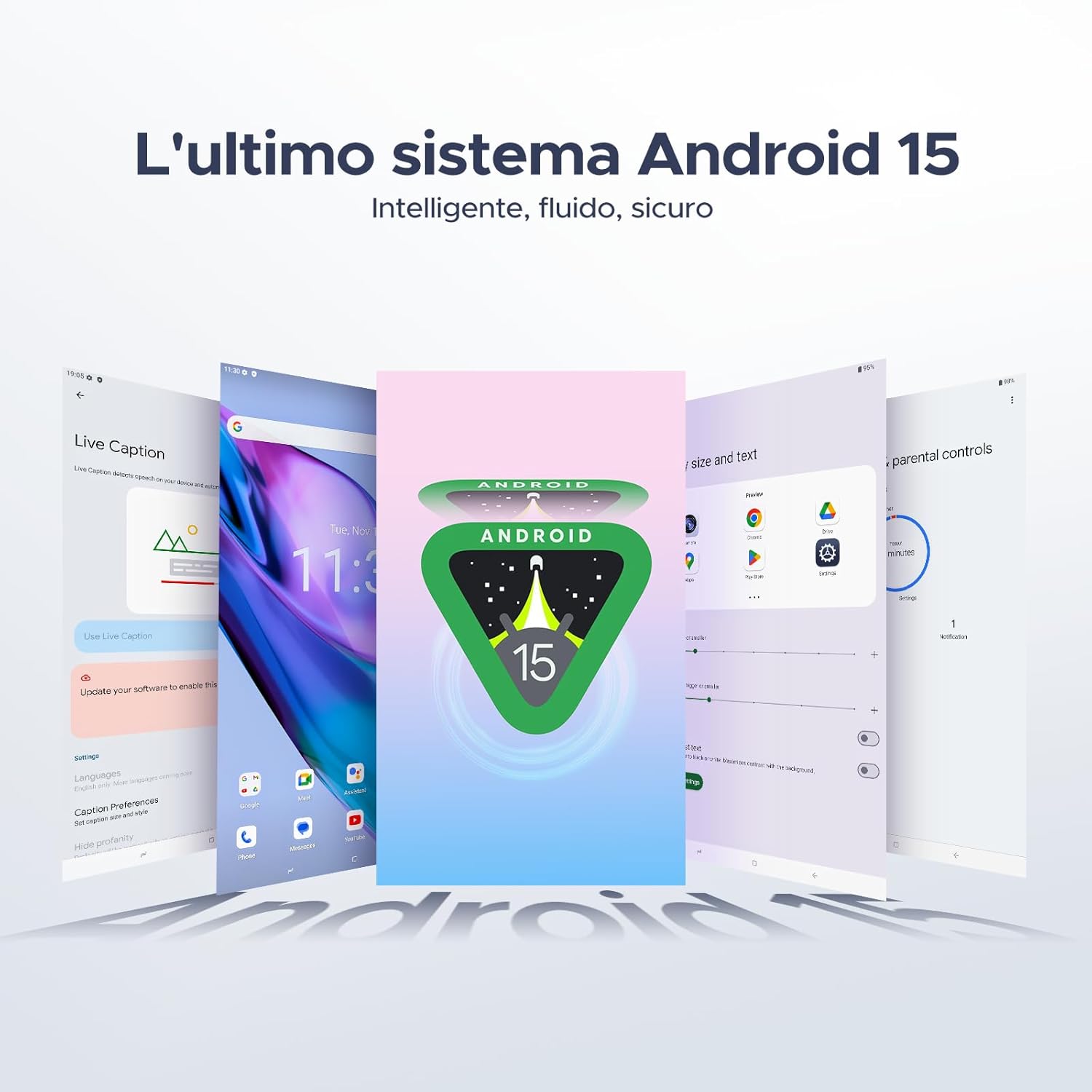
Figura 3.1: Fronte e retro view of the DOOGEE Tab A9 Pro Tablet.

Figura 3.2: lato view showing power button, volume controls, and ports.

Figure 3.3: Available color options for the DOOGEE Tab A9 Pro Tablet.
4. Impostazione
4.1 Accensione iniziale
- Tenere premuto il pulsante di accensione situato sul lato del tablet finché non viene visualizzato il logo DOOGEE.
- Segui le istruzioni sullo schermo per selezionare la lingua, connetterti a una rete Wi-Fi e configurare il tuo account Google.
4.2 Caricamento della batteria
Before first use, fully charge the tablet's battery.
- Collegare il cavo USB Type-C alla porta di ricarica del tablet.
- Collegare l'altra estremità del cavo al caricabatterie in dotazione, quindi collegare il caricabatterie a una presa di corrente.
- L'indicatore di carica apparirà sullo schermo.

Figure 4.1: Illustration of the 6580 mAh high-capacity battery.
4.3 Inserimento di una scheda MicroSD
To expand storage, insert a microSD card (sold separately).
- Individuare il vassoio della scheda SIM/microSD sul lato del tablet.
- Per aprire il vassoio, inserire lo spillo di espulsione della SIM nel piccolo foro accanto.
- Inserire la scheda microSD nell'apposito slot sul vassoio.
- Spingere delicatamente il vassoio nel tablet finché non scatta in posizione.

Figure 4.2: Storage capacity details, including expandable memory.
5. Istruzioni per l'uso
5.1 Navigazione in Android 15
Your tablet runs on the latest Android 15 system, offering an intelligent, fluid, and secure experience.

Figura 5.1: Interfaccia del sistema operativo Android 15.
5.2 Funzionalità di visualizzazione
The 10.1-inch IPS HD display provides a wide visual field. Utilize features like Eye-Caring Mode and Dark Mode for enhanced viewcomfort.

Figure 5.2: Details of the 10.1-inch IPS HD Ultra-Clear Display.

Figura 5.3: Modalità Eye-Care e Modalità scura per il comfort visivo.
5.3 Utilizzo della fotocamera
Capture moments with the 8MP main camera and take clear selfies or video calls with the 5MP front camera. The tablet also supports Beauty Mode and Google Smart Camera features.

Figure 5.4: The 8MP main camera for clear photos.

Figure 5.5: The 5MP front camera for selfies and video calls.

Figure 5.6: Beauty Mode for enhancing photos.

Figure 5.7: Google Smart Camera features for enhanced photography.
5.4 Audio e connettività
Enjoy clear audio through the dual 1217 BOX speakers or connect headphones via the 3.5mm audio jack. The tablet supports Wi-Fi 5 (2.4G/5G) for stable and fast internet access.

Figure 5.8: Dual 1217 BOX speakers for crystal clear audio.

Figure 5.9: Standard 3.5mm audio jack for stable, distortion-free transmission.

Figure 5.10: Wi-Fi 5 for seamless connectivity.
5.5 Sicurezza e Privacy
Unlock your tablet effortlessly using Face Unlock. Android 15 also provides enhanced privacy features, including precise permission control, robust data encryption, and proactive app screening.

Figure 5.11: Face recognition unlock for easy access.

Figure 5.12: Enhanced privacy shield features of Android 15.
5.6 Funzionalità di produttività
The tablet supports efficient split-screen multitasking and comes with WPS Office integrated for productivity on the go.

Figure 5.13: Efficient split-screen multitasking.

Figure 5.14: WPS Office integrated for PC-level productivity.
5.7 funzioni aggiuntive
The tablet offers Sleep Mode, Multi-user System, and Parental Control features for a versatile user experience.

Figure 5.15: Discover more with Android 15 features.
5.8 Video del prodotto
Watch these official videos for a visual guide to the DOOGEE Tab A9 Pro's features.
Video 5.1: DOOGEE Tab A9 Pro product overview (Preview).
Video 5.2: DOOGEE Tab A9 Pro features highlight (Preview).
Video 5.3: DOOGEE Tab A9 Pro design and performance (Preview).
6. Manutenzione
6.1 Pulizia del tablet
- Utilizzare un panno morbido e privo di lanugine per pulire lo schermo e il corpo del tablet.
- Evitare l'uso di prodotti chimici aggressivi o materiali abrasivi poiché potrebbero danneggiare la superficie.
6.2 Cura della batteria
- Evitare di esporre il tablet a temperature estreme.
- Per una durata ottimale della batteria, evitare di scaricarla completamente frequentemente.
6.3 Aggiornamenti software
Controlla regolarmente e installa gli aggiornamenti software per assicurarti che il tuo tablet abbia le ultime funzionalità e miglioramenti della sicurezza. Vai a Impostazioni > Sistema > Aggiornamento di sistema per verificare la presenza di aggiornamenti.
7. Risoluzione Dei Problemi
If you encounter issues with your DOOGEE Tab A9 Pro, refer to the following common solutions:
| Problema | Soluzione |
|---|---|
| Il tablet non si accende | Ensure the battery is charged. Connect the charger and wait a few minutes before attempting to power on again. If it still doesn't turn on, press and hold the power button for 10-15 seconds to force a restart. |
| Lo schermo non risponde | Riavvia il tablet. Se il problema persiste, esegui un ripristino delle impostazioni di fabbrica (nota: questa operazione cancellerà tutti i dati). |
| Problemi di connessione Wi-Fi | Riavvia il router Wi-Fi e il tablet. Elimina la rete dalle impostazioni del tablet e riconnettiti. Assicurati di essere nel raggio d'azione del segnale Wi-Fi. |
| Le app si bloccano o si bloccano | Clear the cache and data for the problematic app (Settings > Apps > [App Name] > Storage > Clear Cache/Clear Data). If the issue continues, uninstall and reinstall the app. Ensure your tablet's software is up to date. |
| La batteria si scarica rapidamente | Reduce screen brightness, close unused apps running in the background, disable Wi-Fi/Bluetooth when not in use, and check for power-intensive apps in battery usage settings. |
Se queste soluzioni non risolvono il problema, contattare l'assistenza clienti.
8. Specifiche
Detailed technical specifications for the DOOGEE Tab A9 Pro:
| Caratteristica | Specificazione |
|---|---|
| Marca | DOOGEE |
| Numero di modello | Tab A9 PRO |
| Sistema operativo | Androide 15 |
| Processore | Unisoc T310 Quad-core, 2 GHz |
| Memoria RAM | 20 GB (4 GB base + 16 GB virtuali) |
| Memoria interna (ROM) | 128 GB |
| Archiviazione espandibile | Fino a 2 TB tramite scheda microSD (venduta separatamente) |
| Dimensioni dello schermo | 10.1 pollici |
| Risoluzione dello schermo | 1280 x 800 pixel |
| Telecamera posteriore | 8 MP |
| Fotocamera frontale | 5 MP |
| Connettività | Wi-Fi (802.11ac, 2.4G/5G), Bluetooth 5.0 |
| Capacità della batteria | 6580 milioneamper-hour (mAh) |
| Dimensioni del prodotto | Dimensioni: 24.53 x 16.33 x 0.99 cm |
| Peso dell'articolo | 478 grammi |
| Colore | BLACK (also available in Glacier Blue, Meteorite Gray) |
9. Garanzia e supporto
Your DOOGEE Tab A9 Pro comes with a manufacturer's warranty. Please refer to the included Warranty Card for details on coverage and terms. For technical support, troubleshooting assistance beyond this manual, or warranty claims, please contact DOOGEE customer service through their official websito o rivenditore presso cui è stato acquistato il prodotto.
Per maggiori informazioni, visita il Negozio DOOGEE su Amazon.