1. Introduzione
This manual provides essential information for setting up, operating, and maintaining your Hisense 40E43QT 40-inch Full HD Smart TV. Please read it thoroughly before using the product to ensure safe and correct operation.
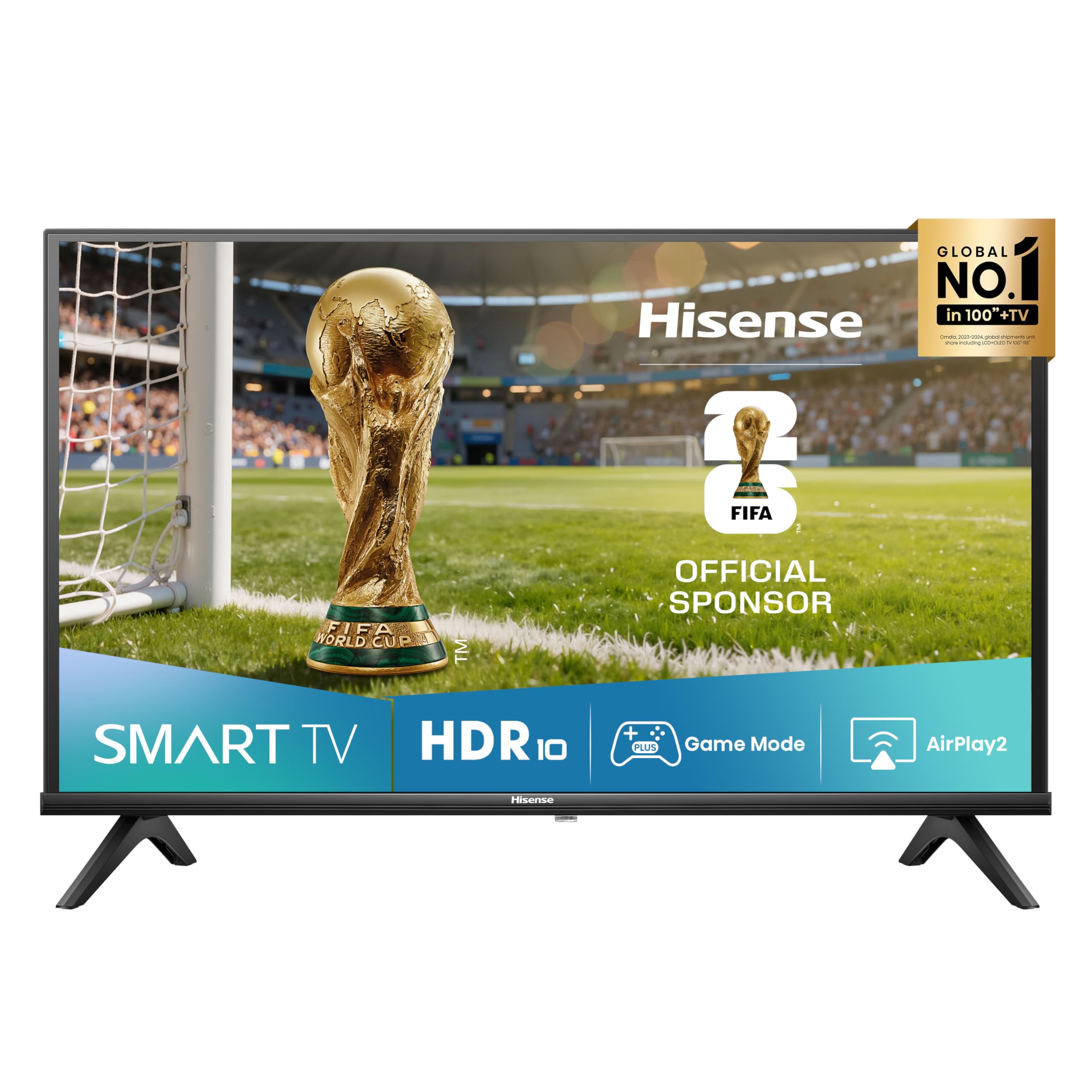
Immagine: Frontale view of the Hisense 40E43QT 40-inch Full HD Smart TV, showcasing its slim bezels and modern design.
2. Cosa c'è nella scatola
Carefully unpack your Hisense TV and check that all the following items are included:
- Hisense 40-inch Full HD Smart TV
- Cavo di alimentazione
- Telecomando
- Manuale dell'utente (questo documento)
- Supporti TV (se non montati a parete)
If any items are missing or damaged, please contact Hisense customer support.
3. Impostazione
3.1 Fissaggio dei supporti TV
If you are not wall-mounting your TV, follow these steps to attach the included stands:
- Posizionare lo schermo del televisore su una superficie morbida e piana per evitare danni.
- Allineare ciascun supporto con le fessure corrispondenti nella parte inferiore del televisore.
- Fissare i supporti utilizzando le viti fornite. Assicurarsi che siano saldamente fissati.

Immagine: frontale e laterale view of the Hisense 40E43QT TV with dimensions and stand attachment points. The image shows the TV's width (900mm), height with stand (565mm), height without stand (515mm), depth with stand (186mm), and depth without stand (85mm). It also indicates a VESA mount dimension of 200x200mm and product weight with stand (5.5 kg) and without stand (5.4 kg).
3.2 Cavi di collegamento
Before connecting any cables, ensure the TV and all external devices are powered off.
- Cavo di alimentazione: Collegare il cavo di alimentazione all'ingresso di alimentazione del televisore e poi a una presa a muro.
- Antenna/cavo: Connect your antenna or cable TV source to the "ANT" input on the TV.
- Dispositivi HDMI: Connect devices like Blu-ray players, game consoles, or set-top boxes to the HDMI ports. This model features HDMI 2.1 (eARC) for enhanced audio return channel capabilities.
- Dispositivi USB: For media playback or software updates, connect USB flash drives to the USB ports.
- Collegamento Ethernet: For a stable wired internet connection, connect an Ethernet cable from your router to the TV's Ethernet port.
- Uscita audio digitale: Collegalo a una soundbar o a un sistema home theater per l'uscita audio digitale.
- Cuffia: Collega le cuffie per l'ascolto privato.

Immagine: dettagliata view of the Hisense 40E43QT TV's rear panel, showing connectivity options including two USB ports, Digital Audio Out, Headphone jack, two ANT inputs, HDMI 2.1 (eARC), HDMI 2, and an Ethernet port for internet router connection.
3.3 Accensione iniziale e configurazione iniziale
- Dopo aver collegato tutti i cavi necessari, collegare il televisore a una presa di corrente.
- Premere il pulsante di accensione sul telecomando o sul televisore stesso.
- La TV ti guiderà attraverso la procedura guidata di configurazione iniziale, che include la selezione della lingua, la connessione di rete (Wi-Fi o Ethernet), la scansione dei canali e le impostazioni del fuso orario.
- Seguire le istruzioni visualizzate sullo schermo per completare la configurazione.
4. Utilizzo della TV
4.1 Funzioni del telecomando
The remote control allows you to navigate the TV's features and settings. Familiarize yourself with its buttons:

Image: The Hisense 40E43QT remote control, featuring standard navigation, volume, and channel controls, along with dedicated quick access buttons for popular streaming services like Disney+, YouTube, Prime Video, Netflix, YouTube Kids, Apple TV+, and a customizable VOD button.
- Pulsante di accensione: Accende o spegne la TV.
- Pulsanti di navigazione (Su/Giù/Sinistra/Destra/OK): Utilizzato per navigare nei menu e selezionare le opzioni.
- Volume su/giù: Regola il livello del suono.
- Canale su/giù: Cambia canale TV.
- Pulsanti Smart TV: Direct access to streaming apps like Netflix, Prime Video, YouTube, Disney+, and Apple TV+.
- Pulsante Home: Returns to the Smart TV home screen (VIDAA U8).
- Pulsante di ingresso: Seleziona la sorgente di ingresso (HDMI, AV, TV).
4.2 Funzionalità Smart TV (VIDAA U8)
Your Hisense 40E43QT TV runs on the VIDAA U8 Smart TV operating system, offering access to a wide range of applications and services.

Image: The Hisense 40E43QT TV screen showing the VIDAA Smart TV home interface, featuring icons for popular streaming services and applications such as Netflix, Disney+, YouTube, Prime Video, and more, indicating a user-friendly content hub.
- App Store: Scarica e installa applicazioni aggiuntive dall'App Store VIDAA.
- Servizi di streaming: Enjoy pre-installed and downloadable streaming apps.
- Web Navigatore: Naviga su Internet direttamente dalla tua TV.
- Controllo vocale: The TV supports "Works with Alexa" for voice commands.
4.3 Miglioramenti di immagini e suoni
- Esaltatore naturale del colore: Optimizes color reproduction for a more vibrant and realistic viewesperienza di acquisizione.

Image: A split-screen comparison showing the effect of Natural Colour Enhancer, with one side displaying dull colors and the other vibrant, enhanced colors of a row of houses.
- Riduzione del rumore: Reduces visual noise in the picture for clearer, sharper images.

Image: A split-screen comparison illustrating the Noise Reduction feature, with one side showing a grainy image of a building and the other a smooth, clear version of the same scene.
- Dolby Audio e DTS HD: Provides rich, clear, and immersive sound for an enhanced audio experience.

Image: A close-up of a drum set with vibrant light effects, accompanied by the Dolby Audio and DTS HD logos, signifying superior sound quality for entertainment.
4.4 Connectivity and Sharing
- Airplay2: Trasmetti in streaming i contenuti direttamente dai tuoi dispositivi Apple alla TV.
- Condividi su TV: Easily cast content from your mobile devices to the TV screen.

Image: A person holding a tablet that is mirroring its content (a woman with a horse) onto the Hisense TV screen, illustrating the "Share to TV" feature for easy content casting.
4.5 Modalità di gioco
Activate Game Mode for an optimized gaming experience with reduced input lag.

Image: A dynamic image of a motorcycle racer in action, with "Game Mode" text, indicating the TV's feature for optimizing gaming performance by reducing input lag.
5. Manutenzione
Per garantire la longevità e le prestazioni ottimali del tuo televisore Hisense, segui queste linee guida per la manutenzione:
- Pulizia dello schermo: Pulire delicatamente lo schermo con un panno morbido, asciutto e privo di lanugine. Per macchie ostinate, strofinare leggermenteampPulire il panno con acqua o con un detergente specifico per schermi (non spruzzare mai direttamente sullo schermo).
- Pulizia del corpo: Utilizzare un panno morbido e asciutto per pulire la cornice e il supporto del televisore. Evitare detergenti abrasivi o solventi.
- Ventilazione: Assicurarsi che le aperture di ventilazione sul retro del televisore non siano ostruite per evitare il surriscaldamento.
- Spegni: Scollegare sempre il televisore dalla presa di corrente prima di pulirlo o quando non verrà utilizzato per un periodo prolungato.
6. Risoluzione Dei Problemi
Se riscontri problemi con il tuo televisore, fai riferimento ai seguenti problemi comuni e alle relative soluzioni:
| Problema | Possibile soluzione |
|---|---|
| Nessun potere | Controllare che il cavo di alimentazione sia collegato saldamente al televisore e alla presa a muro. Assicurarsi che la presa funzioni. |
| Nessuna immagine, ma l'audio è presente | Controlla la sorgente di ingresso. Assicurati che i dispositivi esterni siano accesi e collegati correttamente. Prova un altro cavo HDMI. |
| Nessun suono, ma l'immagine è presente | Check the volume level and mute settings. Ensure external audio systems are connected and configured correctly. |
| Il telecomando non funziona | Sostituisci le batterie. Assicurati che non ci siano ostacoli tra il telecomando e il sensore IR del televisore. |
| Impossibile connettersi al Wi-Fi | Check your router and modem. Restart the TV and your router. Re-enter the Wi-Fi password. |
| Le app della Smart TV non si caricano | Check your internet connection. Try restarting the TV. Ensure the TV's software is up to date. |
For more detailed troubleshooting, refer to the full electronic user manual or contact Hisense customer support.
7. Specifiche
Below are the key technical specifications for the Hisense 40E43QT 40-inch Full HD Smart TV:
| Caratteristica | Dettaglio |
|---|---|
| Numero di modello | 40E43QT |
| Dimensioni dello schermo | 40 pollici (100 cm) |
| Tecnologia di visualizzazione | GUIDATO |
| Risoluzione | 1920x1080 (Full HD) |
| Frequenza di aggiornamento | Frequenza 60 Hz |
| Piattaforma Smart TV | VITA U8 |
| Tecnologia audio | DTS HD, Dolby Audio |
| Connettività | Wi-Fi, Ethernet, HDMI (2 ports, including 1x HDMI 2.1 eARC), USB (2 ports) |
| Caratteristiche speciali | Parental Controls, Frameless Design, Game Mode, Airplay2, Works with Alexa |
| Sintonizzatore | DVB-T2/S2 HEVC 10 |
| Dimensioni (con supporto) | 90 cm (L) x 56.5 cm (A) x 18.6 cm (P) |
| Peso (con supporto) | 7.37 kg |
| Classe di efficienza energetica (SDR) | F (39 kWh/1000h) |
| Classe di efficienza energetica (HDR) | G (50 kWh/1000h) |

Image: The EU Energy Label for the Hisense 40E43QT TV, indicating an energy efficiency class of F for SDR content (39 kWh/1000h) and G for HDR content (50 kWh/1000h). It also shows the screen size as 40 inches (100 cm) and resolution as 1920x1080 pixels.

Image: The official Product Information Sheet (Scheda Informativa del Prodotto) for the Hisense 40E43QT, detailing various parameters such as manufacturer, model, energy classes, power consumption, screen dimensions, resolution, refresh rate, and included components. A QR code is visible, linking to the EPREL database.
Per maggiori dettagli fare riferimento al Banca dati dei prodotti EPREL.
8. Garanzia e supporto
Your Hisense 40E43QT TV comes with a standard manufacturer's warranty. Please refer to the warranty card included in your packaging for specific terms and conditions, including the warranty period and coverage details.
For technical assistance, troubleshooting beyond this manual, or warranty claims, please contact Hisense customer support. Contact information can typically be found on the Hisense official websito o nella documentazione fornita con il televisore.