1. Introduzione
Thank you for choosing the Turtlebox Original Gen 3 Portable Outdoor Bluetooth Speaker. This speaker is engineered for exceptional durability and sound performance in outdoor environments. It features an ultra-loud output, IP67 waterproof rating, impact resistance, and an extended battery life. This manual provides essential information for setting up, operating, maintaining, and troubleshooting your device to ensure optimal performance and longevity.
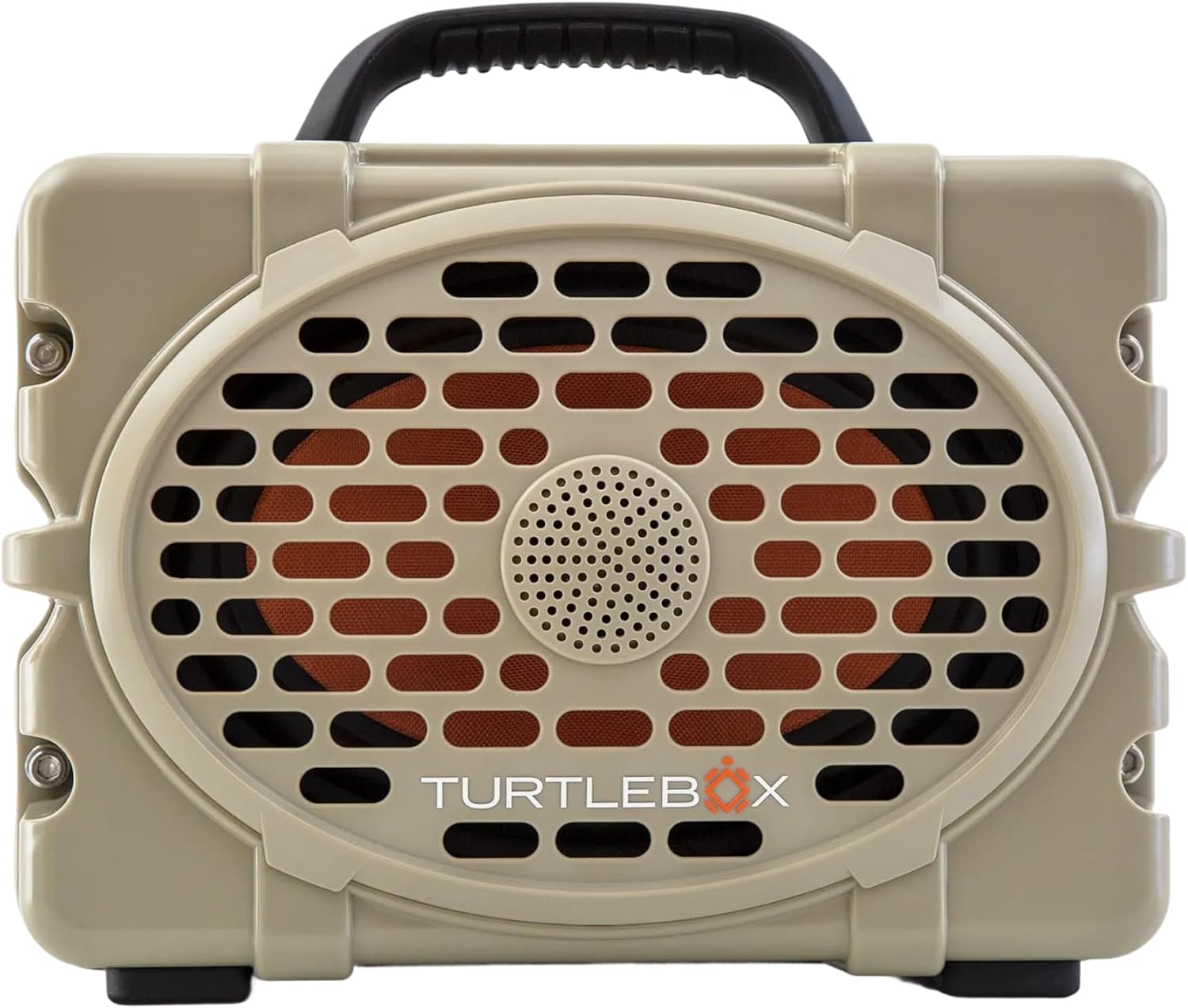
Figura 1: Fronte view of the Turtlebox Original Gen 3 speaker.
2. Informazioni sulla sicurezza
- Non tentare di smontare, riparare o modificare l'altoparlante. Ciò potrebbe invalidare la garanzia e rappresentare un rischio per la sicurezza.
- Ensure all port covers are securely closed before exposing the speaker to water to maintain its IP67 waterproof rating.
- Use only the provided charger or a certified equivalent to prevent damage to the battery.
- Avoid prolonged exposure to extreme temperatures (hot or cold) as this can affect battery life and speaker performance.
- Do not operate the speaker while it is charging if it is exposed to water.
3. Contenuto della confezione
Verifica che tutti gli articoli siano presenti nel tuo pacco:
- Turtlebox Original Gen 3 Speaker
- Caricabatterie
4. Prodotto finitoview
4.1. Pannello di controllo
The control panel is located on the top of the speaker, providing easy access to essential functions.

Figure 2: Control Panel with labeled buttons.
- Pulsante di accensione: Premere per accendere o spegnere l'altoparlante.
- Pulsanti del volume (-/+): Regola il volume di riproduzione.
- Track Control Buttons (|<|): Passa alla traccia precedente o successiva.
- Pulsante Bluetooth: Avvia la modalità di associazione Bluetooth.
- Party Mode Button: Activates Party Mode for multi-speaker synchronization.
4.2. Porte e connessioni
The rear panel features protected ports for charging and external audio connections.
Video 1: Oltreview of the Turtlebox speaker's side and ports, demonstrating the waterproof cover.
- Porta di ricarica: Per collegare l'adattatore di alimentazione per caricare l'altoparlante.
- INGRESSO AUX: Ingresso audio da 3.5 mm per connessioni cablate.
- INGRESSO MICROFONO: Input for connecting a microphone.
- USCITA USB-C: Output port for charging external devices.
4.3 Caratteristiche fisiche
- Maniglia integrata: Per una facile trasportabilità.
- Stainless Steel Tie-Downs: Secure the speaker to a UTV or boat.
- Robusto Casing: Provides drop, crush, and dust-proof protection.
5. Impostazione
5.1. Ricarica iniziale
Before first use, fully charge your Turtlebox speaker. Connect the provided charger to the charging port on the rear panel and plug it into a power outlet. The battery indicator lights on the control panel will show charging progress.
5.2. Accensione/Spegnimento
- To power on, press and hold the Power Button on the control panel until the indicator lights illuminate.
- Per spegnere, tenere premuto nuovamente il pulsante di accensione finché le spie non si spengono.
5.3. Accoppiamento Bluetooth
Per connettere il tuo dispositivo tramite Bluetooth:
- Ensure the Turtlebox speaker is powered on.
- Press the Bluetooth Button on the control panel. The Bluetooth indicator light will flash, indicating pairing mode.
- On your audio device (e.g., smartphone, tablet), navigate to Bluetooth settings and select "Turtlebox Gen 3" from the list of available devices.
- Una volta effettuata la connessione, la spia Bluetooth sull'altoparlante diventerà fissa.
6. Istruzioni per l'uso
6.1. Riproduzione audio di base
- Regolazione del volume: Utilizzare i pulsanti '+' e '-' sul pannello di controllo.
- Navigazione della traccia: Use the '|<' and '>|' buttons to skip tracks.
6.2. Party Mode (Multi-Speaker Pairing)
Party Mode allows you to connect multiple Turtlebox Original Gen 3 speakers for an expanded sound experience. Note: The Original Gen 3 does not pair with Gen 1 or Gen 2 Turtlebox speakers.
- Ensure all speakers are powered on and not currently connected to a Bluetooth device.
- On the primary speaker (the one you want to connect to your device), press the Bluetooth Button to enter pairing mode. Connect your audio device to this speaker.
- On the primary speaker, press the Party Mode button. The Party Mode indicator will flash.
- On each additional speaker, press the Party Mode button. They will automatically search for and connect to the primary speaker.
- Once connected, all speakers will play audio from your device.
6.3. Utilizzo dell'ingresso AUX
For wired audio connections, open the rear port cover and connect a 3.5mm audio cable from your device to the AUX IN port. The speaker will automatically switch to AUX input mode.
6.4. Using Microphone Input
To use a microphone, open the rear port cover and connect your microphone to the MIC IN port. Adjust microphone volume as needed from the connected microphone or audio source.
6.5. Ricarica di dispositivi esterni
The USB-C OUT port can be used to charge compatible external devices. Open the rear port cover and connect your device's charging cable to the USB-C OUT port.
7. Manutenzione
7.1. Pulizia
Pulisci l'altoparlante con l'annuncioamp cloth. For stubborn dirt, use mild soap and water. Ensure all port covers are closed during cleaning. Do not use abrasive cleaners or solvents.
7.2. Controllo della tenuta stagna
Regularly inspect the rubber seals around the port cover for any signs of wear or damage. A compromised seal can affect the speaker's waterproof integrity. Always ensure the port cover is firmly closed with an audible "click" before exposing the speaker to water.
7.3. Cura della batteria
To maximize battery life, avoid fully discharging the battery frequently. Store the speaker in a cool, dry place when not in use for extended periods. Charge the battery at least once every three months to prevent deep discharge.
7.4. Conservazione
When storing the speaker, especially for long durations, ensure it is clean, dry, and all port covers are securely fastened. Store in a location away from direct sunlight and extreme temperatures.
8. Risoluzione Dei Problemi
- Nessun potere: Ensure the battery is charged. Connect the speaker to the charger and allow it to charge for at least 30 minutes before attempting to power on again.
- Bluetooth non si connette: Ensure the speaker is in pairing mode (flashing Bluetooth light). Turn off and on your device's Bluetooth. Move the speaker closer to your device. If issues persist, try forgetting the device in your Bluetooth settings and re-pairing.
- Nessun suono: Controlla i livelli del volume sia sull'altoparlante che sul dispositivo collegato. Assicurati che sia selezionata la sorgente di ingresso corretta (Bluetooth o AUX).
- Party Mode Issues: Ensure all speakers are Gen 3 models. Confirm all speakers are in Party Mode pairing. Try resetting all speakers and re-initiating Party Mode from the primary speaker.
- Suono distorto: Riduci il volume sia dell'altoparlante che del dispositivo. Assicurati che la sorgente audio sia di buona qualità.
9. Specifiche
| Caratteristica | Specificazione |
|---|---|
| Nome del modello | Turtlebox Gen 3 |
| Materiale | Fiberglass, Stainless Steel, Titanium |
| Tipo di altoparlante | Tweeter, Bass Driver |
| Caratteristiche speciali | 120 decibels of sound, 1” Titanium tweeter, 6” x 9” woofer, 85Wh Lithium-ion battery, Powerful Class D digital amppiù vivace |
| Dispositivi compatibili | iPhone, Android |
| Configurazione del canale audio surround | 2.0 |
| Colore | Tan / nero |
| Dimensioni del prodotto | 12"P x 8.75"L x 7"A |
| Livello di resistenza all'acqua | IP67 impermeabile |
| Batteria | 1 Lithium Ion battery (included), up to 3 days playtime |
| Metodo di controllo | Tocco |
| Tecnologia di comunicazione wireless | Bluetooth |
| Potenza massima in uscita dell'altoparlante | 100 Watt |
| Peso dell'articolo | 11.88 libbre |
| Codice UPC | 850024307742 |
10. Garanzia e supporto
The Turtlebox Original Gen 3 speaker comes with a 1-Year Manufacturer Warranty. For warranty claims, technical support, or additional product information, please refer to the official Turtlebox websito o contattare direttamente il servizio clienti. Conservare la prova d'acquisto per la convalida della garanzia.


