Introduzione
This manual provides essential information for the safe and efficient operation of your DARAN Portable Power Station. Please read it thoroughly before use and retain it for future reference. This power station is designed to provide reliable power for various applications, including outdoor activities, RV use, and emergency home backup.
1. Impostazione
1.1 Contenuto della confezione
Verificare che tutti gli articoli siano presenti nel pacco:
- 1 × NEOS Power Station
- 1 × Cavo di ricarica CA
- 1 × Manuale utente
1.2 Carica iniziale
Before first use, it is recommended to fully charge the power station. The unit supports multiple charging methods:
- Presa a muro CA: Connect the provided AC charging cable to the power station's AC input port and then to a standard wall outlet. The unit can recharge to 80% in approximately 2 hours.
- Pannello solare (opzionale): Connect a compatible solar panel (not included) to the DC input port. The power station supports solar input for charging.
- Car Charger (Optional): The unit can be charged via a car charging cable (not included) through the DC input port.
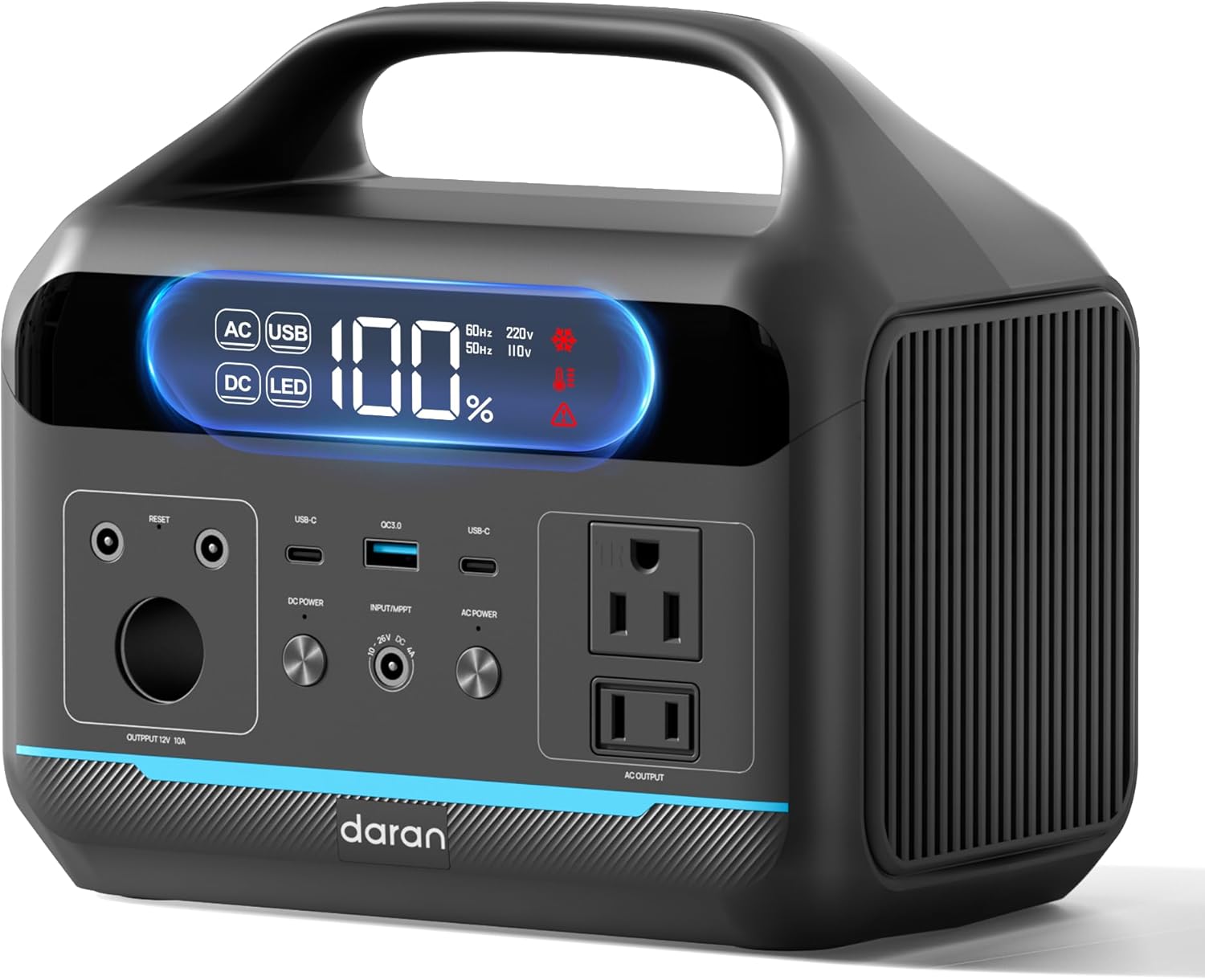
Figura 1: Fronte view of the DARAN Portable Power Station NEO, showing the display and various output ports.
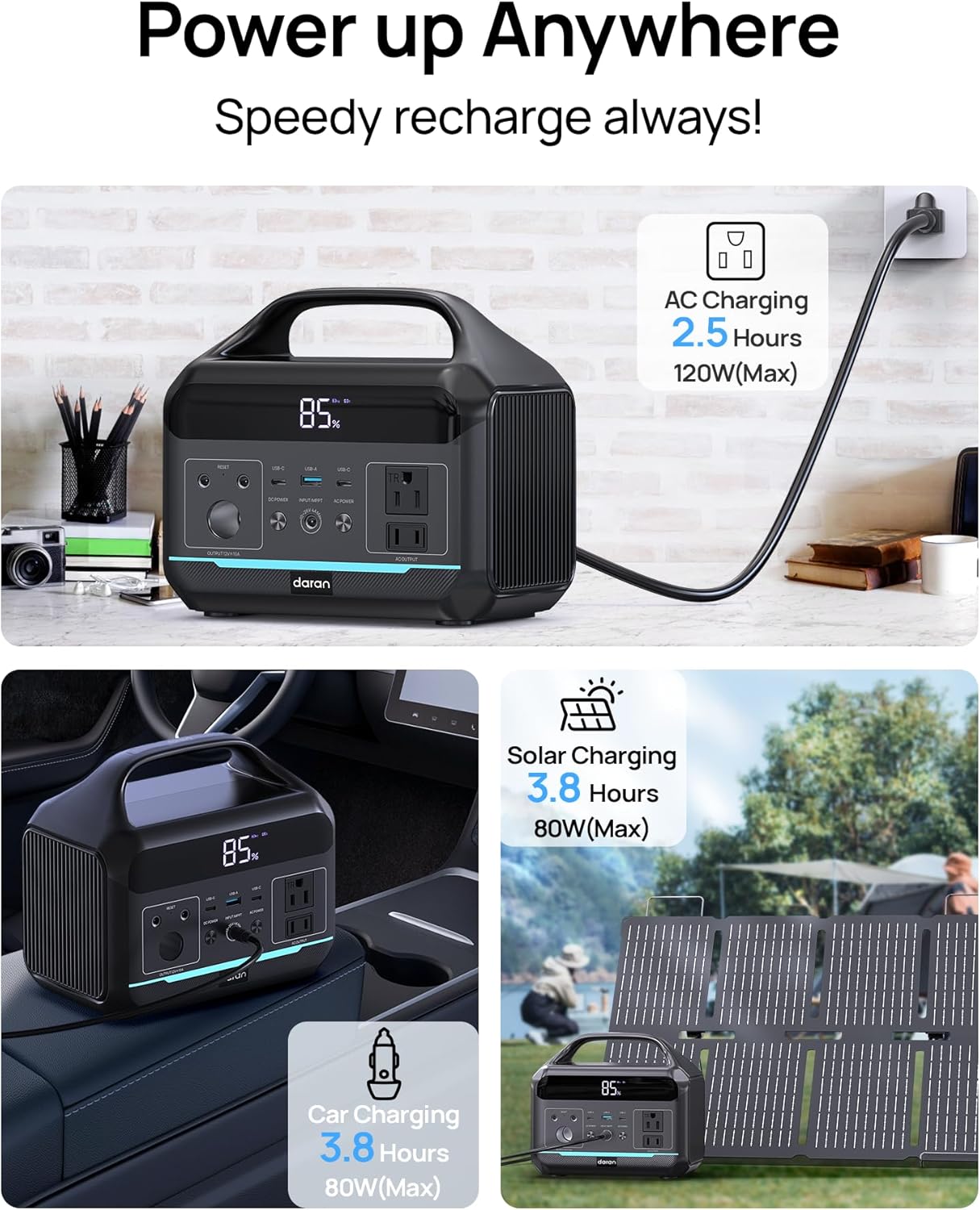
Figure 2: Illustration of the various charging methods for the power station, including AC wall charging, solar charging, and car charging.
2. Funzionamento
2.1 Accensione/Spegnimento
To power on the unit, press and hold the main power button. The digital display will illuminate, showing the battery status and output information. To power off, press and hold the main power button again.
2.2 porte di uscita
The DARAN Portable Power Station features multiple output ports to power various devices:
- Prese CA (x2): Provides 600W continuous power (1200W surge). Suitable for appliances like car refrigerators and CPAP machines.
- USB-C PD60W (x1): Per la ricarica rapida dei dispositivi USB-C compatibili.
- USB-A (x2): Provides 18W output for charging smartphones, tablets, and other USB-powered devices.
- Uscita CC: For devices requiring DC power.
Nota: Ensure that the total power consumption of connected devices does not exceed 600W to prevent overload.

Figure 3: The power station connected to various devices, demonstrating its multi-port functionality for camping e uso esterno.
2.3 Luce LED integrata
La centrale elettrica è dotata di una luce LED integrata con più modalità:
- Normal Illumination: Fornisce una luce costante per uso generale.
- Modalità SOS: Activates a flashing SOS signal for emergency situations.
To activate the LED light, press the dedicated LED button. Press again to cycle through modes or turn off.
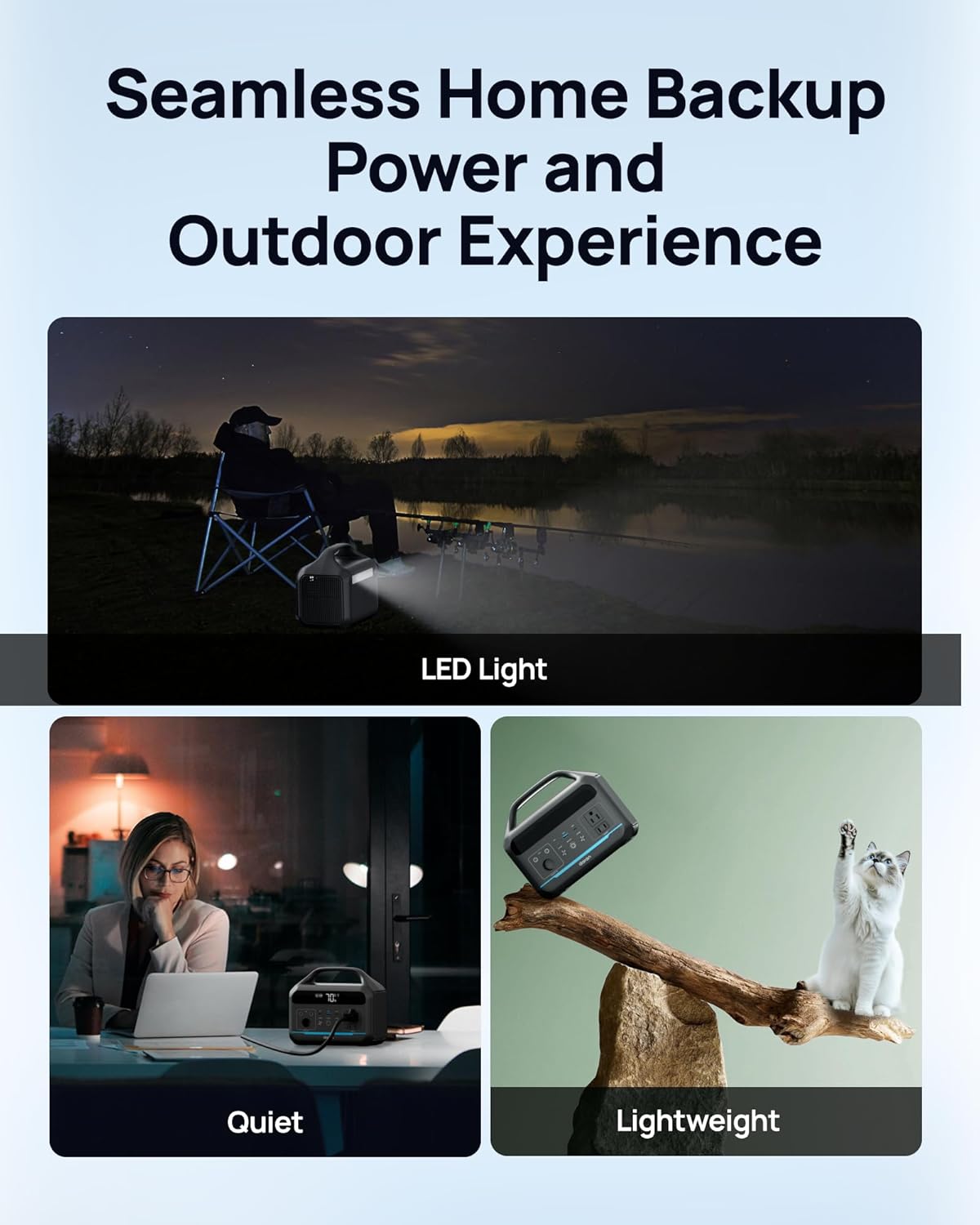
Figure 4: The power station providing illumination via its integrated LED light during an outdoor evening setting.
3. Manutenzione
3.1 Cura della batteria
The power station uses a LiFePO4 battery, known for its long lifespan and safety. It is designed for 3500+ charge cycles, maintaining approximately 80% of its original capacity after this period.
- Per una salute ottimale della batteria, evitare di scaricarla completamente frequentemente.
- Conservare l'unità in un luogo fresco e asciutto, lontano dalla luce solare diretta e da temperature estreme.
- Se si prevede di non utilizzarla per lunghi periodi, caricare la batteria fino a circa il 50-80% ogni 3-6 mesi.

Figura 5: Un interno view illustration highlighting the LiFePO4 battery technology and its long cycle life.
3.2 Pulizia
Utilizzare un panno morbido e asciutto per pulire l'esterno della centrale elettrica. Non utilizzare detergenti abrasivi né immergere l'unità in acqua.
4. Risoluzione Dei Problemi
4.1 Problemi comuni
- L'unità non si accende:
Ensure the battery is charged. Connect to an AC outlet for at least 30 minutes to see if it powers on.
- Uscita CA non funzionante:
If the battery level is below 10%, the AC port will automatically turn off to prevent battery damage. DC/USB ports will remain available. Check if the connected device exceeds the 600W output limit.
- Ricarica lenta:
Ensure the charging cable is securely connected. If using solar, verify the solar panel is in direct sunlight and correctly oriented. Check the input wattage visualizzato sullo schermo.
- Protezione da sovraccarico:
The unit has built-in overload protection. If an overload occurs, the unit may shut down. Disconnect the overloaded device, wait a few minutes, and then restart the power station.
4.2 Contatta l'assistenza
If you encounter issues not covered in this section, or if troubleshooting steps do not resolve the problem, please contact DARAN customer service for assistance. Refer to the "Warranty & Support" section for contact information.
5. Specifiche
| Caratteristica | Dettaglio |
|---|---|
| Numero di modello | Nuovo |
| Capacità | 288 Wh (90,000 mAh, 3.2 V) |
| Uscita CA | 600 W (1200 W di picco) |
| Tipo di batteria | LiFePO4 (fosfato di ferro e litio) |
| Ciclo di vita | Oltre 3500 cicli all'80% della capacità |
| Dimensioni del prodotto | 8 x 3 x 12 pollici |
| Peso dell'articolo | 13.77 libbre |
| Tempo di ricarica (CA) | Circa 2 ore all'80% |
| Produttore | Dongguan Menche Electronics Co., Ltd. |
| Data prima disponibilità | 28 luglio 2025 |
6. Garanzia e supporto
6.1 Informazioni sulla garanzia
For detailed warranty terms and conditions, please refer to the warranty card included with your product or visit the official DARAN website. The warranty typically covers manufacturing defects and malfunctions under normal use.
6.2 Assistenza clienti
If you have any questions, require technical assistance, or need to report an issue, please contact DARAN customer service. Contact information can typically be found on the product packaging, the official DARAN websito o all'interno della documentazione allegata.
When contacting support, please have your product model number (NEO) and purchase date available.


