1. Introduzione
Thank you for choosing the Hama Ultimate Pro Portable Bluetooth Speaker. This manual provides essential information for the safe and efficient use of your device. Please read it carefully before use and keep it for future reference.
Contenuto della confezione:
- 1x Hama Ultimate Pro Portable Bluetooth Speaker
- 1x cavo di ricarica USB-C
- 1x tracolla
- 1x Manuale utente
2. Istruzioni di sicurezza
- Do not open the device. Incorrect assembly can lead to electric shock, fire, or damage.
- Keep the device away from extreme temperatures, direct sunlight, and humidity.
- This speaker is rated IPX6, meaning it is protected against strong continuous rain and splashing water. Do not submerge the speaker in water.
- Per la ricarica utilizzare solo il cavo USB-C in dotazione.
- Non utilizzare il dispositivo se è visibilmente danneggiato.
- Protect the battery from overheating.
3. Prodotto finitoview
Familiarize yourself with the speaker's features and connections.

The Hama Ultimate Pro speaker highlights its key features: 24-hour battery life, IPX6 waterproof rating, Bluetooth connectivity, and 120W sound output.
Pannello di controllo:

Dettagliato view of the speaker's top control panel, showing buttons for power, volume adjustment, play/pause, mode selection, and equalizer settings.
- Pulsante di accensione: Press and hold to turn on/off. Short press to check battery status.
- Volume basso (-): Diminuire il volume.
- Pulsante Play/Pausa: Riproduci o metti in pausa l'audio.
- Volume su (+): Aumentare il volume.
- Pulsante Modalità (M): Switch between input modes (Bluetooth, AUX, USB).
- Equalizer Button (EQ): Cycle through equalizer presets (Bass Sound, Power Sound, Balanced Sound).
Porti e Collegamenti:

The speaker's rear port panel includes a USB-C charging port, a USB-A port for external devices, a reset button, and a 6.3mm jack input.
- Porta USB-C: For charging the speaker and for Power Bank output.
- Porta USB-A: For playing music from USB storage devices or for Power Bank output.
- Ingresso AUX (jack da 3.5 mm): Per collegare dispositivi audio esterni tramite un cavo audio da 3.5 mm.
- Microphone/Guitar Input (6.3mm Jack): Per collegare un microfono o una chitarra.
- Pulsante di reset: Use a thin object to press and reset the speaker if needed.
4. Impostazione
4.1 Ricarica dell'altoparlante
- Collegare il cavo di ricarica USB-C in dotazione alla porta USB-C dell'altoparlante.
- Connect the other end of the USB-C cable to a suitable USB power adapter (not included). A 30W charger is recommended for fast charging.
- The charging indicator will show the charging status. The speaker is fully charged in approximately 2.5 hours.
4.2 Accensione/Spegnimento
- To turn on: Press and hold the Power button for a few seconds until you hear an audible prompt.
- To turn off: Press and hold the Power button for a few seconds until you hear an audible prompt.
4.3 Associazione Bluetooth
- Assicurarsi che l'altoparlante sia acceso e in modalità Bluetooth (indicata da un LED blu lampeggiante). In caso contrario, premere il pulsante Modalità (M) per passare alla modalità Bluetooth.
- Sul tuo dispositivo (smartphone, tablet, laptop), attiva il Bluetooth e cerca i dispositivi disponibili.
- Select "Hama Ultimate Pro" from the list of devices.
- Una volta effettuato l'accoppiamento, l'indicatore LED diventerà blu fisso e verrà emesso un suono di conferma.
4.4 Collegamento tramite ingresso AUX
- Collegare un'estremità di un cavo audio da 3.5 mm (non incluso) alla porta di ingresso AUX dell'altoparlante.
- Collegare l'altra estremità all'uscita audio del dispositivo esterno.
- Press the Mode button (M) on the speaker to switch to AUX mode.
4.5 Connecting USB Storage
- Inserisci un'unità flash USB contenente audio filenella porta USB-A dell'altoparlante.
- Press the Mode button (M) to switch to USB mode. The speaker will automatically begin playing audio from the USB drive.
4.6 Connecting Microphone or Guitar
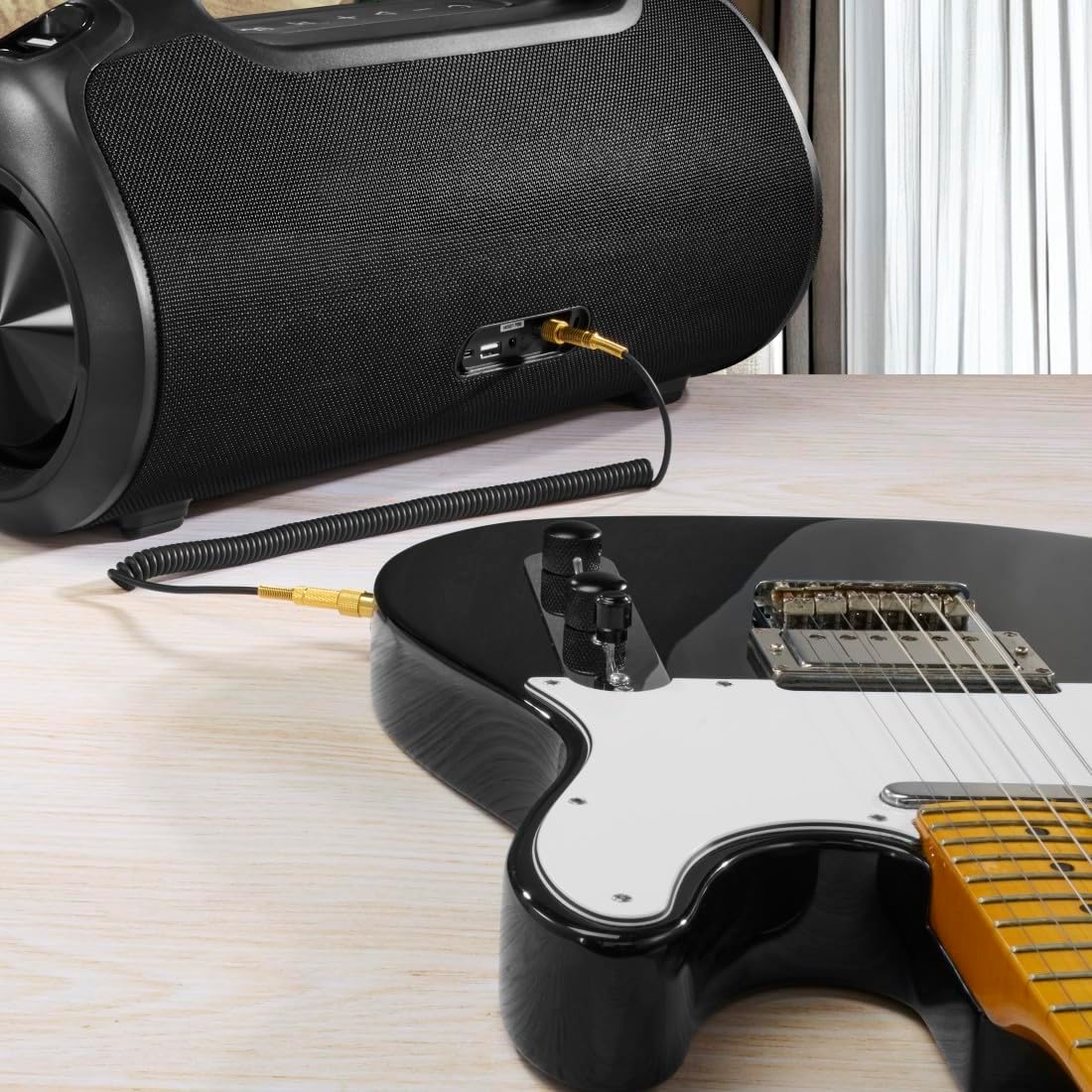
The speaker can be used as an amplifier by connecting an electric guitar via its 6.3mm jack input.
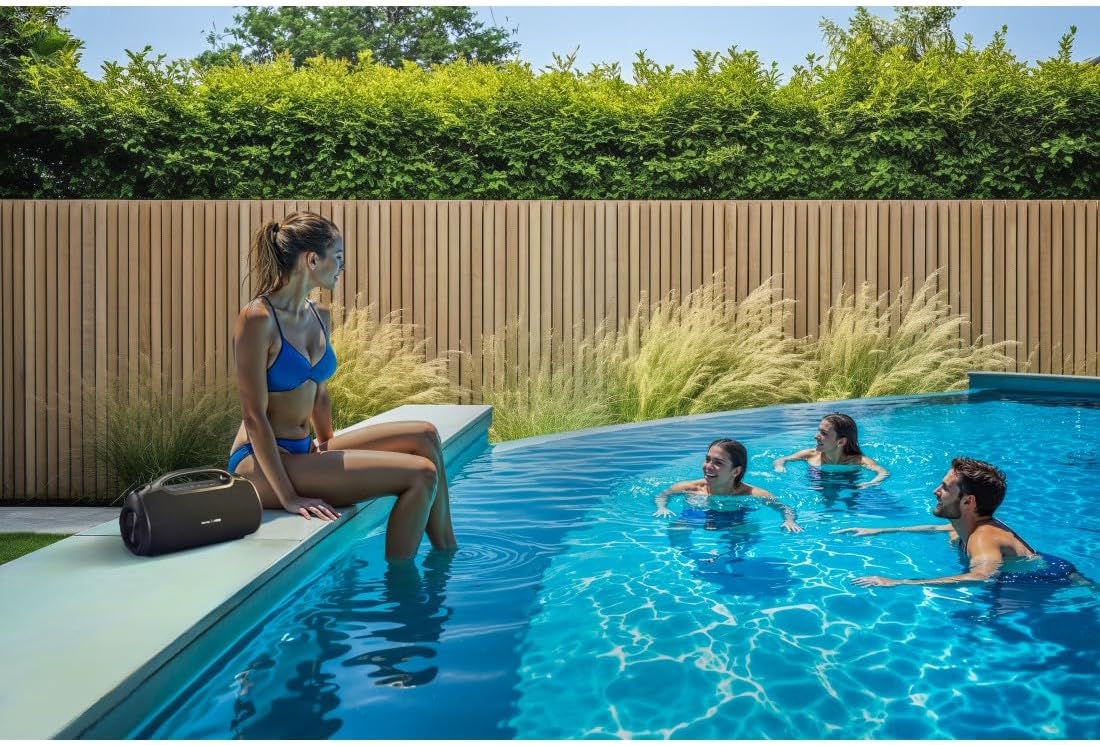
A microphone can be connected to the speaker's 6.3mm jack input for karaoke or public speaking.
- Connect your microphone or guitar to the 6.3mm jack input on the speaker.
- Adjust the volume on your connected device and the speaker as needed.
4.7 Accoppiamento True Wireless Stereo (TWS)
The Hama Ultimate Pro supports TWS for connecting two speakers for a stereo sound experience. Refer to the specific TWS pairing instructions in the full manual if available, as this feature typically involves pressing a dedicated TWS button on both speakers simultaneously.
5. Funzionamento dell'altoparlante
5.1 Controlli di riproduzione di base
- Riproduci/Pausa: Premi brevemente il pulsante Riproduci/Pausa.
- Aumenta volume: Premere brevemente il pulsante Volume su (+).
- Volume basso: Premere brevemente il pulsante Volume giù (-).
- Traccia successiva: Premere a lungo il pulsante Volume su (+).
- Traccia precedente: Premere a lungo il pulsante Volume giù (-).
5.2 Modalità equalizzatore
The speaker offers three distinct equalizer modes to optimize your listening experience:
- Suono dei bassi: Enhances low frequencies for a deeper bass response.
- Power Sound: Provides a balanced, powerful sound profile.
- Suono bilanciato: Offers a neutral and clear audio output.
To switch between modes, short press the EQ button on the control panel.
5.3 Hama Smart Home App Control

The Hama Smart Home app allows for convenient control and customization of the speaker, including battery status and sound settings.
Download the "Hama Smart Home" app from your device's app store to access additional features:
- Custom equalizer settings.
- Change the speaker's name.
- View precise battery status in percentage.
- Remote control of playback and settings.
5.4 Funzione Power Bank

The speaker's integrated power bank allows you to charge external devices like smartphones via its USB-C or USB-A ports.
The Hama Ultimate Pro speaker features an integrated power bank function, allowing you to charge other devices:
- Connect your smartphone, tablet, or other USB-powered device to the USB-C or USB-A port on the speaker using a compatible charging cable.
- La batteria interna dell'altoparlante inizierà a caricare il dispositivo collegato.
6. Manutenzione
6.1 Pulizia
The speaker has a resistant and washable surface. To clean:
- Ensure the speaker is turned off and all cables are disconnected.
- Utilizzare un morbido, damp cloth to wipe the surface. Do not use harsh cleaning agents or solvents.
- Per lo sporco ostinato, è possibile utilizzare una soluzione di sapone delicato, seguita da una pulizia con un panno pulito e asciutto.amp stoffa.
- Allow the speaker to dry completely before use.
6.2 Conservazione
- Conservare l'altoparlante in un luogo fresco e asciutto, lontano dalla luce solare diretta e da temperature estreme.
- Se si conserva la batteria per un periodo prolungato, caricarla a circa il 50% ogni pochi mesi per mantenerla in buone condizioni.
6.3 Cura della batteria
- Evitare di scaricare completamente la batteria frequentemente.
- Non esporre la batteria a fonti di calore o fiamme dirette.
- Smaltire le batterie secondo le normative locali.
7. Risoluzione Dei Problemi
Se riscontri problemi con l'altoparlante, fai riferimento alle seguenti soluzioni comuni:
- Nessun potere: Assicurati che l'altoparlante sia carico. Collegalo a una fonte di alimentazione tramite il cavo USB-C.
- Impossibile effettuare l'accoppiamento tramite Bluetooth:
- Assicurarsi che l'altoparlante sia in modalità di associazione Bluetooth (LED blu lampeggiante).
- Assicurati che il Bluetooth sia abilitato sul tuo dispositivo e che si trovi entro 10 metri dall'altoparlante.
- Elimina l'altoparlante dall'elenco Bluetooth del tuo dispositivo e riprova ad associarlo.
- Riavvia sia l'altoparlante che il dispositivo.
- Nessun suono:
- Controlla i livelli del volume sia sull'altoparlante che sul dispositivo collegato.
- Ensure the correct input mode (Bluetooth, AUX, USB) is selected on the speaker.
- Se si utilizza AUX, assicurarsi che il cavo sia completamente inserito e funzionante.
- Problemi di ricarica:
- Verify the USB-C cable is not damaged and is properly connected.
- Prova un altro adattatore di alimentazione USB.
- L'altoparlante non risponde: If the speaker becomes unresponsive, use a thin object (like a paperclip) to press the Reset button located on the port panel.
8. Specifiche

Physical dimensions of the Hama Ultimate Pro speaker for reference.
| Numero di modello | 00188232 |
| Marca | Hama |
| Colore | Nero |
| Tecnologia di connettività | Bluetooth 5.3 |
| Gamma massima | 10 metri |
| Sistema audio | Stereo |
| Max Music Power | 120 L |
| Tipo di batteria | Ioni di litio integrati |
| Capacità della batteria | 4500 mAh |
| Volume batteriatage | 11.4 Volt |
| Potenza della batteria | 51.3 Wh |
| Durata massima della batteria | 24 ore |
| Tempo di ricarica | Circa 2.5 ore |
| Supporto USB PD | SÌ |
| Grado di protezione IP | IPX6 (Protection against strong continuous rain) |
| Dimensioni (L x P x A) | Dimensioni: 46.5 x 19.2 x 25.4 cm |
| Peso | 5200 g (5.2 kg) |
| Dispositivi compatibili | MP3 Player, Personal Computer, Smartphone, Tablet, Television |
9. Garanzia
Hama GmbH & Co KG provides a warranty for this product. Please refer to the warranty card included in your package or visit the official Hama websito per termini e condizioni di garanzia dettagliati specifici per la tua regione.
10. Supporto
For technical support, troubleshooting assistance, or further inquiries, please contact Hama customer service. Contact details can typically be found on the official Hama websito o sulla confezione del prodotto.
You can also visit the Hama websito per FAQ e informazioni aggiuntive sul prodotto: www.hama.com


