1. Introduzione
Thank you for choosing the GOBOULT Flex On-Ear Bluetooth Headphones. This manual provides essential information for setting up, operating, and maintaining your headphones. Please read it carefully before use to ensure optimal performance and longevity of your device.

Image: GOBOULT Flex On-Ear Bluetooth Headphones in Jet Black, showcasing il design elegante.
2. Cosa c'è nella scatola
Verifica che tutti gli articoli siano presenti nel tuo pacco:
- GOBOULT Flex On-Ear Bluetooth Headphones
- Cavo di ricarica rapida di tipo C
- AUX Cable (for wired connection)
- Manuale dell'utente (questo documento)
- Scheda di garanzia
3. Prodotto finitoview
The GOBOULT Flex headphones feature an adjustable headband and soft earcups designed for comfort during extended use. Key components include:
- Fascia regolabile: For a customized fit.
- Auricolari: Padded for comfort, housing the 40mm audio drivers.
- Pulsanti di controllo: Power, Volume Up/Down, Multi-function Button.
- Porta di ricarica di tipo C: Per ricaricare la batteria interna.
- Porta AUX: Per la connessione audio cablata.
- Microfono: Integrated Zen™ ENC mic for clear calls.

Image: Close-up of the GOBOULT Flex headphones highlighting the adjustable headband and earcups for comfortable wear.
4. Impostazione
4.1 Ricarica delle cuffie
Before first use, fully charge your headphones. Connect the provided Type-C charging cable to the headphone's charging port and the other end to a USB power source (e.g., wall adapter, computer USB port).
- Una carica completa richiede circa 60 minuti.
- Una ricarica di 10 minuti garantisce fino a 5 ore di riproduzione.
- L'indicatore LED mostrerà lo stato di carica (ad esempio, rosso per la carica, blu per la carica completa).
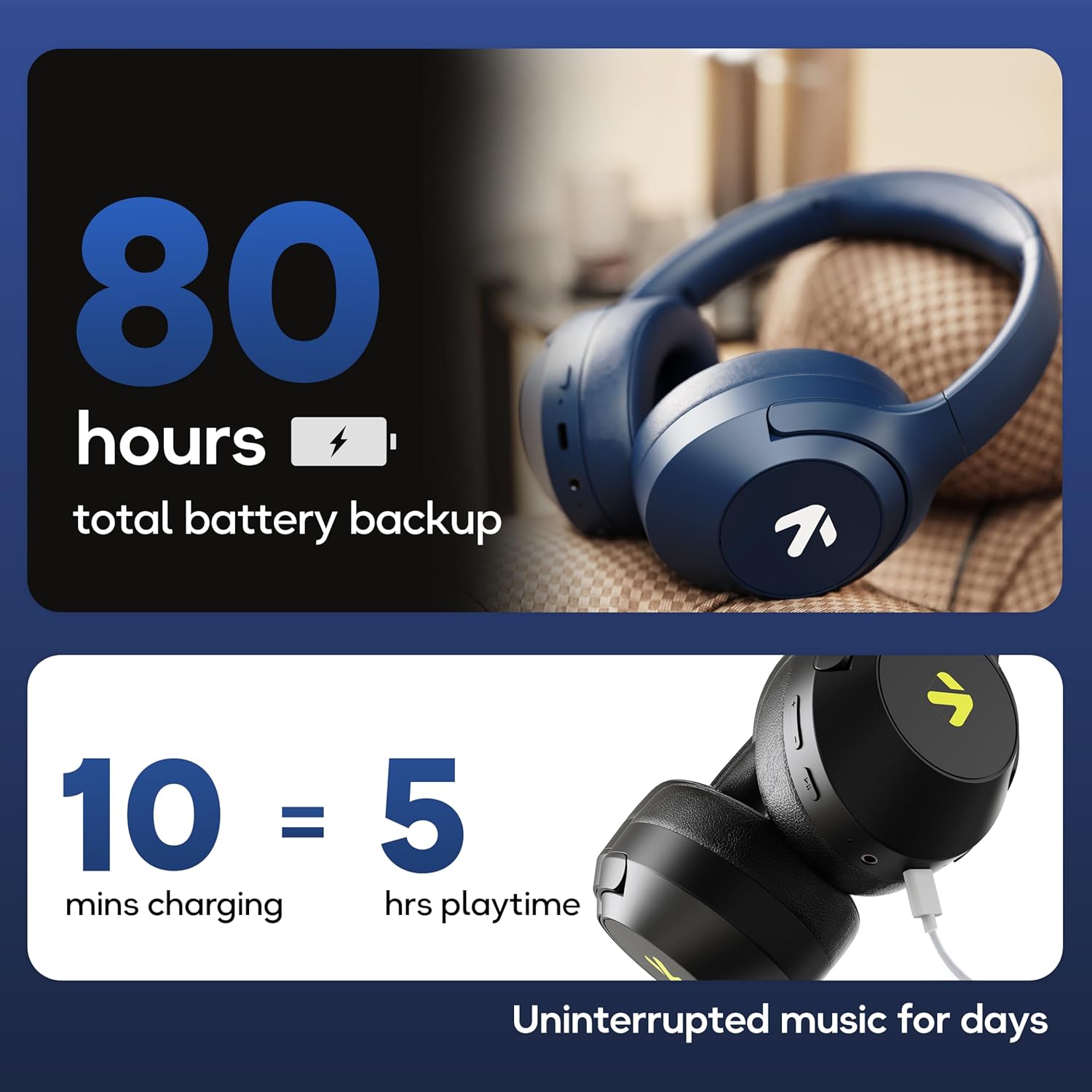
Image: Visual representation of the GOBOULT Flex headphones' battery life and fast charging capability.
4.2 Accensione/Spegnimento
- Per accendere: Press and hold the Power button for 3 seconds. The LED indicator will flash.
- Per spegnere: Tenere premuto il pulsante di accensione per 5 secondi. L'indicatore LED si spegnerà.
4.3 Associazione Bluetooth
The GOBOULT Flex headphones utilize Bluetooth 5.4 for stable and fast connections.
- Assicurati che le cuffie siano spente.
- Tenere premuto il pulsante di accensione per circa 5-7 secondi finché l'indicatore LED non lampeggia alternativamente in rosso e blu, indicando la modalità di associazione.
- Sul tuo dispositivo (smartphone, tablet, laptop), attiva il Bluetooth e cerca i dispositivi disponibili.
- Select "GOBOULT Flex" from the list of devices.
- Una volta connesso, l'indicatore LED lampeggerà lentamente in blu.

Image: Illustration of the GOBOULT Flex headphones connecting via Bluetooth 5.4, highlighting the fast pairing feature.
4.4 Collegamento AUX
You can use the headphones with a wired connection when the battery is low or for devices without Bluetooth. Connect one end of the 3.5mm AUX cable to the headphone's AUX port and the other end to your audio source's 3.5mm jack.
5. Istruzioni per l'uso
5.1 Controlli di base
| Funzione | Azione |
|---|---|
| Riproduci/Pausa | Premere una volta il pulsante multifunzione. |
| Alza il volume | Premere il pulsante Volume su (+). |
| Abbassa il volume | Premere il pulsante Volume giù (-). |
| Traccia successiva | Tieni premuto il pulsante Volume su (+). |
| Traccia precedente | Premere e tenere premuto il pulsante Volume giù (-). |
5.2 Gestione delle chiamate
The integrated Zen™ ENC (Environmental Noise Cancellation) microphone ensures clear communication during calls.

Immagine: dettagliata view of the GOBOULT Flex headphones highlighting the Zen™ ENC mic for noise-reduced calls.
| Funzione | Azione |
|---|---|
| Rispondi/Termina chiamata | Premere una volta il pulsante multifunzione. |
| Rifiuta chiamata | Tieni premuto il pulsante multifunzione per 2 secondi. |
5.3 Assistente vocale
Attiva l'assistente vocale del tuo dispositivo (ad esempio Google Assistant, Siri) direttamente dalle cuffie.
- Attiva l'assistente vocale: Premere due volte il pulsante multifunzione.

Image: GOBOULT Flex headphones showing compatibility with voice assistants and IPX5 water resistance.
5.4 Modalità di gioco (bassa latenza)
For an optimized gaming experience, activate the 60ms ultra-low latency Combat™ Gaming Mode.
- Attiva la modalità di gioco: Refer to your device's specific instructions or the product's quick start guide for the button combination to toggle gaming mode.

Image: GOBOULT Flex headphones illustrating the Combat™ Gaming Mode with 60ms ultra-low latency for mobile gaming.
5.5 modalità EQ
The headphones feature 4 EQ modes to customize your audio experience:
- Basso
- Roccia
- Pop
- Vocale
To switch between EQ modes, refer to the specific button press sequence in your quick start guide or product packaging. This functionality allows you to tailor the sound profile in base alle tue preferenze.

Immagine: Oltreview of GOBOULT Flex features, including the 4 EQ modes for sound customization.
6. Manutenzione
6.1 Pulizia
Wipe the headphones with a soft, dry cloth. Do not use abrasive cleaners or solvents. For earcups, gently wipe with a damp panno e lasciare asciugare completamente all'aria prima dell'uso.
6.2 Conservazione
Conservare le cuffie in un luogo fresco e asciutto, lontano dalla luce solare diretta e da temperature estreme. Il design pieghevole consente di riporle in modo compatto.
6.3 Resistenza all'acqua (IPX5)
The GOBOULT Flex headphones are rated IPX5, meaning they are resistant to sweat and light splashes of water. They are not designed for submersion in water. Avoid exposing them to heavy rain or showering.
7. Risoluzione Dei Problemi
| Problema | Possibile soluzione |
|---|---|
| Le cuffie non si accendono. | Assicurati che le cuffie siano cariche. Collegale a una fonte di alimentazione tramite il cavo Type-C. |
| Impossibile effettuare l'associazione tramite Bluetooth. | Ensure headphones are in pairing mode (flashing red/blue). Turn off and on your device's Bluetooth. Move closer to the device. |
| Nessun suono. | Controlla i livelli del volume sia sulle cuffie che sul dispositivo collegato. Assicurati che le cuffie siano correttamente abbinate o che il cavo AUX sia completamente inserito. |
| Scarsa qualità delle chiamate. | Ensure the microphone is not obstructed. Move to a quieter environment. |
8. Specifiche
| Caratteristica | Dettaglio |
|---|---|
| Nome del modello | Flex (ProBass) |
| Connettività | Bluetooth 5.4, AUX |
| Dimensioni del driver audio | 40mm |
| Tempo di gioco | Fino a 80 ore |
| Porta di ricarica | Tipo C |
| Tempo di ricarica | Circa 60 minuti |
| Microfono | Zen™ ENC Mic |
| Modalità bassa latenza | 60ms (Combat™ Gaming Mode) |
| Resistenza all'acqua | Grado di protezione IPX5 |
| Risposta in frequenza | Frequenza 20 Hz |
| Sensibilità | 118 dB |
| Impedenza | 32 Ohm |
| Peso dell'articolo | 214 grammi |
9. Garanzia e supporto
The GOBOULT Flex headphones come with a 1-year warranty. To avail of the extended warranty and for any support inquiries, please register your product on the official GOBOULT website. For technical assistance or customer service, refer to the contact information provided on your warranty card or the GOBOULT official websito.
Manufacturer: Exotic Mile Private Limited
Paese di origine: Cina


