1. Introduzione
This manual provides essential information for setting up, operating, maintaining, and troubleshooting your HONOR 200 5G Smartphone. Please read this manual carefully to ensure proper use and to maximize the performance of your device.
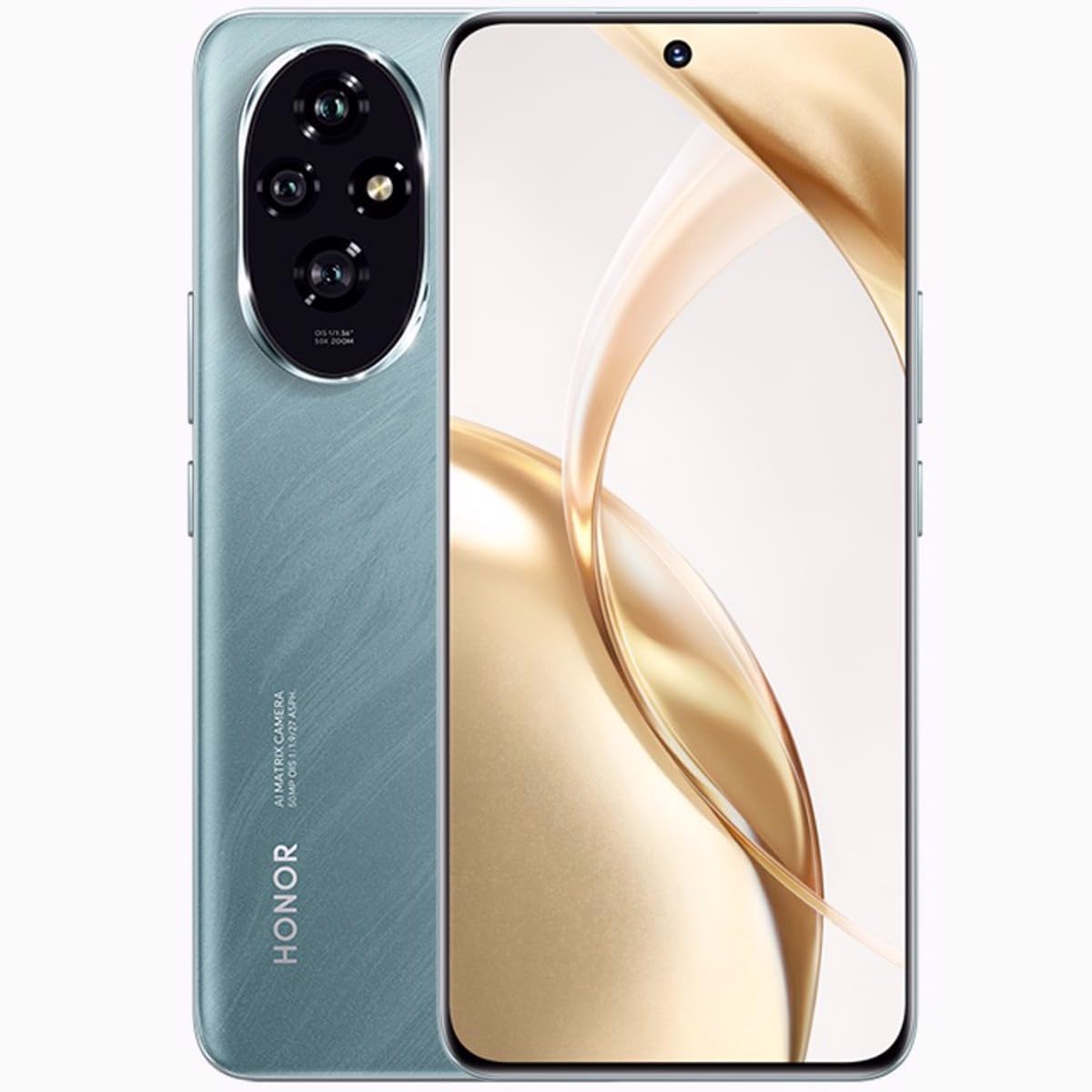
Immagine 1.1: anteriore view of the HONOR 200 5G Smartphone in Emerald Green.
2. Cosa c'è nella scatola
Verifica che tutti gli articoli siano presenti nella confezione del prodotto:
- Smartphone HONOR 200 5G
- Cavo USB
- Guida rapida (può variare in base alla regione)
- Informazioni sulla sicurezza (possono variare in base alla regione)
3. Impostazione
3.1. Installazione della scheda SIM
The HONOR 200 supports Dual SIM functionality. Ensure your device is powered off before inserting or removing SIM cards.
- Individua il vassoio della scheda SIM sul lato del dispositivo.
- Inserire lo strumento di espulsione della SIM (non incluso) nel piccolo foro accanto al vassoio e spingere delicatamente finché il vassoio non fuoriesce.
- Place your Nano-SIM cards into the designated slots on the tray, ensuring the gold contacts face down and the cut corner aligns correctly.
- Carefully push the SIM card tray back into the slot until it is flush with the device.
3.2. Accensione iniziale e configurazione
To power on your device, press and hold the Power button until the HONOR logo appears. Follow the on-screen instructions to complete the initial setup, including language selection, Wi-Fi connection, Google account setup, and security settings.
3.3. Carica della batteria
Connect the provided USB cable to the charging port on your phone and the other end to a compatible power adapter (not included) or a computer's USB port. The device features a 5200mAh non-removable battery. For optimal performance, use HONOR-approved chargers and cables.
4. Utilizzo del dispositivo
4.1. Display e navigazione
The HONOR 200 features a 6.7-inch OLED display with 1200 x 2664 pixels resolution and 1 billion colors. Navigate the interface using touch gestures: tap to select, swipe to scroll, pinch to zoom.
4.2. Utilizzo della fotocamera
Il tuo dispositivo è dotato di un versatile sistema di telecamere:
- Telecamere posteriori: 50 MP (main), 50 MP, 12 MP
- Fotocamera frontale: 50 MP
Open the Camera app from the home screen or app drawer. Tap the shutter button to take a photo. Swipe left or right to switch between different camera modes (e.g., Photo, Video, Portrait).
4.3. Connettività
The HONOR 200 supports various connectivity options:
- Reti cellulari: GSM, 3G, 4G LTE, 5G (SA/NSA + ESIM). Ensure compatibility with your network provider.
- Wifi: Connettersi alle reti wireless per accedere a Internet.
- Bluetooth: Abbinalo ad accessori wireless come cuffie o altoparlanti.
- Posizione GPS: Utilizzare per servizi di localizzazione e navigazione.
4.4. Funzionalità Dual SIM
With Dual SIM support, you can use two different phone numbers or network plans simultaneously. Manage your SIM preferences for calls, messages, and mobile data in the Settings menu under 'Mobile network' or 'SIM management'.
5. Manutenzione
5.1. Cura della batteria
Per prolungare la durata della batteria:
- Evitare temperature estreme.
- Non scaricare completamente la batteria frequentemente.
- Use the provided or HONOR-approved charging accessories.
- Optimize battery settings in the device's 'Battery' menu.
5.2. Pulizia del dispositivo
Utilizzare un panno morbido e privo di lanugine per pulire lo schermo e il corpo del telefono. Evitare l'uso di prodotti chimici aggressivi o materiali abrasivi. Non esporre il dispositivo a umidità eccessiva.
5.3. Aggiornamenti software
Regularly check for and install software updates to ensure your device has the latest features, security patches, and performance improvements. You can check for updates in 'Settings' > 'System & updates' > 'Software update'.
6. Risoluzione Dei Problemi
6.1. Il dispositivo non si accende
- Ensure the battery is charged. Connect the device to a charger for at least 10 minutes before attempting to power on again.
- Per forzare il riavvio, tenere premuto il pulsante di accensione per 10-15 secondi.
6.2. Problemi di connettività di rete
- Controlla che la tua scheda SIM sia inserita correttamente.
- Verifica che i dati mobili siano abilitati nelle impostazioni del tuo dispositivo.
- Riavvia il dispositivo.
- Contatta il tuo operatore di rete per verificare la disponibilità del servizio nella tua zona.
6.3. App che si bloccano o si bloccano
- Chiudere e riaprire l'app.
- Cancella la cache e i dati dell'app in "Impostazioni" > "App" > [Nome app] > "Archiviazione".
- Assicurati che l'app sia aggiornata all'ultima versione.
6.4. Ripristino delle impostazioni di fabbrica
If persistent issues occur, you may consider a factory reset. Avvertimento: This will erase all data on your device. Back up important data before proceeding. Go to 'Settings' > 'System & updates' > 'Reset' > 'Reset phone'.
7. Specifiche
| Caratteristica | Dettaglio |
|---|---|
| Nome del modello | Onore 200 |
| Sistema operativo | Androide 14 |
| Processore | Qualcomm SM7550-AB Snapdragon 7 Gen 3 (4 nm), Octa-core (1x2.63 GHz Cortex-A715 e 4x2.4 GHz Cortex-A715 e 3x1.8 GHz Cortex-A510) |
| Memoria RAM | 12 GB |
| Memoria interna | 512 GB |
| Display | 6.7 inches OLED, 1B colors, 1200 x 2664 pixels resolution |
| Telecamera posteriore | 50 MP, 50 MP, 12 MP |
| Fotocamera frontale | 50 MP |
| Capacità della batteria | 5200 mAh (non rimovibile) |
| Dimensioni (A x L x P) | 161.5 x 74.6 x 7.7 mm (6.36 x 2.94 x 0.30 pollici) |
| Peso | 187 g (6.60 once) |
| Connettività | GSM, 3G, 4G, 5G, GPS |
| Caratteristiche speciali | Doppia SIM |
8. Garanzia e supporto
Your HONOR 200 5G Smartphone is covered by a limited warranty. Please refer to the warranty card included in your product package or visit the official HONOR websito per termini e condizioni di garanzia dettagliati specifici per la tua regione.
For technical support, service inquiries, or further assistance, please visit the official HONOR support websito o contattare il servizio clienti. Conservare la prova d'acquisto per eventuali reclami in garanzia.
ONORE ufficiale Websito: https://www.hihonor.com/global/support/


