1. Introduzione
The Turtlebox Ranger is a rugged, waterproof, and ultra-portable Bluetooth 5.4 speaker designed for outdoor use. It delivers powerful, distortion-free sound with deep bass, capable of reaching 105dB. Built to withstand various outdoor conditions, it features shockproof construction and IP67 waterproofing. This manual provides essential information for setting up, operating, and maintaining your Turtlebox Ranger speaker.

Image: Turtlebox Ranger speaker in an outdoor environment, showcasing la sua struttura robusta.
2. Cosa c'è nella scatola
Assicurarsi che tutti gli articoli siano presenti al momento dell'apertura della confezione:
- Turtlebox Ranger Speaker
- Cavo di alimentazione
3. Caratteristiche principali
- Unmatched Volume & Bass: Delivers 105dB of powerful, distortion-free sound, optimized for outdoor environments.
- IP67 Waterproof & Built Tough: Fully waterproof, dustproof, and shockproof design ensures durability in challenging conditions.
- Durata della batteria per tutto il giorno: Offre fino a 25 ore di riproduzione con una singola carica.
- Unlimited Pairing (Party Mode): Sync multiple Ranger speakers for a premium, portable surround sound experience.
- Designed for the Outdoors: Features a rugged handle, built-in tie-down anchors, and a compact, easy-to-carry design.

Image: Visual representation of the Turtlebox Ranger's main features.
4. Impostazione
4.1 Ricarica dell'altoparlante
Before first use, fully charge your Turtlebox Ranger. Connect the provided Power Cable to the USB-C charging port located on the back of the speaker. The battery indicator lights will show charging progress. A full charge typically takes approximately 3 hours and provides up to 25 hours of playtime.
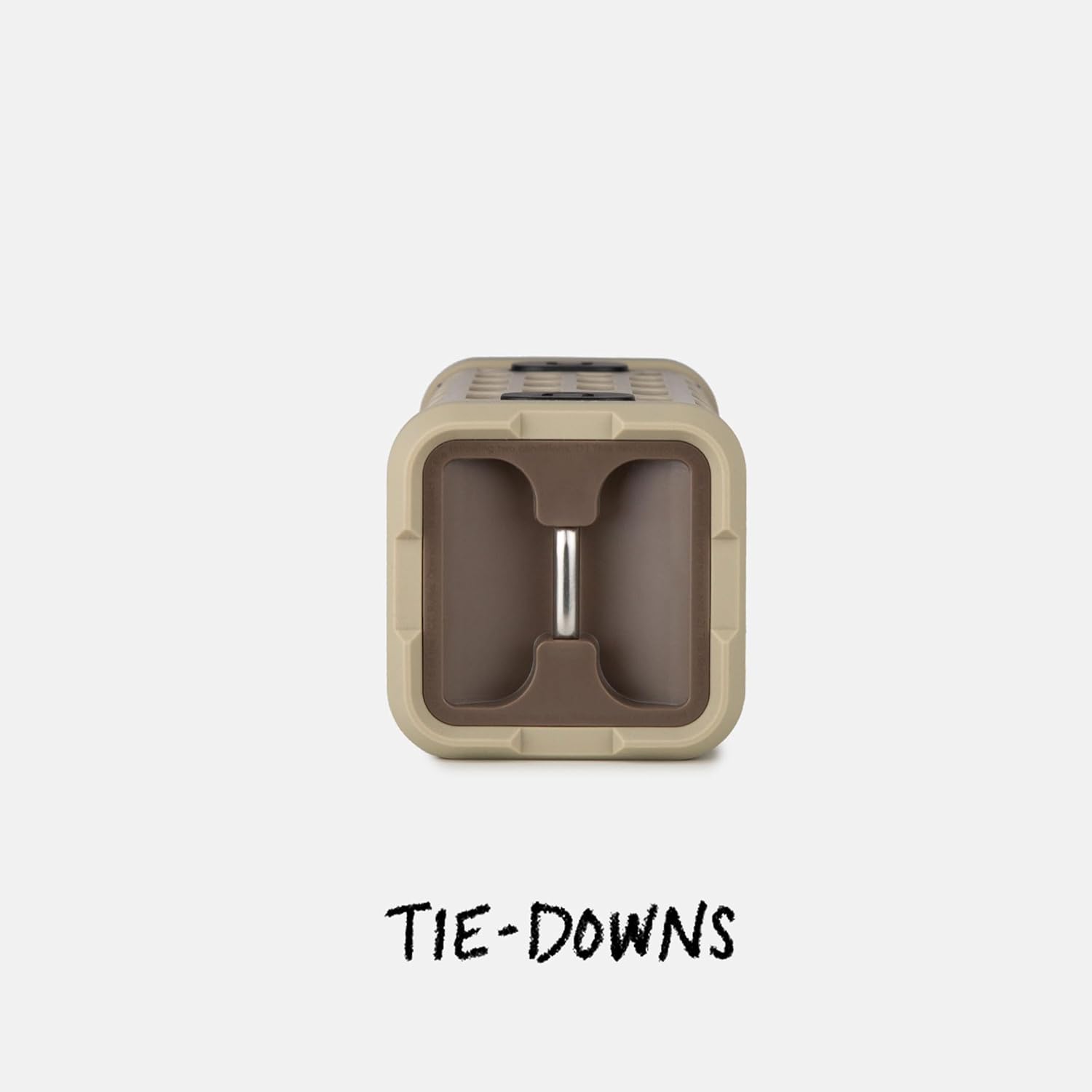
Image: The fully waterproof charging ports of the Turtlebox Ranger.
4.2 Accensione/Spegnimento
Premere e tenere premuto il tasto Pulsante di accensione (usually indicated by a circle with a vertical line) on the control panel until the indicator lights illuminate. To power off, press and hold the Power button again.
4.3 Associazione Bluetooth
- Assicurati che l'altoparlante sia acceso e che la spia Bluetooth lampeggi, a indicare che è in modalità di associazione.
- Sul tuo dispositivo mobile (smartphone, tablet, ecc.), vai alle impostazioni Bluetooth.
- Select "Turtlebox Ranger" from the list of available devices.
- Una volta effettuata la connessione, la spia Bluetooth sull'altoparlante diventerà fissa.
5. Istruzioni per l'uso
5.1 controlli oltreview
The control panel on the speaker allows for easy management of audio playback and settings.

Image: The control panel of the Turtlebox Ranger, showing various buttons.
- Pulsante di accensione: Tenere premuto per accendere/spegnere l'altoparlante.
- Volume su (+): Aumenta il volume.
- Volume basso (-): Diminuisce il volume.
- Riproduci/Pausa: Controlla la riproduzione audio.
- Track Skip (Forward/Backward): Passa alla traccia successiva o precedente.
- Pulsante Bluetooth: Avvia la modalità di associazione Bluetooth.
5.2 Riproduzione audio
Once paired, you can control music directly from your connected device or using the speaker's control buttons.
6. Party Mode Pairing
For an enhanced audio experience, you can wirelessly connect multiple Turtlebox Ranger speakers using Party Mode.
- Assicurarsi che tutti gli altoparlanti siano accesi e non collegati ad alcun dispositivo Bluetooth.
- On the primary speaker (the one you want to control from), press the Party Mode button (often indicated by a chain link or multiple speaker icon).
- On the secondary speakers, press their respective Party Mode buttons.
- The speakers will automatically connect, creating a synchronized audio system.

Image: Multiple Turtlebox Ranger speakers connected wirelessly in Party Mode.
7. Manutenzione
7.1 Pulizia
Due to its IP67 rating, the Turtlebox Ranger can be easily cleaned with water. Rinse off dirt, sand, or mud. Avoid using harsh chemicals or abrasive cleaners.

Image: The Turtlebox Ranger being rinsed with water, showcasingrazie al suo design impermeabile.
7.2 Conservazione
Conservare l'altoparlante in un luogo fresco e asciutto quando non lo si utilizza. Evitare l'esposizione prolungata a temperature estreme.
8. Risoluzione Dei Problemi
- Nessun potere: Ensure the speaker is fully charged. Connect to a power source and check the battery indicator lights.
- Nessun suono: Controlla i livelli del volume sia sull'altoparlante che sul dispositivo connesso. Assicurati che il dispositivo sia correttamente associato tramite Bluetooth.
- Problemi di accoppiamento Bluetooth: Turn off and restart the speaker and your device's Bluetooth. Try re-pairing the devices. Ensure no other devices are actively connected to the speaker.
- Scarsa qualità audio: Ensure the speaker is within Bluetooth range of your device. Move closer to the device or away from potential interference sources.
9. Specifiche
| Nome del modello | Turtlebox Ranger |
| Tipo di altoparlante | All'aperto |
| Tecnologia di connettività | Bluetooth 5.4 |
| Potenza in uscita | 105 decibel |
| Durata della batteria | Fino a 25 ore |
| Capacità della batteria | 25.2 Wh Lithium-ion (25200 Milliamp Ore) |
| Livello di resistenza all'acqua | IP67 (impermeabile e antipolvere) |
| Dimensioni del prodotto | 3.15"P x 3.15"L x 8.05"A |
| Peso dell'articolo | 2.4 libbre |
| Componenti inclusi | Cavo di alimentazione |
| Tipo di montaggio | Supporto magnetico |
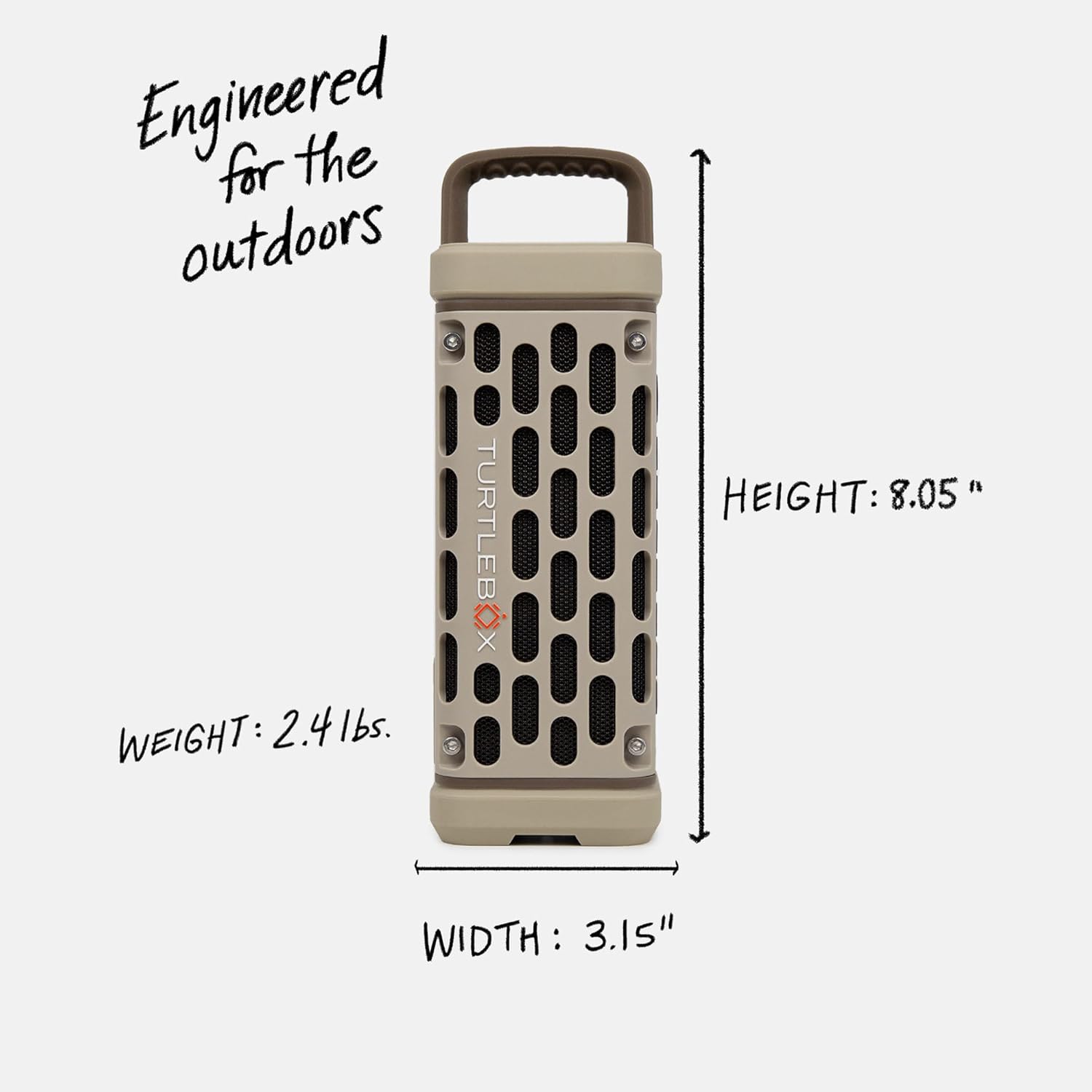
Image: Dimensions and weight of the Turtlebox Ranger speaker.
10. Garanzia e supporto
10.1 Garanzia limitata
The Turtlebox Ranger comes with a limited warranty. For specific terms and conditions, please refer to the warranty card included with your product or visit the official Turtlebox websito.
10.2 Assistenza clienti
For further assistance, technical support, or warranty claims, please contact Turtlebox customer support through their official websito o le informazioni di contatto fornite nella confezione del prodotto.


