1. Introduzione
This manual provides essential information for the setup, operation, maintenance, and troubleshooting of your LG gram 16-inch Thin and Lightweight Laptop Computer. This model features a Copilot+ PC experience, powered by an Intel Evo Edition Intel Core Ultra9 288V Processor, Windows 11 Home, 32GB RAM, and a 2TB SSD. Please read this manual thoroughly before using your device to ensure proper function and longevity.
2. Impostazione
2.1 Disimballaggio e ispezione iniziale
Rimuovere con attenzione tutti i componenti dall'imballaggio. Verificare che tutti gli articoli elencati nella sezione "Contenuto della confezione" siano presenti e integri. Se alcuni articoli risultano mancanti o danneggiati, contattare il rivenditore.
2.2 Collegamento dell'adattatore di alimentazione
Connect the power adapter to the laptop's power input port (USB-C Thunderbolt 4 port) and then plug the adapter into a wall outlet. It is recommended to fully charge the battery before initial use.
2.3 Avvio iniziale e configurazione di Windows
Press the power button to turn on the laptop. Follow the on-screen instructions to complete the Windows 11 Home setup process. This includes selecting your region, language, connecting to a network, and creating a user account.
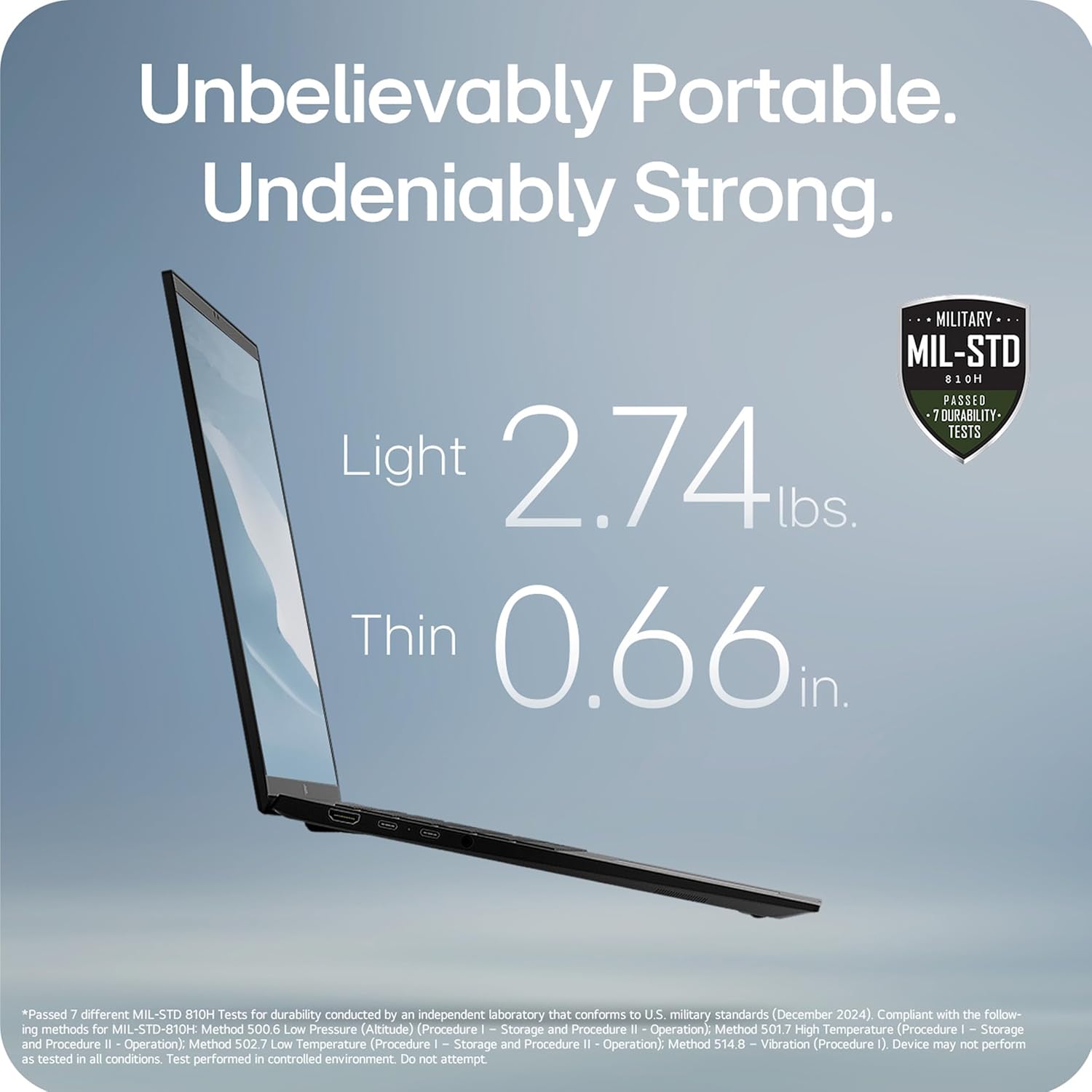
Image: The LG gram 16-inch laptop, showcasing its sleek design and open display.
3. Istruzioni per l'uso
3.1 AI Performance and Copilot+ PC
Your LG gram laptop is a Copilot+ PC, designed for enhanced AI performance. It integrates local and cloud AI capabilities to improve productivity and efficiency. Utilize the dedicated Copilot key on the keyboard to access AI-powered features within Windows 11.

Image: The LG gram laptop screen showing the Windows 11 interface with Copilot+ PC features, emphasizing AI tools.
3.2 Hybrid AI: On-Device and Cloud Synergy
The LG gram features a hybrid AI solution. gram chat On-Device manages local tasks such as smart hard drive searches and system adjustments. gram chat Cloud provides generative AI responses for tasks like document creation, data analysis, and scheduling. These features are accessible through intuitive interactions.

Image: A visual representation of the LG gram's hybrid AI, showing both on-device and cloud-based AI functionalities.
3.3 Intel Core Ultra 9 Processor
Equipped with an Intel Evo Edition Intel Core Ultra 9 processor (Series 2) with 48 NPU TOPS, this laptop delivers powerful AI performance. This dedicated AI processor efficiently handles machine learning tasks and provides an enhanced Copilot+ PC experience.

Image: The LG gram laptop with a visual overlay highlighting the Intel Core Ultra processor, indicating its AI processing power.
3.4 Portabilità e durata
The LG gram laptop is designed for portability, weighing 2.74 lbs and measuring 0.66 inches thin. It has passed seven military-grade standards (MIL-STD 810H) for resilience and durability, making it suitable for various environments.

Image: The LG gram laptop's side profile, illustrating its thinness and lightness, along with a military-grade durability certification.
3.5 Durata della batteria
The laptop is equipped with a 77Wh battery, providing up to 28.5 hours of video playback. Actual battery life may vary based on usage and settings.

Image: The LG gram laptop screen showing a graphic indicating 28.5 hours of battery life.
3.6 16-inch Touchscreen Display
The laptop features a large 16-inch touchscreen display with a 16:10 aspect ratio and 2560x1600 resolution. The anti-glare screen and up to 99% DCI-P3 color gamut provide clear and vibrant visuals.

Image: The LG gram 16-inch laptop with its screen open, displaying a colorful image.
3.7 grammi LG Link
The LG gram Link app allows seamless connection with up to 10 devices across Android and iOS. This enables file sharing, screen expansion, display mirroring, and unified control for enhanced multitasking. App installation is required; visit LG.com/support da scaricare.

Image: The LG gram laptop shown with a tablet and smartphone, illustrating the LG gram Link feature for multi-device integration.
3.8 Caratteristiche audio
The laptop includes four built-in speakers for rich sound. Dolby Atmos 3D Surround Sound, powered by a 4-channel amplifier, provides an immersive audio experience.

Image: A user enjoying the LG gram laptop, with a visual representation of Dolby Atmos 3D Surround Sound.
3.9 Flexible Connectivity
The LG gram Z90TL offers multiple ports for connectivity:
- Two Thunderbolt 4 (USB-C) ports for ultra-fast data transfer and up to 5K resolution display support.
- Due porte USB 3.2.
- One HDMI port.
- One headphone jack.

Immagine: lato sinistro view of the LG gram laptop, highlighting the USB-C (Thunderbolt 4) and headphone/mic ports.

Immagine: lato destro view of the LG gram laptop, highlighting the USB 3.2 and HDMI ports.
4. Manutenzione
4.1 Pulizia
To clean the laptop, use a soft, lint-free cloth. For the screen, use a screen-specific cleaner applied to the cloth, not directly to the screen. Avoid harsh chemicals or abrasive materials.
4.2 Aggiornamenti software
Regularly check for and install operating system and driver updates to ensure optimal performance and security. Windows Update can be accessed through the Settings menu.
4.3 Cura della batteria
To prolong battery life, avoid fully discharging the battery frequently. Store the laptop in a cool, dry place when not in use for extended periods. If storing for a long time, ensure the battery is charged to approximately 50-60%.
5. Risoluzione Dei Problemi
5.1 Problemi di alimentazione
- Il portatile non si accende: Ensure the power adapter is securely connected and the wall outlet is functional. Try a different outlet. If the battery is completely drained, it may take a few minutes of charging before the laptop can power on.
- La batteria non si carica: Verify the power adapter and cable are not damaged. Ensure the charging port is clean and free of debris.
5.2 Problemi di visualizzazione
- Nessuna visualizzazione: Connect an external monitor to check if the issue is with the laptop's internal display. Ensure the display brightness is not set to minimum.
- Schermo tremolante: Aggiorna i driver della scheda grafica. Regola la frequenza di aggiornamento dello schermo nelle impostazioni di Windows.
5.3 Problemi di connettività
- Wi-Fi non connesso: Restart the laptop and your router. Ensure Wi-Fi is enabled in Windows settings. Check for updated wireless drivers.
- Dispositivi USB non riconosciuti: Try connecting the device to a different USB port. Restart the laptop. Ensure device drivers are installed.
6. Specifiche
| Caratteristica | Specificazione |
|---|---|
| Nome del modello | 16Z90TL-G.AUB9U1 |
| Dimensioni dello schermo | 16 pollici |
| Risoluzione dello schermo | 2560 x 1600 pixel |
| Processore | Intel Core Ultra 9 (3.3 GHz) |
| Memoria RAM | 32 GB LPDDR5 |
| Disco rigido | SSD da 2 TB |
| Scheda grafica | Intel Arc |
| Sistema operativo | Windows 11 Casa |
| Peso dell'articolo | 2.74 libbre |
| Dimensioni del prodotto | 13.98 x 9.54 x 0.66 pollici |
| Durata media della batteria | 28.5 ore |
| Tipo senza fili | 802.11ax |
| Colore | Ossidiana nera |
7. Video ufficiali dei prodotti
7.1 LG gram Laptop - Features
Video: Un oltreview of the key features of the LG gram laptop. This video highlights various functionalities and design aspects.
7.2 LG gram Laptop - Product Video
Video: A detailed product video showcasing the LG gram laptop in action. It provides a visual demonstration of its capabilities and user experience.
7.3 LG 16Z90TL-G.AUB9U1 gram AI Laptop - Intro
Video: An introductory video for the LG gram AI Laptop, model 16Z90TL-G.AUB9U1. It highlights the initial setup and key AI functionalities.
8. Garanzia e supporto
Your LG gram laptop comes with a standard manufacturer's warranty. For specific warranty terms, registration, and support, please refer to the warranty card included in your product packaging or visit the official LG websito a LG.com/support. You can also find drivers, software, and additional troubleshooting resources there.