Introduzione
This manual provides detailed instructions for the setup, operation, and maintenance of your Lotus Smartwatch 50050/4. Please read this manual thoroughly before using your device to ensure proper functionality and to maximize its features.
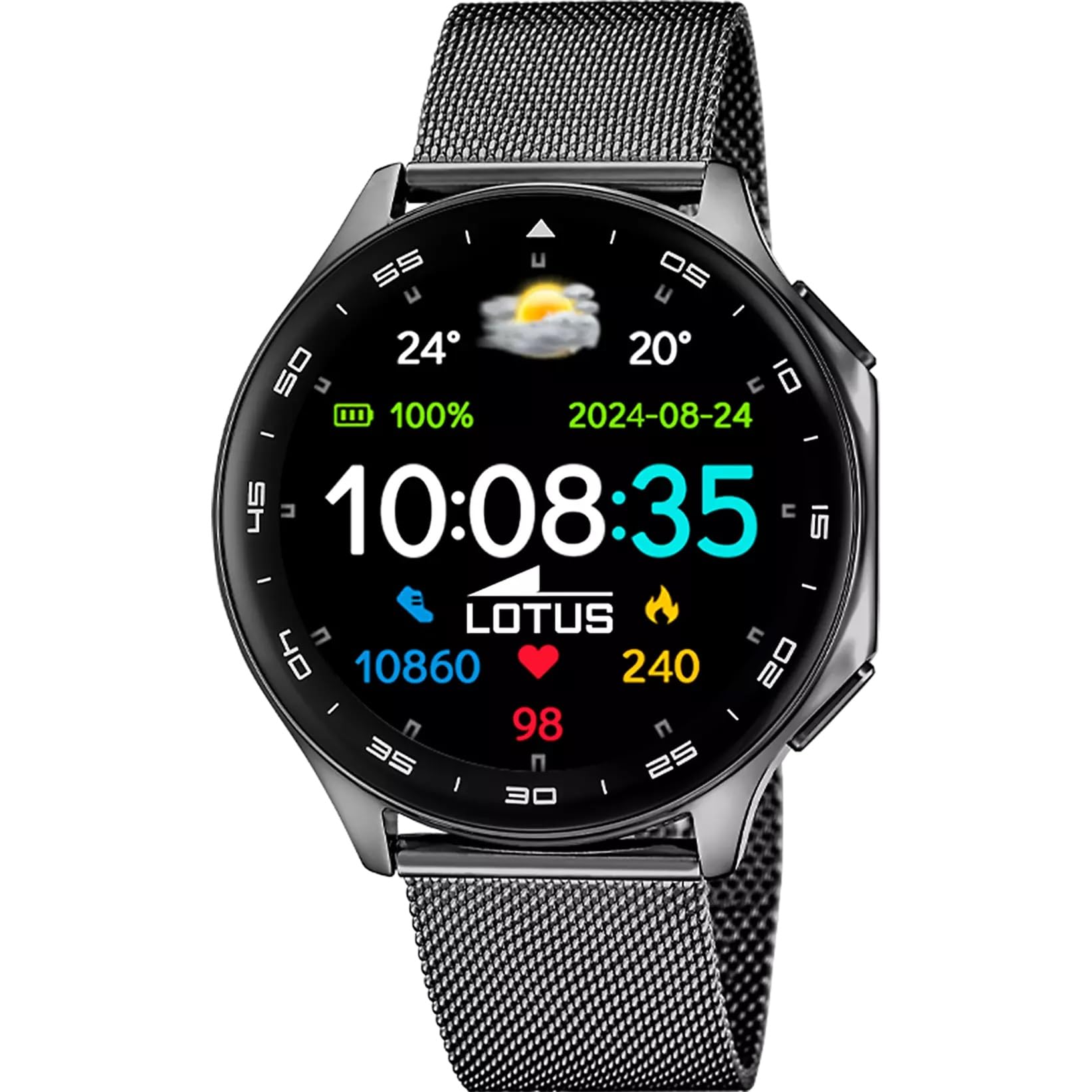
The Lotus Smartwatch 50050/4 is an outdoor sports watch designed for active lifestyles. It features a durable zinc alloy case, a black Milanese steel mesh strap, and a digital display. The watch offers a range of functions including sports tracking, health monitoring, and smart notifications.
Cosa c'è nella scatola
- Lotus Smartwatch 50050/4
- Cavo di ricarica
- Manuale dell'utente (questo documento)
- Cinturino aggiuntivo
Impostare
1. Ricarica dello smartwatch
Before initial use, fully charge your smartwatch. Connect the charging cable to the charging port on the back of the watch and plug the other end into a USB power adapter (not included) or a computer's USB port. The watch display will indicate charging status.
Nota: Use a standard 5V/1A USB charger. Overcharging or using incompatible chargers may damage the device.
2. Accensione/Spegnimento
- Per accendere: Press and hold the side button for a few seconds until the Lotus logo appears.
- Per spegnere: Tieni premuto il pulsante laterale, quindi seleziona "Spegni" sullo schermo.
3. Installazione e associazione dell'app
To unlock the full potential of your smartwatch, download the official Lotus Smartwatch application on your smartphone. The app is compatible with Android devices.
- Cercare the "Lotus Smartwatch" app in your smartphone's app store (Google Play Store for Android).
- Installa l'applicazione.
- Apri l'app e segui le istruzioni sullo schermo per creare un account o accedere.
- Abilita il Bluetooth sul tuo smartphone.
- In the app, navigate to the device pairing section and select your Lotus Smartwatch 50050/4 from the list of available devices.
- Conferma la richiesta di associazione sia sullo smartphone che sullo smartwatch.
Once paired, the watch will synchronize time, date, and other settings with your smartphone.
Istruzioni per l'uso
Navigazione di base
- Schermo tattile: Swipe left, right, up, or down to navigate through menus and functions. Tap to select an item.
- Pulsante laterale: Press to return to the previous screen or to the watch face. Press and hold for power options.
Funzioni chiave
- Modalità Sportive: Access various sports modes (e.g., running, walking, cycling) to track your activity, including steps, calories burned, and distance.
- Monitoraggio della salute:
- Frequenza cardiaca: Monitora la tua frequenza cardiaca in tempo reale.
- Ossigeno nel sangue: Misura i livelli di ossigeno nel sangue.
- Monitoraggio del sonno: Analizza i tuoi schemi di sonno (sonno profondo, sonno leggero, orari di veglia).
- Esercizi di respirazione: Esercizi di respirazione guidata per il rilassamento.
- Notifiche: Receive notifications for incoming calls, SMS messages, and app alerts directly on your watch. You can reject calls from the watch.
- Controllo della musica: Controlla la riproduzione musicale sullo smartphone connesso (riproduci, metti in pausa, salta le tracce).
- Tempo atmosferico: View condizioni meteorologiche attuali e previsioni.
- Allarmi e timer: Set alarms, use the stopwatch, or set a countdown timer.
- Telecamera remota: Utilizza il tuo orologio come otturatore remoto per la fotocamera del tuo smartphone.
- Video Calculator: Access a video calculator function.
- AI Voice Calculator: Utilize an AI voice-activated calculator.
- Trova telefono: Individua lo smartphone associato facendolo squillare.
- Torcia elettrica: Activate the screen as a flashlight.
- Personalizzazione del quadrante: Change the watch face (dial) through the watch settings or the companion app.
- Aggiornamento del firmware: Update the watch's software via the companion app to ensure optimal performance and access new features.
- Language, Time, and Date: Adjust these settings through the watch or the companion app.
Manutenzione
Pulizia e cura
- Pulisci lo schermo e il corpo dell'orologio con un panno morbido, asciutto e privo di lanugine.
- Per macchie ostinate, leggermente dampLavare il panno con acqua. Non utilizzare prodotti chimici aggressivi o materiali abrasivi.
- Prima di procedere alla ricarica, assicurarsi che i contatti di ricarica siano puliti e asciutti.
Resistenza all'acqua (IP65)
The Lotus Smartwatch 50050/4 has an IP65 rating, meaning it is protected against dust ingress and low-pressure water jets from any direction. This rating indicates resistance to splashes and light rain. It is not suitable for swimming, showering, or submersion in water. Exposure to high-pressure water or prolonged submersion may cause damage.
Sostituzione del cinturino
The watch comes with an additional strap. To replace the strap, locate the quick-release pins on the underside of the strap where it connects to the watch case. Slide the pin to detach the strap, then align the new strap and slide the pin back into place to secure it.
Risoluzione dei problemi
L'orologio non si accende
- Assicurati che l'orologio sia completamente carico. Collegalo al caricabatterie per almeno 30 minuti.
- Prova a tenere premuto il pulsante laterale per 10-15 secondi per forzare il riavvio.
Impossibile associare allo smartphone
- Assicurati che il Bluetooth sia attivato sul tuo smartphone.
- Ensure the watch is within range of your smartphone (typically 10 meters).
- Riavvia sia lo smartphone che lo smartwatch.
- Cancella la cache Bluetooth sullo smartphone (se applicabile) e riprova ad associarlo.
- Ensure the Lotus Smartwatch app is updated to the latest version.
Dati sanitari imprecisi
- Assicurati che l'orologio sia indossato comodamente al polso, ma non troppo stretto.
- Mantenere pulito e libero da detriti il sensore sul retro dell'orologio.
- I fattori ambientali e la fisiologia individuale possono influenzare la precisione del sensore.
Ripristino delle impostazioni di fabbrica
If you experience persistent issues, a factory reset may resolve them. This will erase all data on the watch and restore it to its original settings. Consult the watch's settings menu or the companion app for the factory reset option.
Specifiche
| Numero di modello | 50050/4 |
| Marca | Loto |
| Dimensioni dello schermo | 46.7 millimetri |
| Forma | Girare |
| Materiale della cassa | Lega di zinco |
| Materiale del cinturino | Milanese Steel Mesh |
| Resistenza all'acqua | IP65 (Splash and dust resistant) |
| Connettività | Bluetooth |
| Sistema operativo compatibile | Android (for companion app) |
| GPS | NO |
| Caratteristiche speciali | Advanced sport and health functions |
Garanzia e supporto
The Lotus Smartwatch 50050/4 comes with a Garanzia di 3 anno from the date of purchase. This warranty covers manufacturing defects. It does not cover damage caused by misuse, accidents, unauthorized modifications, or failure to follow the instructions in this manual, including water damage beyond the specified IP65 rating.
For warranty claims or technical support, please contact your authorized Lotus retailer or visit the official Lotus websito per informazioni sul servizio clienti.
Politica di ritorno: If purchased from Amazon, the product is subject to a 30-day return policy for refund or replacement, as per Amazon's terms.
Immagine del prodotto