Introduzione
This manual provides essential instructions for setting up, operating, and maintaining your Thrustmaster T248R Racing Wheel and T3PM Pedal Set. The T248R features T-HD (Hybrid Drive) Force Feedback, a versatile wheel rim with 25 action buttons, a color LCD screen, and Mag-Shift paddle shifters. The T3PM pedal set utilizes H.E.A.R.T. sensors for precision. This product is designed for use with PlayStation 5, PlayStation 4, and PC (Windows 10/11).

Descrizione dell'immagine: The Thrustmaster T248R racing wheel and T3PM pedal set. The wheel features a black finish with red accents, multiple buttons, and a central display. The three-pedal set is black with silver pedal faces, positioned on a textured base. A PlayStation Official Licensed Product logo is visible in the bottom right corner.
Contenuto della confezione
Verificare che tutti i componenti siano presenti prima di procedere con la configurazione:
- Volante da corsa Thrustmaster T248R
- Thrustmaster T3PM Pedal Set
- Clamping System (for desk/table mounting)
- Adattatore di alimentazione
- Cavo USB
- Manuale dell'utente (questo documento)
Istruzioni di installazione
1. Montaggio del volante da corsa
The T248R racing wheel can be securely attached to a desk or table using the included clamping system, or integrated into a racing cockpit.
- Desk/Table Mounting:
- Place the racing wheel on a stable surface (desk/table) up to 1.8 inches (45 mm) thick.
- Allega il clamping system to the underside of the wheel base.
- Stringere la clamping screw until the wheel is firmly secured. Do not overtighten.
- Montaggio in cabina di pilotaggio:
For cockpit integration, refer to your cockpit's instructions for compatible mounting points. The T248R base includes threaded inserts for direct attachment.
2. Collegamento dei pedali
Connect the T3PM pedal set to the racing wheel base using the dedicated RJ12 connector.

Descrizione dell'immagine: Un primo piano view of the Thrustmaster T3PM three-pedal set. The pedals feature a metallic finish with a textured black base. The brake pedal includes a visible red spring mechanism, indicating adjustable pressure modes.
3. Power and USB Connections
- Connect the power adapter to the racing wheel base and then to a wall outlet.
- Connect the USB cable from the racing wheel base to an available USB port on your PlayStation console or PC.
4. Installazione di driver e firmware (solo PC)
For optimal performance on PC, it is crucial to install the latest drivers and firmware.
- Visita il supporto ufficiale Thrustmaster websito: support.thrustmaster.com
- Navigate to the T248R product page.
- Download and install the latest PC drivers and firmware updates. Follow the on-screen instructions carefully.
- Riavviare il PC dopo l'installazione.
Istruzioni per l'uso
Force Feedback System (T-HD Hybrid Drive)
The T248R features a T-HD (Hybrid Drive) Force Feedback system, delivering 3.1 N·m of torque and 48 W of constant power. This system combines gear and belt mechanisms to provide realistic and dynamic force feedback effects.

Descrizione dell'immagine: A graph illustrating the dynamic force feedback response. The x-axis represents "Force Requested by Game" and the y-axis represents "Force Provided by Wheel". Multiple lines (Boost +0, Boost +1, Boost +2) show different force feedback curves, indicating configurable levels of responsiveness.
Wheel Features and Interface
The T248R wheel rim is 11.0 inches (28 cm) in diameter and includes 25 action buttons, two dual-activation encoders, and a color LCD screen.
- Schermo LCD: Displays over 20 different types of information, including telemetry data and racing wheel settings.
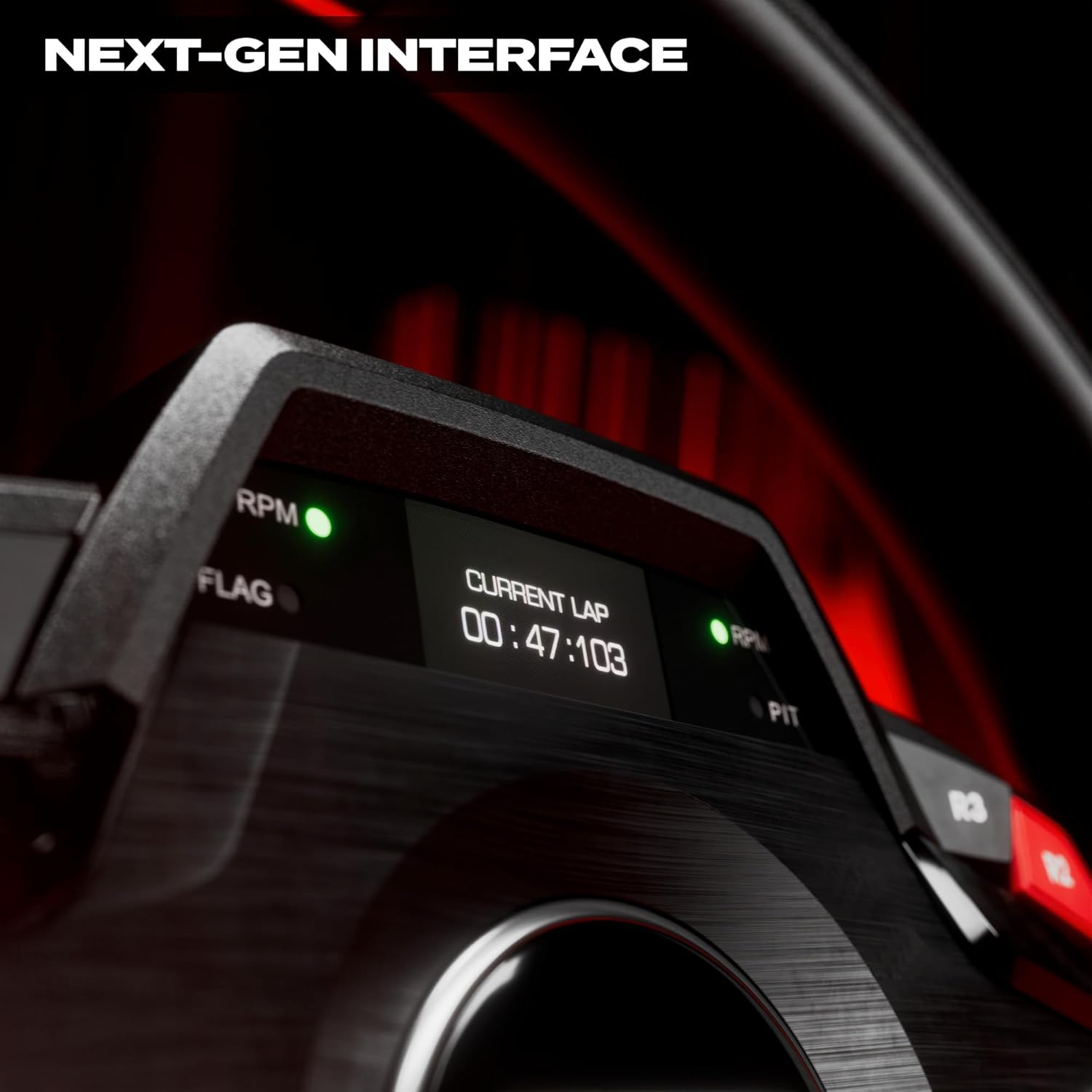
Descrizione dell'immagine: A close-up of the T248R racing wheel's LCD screen, displaying "CURRENT LAP" and a time of "00:47:103". Green LEDs for RPM and Flag indicators are also visible.
- LED: Four LEDs provide visual cues, often used for RPM indicators.
- Paddle Shifters (Mag-Shift): The T-MP paddle shifters utilize Mag-Shift sensors for precise and responsive gear changes.

Descrizione dell'immagine: Un lato view of the T248R racing wheel, highlighting the illuminated paddle shifter. The red glow from behind the paddle emphasizes its presence and design.
- Design ergonomico: The wheel features perforated leather and imitation carbon finishes for enhanced grip and a sporty aesthetic.
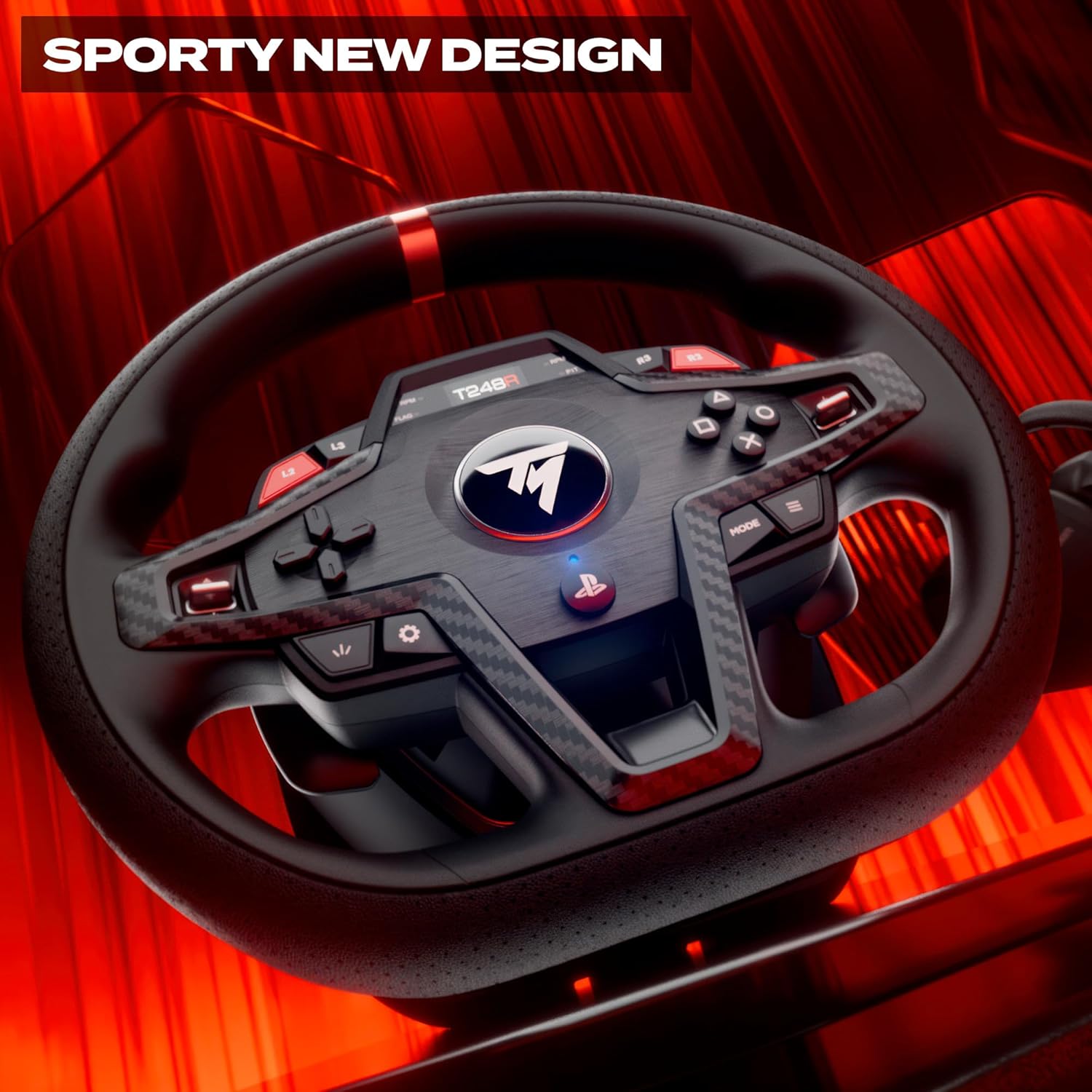
Descrizione dell'immagine: Un dettagliato view of the T248R racing wheel, showcasing its sporty design with perforated leather on the grips and imitation carbon fiber accents around the central button cluster. Red accents are visible on the top of the wheel rim and on some buttons.
T3PM Pedal Set
The T3PM pedal set includes three pedals (accelerator, brake, clutch) and utilizes H.E.A.R.T. (Hall Effect AccuRate Technology) sensors for high precision and durability. The brake pedal offers four distinct pressure modes, allowing for customization of resistance.
Regolazione delle impostazioni
The LCD screen on the racing wheel allows for on-the-fly adjustments of various settings, including Force Feedback levels. Consult the on-screen menu for available options and their functions.
Manutenzione
- Pulizia: Use a soft, dry cloth to clean the racing wheel and pedal set. Avoid abrasive cleaners or solvents.
- Magazzinaggio: Quando non in uso, conservare il dispositivo in un ambiente pulito e asciutto, lontano dalla luce solare diretta e da temperature estreme.
- Gestione dei cavi: Assicurarsi che i cavi non siano piegati o schiacciati per evitare danni.
Risoluzione dei problemi
If you encounter issues with your T248R racing wheel or T3PM pedal set, try the following steps:
- Nessun potere/Nessun riconoscimento:
- Ensure all cables (power, USB, pedal) are securely connected.
- Prova una porta USB diversa sulla tua console o sul tuo PC.
- For PC, verify that the latest drivers and firmware are installed.
- Riavvia la console o il PC.
- Incorrect Force Feedback:
- Controlla le impostazioni del force feedback nel gioco.
- Adjust force feedback levels via the T248R's LCD screen.
- Assicurarsi che il firmware sia aggiornato.
- Problemi con i pedali:
- Verify the pedal set is correctly connected to the wheel base.
- Check for any physical obstructions preventing pedal movement.
- For PC, calibrate pedals through the Thrustmaster control panel.
- I pulsanti non rispondono:
- Ensure the wheel is properly connected and recognized by the system.
- Aggiorna firmware.
For further assistance, visit the official Thrustmaster support websito.
Specifiche
| Nome del modello | Thrustmaster T248R |
| Sistema di feedback di forza | T-HD (Hybrid Drive) |
| Coppia | 3.1 Nm |
| Potenza costante | 48 L |
| Diametro della ruota | 11.0 pollici (28 cm) |
| Pulsanti di azione | 25 (including 2 dual-activation encoders) |
| Leve del cambio al volante | T-MP with Mag-Shift sensors |
| Pedaliera | T3PM (3 pedals) with H.E.A.R.T. sensors |
| Brake Pedal Modes | 4 pressure modes |
| Compatibilità | PlayStation 5, PlayStation 4, PC (Windows 10/11) |
| Montaggio | Desk/Table (up to 1.8" / 45 mm thick), Cockpit |
| Dimensioni del prodotto | 13.39 x 1.97 x 15.35 pollici |
| Peso dell'articolo | 12.57 libbre |
| Numero modello articolo | 4169102 |
Garanzia e supporto
Thrustmaster products are covered by a manufacturer's warranty. For detailed warranty information, terms, and conditions, please refer to the warranty card included with your product or visit the official Thrustmaster support websito.
For technical support, driver downloads, firmware updates, and frequently asked questions, please visit:
Supporto Thrustmaster Websito


