1. Introduzione
This manual provides detailed instructions for the installation, operation, and maintenance of your ARENTI 3x4G LTE Cameras and 2xSolar WiFi Security System. This comprehensive system is designed to provide surveillance for various environments, offering both cellular and WiFi connectivity options.
The system includes three GO3G 4G LTE cameras for areas without WiFi access and two GO2T Solar WiFi cameras for locations with WiFi coverage. Both camera types offer 2K live feed, advanced motion detection, and robust weather resistance.
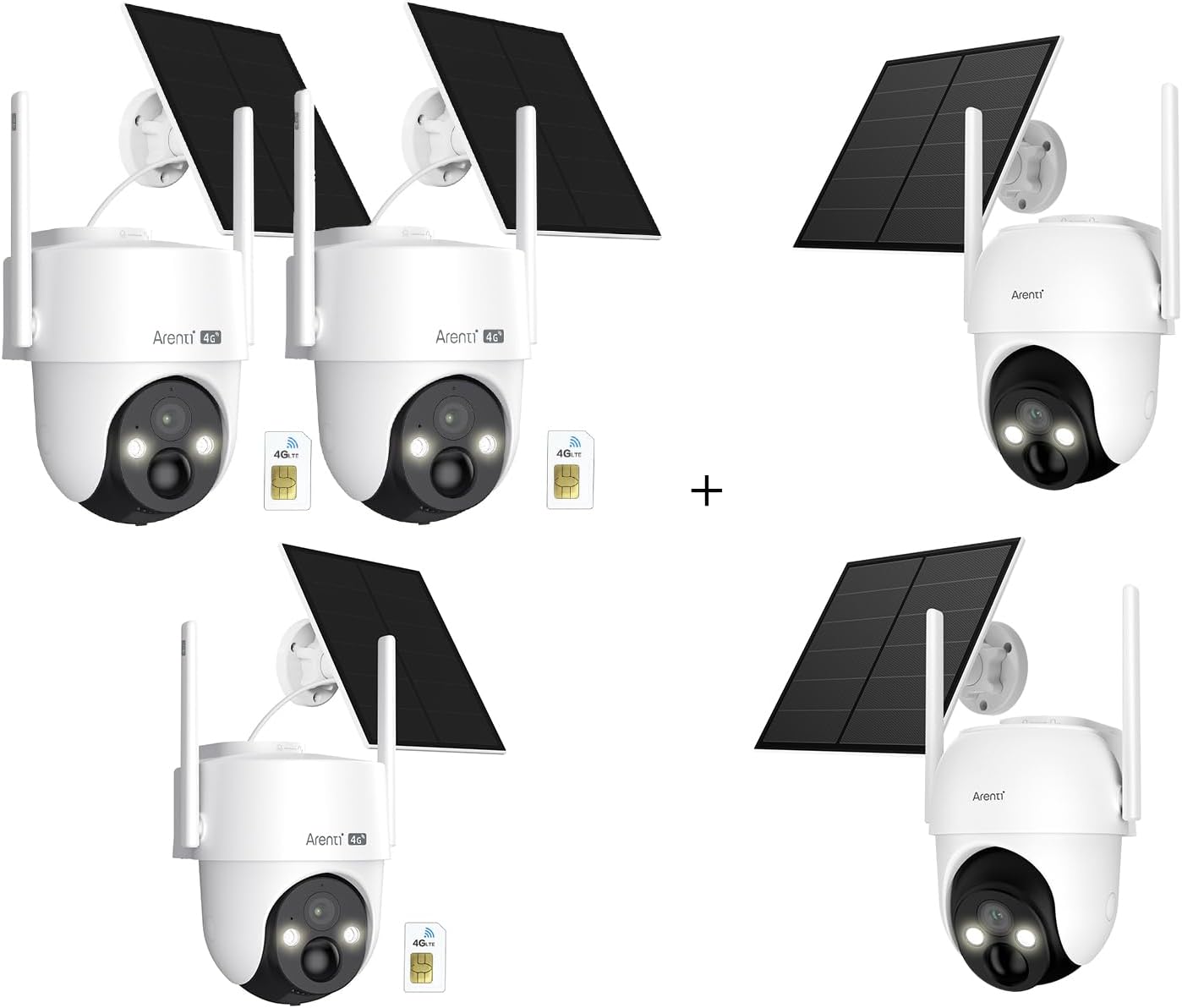
Immagine 1.1: Passoview of the ARENTI 3x4G LTE Cameras and 2xSolar WiFi Security System components.
2. Contenuto della confezione
Si prega di verificare che tutti gli articoli siano presenti nel pacco:
- 3 x ARENTI GO3G 4G LTE Cameras
- 2 x ARENTI GO2T Solar WiFi Cameras
- 3 x SIM Cards (for GO3G cameras, with 3-day free data trial)
- 5 x Solar Panels (integrated or separate, for charging)
- 5 x Mounting Brackets and Screw Kits
- 1 x Manuale utente (questo documento)
3. Impostazione
3.1 ARENTI GO3G 4G LTE Camera Setup
- Inserire la carta SIM: Locate the SIM card slot on the GO3G camera. Carefully insert the provided SIM card. Ensure it is correctly oriented.
- Accensione: Ensure the camera is charged or connected to its solar panel. The camera will power on automatically.
- Connessione all'app: Download the 'Arenti' app from your device's app store. Create an account or log in. Follow the in-app instructions to add your GO3G camera by scanning the QR code on the device.
- Montaggio: Choose a suitable location with good cellular signal and adequate sunlight for the solar panel. Use the provided mounting hardware to securely install the camera. The camera is IP65 weatherproof.

Image 3.1: ARENTI GO3G 4G LTE camera with its solar panel and a SIM card, illustrating the cellular connectivity.

Image 3.2: An ARENTI 4G LTE camera installed in an outdoor environment, demonstrating its use in remote locations without WiFi.
3.2 ARENTI GO2T Solar WiFi Camera Setup
- Mettere in carica la batteria: Fully charge the camera's internal 5200mAh battery before initial use.
- Collegare il pannello solare: Connect the adjustable solar panel to the camera. Position the solar panel to receive maximum direct sunlight for continuous charging.
- Connessione all'app: Download the 'Arenti' app. Create an account or log in. Follow the in-app instructions to add your GO2T camera by scanning the QR code on the device and connecting it to your home WiFi network.
- Montaggio: Choose a suitable location within your WiFi range and with adequate sunlight for the solar panel. Use the provided mounting hardware to securely install the camera. The camera is IP65 weatherproof.

Image 3.3: ARENTI GO2T Solar WiFi camera with its solar panel, demonstrating live feed viewsu uno smartphone.
4. Istruzioni per l'uso
4.1 Vivere View e controllo remoto
- Open the Arenti app to view live 2K video feeds from all connected cameras.
- For GO3G and GO2T cameras, use the app to remotely control the camera's pan (355°) and tilt (90°) functions to adjust the viewangolo di ing.
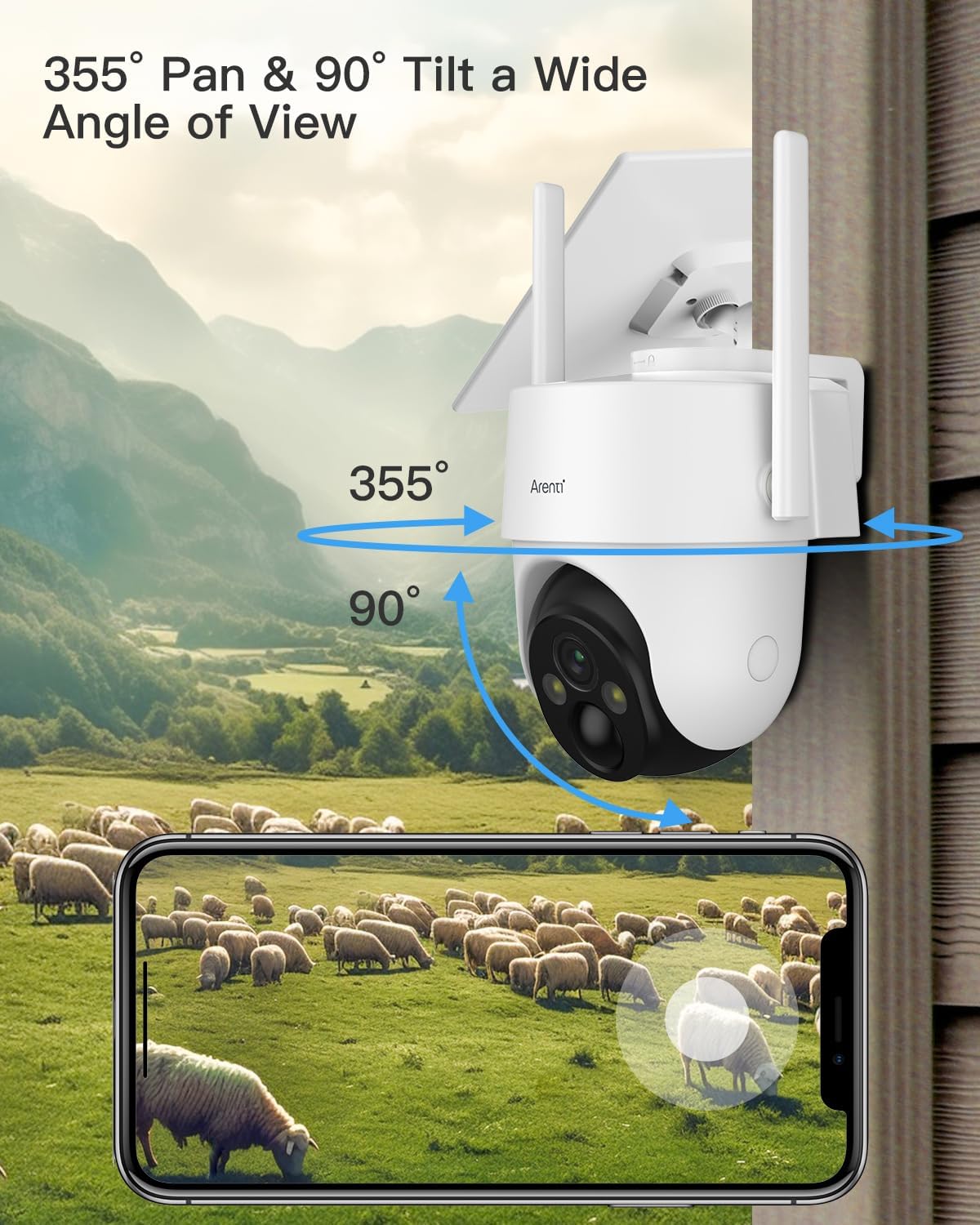
Image 4.1: Illustration of the camera's 355-degree pan and 90-degree tilt capabilities, providing wide area coverage.

Image 4.2: The camera's ability to cover a full 360-degree area through its pan and tilt functions, controlled via the app.
4.2 Rilevamento del movimento e avvisi
- Both GO3G and GO2T cameras feature AI-powered PIR motion tracking for human and vehicle detection.
- Customize detection zones within the Arenti app to focus on specific areas of interest.
- Ricevi notifiche push immediate sul tuo smartphone quando viene rilevato un movimento.
- GO2T WiFi cameras include two-way audio, allowing you to communicate through the camera.
- Some models may feature integrated spotlights and sirens, which can be activated manually or automatically upon detection.

Image 4.3: Demonstration of PIR intelligent human detection, showing a spotlight, siren, and a smartphone alert notification.

Image 4.4: Visual representation of enhanced AI intelligent detection, highlighting smart tags for objects like cars, packages, and pets during playback.
4.3 Registrazione e archiviazione video
- Cameras support 2K Ultra HD video recording, including full-color night vision.
- Pippo registratotage can be stored in the cloud (free basic plan available) or locally on an SD card (up to 256GB, sold separately).
- All cloud and SD card footage is secured with AES-128 encryption.

Image 4.5: Comparison of 2K Ultra HD video quality during the day and at night, showcasing full-color night vision capabilities.
5. Manutenzione
- Pulizia: Periodically clean the camera lens and solar panel surfaces with a soft, damp panno per garantire prestazioni ottimali ed efficienza di ricarica. Evitare detergenti abrasivi.
- Battery Check (GO2T): Monitor the battery level of your GO2T cameras via the Arenti app. Ensure solar panels are free from obstructions to maintain consistent charging.
- Potenza del segnale: Regularly check the cellular signal (for GO3G) and WiFi signal (for GO2T) in the app to ensure stable connectivity. Adjust camera placement if signal is consistently weak.
- Aggiornamenti del firmware: Keep your camera firmware updated through the Arenti app to access new features and security enhancements.
6. Risoluzione Dei Problemi
- La fotocamera non si accende: Ensure the battery is charged. For solar cameras, check the solar panel connection and sunlight exposure.
- No Live Feed/Connectivity:
- GO3G (4G LTE): Verify SIM card insertion, check cellular signal strength in the app, and ensure your data plan is active.
- GO2T (WiFi): Check your home WiFi network status, ensure the camera is within WiFi range, and re-pair the camera with the app if necessary.
- Il rilevamento del movimento non funziona: Check detection zone settings in the app. Ensure PIR sensor is not obstructed. Adjust sensitivity settings.
- Scarsa qualità video: Clean the camera lens. Ensure adequate lighting. Check network stability for optimal streaming.
- Problemi dell'app: Ensure the Arenti app is updated to the latest version. Restart the app or your smartphone.
7. Specifiche
| Caratteristica | GO3G (4G LTE Camera) | GO2T (Solar WiFi Camera) |
|---|---|---|
| Risoluzione video | 2K Ultra HD | |
| Connettività | 4G LTE (SIM card required) | Wi-Fi (2.4GHz) |
| Fonte di alimentazione | Solar Panel, Internal Battery | Solar Panel, 5200mAh Internal Battery |
| Opzioni di archiviazione | Archiviazione cloud, scheda Micro SD (fino a 256 GB) | |
| Resistenza alle intemperie | Certificato IP65 | |
| Rilevamento del movimento | AI-powered PIR Human/Vehicle Detection | |
| Angolo di panoramica / inclinazione | Panoramica 355°, inclinazione 90° | |
| Audio | One-way (monitoring) | Audio bidirezionale |
| Crittografia | AES-128 | |
8. Garanzia e supporto
Per informazioni sulla garanzia e supporto tecnico, fare riferimento al sito ufficiale ARENTI website or contact ARENTI customer service directly. Details can typically be found on the product packaging or within the Arenti app's 'About Us' section.
Risorse online: Visitare il ARENTI Store on Amazon per ulteriori informazioni e supporto sul prodotto.


