Introduzione
Thank you for choosing the JOYROOM Open Ear Headphones JR-OE4. These headphones are designed to provide a comfortable listening experience while maintaining environmental awareness. This manual will guide you through the setup, operation, and maintenance of your new headphones.
Contenuto della confezione
Assicurati che tutti gli articoli siano presenti nel pacco:
- JOYROOM Open Ear Headphones (Left and Right)
- Custodia di ricarica
- Cavo di ricarica USB-C
- Manuale dell'utente (questo documento)
Prodotto finitoview
The JOYROOM JR-OE4 headphones feature an open-ear design for comfort and situational awareness, advanced Bluetooth 5.4 connectivity, and intuitive touch controls. They are also IPX4 water-resistant, making them suitable for sports and outdoor activities.
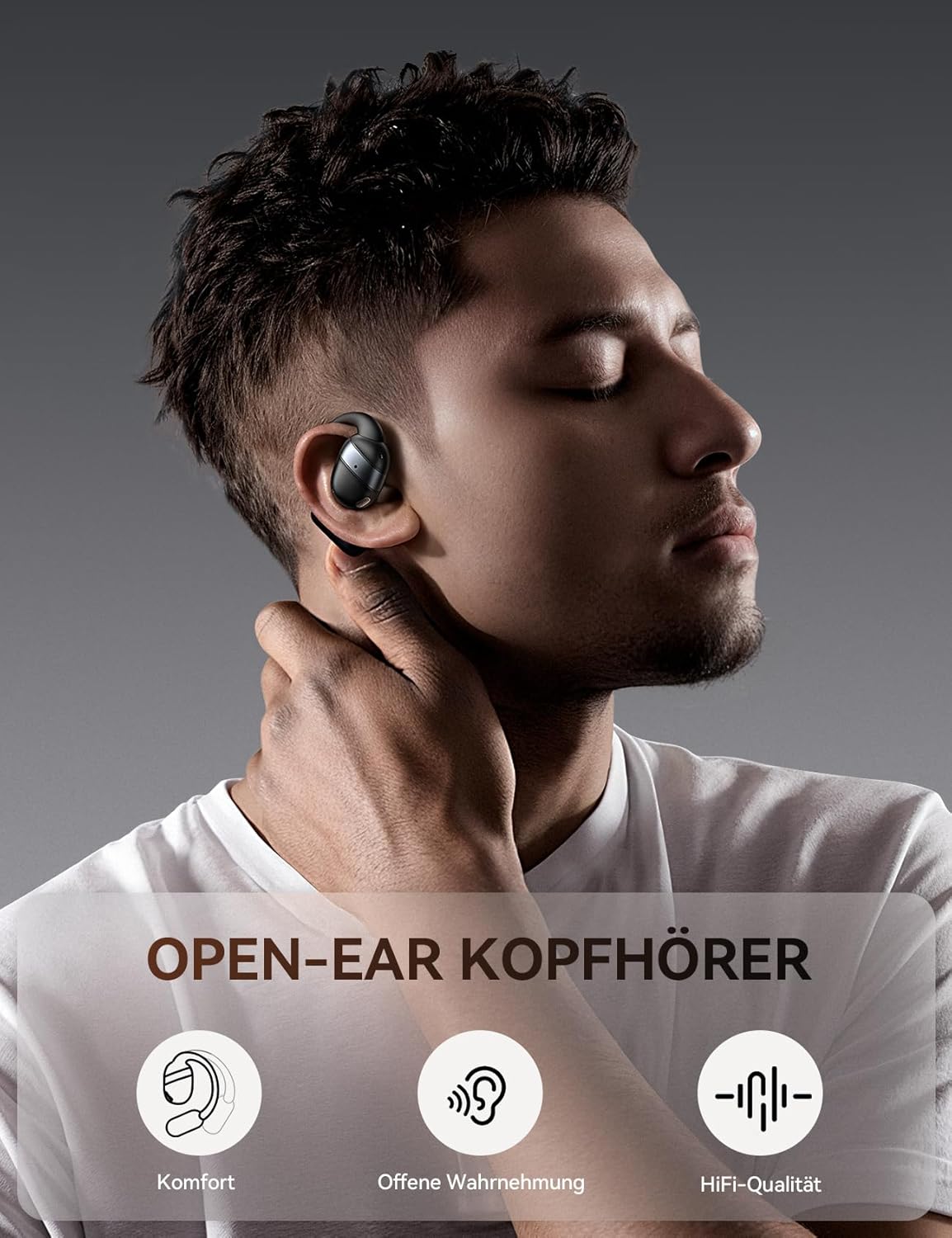
Image: JOYROOM Open Ear Headphones JR-OE4 with their charging case.
Caratteristiche principali:
- Design Open-Head: Provides comfort without blocking the ear canal, allowing for environmental awareness.
- Bluetooth 5.4: Garantisce una connessione wireless stabile e veloce con bassa latenza.
- Batteria a lunga durata: Up to 50 hours of total playback with the charging case, 12.5 hours on a single charge.
- Driver dinamici da 16 mm: Delivers powerful sound and enhanced bass.
- Resistenza all'acqua IPX4: Protects against sweat and splashes, ideal for workouts.
- Controlli touch intuitivi: Facile gestione di musica, chiamate e assistente vocale.
- Visualizzazione della batteria a LED: The charging case features a digital LED display to show battery status.

Image: A user wearing the JOYROOM Open Ear Headphones, highlighting the comfortable, non-intrusive design that allows for ambient sound awareness.

Image: The charging case for the JOYROOM Open Ear Headphones, displaying the LED battery indicator and emphasizing the 50-hour total battery life.

Immagine: Un esploso view diagram illustrating the 16mm dynamic driver responsible for the balanced sound quality and powerful bass.
Impostare
1. Ricarica delle cuffie e della custodia
Before first use, fully charge the headphones and the charging case. Connect the provided USB-C cable to the charging port on the case and to a power source. The LED display on the case will show the charging status.
- A full charge for the case and headphones typically takes approximately 2 hours.
- The headphones provide up to 12.5 hours of playback on a single charge.
- La custodia di ricarica estende il tempo di riproduzione totale fino a 50 ore.
2. Associazione con un dispositivo
Follow these steps to pair your JOYROOM JR-OE4 headphones with your Bluetooth-enabled device:
- Open the charging case and remove both headphones. They will automatically enter pairing mode.
- Sul tuo dispositivo (smartphone, tablet, ecc.), vai alle impostazioni Bluetooth.
- Assicurati che il Bluetooth sia abilitato.
- Cercare available devices and select "JOYROOM Openfree OE4" from the list.
- Once selected, the headphones will connect, and you will hear a confirmation sound.

Image: Visual guide demonstrating the steps to pair the JOYROOM Open Ear Headphones with a mobile device via Bluetooth settings.
Se il Bluetooth è abilitato sul dispositivo, le cuffie si riconnetteranno automaticamente all'ultimo dispositivo associato quando vengono rimosse dalla custodia.
Istruzioni per l'uso
For optimal comfort and sound quality, wear the headphones correctly:
- Gently hook the earbud over your ear.
- Rotate and secure the ear hook behind your ear.
- Adjust the ear hook for a snug and comfortable fit that ensures stability during activity.

Image: Step-by-step diagram illustrating the correct method for wearing the JOYROOM Open Ear Headphones for a secure and comfortable fit.
Istruzioni per l'uso
The JOYROOM JR-OE4 headphones feature intuitive touch controls on each earbud. The following table outlines the functions:

Image: A visual representation of the touch control functions on the JOYROOM Open Ear Headphones, detailing actions for music playback, calls, and voice assistant.
| Azione | Controllare |
|---|---|
| Riproduci/Pausa | Tocca due volte su uno degli auricolari |
| Rispondi/Termina chiamata | Tocca due volte su uno degli auricolari |
| Alza il volume | Tocca una volta sull'auricolare destro |
| Abbassa il volume | Tocca una volta sull'auricolare sinistro |
| Traccia successiva | Tieni premuto l'auricolare destro per 2 secondi |
| Traccia precedente | Tieni premuto l'auricolare sinistro per 2 secondi |
| Rifiuta chiamata | Tenere premuto uno dei due auricolari per 2 secondi durante una chiamata in arrivo |
| Attiva l'Assistente Vocale | Triplo tocco su uno degli auricolari |
| Ripristino delle impostazioni di fabbrica | 5 simultaneous taps on both earbuds |
Manutenzione
To ensure the longevity and optimal performance of your JOYROOM JR-OE4 headphones, follow these maintenance guidelines:
- Pulizia: Utilizzare un panno morbido, asciutto e privo di lanugine per pulire le cuffie e la custodia di ricarica. Non utilizzare detergenti abrasivi, alcol o solventi chimici.
- Esposizione all'acqua: While IPX4 rated for sweat and splashes, do not submerge the headphones in water. Dry them thoroughly if they get wet.
- Magazzinaggio: Quando non le usi, conserva le cuffie nella loro custodia di ricarica per proteggerle e mantenerle cariche. Evita temperature estreme.
- Ricarica: Utilizzare solo il cavo di ricarica fornito o un cavo USB-C certificato.
Risoluzione dei problemi
Se riscontri problemi con le cuffie, fai riferimento alle seguenti soluzioni comuni:
| Problema | Soluzione |
|---|---|
| Le cuffie non si accendono. | Ensure the headphones are charged. Place them in the charging case and check the LED indicator. |
| Impossibile associare il dispositivo. |
|
| Funziona solo un auricolare. |
|
| Volume basso o scarsa qualità del suono. |
|
| Le cuffie si disconnettono frequentemente. |
|
Specifiche
| Caratteristica | Dettaglio |
|---|---|
| Modello | JR-OE4 |
| Marca | SALA GIOIA |
| Tecnologia senza fili | Bluetooth 5.4 |
| Earbud Placement | Open-Ear (External to the ear) |
| Fattore di forma | Vero wireless |
| Dimensioni del conducente | 16mm |
| Impedenza | 16 Ohm |
| Risposta in frequenza | 20KHz |
| Durata della batteria (auricolari) | Fino a 12.5 ore |
| Durata totale della batteria (con custodia) | Fino a 50 ore |
| Tempo di ricarica | Circa 2 ore |
| Resistenza all'acqua | IPX4 (resistente al sudore e agli schizzi) |
| Tipo di controllo | Controllo touch |
| Materiale | Acrilonitrile-butadiene-stirene (ABS), Policarbonato (PC) |
| Peso | 140 g (peso totale della confezione) |
| Dispositivi compatibili | Smartphones, tablets, laptops, desktops, cars (with Bluetooth) |
Garanzia e supporto
JOYROOM products are designed and manufactured to the highest quality standards. For detailed warranty information and customer support, please refer to the warranty card included in your product packaging or visit the official JOYROOM website. If you experience any issues not covered in this manual, please contact JOYROOM customer service for assistance.
Supporto online: www.joyroom.com (Nota: questo è un segnaposto URL as the exact support link is not provided in the data. Users should refer to their product packaging for official support channels.)


