1. Introduzione
Thank you for choosing Thunelec U9 Wireless Earbuds. These earbuds combine advanced audio technology with user-friendly features to provide an exceptional listening experience. This manual will guide you through the setup, operation, and maintenance of your new device.
2. Cosa c'è nella scatola
- U9 Wireless Earbuds (x2)
- Multifunctional Touch Charging Case (x1)
- Cavo di ricarica (x1)
- Manuale utente (x1)
- Eartips (S / M / L sizes)

Image: All items included in the Thunelec U9 Wireless Earbuds package.
3. Prodotto finitoview
The Thunelec U9 Wireless Earbuds are designed for superior audio performance and user convenience.
- ANC & ENC Noise Cancellation: Advanced Active Noise Cancellation (ANC) blocks external sounds for immersive listening, while Environmental Noise Cancellation (ENC) ensures clear voice calls by reducing background noise.
- Intelligent Touchscreen Charging Case: The multifunctional charging case features a full-color LED touchscreen for easy control of settings, battery levels, and various functions without needing a connected app.
- Durata prolungata della batteria: Enjoy up to 48 hours of total playtime with the charging case. Each earbud provides 6-8 hours of listening on a single charge.
- Suono stereo Hi-Fi superiore: Equipped with 14.2mm dynamic drivers and composite dynamic coil horns for rich bass and crystal-clear audio across all genres.
- Connettività Bluetooth 5.4: Ensures a stable, efficient, and seamless connection with compatible devices.
- IPX7 impermeabile: Designed to withstand sweat and rain, making them suitable for workouts and outdoor activities.
- Vestibilità sicura e confortevole: Ergonomically designed with soft eartips for a lightweight and comfortable fit during prolonged use.
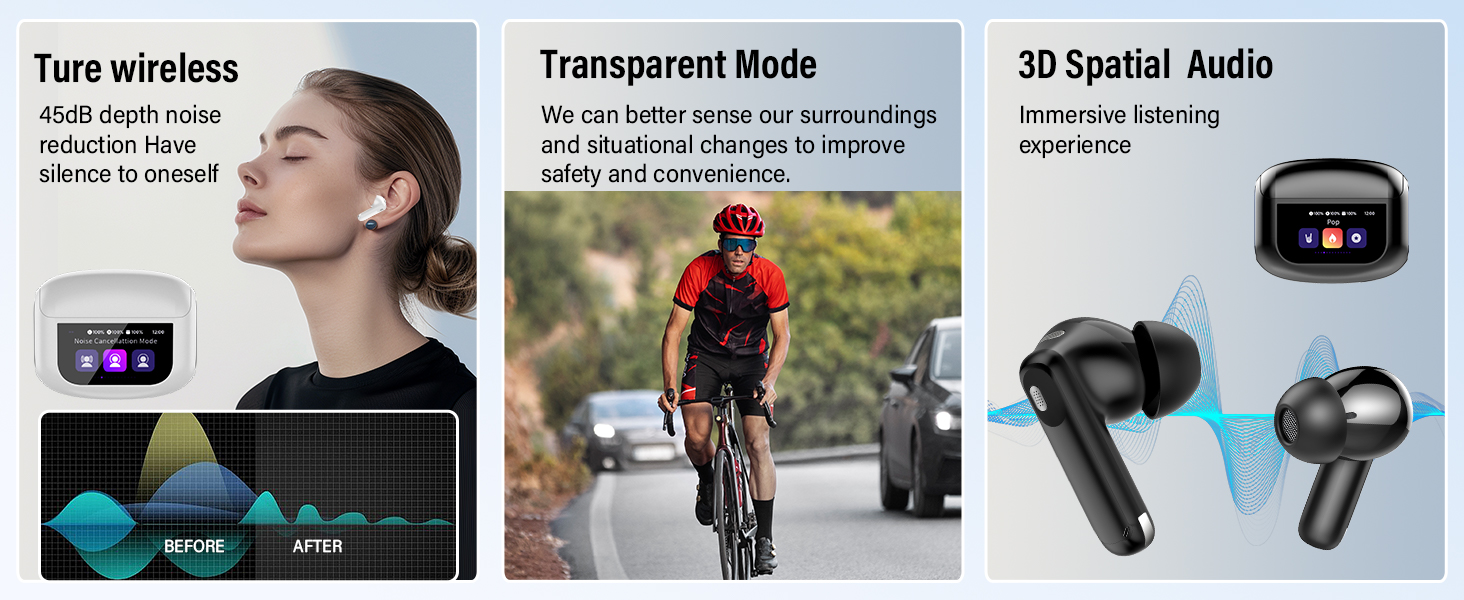
Image: Internal components contributing to the earbud's sound quality.
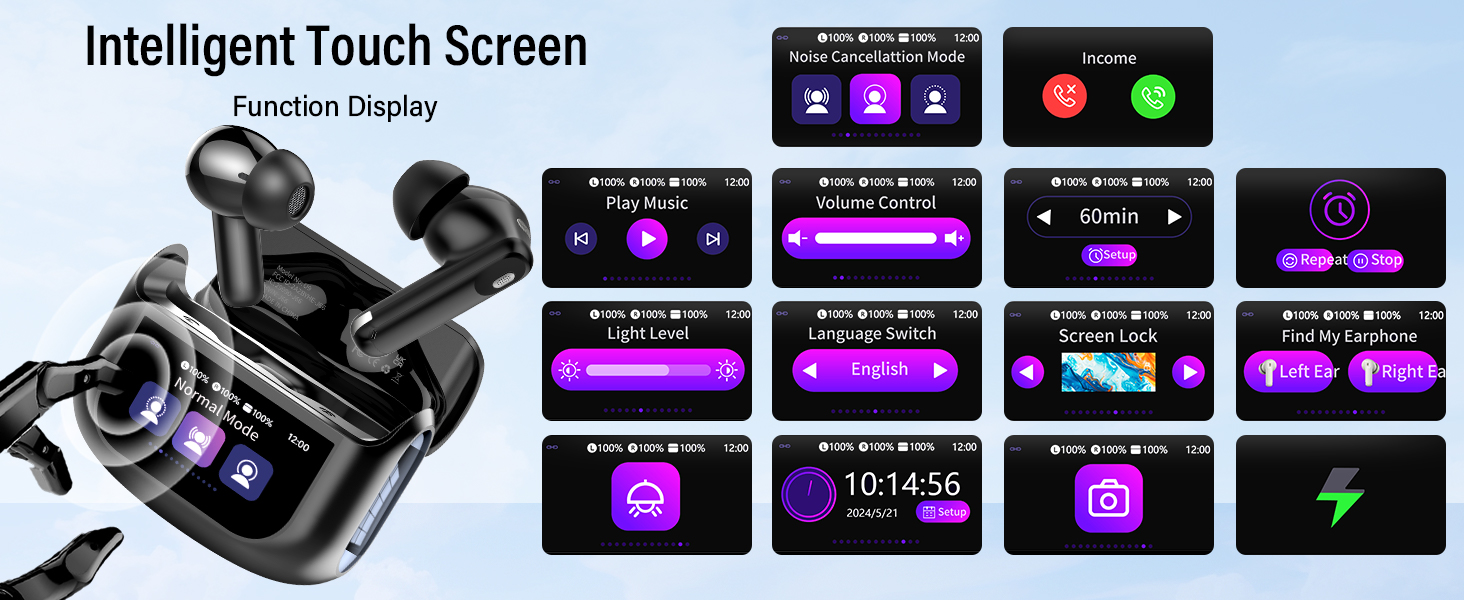
Image: Illustration of Active Noise Cancellation (ANC) and Environmental Noise Cancellation (ENC) in action.
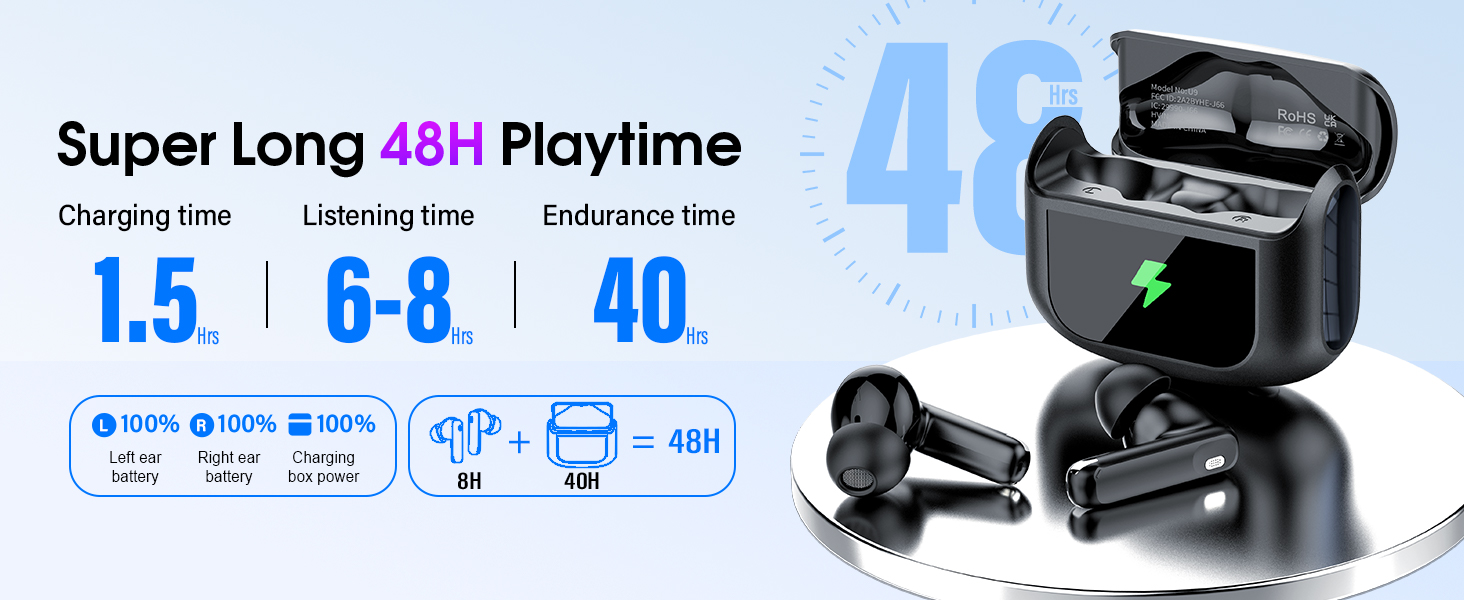
Image: Breakdown of the earbud and charging case battery life.
4. Impostazione
4.1. Ricarica iniziale
Before first use, fully charge the charging case and earbuds. Connect the provided USB-C cable to the charging port on the case and a power source. The touchscreen display will show the charging status.
4.2. Accoppiamento Bluetooth
- Estrarre entrambi gli auricolari dalla custodia di ricarica. Entreranno automaticamente in modalità di associazione.
- On your device (smartphone, tablet, etc.), go to Bluetooth settings and search for "U9".
- Select "U9" to connect. A voice prompt will confirm successful pairing.
4.3. Indossare gli auricolari
Choose the eartips that provide the most comfortable and secure fit for optimal sound quality and noise isolation. Gently insert the earbuds into your ear canal and twist slightly to secure them.
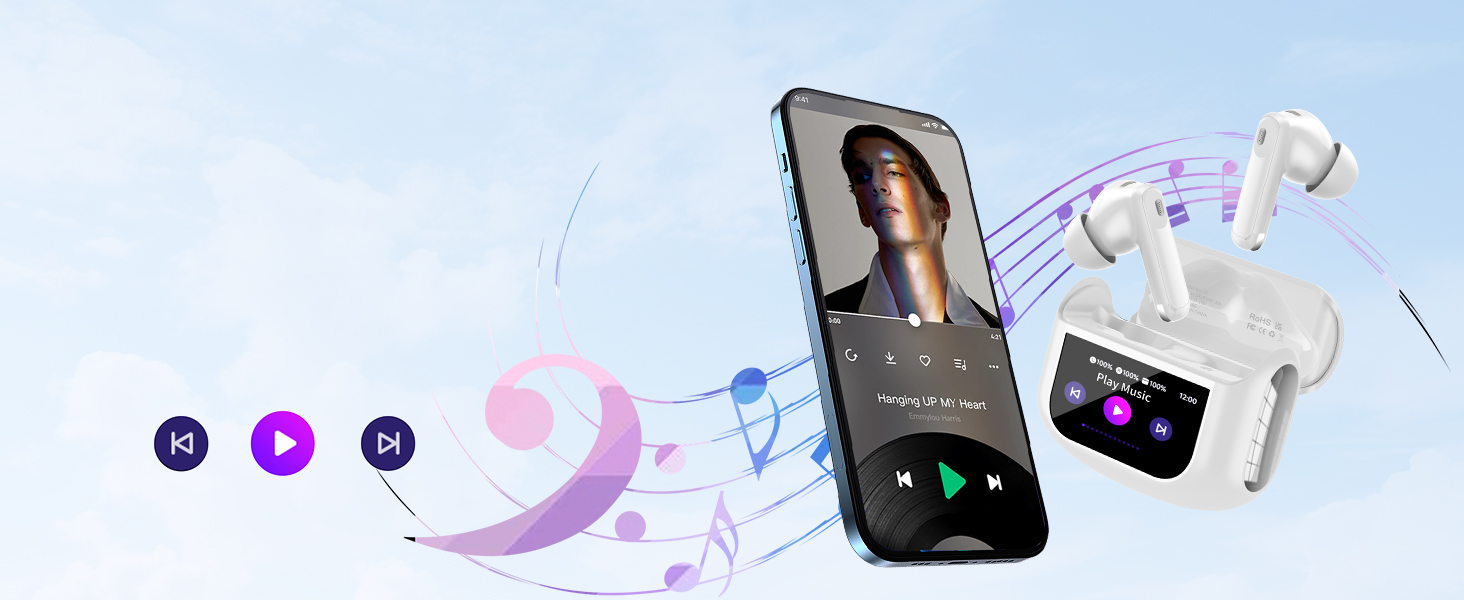
Image: Guide for achieving a secure and comfortable fit with the earbuds.
5. Istruzioni per l'uso
5.1. Touch Controls (on Earbuds)
| Azione | Funzione |
|---|---|
| Long press L/R (2s) | Ultima canzone / Canzone successiva |
| Fare clic 2 volte | Riproduci/Pausa |
| Fare clic 3 volte (R) | ANC mode switching |
| Fare clic 3 volte (L) | Attiva l'Assistente Vocale |
| Clicca 1 volta | Rispondi alla chiamata |
| Pressione lunga (2 secondi) | Riaggancia o rifiuta le chiamate |
Note: Volume control can only be operated on the touchscreen case or your mobile phone.
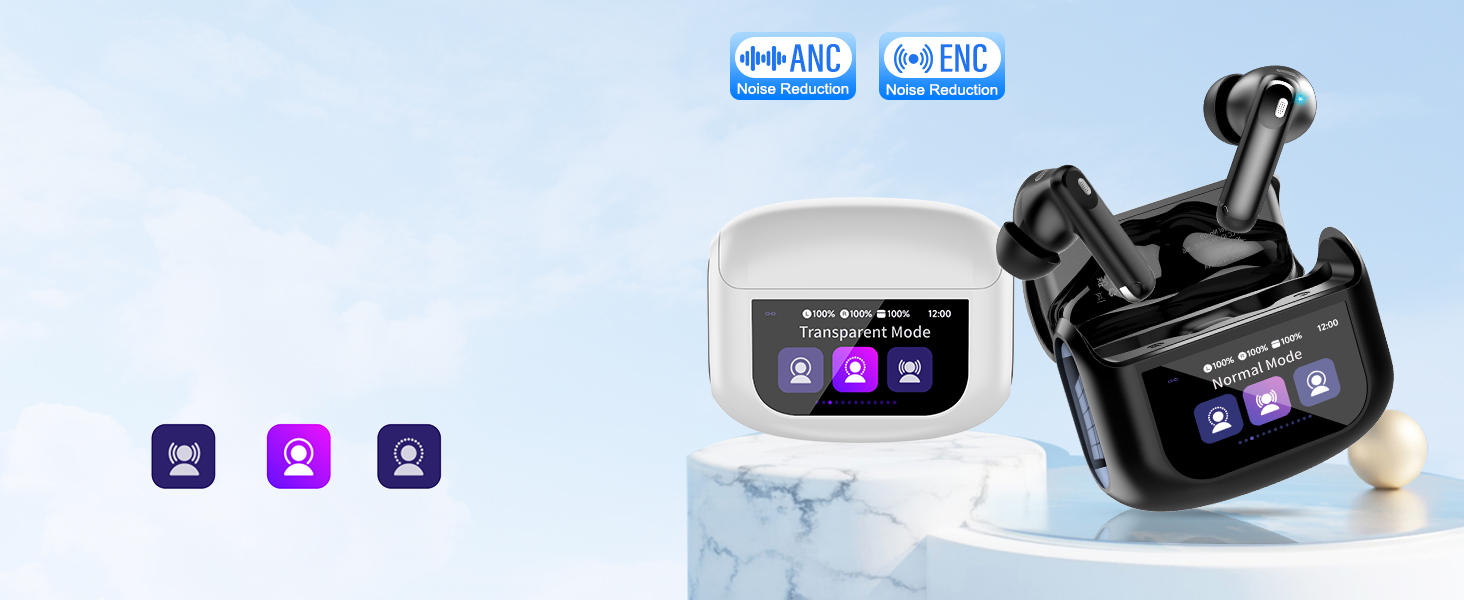
Image: Visual guide to earbud touch controls.
5.2. Touchscreen Controls (on Case)
The touchscreen on the charging case allows for intuitive control over various functions:
- Riproduzione musicale: Riproduci, metti in pausa, salta le tracce.
- Controllo del volume: Adjust audio volume directly.
- Modalità di controllo del rumore: Switch between Normal Mode, Noise Cancellation Mode (ANC), and Transparency Mode.
- Modalità equalizzatore: Select from 5 preset equalizer modes (Pop, Rock, Classic, Jazz, Normal) to personalize your sound.
- Blocco schermo: Blocca il touchscreen per evitare tocchi accidentali.
- Trova il mio auricolare: Individua gli auricolari smarriti attivando un suono.
- Impostazioni: Adjust light level, language, and other device settings.
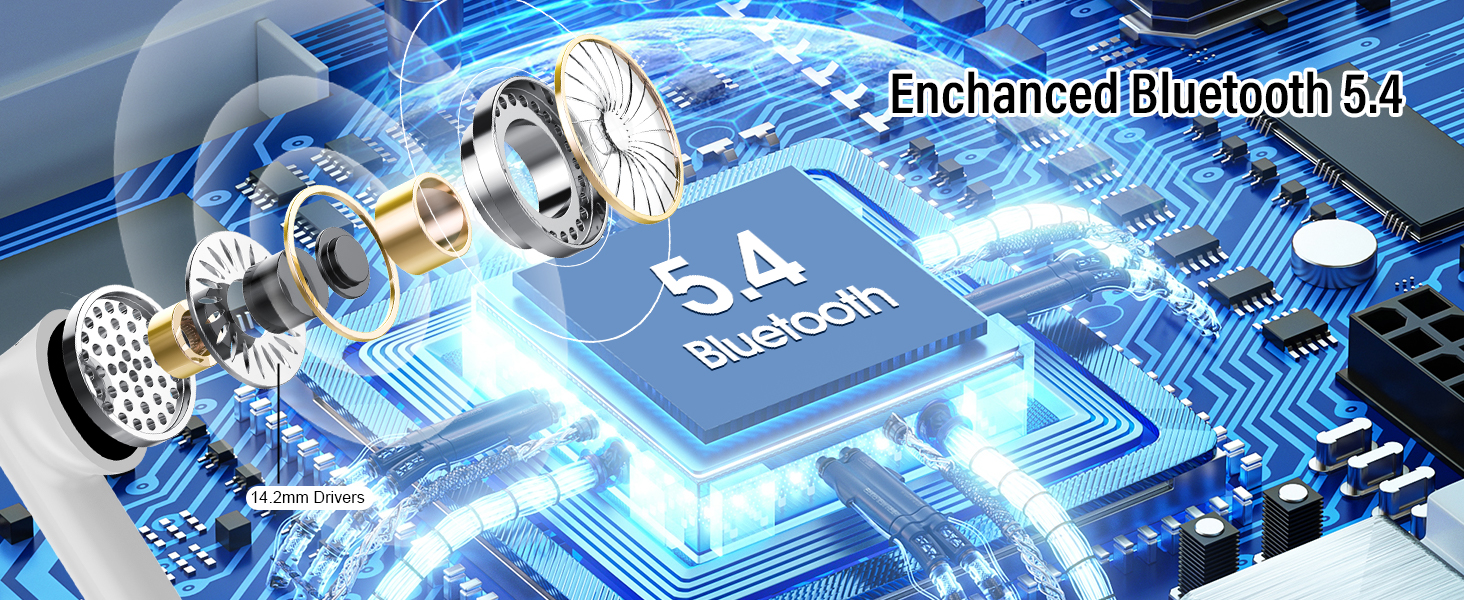
Immagine: Oltreview of the touchscreen interface on the charging case.
Video: Demonstrates the multi-function touchscreen controls of the U9 earbuds, showing navigation through various settings and features directly on the charging case.
Video: Provides a visual guide to the U9 Wireless Earbuds, showcasing their design, fit, and basic functionalities.
6. Manutenzione
- Pulizia: Pulisci regolarmente gli auricolari e la custodia di ricarica con un panno morbido, asciutto e privo di lanugine. Evita di utilizzare prodotti chimici aggressivi o materiali abrasivi.
- Magazzinaggio: Quando non li usi, conservali nella loro custodia di ricarica per proteggerli e mantenerli carichi. Evita temperature estreme.
- Cura della batteria: Per prolungare la durata della batteria, evitare di scaricare completamente gli auricolari e la custodia frequentemente. Caricarli regolarmente, anche se non vengono utilizzati costantemente.
7. Risoluzione Dei Problemi
7.1. Problemi di accoppiamento
- Assicurarsi che entrambi gli auricolari siano completamente carichi.
- Disattiva il Bluetooth sul tuo dispositivo e riattivalo.
- Delete "U9" from your device's Bluetooth list and attempt to re-pair.
- If only one earbud is working, place both earbuds back in the charging case, close the lid, and wait for 12 seconds. Then, press and hold the reset button on the charging case for 5 seconds to complete the reset.
7.2. Problemi audio
- Check the volume levels on both your device and the earbud charging case.
- Ensure earbuds are properly seated in your ears for optimal sound.
- Pulisci eventuali detriti dagli ugelli degli auricolari.
7.3. Problemi di ricarica
- Verificare che il cavo di ricarica sia collegato saldamente sia alla custodia sia alla fonte di alimentazione.
- Prova un cavo di ricarica o un adattatore di alimentazione diverso.
- Assicurarsi che i contatti di ricarica sugli auricolari e all'interno della custodia siano puliti e liberi da ostruzioni.
8. Specifiche
| Caratteristica | Dettaglio |
|---|---|
| Nome del modello | U9 |
| Marca | Thunelec |
| Tecnologia di connettività | Senza fili (Bluetooth 5.4) |
| Caratteristiche di controllo del rumore | Cancellazione attiva del rumore, cancellazione passiva del rumore, isolamento acustico |
| Tipo di controllo | Touch Control (on earbuds), Touchscreen (on case) |
| Durata della batteria | 48 ore (con custodia di ricarica) |
| Tempo di ricarica | 1.5 Hours (for case, for 2 hours of earbud use) |
| Livello di resistenza all'acqua | Impermeabile (IPX7) |
| Forma dell'auricolare | Nell'orecchio |
| Peso dell'articolo | 3.41 once |
| Componenti inclusi | U9 wireless earbuds*2, Multifunctional touch charging case*1, Charging cable*1, User Manual |
9. Garanzia e supporto
Thunelec products are designed and manufactured to the highest quality standards. For warranty information, technical support, or customer service inquiries, please refer to the contact details provided in the original product packaging or visit the official Thunelec websito.