Introduzione
Thank you for choosing the VENTION Powerhive Laptop Power Bank. This manual provides essential information for the safe and efficient operation, maintenance, and troubleshooting of your device. Please read this manual thoroughly before use and retain it for future reference.
Informazioni sulla sicurezza
Per garantire un funzionamento sicuro ed evitare danni, osservare le seguenti precauzioni:
- Non esporre il power bank a temperature estreme (superiori a 60°C/140°F) o alla luce solare diretta.
- Evitare di far cadere, urtare o smontare il dispositivo.
- Tenere lontano da acqua, umidità e materiali infiammabili.
- Non utilizzare se il dispositivo è danneggiato, gonfio o perde.
- Per caricare il power bank e i tuoi dispositivi, utilizza solo cavi e adattatori certificati.
- Tenere fuori dalla portata dei bambini.
- Smaltire il power bank secondo le normative locali; non smaltirlo insieme ai rifiuti domestici.

This image displays the various safety protections integrated into the VENTION Powerhive power bank, including Over-Discharge, Overtemperature, Overcurrent, Short-Circuit, Overcharge, Flame-Retardant, Overvoltage, Recovery, and Overpower Protection.
Contenuto della confezione
Si prega di controllare la confezione per verificare la presenza dei seguenti elementi:
- 1 x VENTION Powerhive Laptop Power Bank (Model FKEH0)
- 2 x USB-C to USB-C Charging Cables
- 1 x Manuale utente (questo documento)
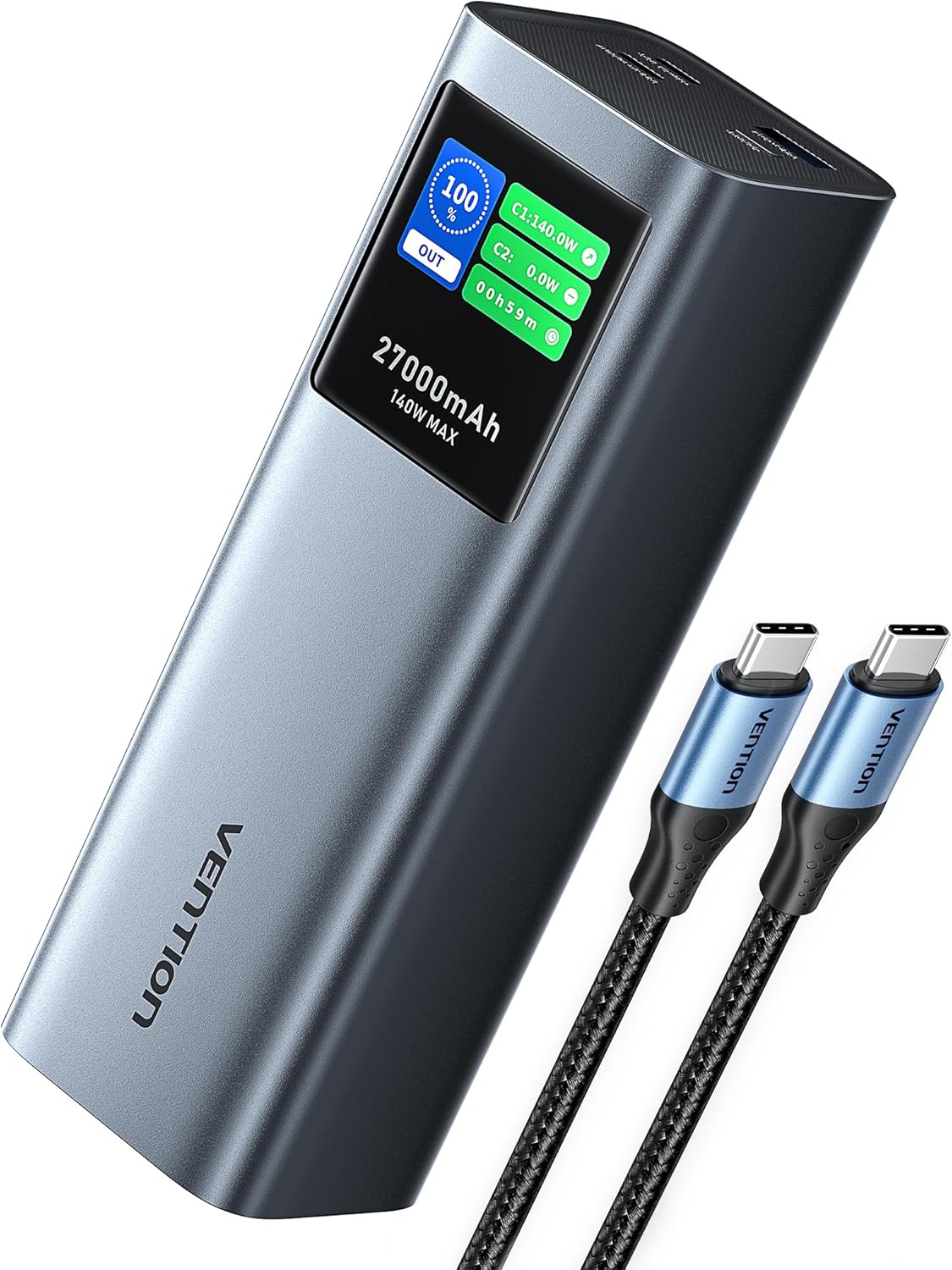
The VENTION Powerhive Laptop Power Bank shown with its included USB-C charging cables.
Prodotto finitoview
The VENTION Powerhive is a high-capacity portable power bank designed for multi-device charging, featuring PD 3.1 technology and a smart digital display.
Caratteristiche principali:
- 140 W di ricarica rapida: Utilizes PD 3.1 technology for rapid charging of compatible devices.
- Capacità 27,000mAh: Provides multiple charges for smartphones, tablets, and laptops.
- Display digitale intelligente: Shows real-time charging status, power output, temperature, and more.
- Design in lega di alluminio: Dissipazione del calore durevole ed efficiente.
- Uscita multiporta: Equipped with three charging ports (140W USB-C, 20W USB-C, 18W USB-A) for simultaneous charging.
- Approvato dalla compagnia aerea: Meets airline regulations for portable power banks.

The power bank demonstrating its 140W PD 3.1 fast charging capability while connected to a laptop.

This graphic illustrates the 27,000mAh capacity, indicating approximately 0.8 charges for a MacBook Pro 16", 5.4 charges for an iPhone 15 Pro, 3.9 charges for a Nintendo Switch, and 3.8 charges for a Galaxy S23 Ultra.
Impostare
Before first use, it is recommended to fully charge your VENTION Powerhive Laptop Power Bank.
- Connect one end of the provided USB-C cable to the USB-C1 (INGRESSO/USCITA) porta sul power bank.
- Connect the other end of the USB-C cable to a compatible USB-C wall charger (not included) with a power output of 100W or higher for optimal charging speed.
- Il display digitale mostrerà lo stato di carica e il tempo stimato per la ricarica completa.
- Una volta caricata completamente, il display indicherà il 100%. Scollegare il power bank dal caricabatterie.
Istruzioni per l'uso
Ricarica i tuoi dispositivi:
The VENTION Powerhive features three output ports: USB-C1 (140W max), USB-C2 (20W max), and USB-A (18W max).
- Collega il cavo di ricarica del tuo dispositivo alla porta appropriata del power bank.
- Collega l'altra estremità del cavo al tuo dispositivo.
- The power bank will automatically begin charging your device. The digital display will show the output power for each connected port.
- To charge multiple devices simultaneously, connect each device to an available port. The power bank will intelligently distribute power.

The power bank connected to a laptop, smartphone, and wireless earbuds, demonstrating its 3-in-1 simultaneous charging capability.

This image illustrates the bidirectional fast charging feature, showing the power bank charging a MacBook Pro 16-inch to 55% in 30 minutes, and fully charging it in 90 minutes.
Comprensione del display digitale:
The intuitive TFT digital display provides comprehensive real-time information:
- Percentuale batteriatage: Shows the remaining power.
- Input/Output Power (W): Displays the current power being drawn or delivered by each port (C1, C2, A1).
- Tempo di ricarica stimato: Indicates how long until the power bank is fully charged (when charging the power bank).
- Durata: Shows how long the power bank has been actively charging devices.
- Last Charged To: La percentualetage the power bank was charged to in its last full cycle.
- Total Input/Output (Wh): Cumulative energy transferred.
- Cicli della batteria: Numero di cicli di carica/scarica.
- Temperatura: Internal battery temperature.
To switch the screen display time (30 seconds or Always On), long-press the button located on the power bank.
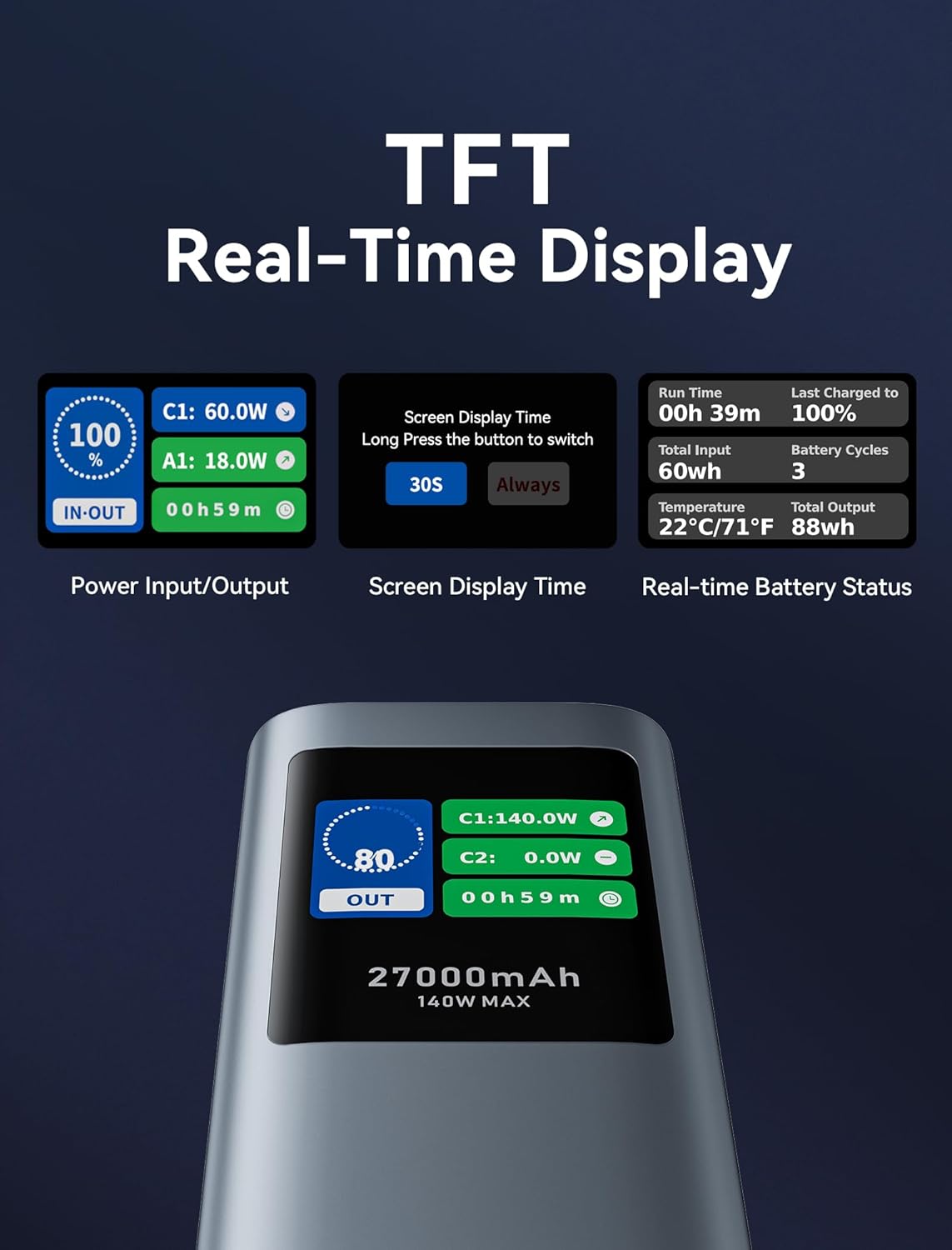
Un dettagliato view of the TFT real-time display, showing power input/output, screen display time settings, and real-time battery status including run time, total input, temperature, last charged to, battery cycles, and total output.
Manutenzione
- Pulizia: Per pulire il power bank, utilizzare un panno morbido e asciutto. Non utilizzare detergenti liquidi o spray.
- Magazzinaggio: Store the power bank in a cool, dry place away from direct sunlight and extreme temperatures. For long-term storage, charge the power bank to about 50-70% every 3-6 months to preserve battery health.
- Cura della batteria: Evitare di scaricare completamente il power bank frequentemente, poiché ciò può ridurne la durata.
Risoluzione dei problemi
| Problema | Possibile causa | Soluzione |
|---|---|---|
| Il power bank non carica i dispositivi. | Low battery; incorrect cable; device incompatibility; power bank in protection mode. | Recharge the power bank. Ensure cable is securely connected and compatible. Check device's charging requirements. Disconnect and reconnect to reset. |
| Il power bank non si ricarica. | Faulty charging cable/adapter; power bank port damage. | Try a different USB-C cable and wall adapter. Ensure the adapter meets power bank input requirements (e.g., 100W for fast charging). |
| Digital display is dim or unreadable outdoors. | Condizioni di illuminazione ambientale. | This is a known characteristic under bright outdoor conditions. Try to view the display in shaded areas or adjust your viewangolo di ing. |
| Power bank gets warm during charging/discharging. | Normal operation, especially during high-power transfer. | È normale. Se si surriscalda eccessivamente o emette fumo/odore, interromperne immediatamente l'uso e contattare l'assistenza. |
Specifiche
| Caratteristica | Dettaglio |
|---|---|
| Numero di modello | FKEH0 |
| Capacità della batteria | 27,000 mAh (99.9 Wh) |
| Dimensioni del prodotto | 6.5 x 2.2 x 2 pollici |
| Peso dell'articolo | 1.92 libbre |
| Ingresso (USB-C1) | Fino a 140 W (PD 3.1) |
| Uscita (USB-C1) | Fino a 140 W (PD 3.1) |
| Uscita (USB-C2) | Fino a 20 W (PD) |
| Uscita (USB-A) | Fino a 18W |
| Produzione totale | 140W max |
| Caratteristiche speciali | Digital Display, Fast Charging, Over Charging Protection, Pocket Size, Scratch Resistant |
| Produttore | VENZIONE |
Note: Specifications are subject to change without notice. For the most up-to-date information, please refer to the product packaging or VENTION's official websito.
Garanzia e supporto
The VENTION Powerhive Laptop Power Bank is manufactured by VENTION. For warranty information, technical support, or customer service inquiries, please contact VENTION directly through their official websito o le informazioni di contatto fornite al momento dell'acquisto. Si prega di conservare la prova d'acquisto per eventuali reclami in garanzia.
You can visit the VENTION Store on Amazon for more information: VENTION Official Store


