1. Introduzione
This manual provides comprehensive instructions for the WiMiUS K13 4K Google TV Projector. Designed for a superior visual experience, this projector integrates advanced features for both entertainment and professional use. Key functionalities include native 1080p resolution with 4K support, 1500 ANSI lumens brightness, automatic focus and keystone correction, and an integrated Google TV system for seamless access to a wide range of applications.
Si prega di leggere attentamente il presente manuale prima di utilizzare il dispositivo per garantirne un utilizzo corretto e massimizzarne le prestazioni e la longevità.
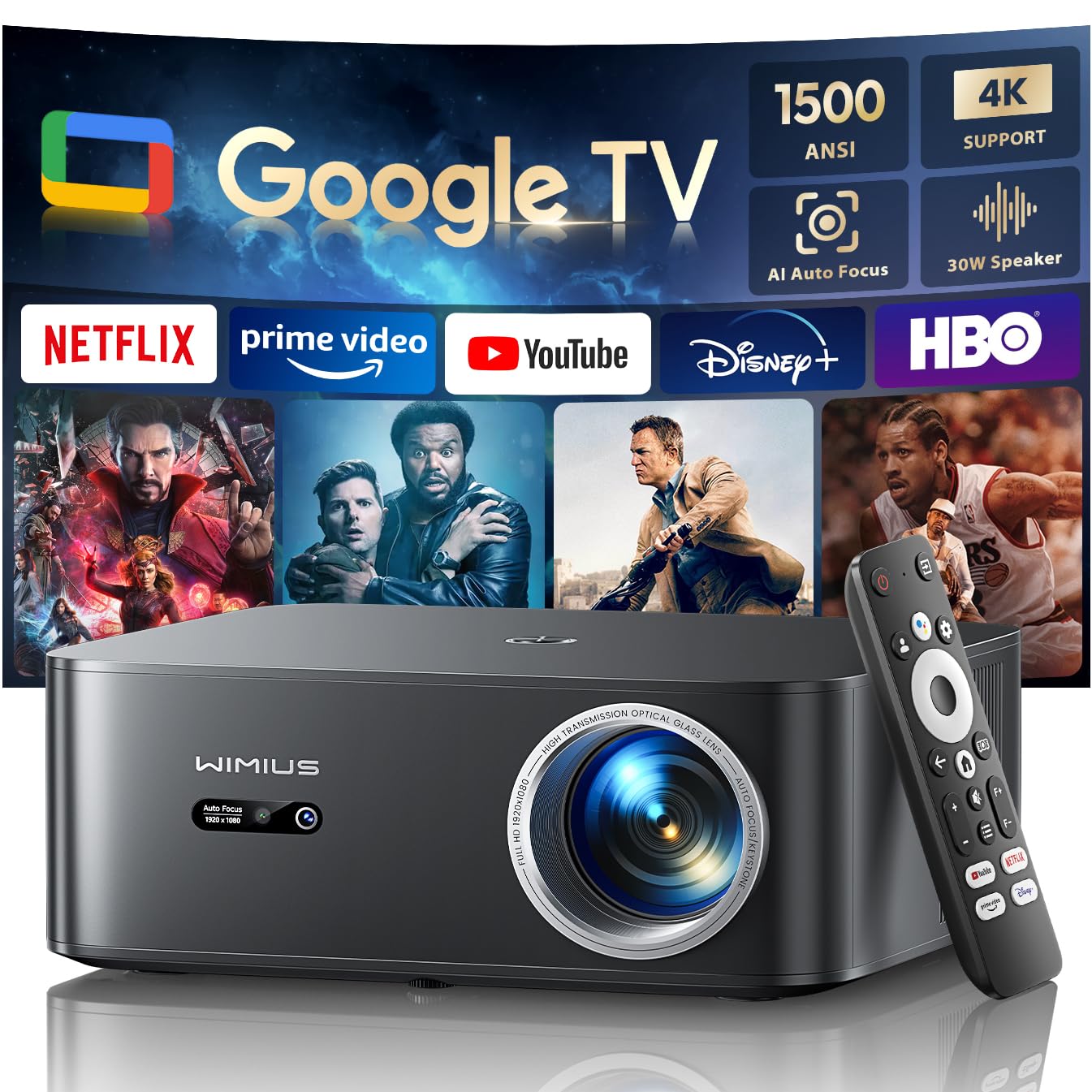
Figure 1: WiMiUS K13 4K Google TV Projector
2. Guida all'installazione
2.1 Disimballaggio e contenuto della confezione
Rimuovere con attenzione tutti i componenti dall'imballaggio. Verificare che siano presenti tutti gli elementi:
- Proiettore WiMiUS K13
- Telecomando (batterie AAA non incluse)
- Cavo di alimentazione
- Cavo HDMI
- Manuale d'uso
2.2 Posizionamento
Position the projector on a stable, flat surface. For optimal image quality, ensure the projector lens is perpendicular to the projection surface. Recommended projection distance is 2.5 to 3 meters for a large screen size.
- Montaggio su tavolo: Posizionare il proiettore su un tavolo o su un supporto.
- Montaggio a soffitto/parete: The projector features M5 screw holes for compatible ceiling or wall mounts. Ensure the mount is securely installed and can support the projector's weight.
- Montaggio del treppiede: The K13 projector does not have dedicated tripod mounting holes. Use a tripod equipped with a tray to support the projector.
2.3 Collegamento di alimentazione
Connect the power cable to the projector's power input port, then plug the other end into a power outlet. The power indicator light will illuminate.
2.4 Accensione iniziale e configurazione di base
Press the power button on the projector or remote control to turn on the device. Upon first use, follow the on-screen prompts to:
- Seleziona la lingua preferita.
- Connect to a Wi-Fi network (2.4G or 5G) for internet access.
- Log in with your Google account to access Google TV features and applications.
2.5 Messa a fuoco automatica e correzione trapezoidale
The WiMiUS K13 projector is equipped with automatic focus and keystone correction. After powering on or moving the projector, it will automatically adjust the image to achieve a clear, rectangular display. Manual adjustments are also available in the settings menu if needed.
3. Istruzioni per l'uso
3.1 Remote Control and Google Voice Assistant
Use the provided remote control to navigate the Google TV interface. The remote includes dedicated buttons for popular streaming services like Netflix, Prime Video, YouTube, and Disney+. Utilize the integrated Google Voice Assistant by pressing the microphone button on the remote and speaking commands to search for content, adjust volume, or launch applications.
3.2 Google TV and Application Usage
The projector runs on an officially certified Android 11.0 Google TV system, providing access to over 10,000 applications from the Google Play Store. Navigate through the home screen to find installed apps or download new ones. Ensure a stable internet connection for optimal streaming performance.
3.3 Mirroring dello schermo
The projector supports wireless screen mirroring from various devices:
- AirPlay (iOS devices): Connect your iOS device and the projector to the same Wi-Fi network. Select the AirPlay option on your iOS device and choose the projector from the list of available devices.
- Miracast (Android/Windows devices): Enable Miracast or Screen Mirroring on your Android or Windows device. Select the projector from the detected devices.
3.4 Collegamento di dispositivi esterni
The WiMiUS K13 offers multiple connectivity options:
- Porte HDMI: Connect gaming consoles, laptops, Blu-ray players, or other HDMI-enabled devices. Select the corresponding HDMI input from the projector's source menu.
- Porte USB: Inserire unità USB per riprodurre contenuti multimediali files (videos, photos, documents like PPT, Excel, Word).
- Uscita audio da 3.5 mm: Collegare cuffie o altoparlanti esterni tramite il jack audio.
3.5 Uscita audio
The projector features integrated 20W speakers for clear audio. For enhanced sound, you can connect external audio systems:
- Bluetooth 5.2: Abbinalo ad altoparlanti o cuffie Bluetooth per un audio wireless.
- HDMI ARCO: Connect to a soundbar or AV receiver that supports HDMI ARC for simplified audio setup and control.
3.6 Funzione Zoom
Adjust the screen size from 50% to 100% using the digital zoom function in the settings menu. This allows you to resize the image without physically moving the projector.

Figure 2: Outdoor movie experience with the WiMiUS K13 Projector

Figure 3: Outdoor sports viewing with the WiMiUS K13 Projector
4. Manutenzione
4.1 Pulizia delle lenti
Gently clean the projector lens with a soft, lint-free cloth or a lens cleaning brush. Avoid using abrasive materials or harsh chemicals, which can damage the lens coating.
4.2 Cura della ventilazione
Ensure the projector's ventilation openings are clear and unobstructed to prevent overheating. Regularly check for dust accumulation and clean as necessary using a soft brush or compressed air.
4.3 Conservazione
Quando non viene utilizzato per lunghi periodi, conservare il proiettore in un ambiente fresco, asciutto e privo di polvere. Utilizzare l'imballaggio originale o una custodia protettiva per evitare danni.
5. Risoluzione Dei Problemi
If you encounter issues with your WiMiUS K13 projector, refer to the following common problems and solutions:
| Problema | Possibile causa | Soluzione |
|---|---|---|
| Nessuna immagine visualizzata | Cavo di alimentazione scollegato, sorgente di ingresso errata, dispositivo non acceso. | Check power connection, ensure projector is on, select correct HDMI/USB input. |
| L'immagine è sfocata | Out of focus, lens dirty, projector moved. | Allow auto-focus to adjust, clean the lens, manually adjust focus if needed. |
| L'immagine è distorta (forma trapezoidale) | Proiettore non perpendicolare allo schermo. | Allow auto-keystone correction to adjust, manually adjust keystone in settings. |
| Nessun suono | Volume too low, incorrect audio output selected, external device audio issue. | Increase volume, check audio output settings (internal, Bluetooth, HDMI ARC), verify external device audio. |
| Impossibile connettersi al Wi-Fi/Bluetooth | Password errata, fuori portata, problema di rete. | Verify password, move closer to router/device, restart projector and router/device. |
| Il telecomando non risponde | Batterie scariche, ostruzione, telecomando non associato. | Sostituire le batterie, rimuovere gli ostacoli, riassociare il telecomando se necessario. |
6. Specifiche
Detailed technical specifications for the WiMiUS K13 Projector:
| Caratteristica | Dettaglio |
|---|---|
| Marca | WiMiUS |
| Numero modello articolo | K13 |
| Colore | Nero |
| Tipo di prodotto | Proiettore portatile |
| Risoluzione dello schermo | 1920 x 1080 (Full HD nativo) |
| Risoluzione massima dello schermo | 4096 x 2160 pixel (supporto 4K) |
| Tipo di visualizzazione | LCD |
| Luminosità | 1500 ANSI Lumen |
| Tecnologia di connettività | HDMI, USB, 3.5mm Audio, Wi-Fi (6), Bluetooth (5.2) |
| Caratteristiche speciali | Digital Keystone Correction, Built-in Speaker, Auto Focus, Built-in Wi-Fi, Google TV |
| Dispositivi compatibili | Tablet, Laptop, Game Console, Speaker, Smartphone, Television |
| Usi consigliati del prodotto | Home Cinema, Videogiochi, Professionale, Istruzione |
| Dimensioni del prodotto | 28L x 24.2W x 10.8H centimetri |
| Fattore di forma | Portatile |
| Tipo di montaggio | Table Mount (M5 screw holes for ceiling/wall mount) |
7. Garanzia e supporto
WiMiUS is committed to providing excellent customer service and support for your K13 projector:
- Assistenza clienti: 24/7 support is available for any inquiries or assistance you may need.
- Politica di rimborso: Enjoy a 1-year refund policy from the date of purchase.
- Repair Coverage: The projector is covered by a 3-year repair warranty.
- Supporto tecnico: Per il tuo prodotto è previsto supporto tecnico a vita.
For any questions or support requests regarding your WiMiUS K13 projector, please contact our customer service team via email. We are dedicated to providing a prompt and satisfactory solution.