1. Introduzione
This manual provides essential instructions for the setup, operation, and maintenance of your Hello Kitty and Friends Sunrise Alarm Clock. Please read this manual thoroughly before using the product to ensure proper function and longevity.
The Hello Kitty and Friends Sunrise Alarm Clock is designed to provide a gentle awakening experience with its simulated sunrise feature. It includes a clear LED display for time, date, and temperature, along with customizable multicolor lights and a convenient USB charging port.
2. Prodotto finitoview
Familiarize yourself with the components of your Hello Kitty and Friends Sunrise Alarm Clock.

Immagine 1: Davanti view of the Hello Kitty and Friends Sunrise Alarm Clock. The clock features Hello Kitty, My Melody, Pompompurin, Badtz-Maru, Keroppi, Cinnamoroll, and Kuromi characters standing in front of a rainbow. The LED display shows "10:30" at the base, and the unit emits a warm, soft light.
Caratteristiche principali:
- Simulazione dell'alba: Aumenta gradualmente la luminosità per simulare un'alba naturale, favorendo un dolce risveglio.
- Luci multicolori: Offers various color modes to personalize your environment.
- Display a LED: Shows time, date, and ambient temperature clearly.
- USB Power & Charging: Powered via USB and includes a port for charging other devices.
- Funzione snooze: Consente di ritardare temporaneamente l'allarme.
- Hello Kitty and Friends Design: Adorned with beloved characters for a cheerful aesthetic.
Note: Specific button functions and locations are typically detailed on the device itself or in a quick start guide. For this manual, general operational steps are provided.
3. Impostazione
- Disimballaggio: Carefully remove the alarm clock and all accessories from the packaging. Retain packaging for future storage or transport.
- Collegamento elettrico: Connect the provided USB power cable to the alarm clock's power input port. Plug the other end into a compatible USB power adapter (not always included) and then into a wall outlet. The LED display should illuminate.
- Impostazione dell'ora iniziale: Upon first power-up, the clock may display a default time or require manual setting. Refer to the device's physical buttons (e.g., "SET", "TIME", "UP", "DOWN") to adjust the current time.
- Date and Temperature: If applicable, use the control buttons to set the current date. The temperature display will typically calibrate automatically to the ambient room temperature.
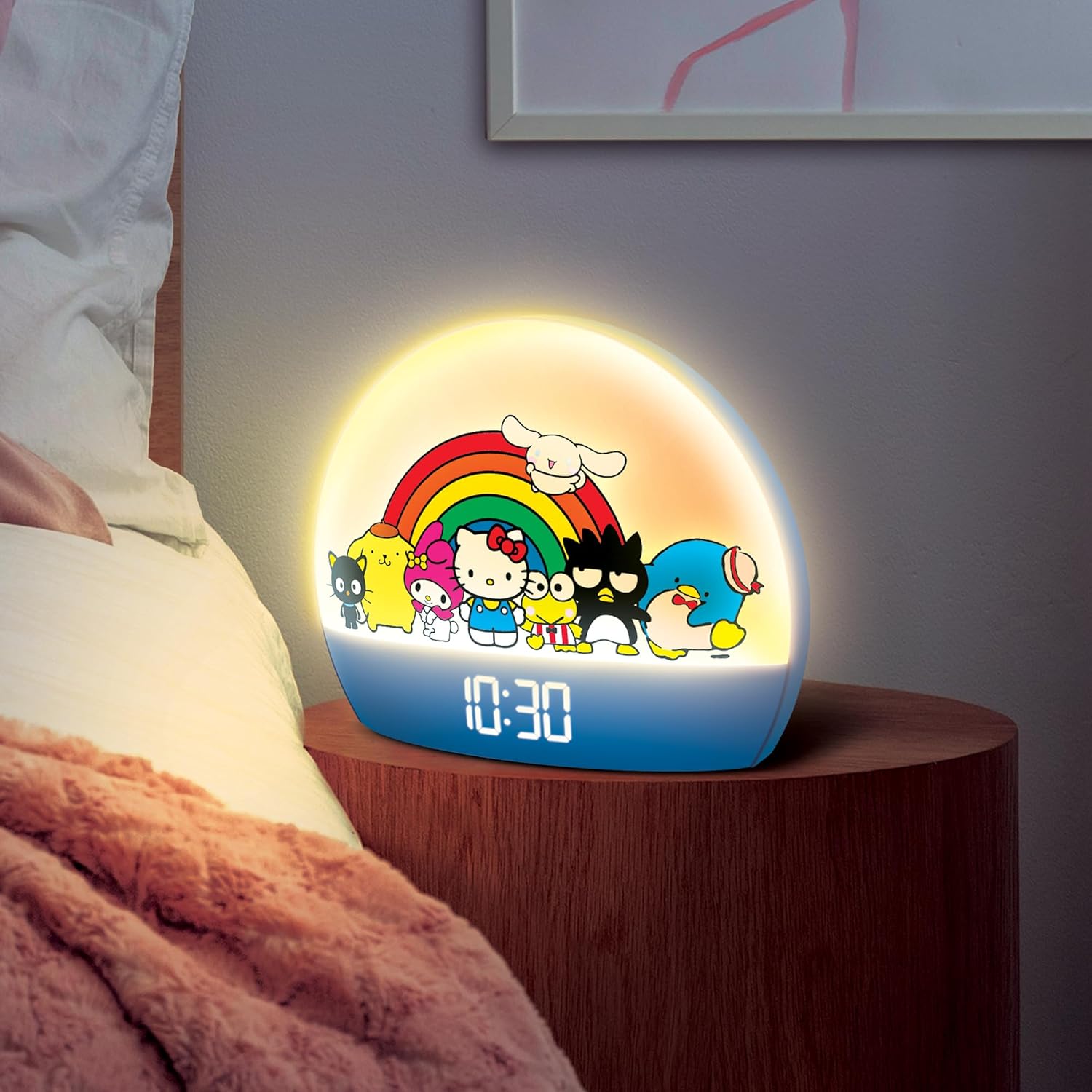
Immagine 2: The Hello Kitty and Friends Sunrise Alarm Clock placed on a wooden bedside table next to a bed. The clock is illuminated with a warm glow, indicating its sunrise simulation feature in a typical bedroom setting.
4. Istruzioni per l'uso
4.1 Impostazione dell'allarme
- Locate the "ALARM" or "SET" button. Press and hold it until the alarm time display begins to flash.
- Utilizzare i pulsanti "SU" e "GIÙ" per regolare l'ora e i minuti.
- Press the "ALARM" or "SET" button again to confirm each setting and move to the next (e.g., hour, minute, alarm sound, volume).
- Assicurarsi che l'allarme sia attivato (solitamente sul display compare un'icona di allarme).
4.2 Simulazione dell'alba
The sunrise simulation feature gradually increases the light intensity before your set alarm time, typically 10-30 minutes prior. This is designed to wake you up naturally. This feature is usually activated automatically when an alarm is set, but some models may have a dedicated button to enable/disable it.
4.3 luci multicolori
To change the light color or mode:
- Locate the "LIGHT" or "COLOR" button.
- Press the button repeatedly to cycle through available colors or light modes (e.g., solid color, color cycle).
- Some models may allow brightness adjustment using separate "BRIGHTNESS" or "DIMMER" buttons.
4.4 Funzione posticipa
When the alarm sounds, press the large "SNOOZE" button (often located on top of the clock) to temporarily pause the alarm. The alarm will sound again after a preset interval (e.g., 5-10 minutes).
4.5 porta di ricarica USB
The integrated USB port allows you to charge compatible electronic devices. Connect your device's charging cable to the USB port on the alarm clock. Ensure the alarm clock is powered on for the charging function to work.
5. Manutenzione
5.1 Pulizia
- Unplug the alarm clock from the power source before cleaning.
- Utilizzare un morbido, asciutto o leggermente damp panno per pulire le superfici esterne.
- Non utilizzare detergenti abrasivi, solventi o spray chimici, poiché potrebbero danneggiare la finitura.
- Evitare che l'umidità penetri nelle aperture.
5.2 Conservazione
If storing the alarm clock for an extended period, unplug it and keep it in a cool, dry place, away from direct sunlight and extreme temperatures. It is recommended to use the original packaging for protection.
6. Risoluzione Dei Problemi
| Problema | Possibile causa | Soluzione |
|---|---|---|
| Il display dell'orologio è spento o non funziona. | Nessuna connessione di alimentazione o alimentazione fuoritage. | Ensure the USB cable is securely connected to both the clock and a working power adapter/outlet. Check the power source. |
| L'allarme non suona. | Sveglia non impostata o disattivata. Volume troppo basso. | Verify the alarm time is set correctly and the alarm function is enabled (look for an alarm icon on the display). Increase alarm volume if adjustable. |
| L'orario non è preciso (scorre lento/veloce). | Internal clock drift or power interruptions. | Reset the time manually. If the issue persists, try plugging the clock into a different power outlet or using a different USB power adapter. |
| La visualizzazione della temperatura non è corretta. | Sensor interference or calibration issue. | Ensure the clock is not placed near heat sources or vents. Allow time for the sensor to adjust to the ambient temperature. If significantly off, a factory reset (if available) might be needed. |
| La porta di ricarica USB non funziona. | Clock not powered, cable issue, or device incompatibility. | Ensure the alarm clock is powered on. Try a different USB cable or a different device to charge. |
7. Specifiche
| Caratteristica | Dettaglio |
|---|---|
| Numero di modello | HKCLK01HKF-MFN |
| Marca | Ciao Kitty |
| Dimensioni del prodotto | 17.78 x 3.81 x 15.24 cm (7 x 1.5 x 6 pollici) |
| Peso dell'articolo | 453.59 grams (1 Pound) |
| Fonte di alimentazione | Elettrico con filo (alimentato tramite USB) |
| Batterie richieste | NO |
| Tipo di visualizzazione | LED digitale |
| Materiale | Plastica |
| Caratteristiche speciali | Alarm, LED Display, Adjustable Brightness, USB Charging Port, Temperature Display, Multicolor Lights, Sunrise Simulation |
8. Garanzia e supporto
Per informazioni sulla garanzia e sull'assistenza clienti, consultare la documentazione inclusa con l'acquisto o contattare direttamente il produttore. Conservare la prova d'acquisto per eventuali reclami in garanzia.
For further assistance, you may visit the official Hello Kitty brand store or contact their customer service department.


