1. Introduzione
Thank you for choosing the Dekala Sunrise Alarm Clock with Wireless Charger, Model SRWW. This device combines a natural wake-up light, a soothing sound machine, and a convenient wireless charging station into one compact unit. This manual provides essential information for setting up, operating, and maintaining your new alarm clock. Please read it thoroughly before use and retain it for future reference.
2. Prodotto finitoview
The Dekala SRWW is designed to enhance your daily routine with its multi-functional capabilities. Key features include a gradual sunrise simulation, a white noise sound machine with 15 soothing sounds, 11 ambient light modes with 20 brightness levels, dual alarms with snooze, and a 3-in-1 wireless charging station for compatible smartphones, Apple Watches, and AirPods.
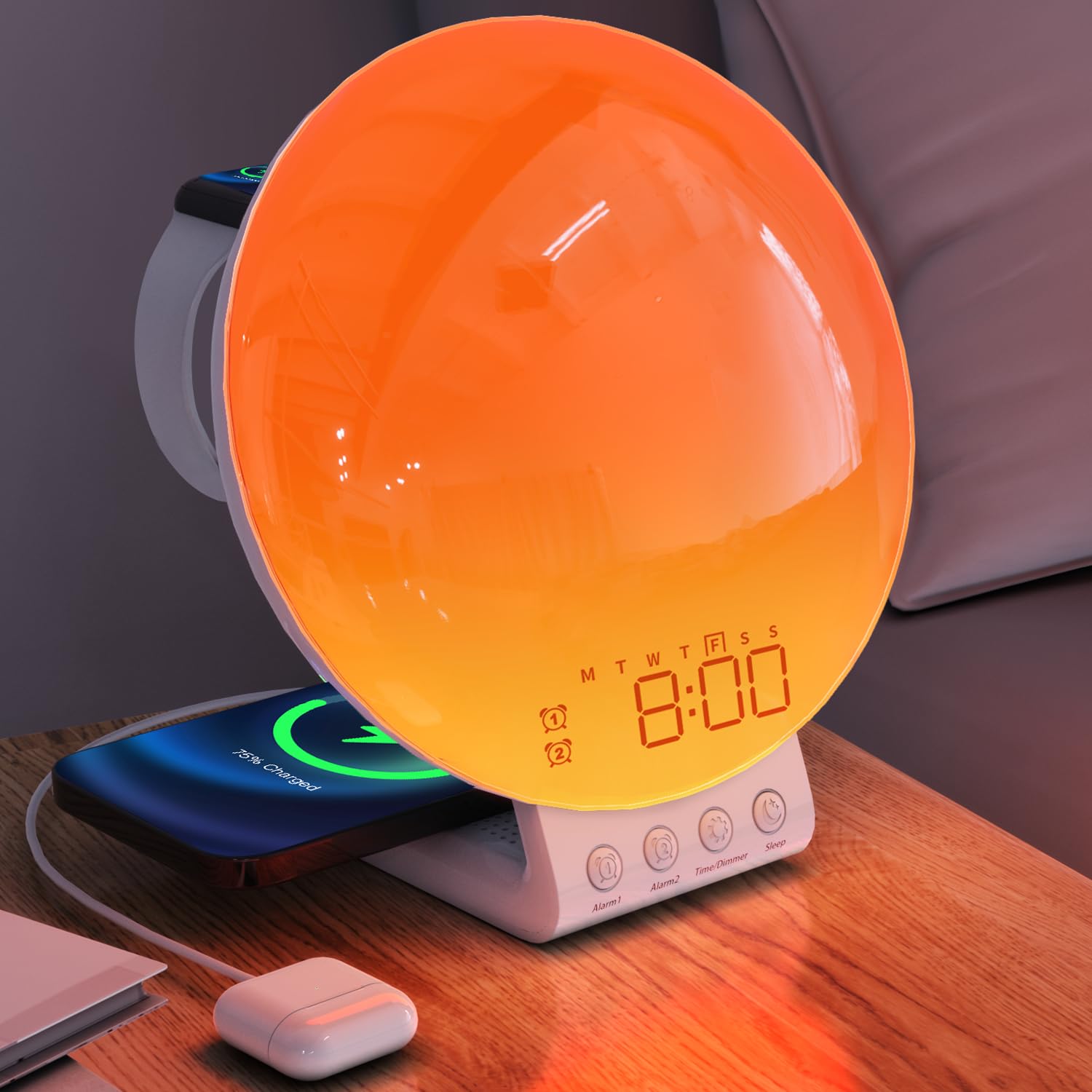
The Dekala Sunrise Alarm Clock, Model SRWW, featuring a large circular light panel, digital time display, and integrated wireless charging pads for a smartphone and smartwatch. Control buttons are located at the base.
3. Contenuto della confezione
- Dekala Sunrise Alarm Clock (Model SRWW)
- Adattatore di alimentazione
- Manuale d'uso
4. Impostazione
4.1 Collegamento di alimentazione
- Collegare l'adattatore di alimentazione in dotazione alla porta di ingresso CC sul retro della sveglia.
- Plug the power adapter into a standard wall outlet. The display will illuminate.
4.2 Installazione della batteria di backup
The device includes a CR2032 battery for time and alarm settings backup during power outages. This battery is typically pre-installed.
- Individuare il vano batterie sul lato inferiore dell'unità.
- If necessary, open the compartment and insert one CR2032 battery, ensuring correct polarity (+/-).
- Chiudere bene il vano batterie.
4.3 Initial Setup and Time Synchronization
For comprehensive control and advanced settings, download the official Dekala application from your device's app store. Follow the in-app instructions for initial setup and synchronization of time, date, and other personalized features.
5. Istruzioni per l'uso
5.1 Impostazione dell'ora e della data
The time and date are primarily set and synchronized via the Dekala mobile application. Refer to the app for detailed instructions on adjusting these settings.
5.2 Impostazioni di allarme
The device supports dual alarms, allowing for separate wake-up times, for example, for weekdays and weekends.
- Impostazione degli allarmi: Use the Dekala application to set Alarm 1 and Alarm 2. You can customize wake-up times, light intensity, and alarm sounds (including sunrise simulation and natural sounds).
- Attivazione/Disattivazione: Alarms can be toggled on or off through the application or dedicated buttons on the device (refer to button labels for specific functions).
- Funzione snooze: When an alarm sounds, tap the snooze button (typically labeled 'Snooze' or a prominent button on the device) to pause the alarm for 9 minutes. This can be repeated up to 5 times.
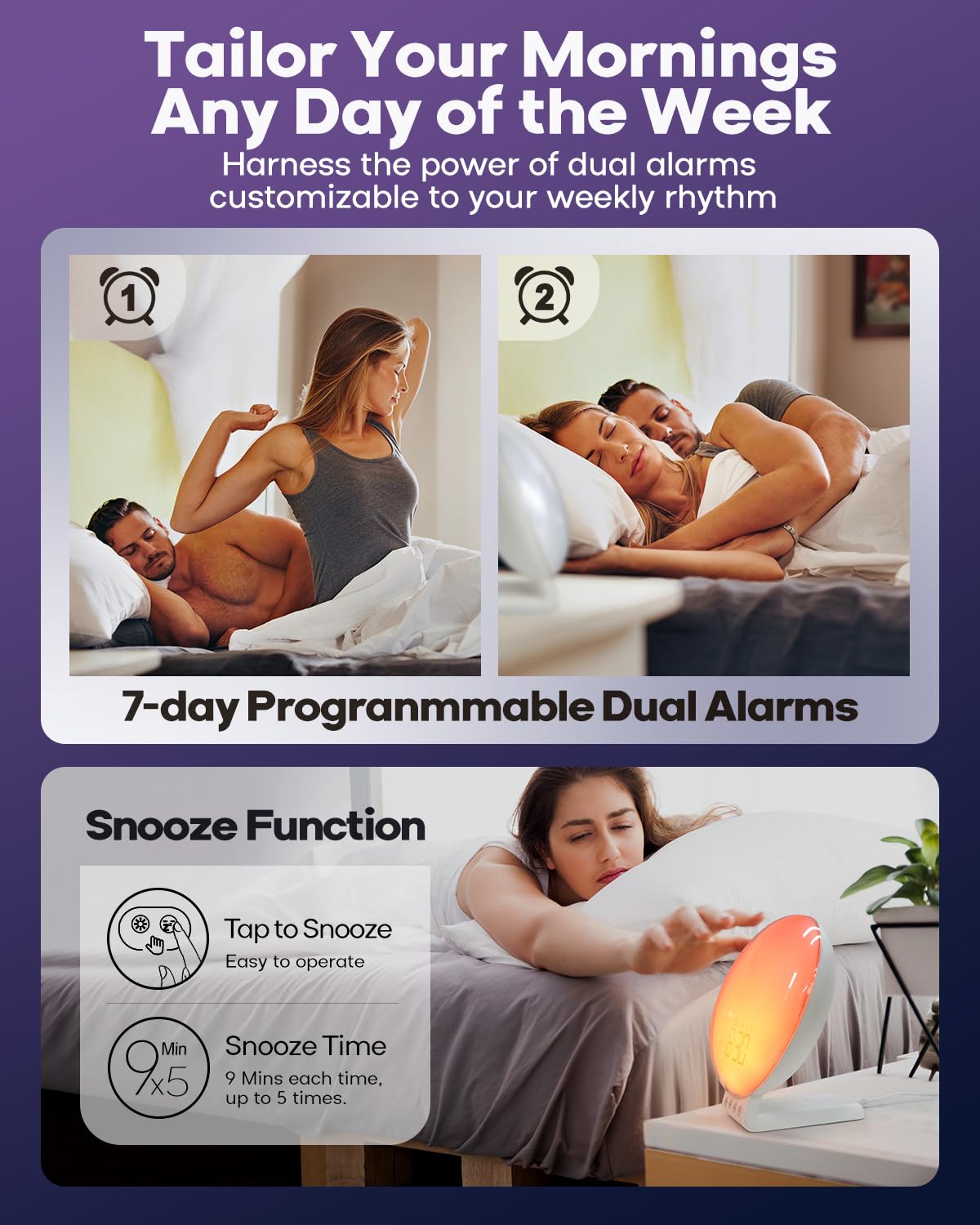
This image illustrates the dual alarm functionality and the snooze feature. The clock supports two independent alarms, and a snooze option provides additional rest time.
5.3 Simulazione dell'alba
The sunrise simulation feature gradually brightens the light before your set alarm time, mimicking a natural sunrise to gently wake you.
- Attivazione: Enable sunrise simulation through the Dekala application when setting an alarm.
- Durata: Customize the duration of the light increase (e.g., 0 to 120 minutes) via the app.
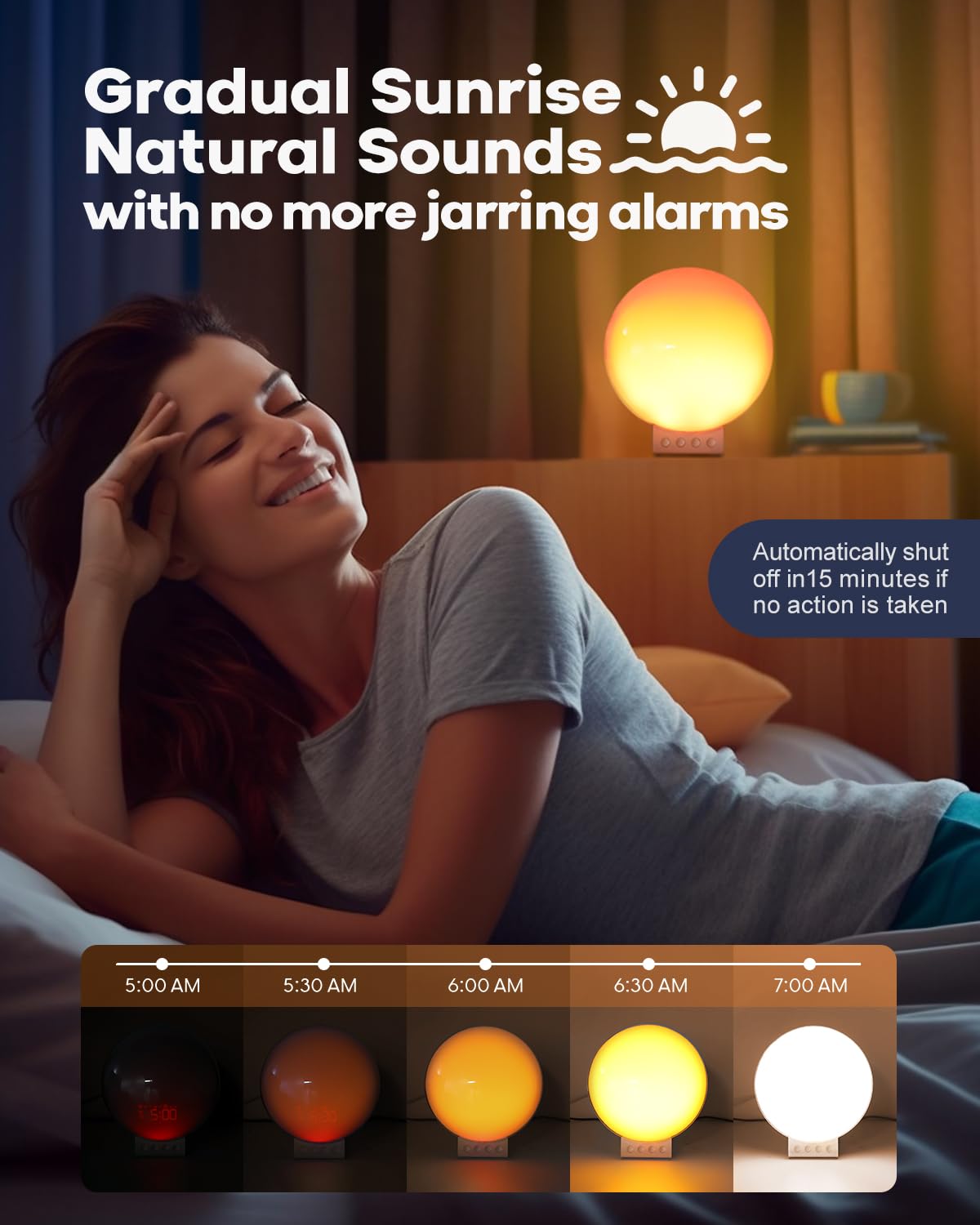
The sunrise simulation feature gradually brightens the light from 0% to 100% over a set period before your alarm, mimicking a natural sunrise to gently wake you.
5.4 White Noise & Sound Machine
The built-in sound machine offers 15 relaxing sounds to aid sleep or create a calming environment.
- Selezione del suono: Choose from 15 sounds (e.g., ocean waves, birdsong, rain, white noise, bonfire) using the Dekala application.
- Regolazione del volume: Adjust the volume level via the app or dedicated buttons on the device.
- Sleep Aid Timer: Set a timer (e.g., 5-120 minutes) for the sounds to play before automatically turning off, or choose to play all night.
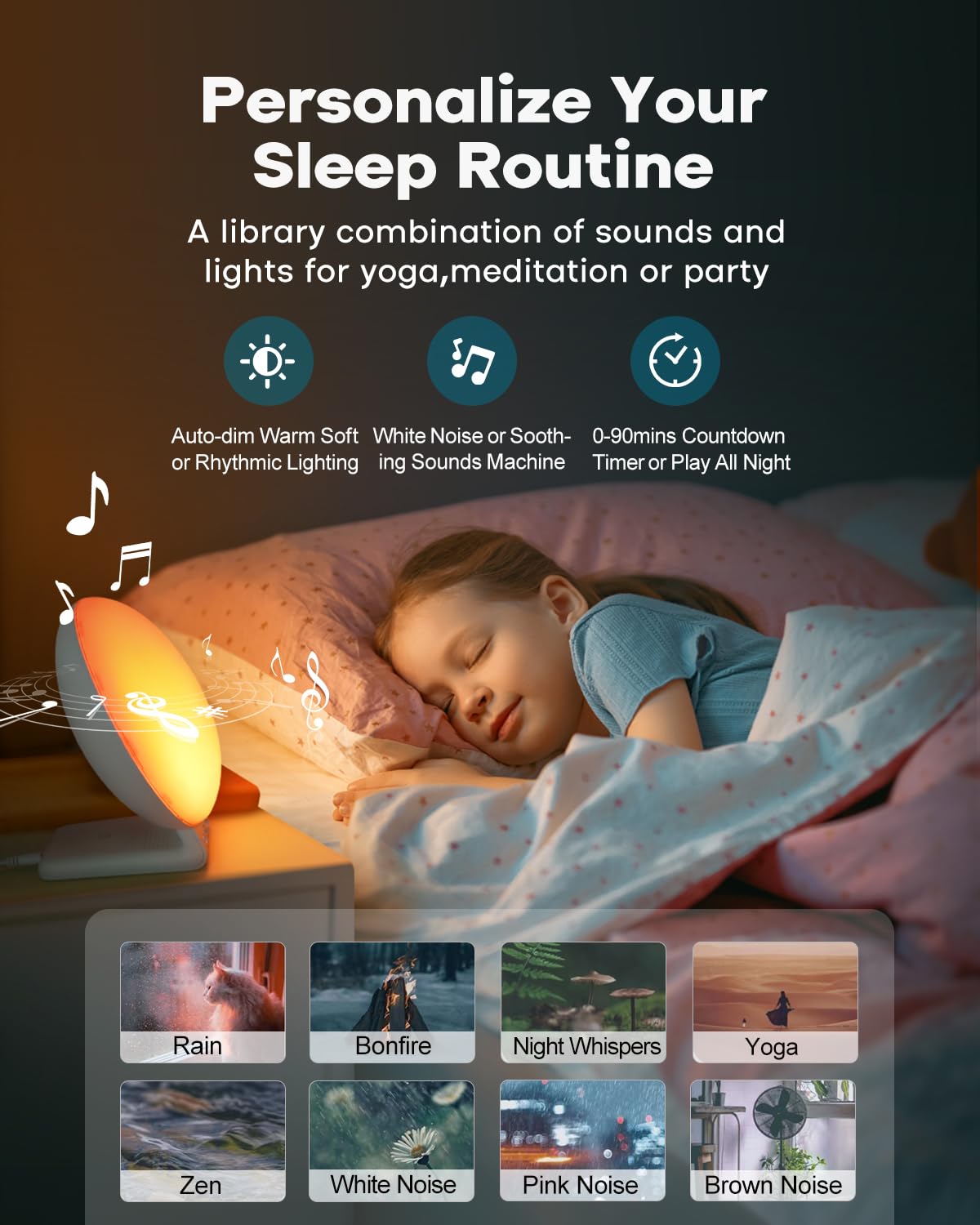
This image shows the device's sound machine capabilities, offering 15 different relaxing sounds like rain, bonfire, and white noise to aid sleep or create a calming atmosphere.
5.5 Night Light & Ambient Lighting
The device functions as a versatile night light and ambient lamp with various light modes and brightness levels.
- Modalità luce: Select from 11 ambient light modes (e.g., solid colors, color cycles) using the Dekala application.
- Controllo della luminosità: Adjust the light intensity with 20 brightness levels via the app or device controls.
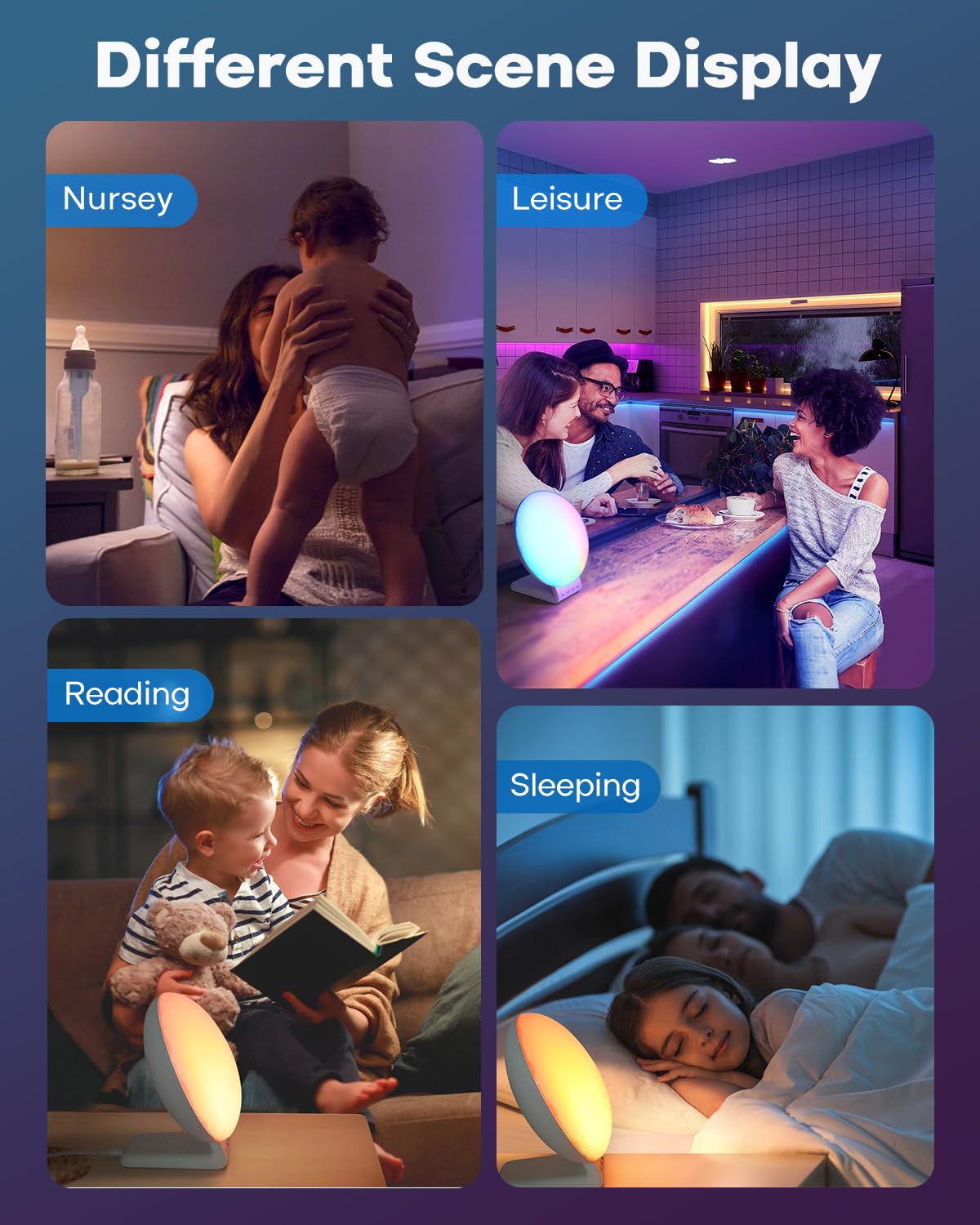
The clock functions as a versatile night light and ambient lamp, offering 11 light modes and 20 brightness levels suitable for various activities such as reading, relaxation, or as a nursery light.
5.6 Ricarica wireless
The integrated wireless charging station supports simultaneous charging of compatible devices.
- Ricarica dello smartphone: Place your QI-enabled smartphone on the designated charging pad. Supports up to 15W for compatible models (e.g., iPhone 8 and newer, Samsung Galaxy S series). Ensure phone case thickness is within 5mm (0.2 in) for optimal charging.
- Ricarica dell'Apple Watch: Place your Apple Watch (Series 2-8, SE) on the dedicated magnetic charging stand. Supports 3W output.
- Ricarica degli AirPods: Place your AirPods (2/3/Pro) on the designated charging area. Supports 5W output.
- Indicatore di carica: The device may feature an LED indicator to confirm active charging.
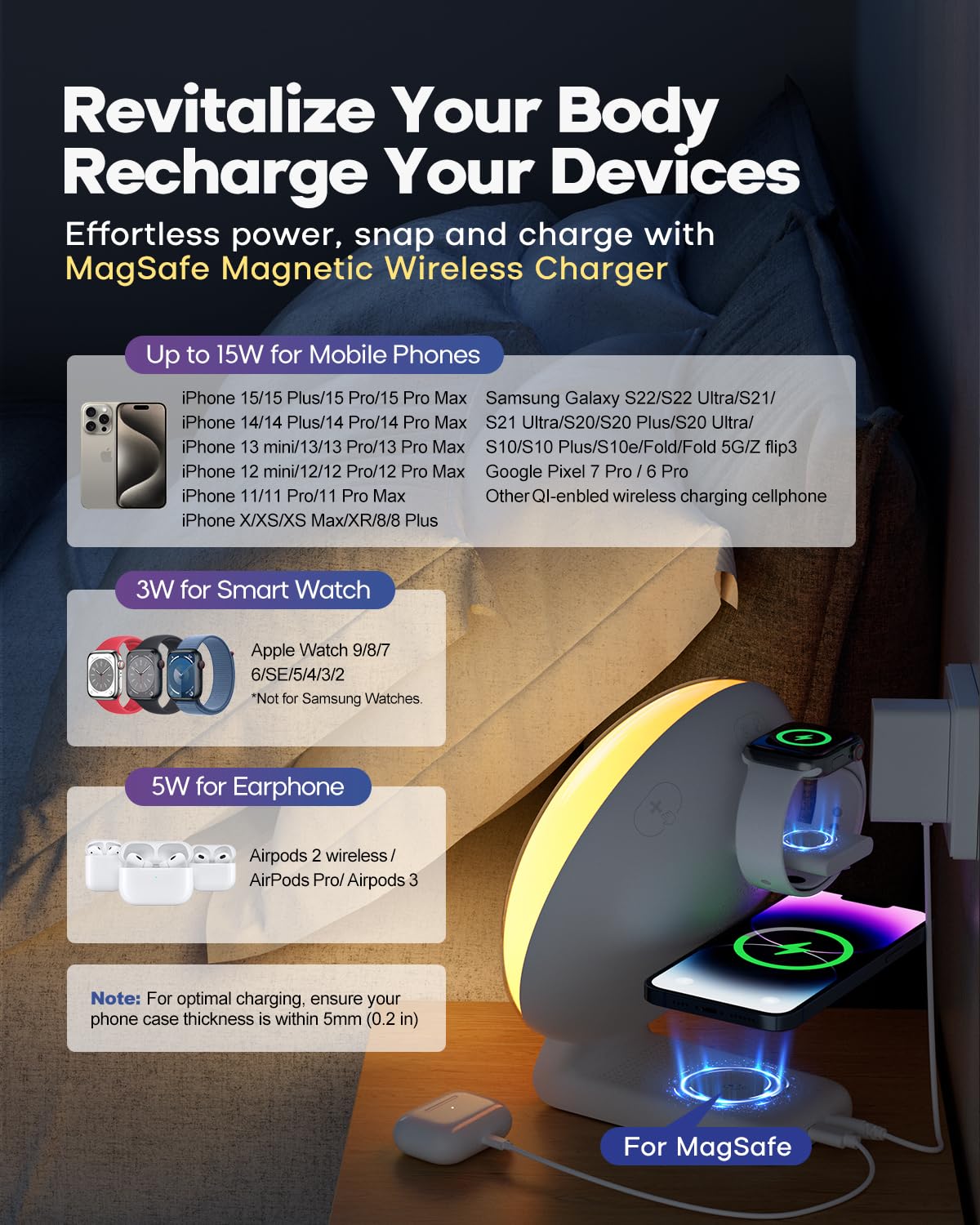
The integrated wireless charging station supports compatible smartphones (up to 15W), Apple Watches (3W), and AirPods (5W). Ensure devices are placed correctly on the charging pads for optimal performance.
6. Manutenzione
6.1 Pulizia
Per mantenere l'aspetto e la funzionalità del tuo dispositivo:
- Scollegare il dispositivo dalla fonte di alimentazione prima della pulizia.
- Per pulire le superfici, utilizzare un panno morbido, asciutto e privo di lanugine.
- Evitare l'uso di detergenti abrasivi, solventi o spray chimici, poiché potrebbero danneggiare la finitura o i componenti interni.
- Non immergere il dispositivo in acqua o in altri liquidi.
6.2 Sostituzione della batteria di backup
Se le impostazioni dell'ora e della sveglia non vengono mantenute durante uno spegnimentotagPotrebbe essere necessario sostituire la batteria di backup CR2032. Seguire le istruzioni nella Sezione 4.2 per sostituire la batteria.
7. Risoluzione Dei Problemi
If you encounter issues with your Dekala Sunrise Alarm Clock, refer to the following common problems and solutions:
- Il dispositivo non si accende: Assicurarsi che l'adattatore di alimentazione sia collegato saldamente sia al dispositivo sia a una presa a muro funzionante.
- La ricarica wireless non funziona:
- Verify your device (smartphone, Apple Watch, AirPods) is compatible with wireless charging.
- Ensure the device is centered correctly on the charging pad.
- Remove any thick phone cases (over 5mm/0.2 in) that may interfere with charging.
- Check for any metallic objects between the charging pad and your device.
- Alarm not sounding or time incorrect: Verify all alarm settings, including time, days, and activation status, within the Dekala application. Ensure the app is updated and synchronized with the device. Check the backup battery if power was recently interrupted.
- Light not changing or unresponsive: Check light mode and brightness settings in the Dekala application. Ensure the device is not in a sleep aid mode that might override manual light controls.
- Problemi di connettività dell'app: If you experience difficulty connecting the device to the Dekala application, ensure your smartphone's Bluetooth is enabled and the app is up to date. For persistent issues, refer to the Dekala app's support section or developer contact information for assistance with application-related problems.
8. Specifiche
| Marca | Dekala |
| Modello | SRWW |
| Tipo di visualizzazione | LCD |
| Fonte di alimentazione | Corded Electric, 1 CR2032 battery (backup) |
| Uscita di ricarica wireless | Up to 15W (phone), 3W (Apple Watch), 5W (AirPods) |
| Modalità di luce | 11 ambient modes, 20 brightness levels |
| Modalità audio | 15 white noise/soothing sounds |
| Dimensioni del prodotto | 2"W x 2"H (Note: Visual appearance suggests larger dimensions) |
| Peso dell'articolo | 1.81 libbre |
9. Informazioni sulla sicurezza
Per evitare danni al dispositivo o lesioni personali, osservare le seguenti precauzioni di sicurezza:
- Questo dispositivo è destinato esclusivamente all'uso in ambienti interni.
- Non esporre il dispositivo ad acqua, umidità o temperature estreme.
- Tenere il dispositivo lontano dalla luce solare diretta, da fonti di calore e da fiamme libere.
- Non tentare di smontare, riparare o modificare il dispositivo. Contattare personale di assistenza qualificato se necessario.
- Utilizzare solo l'adattatore di alimentazione fornito. L'utilizzo di un adattatore non compatibile potrebbe causare danni o incendi.
- Tenere fuori dalla portata dei bambini e degli animali domestici.


