1. Introduzione
This manual provides essential instructions for the safe and effective use of your Hello Kitty Kuromi Wireless Bluetooth Earbuds. Please read this manual thoroughly before using the product and retain it for future reference.
2. Contenuto della confezione
Verificare che tutti gli articoli siano presenti nel pacco:
- Hello Kitty Kuromi Wireless Bluetooth Earbuds (2)
- Rotating Charging Case
- Cavo USB
- Manuale dell'utente (questo documento)
3. Prodotto finitoview
3.1 Componenti
The Hello Kitty Kuromi Wireless Bluetooth Earbuds system consists of two earbuds and a rotating charging case. The charging case features a unique flip-face design, allowing you to change Kuromi's expression.
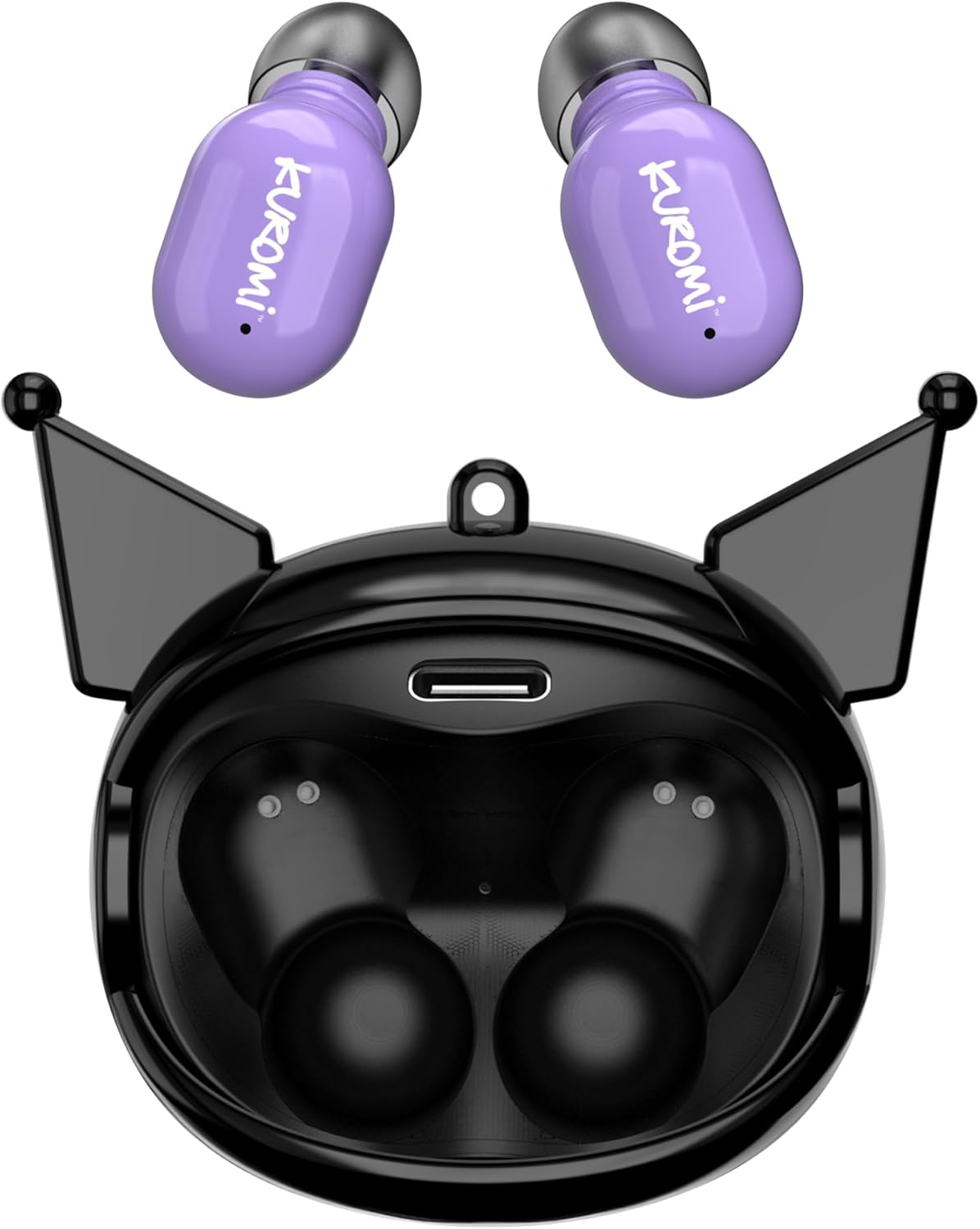
This image displays the two purple Kuromi wireless earbuds positioned above their open black charging case. The charging case features the Kuromi character design with pointed ears and an open compartment for the earbuds, revealing the charging contacts and a USB-C port.

The closed black charging case is shown, featuring Kuromi's default facial expression with a pink skull on her forehead and a neutral mouth.

The closed black charging case displays Kuromi's winking facial expression, with one eye closed and a small pink heart near her mouth.

The closed black charging case features Kuromi's heart-eyes facial expression, with two pink hearts replacing her eyes and an open-mouthed smile.
3.2 Controlli
The earbuds feature touch controls for various functions. Specific touch gestures may vary; refer to the 'Operating Instructions' section for details.
4. Impostazione
4.1 Carica iniziale
Prima del primo utilizzo, caricare completamente gli auricolari e la custodia di ricarica.
- Connect the provided USB cable to the charging port on the case and to a compatible USB power source.
- Inserisci entrambi gli auricolari nella custodia di ricarica. Assicurati che siano posizionati correttamente.
- The charging indicator lights (if present) will illuminate to show charging status. A full charge typically takes approximately 1 hour.
4.2 Associazione Bluetooth
Per collegare gli auricolari a un dispositivo:
- Assicurati che gli auricolari siano carichi e rimossi dalla custodia di ricarica. Dovrebbero entrare automaticamente in modalità di associazione.
- Sul tuo dispositivo (smartphone, tablet, ecc.), attiva il Bluetooth.
- Cercare dispositivi Bluetooth disponibili.
- Select "HKTWSRKU" or a similar name from the list of devices.
- Una volta connessi, gli auricolari indicheranno l'avvenuto abbinamento (ad esempio, tramite un messaggio vocale o un cambiamento del LED).
- Se il Bluetooth è abilitato sul dispositivo, gli auricolari si riconnetteranno automaticamente all'ultimo dispositivo associato quando vengono rimossi dalla custodia.
5. Istruzioni per l'uso
5.1 Accensione/spegnimento
- Accensione: Rimuovi gli auricolari dalla custodia di ricarica. Si accenderanno automaticamente.
- Spegni: Place the earbuds back into the charging case. They will power off and begin charging automatically.
5.2 Riproduzione di musica
Use the touch controls on the earbuds:
- Riproduci/Pausa: Tocca una volta su uno degli auricolari.
- Traccia successiva: Tocca due volte l'auricolare destro.
- Traccia precedente: Tocca due volte l'auricolare sinistro.
- Controllo del volume: In genere il volume viene controllato tramite il dispositivo connesso.
5.3 Gestione delle chiamate
Il microfono integrato consente di effettuare chiamate in vivavoce:
- Rispondi alla chiamata: Tap once on either earbud when a call comes in.
- Termina chiamata: Durante una chiamata, tocca una volta uno degli auricolari.
- Rifiuta chiamata: Tenere premuto uno degli auricolari per circa 2 secondi.
5.4 Flip-Face Feature
The charging case features a rotating mechanism to change Kuromi's facial expression. Gently rotate the front panel of the case to cycle through the available expressions.
6. Ricarica
6.1 Ricarica degli auricolari
Place the earbuds into the charging case. They will automatically begin to charge from the case's internal battery.
6.2 Ricarica della custodia
When the charging case battery is low, connect it to a power source using the provided USB cable. The case's indicator lights will show charging status. A full charge for the case typically takes about 1 hour.
7. Manutenzione e cura
- Pulizia: Utilizzare un panno morbido e asciutto per pulire gli auricolari e la custodia di ricarica. Non utilizzare prodotti chimici aggressivi o materiali abrasivi.
- Magazzinaggio: Quando non li usi, conservali nella loro custodia di ricarica per proteggerli e mantenerli carichi. Evita temperature estreme.
- Esposizione all'acqua: Questi auricolari non sono impermeabili. Evitare l'esposizione all'acqua o a umidità eccessiva.
- Impatto: Handle the earbuds and case with care to prevent damage from drops or impacts.
8. Risoluzione Dei Problemi
In caso di problemi, fare riferimento alla seguente tabella:
| Problema | Possibile soluzione |
|---|---|
| Gli auricolari non si accoppiano | Assicurati che gli auricolari siano carichi. Disattiva e riattiva il Bluetooth sul tuo dispositivo. Elimina il dispositivo dalle impostazioni Bluetooth e riabbinalo. |
| Nessun suono dagli auricolari | Controlla il volume del dispositivo. Assicurati che gli auricolari siano collegati. Prova a riprodurre un audio diverso. |
| Gli auricolari non si caricano | Ensure earbuds are correctly seated in the case. Check if the charging cable is securely connected to the case and power source. |
| Il microfono non funziona | Ensure earbuds are properly connected. Check microphone permissions on your device. |
9. Specifiche
Key technical details for the Hello Kitty Kuromi Wireless Bluetooth Earbuds:
| Caratteristica | Dettaglio |
|---|---|
| Nome del modello | Wireless Earbuds (HKTWSRKU) |
| Tecnologia di connettività | Bluetooth 5.3 |
| Durata della batteria (tempo di riproduzione) | Fino a 4 ore per carica |
| Tempo di ricarica | Circa 1 ora |
| Metodo di controllo | Tocco |
| Posizionamento dell'orecchio | Nell'orecchio |
| Caratteristica speciale | Rotating Charging Case with Flip-Face Feature |
| Componenti inclusi | Rotating Charging Case, USB Cable, User Manual |
| Produttore | Telecomunicazioni del sud |
| Peso dell'articolo | 3.52 once |
10. Informazioni sulla garanzia
For warranty details, please refer to the documentation included with your purchase or contact the retailer where the product was acquired. Warranty terms and conditions may vary by region and retailer.
11. Supporto
If you require further assistance or have questions not covered in this manual, please contact the manufacturer or your retailer's customer support. Keep your purchase receipt and product model number (HKTWSRKU) available when seeking support.


