1. Prodotto finitoview
Il Neroview BL7000 is a rugged smartphone designed for durability and performance. It features advanced AI capabilities, 5G connectivity, a high-resolution display, and a robust camera system, all powered by Android 15.

Immagine: Fronte e retro view del Neroview BL7000 AI 5G Rugged Phone, showcasing il suo design e il modulo della fotocamera.
2. Cosa c'è nella scatola
Verificare che tutti gli articoli siano presenti nella confezione del prodotto:
- Neroview Smartphone BL7000
- Caricabatterie
- Cavo di ricarica USB
- SIM slot opener
- Manuali d'uso
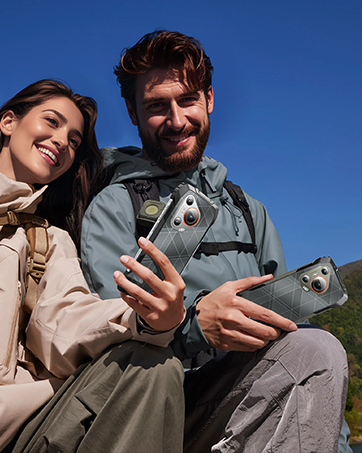
Immagine: Illustrazione del Neroview BL7000 smartphone and its included accessories: charger, USB cable, SIM tool, and user manuals.
3. Impostazione
3.1 Installazione della scheda SIM
- Individuare il vassoio della scheda SIM sul lato del dispositivo.
- Insert the SIM slot opener into the small hole next to the tray and press gently until the tray ejects.
- Place your Nano-SIM cards and/or TF (microSD) card into the designated slots on the tray. Ensure correct orientation.
- Reinserire con cautela il vassoio nel telefono finché non è a filo con il corpo del dispositivo.
Nota sulla compatibilità di rete: Il Neroview BL7000 supports dual SIM cards and is compatible with T-Mobile. It is non compatibile with CDMA carriers such as AT&T, Cricket Wireless, Verizon, Straight Talk, or U.S. Cellular.

Image: Diagram showing the dual SIM card slot and TF card expansion on the Blackview BL7000, along with other features like GPS, fingerprint, Face ID, NFC, and the customizable shortcut button.
3.2 Accensione iniziale e configurazione
- Premere e tenere premuto il pulsante di accensione finché il neroview appare il logo.
- Seguire le istruzioni visualizzate sullo schermo per completare la configurazione iniziale, inclusa la selezione della lingua, la connessione Wi-Fi, l'accesso all'account Google e le impostazioni di sicurezza.
3.3 Security Features Setup
- Sblocco delle impronte digitali: Navigate to Settings > Security & privacy > Fingerprint unlock to register your fingerprints.
- Sblocco Face ID: Navigate to Settings > Security & privacy > Face unlock to set up facial recognition.
4. Istruzioni per l'uso
4.1 Navigazione di base
Il Neroview BL7000 operates on Android 15 with Doke OS 4.1. Use standard Android gestures for navigation:
- Scorri verso l'alto dal basso: Vai alla schermata Home.
- Scorri verso l'alto e tieni premuto: Apri le app recenti.
- Scorri dal bordo sinistro o destro: Torna indietro.
- Rubinetto: Seleziona un elemento.
- Pressione prolungata: Accedi ai menu contestuali o sposta le icone.
4.2 AI Features (Doke AI & Gemini 2.0)
The BL7000 integrates advanced AI capabilities to enhance user experience:
- Domande e risposte intelligenti: Fai domande e ricevi risposte intelligenti.
- Chat vocale: Engage in natural language conversations with the AI assistant.
- Predictive Text: Improved text input with smart suggestions.
- Doke AI Apps: Explore dedicated applications for image editing, video creation, and music generation.

Immagine: Oltreview of Doke AI features including Smart Q&A, voice interaction, and AI-powered apps for image, video, and music creation.
4.3 Funzionamento della fotocamera
The BL7000 features a versatile camera system:
- Fotocamera principale AI da 50 MP: Per foto ad alta risoluzione con miglioramenti AI.
- 32MP Self-facing Camera: Per selfie nitidi.
- Fotocamera per visione notturna da 20 MP: Utilizes advanced ISOCELL 2.0 Technology for low-light photography. Access this mode in the camera app for enhanced visibility in dark environments.
- Capacità dell'IA: The camera app includes features like magic eraser, photo unblur, sky replacement, and color focus.

Image: Diagram illustrating the Blackview BL7000's camera setup, highlighting the 50MP main, 32MP self-facing, and 20MP night vision cameras.
4.4 Funzionalità di visualizzazione
The 6.78-inch 2.4K display offers a smooth visual experience:
- Frequenza di aggiornamento 120Hz: Provides fluid scrolling and animations. The intelligent adaptive refresh rate adjusts dynamically for optimal performance and power efficiency.
- Risoluzione 2460x1080: Ensures sharp and clear visuals.
- Luminosità 750 nit: Offers good visibility even in bright outdoor conditions.

Immagine: Il Neroview BL7000 display showcasing its 120Hz refresh rate and 2.4K resolution for smooth and detailed visuals.
4.5 Connettività
- Connettività 5G: Supports high-speed 5G networks.
- Bluetooth 5.2: For stable and fast wireless connections with accessories.
- NFC: For convenient contactless payments and data sharing.
- Wifi: Supports standard Wi-Fi protocols for internet access.
- USB: Per la ricarica e il trasferimento dei dati.
4.6 Useful ToolBag and Shortcut Button
The BL7000 includes a pre-installed ToolBag app and a customizable shortcut button:
- ToolBag Apps: Compass, Height Measure, Flashlight, Sound Meter, Protractor, Mirror, Warning, Magnifier, Pic Hanging, Plumb Bob, Barometer, Step Count.
- Pulsante di scelta rapida personalizzato: This physical button can be configured for quick access to functions such as starting sound recording, opening the flashlight, taking a screenshot, Push-to-Talk (PTT), SOS emergency call, or opening game mode.
5. Manutenzione
5.1 Gestione della batteria
- The BL7000 is equipped with a 7500mAh battery.
- Use the provided 33W fast charger for quick recharging. A 30-minute charge can provide approximately 40% battery.
- Ricarica inversa OTG: The phone can act as a power bank to charge other devices. Connect a compatible OTG cable to your BL7000 and then to the device you wish to charge.

Image: Diagram showing the internal battery structure and the 33W fast charging capability of the Blackview Italiano: BL7000.
5.2 Robustezza e durata
The BL7000 is built to withstand harsh environments:
- Impermeabile (IP68 e IP69K): Immergibile fino a 1.5 metri per 30 minuti.
- Dust-proof (IP68 & IP69K): Protetto contro l'ingresso di polvere.
- A prova di caduta (MIL-STD-810H): Certified to military standards for durability against drops.
- Vetro Corning Gorilla Glass 5: Protects the screen from scratches and impacts.
- Temperatura di esercizio: Designed to function in temperatures ranging from -20°C to +60°C.

Image: Visuals demonstrating the Blackview BL7000's MIL-STD-810H drop-proof certification and IP68/IP69K water and dust resistance, along with its operational temperature range.
5.3 Pulizia e cura
Per la manutenzione del dispositivo, pulirlo con un panno morbido eamp cloth. Avoid harsh chemicals or abrasive materials. Ensure all ports are dry before charging.
6. Risoluzione Dei Problemi
- Nessuna connessione di rete:
- Assicurati che la scheda SIM sia inserita correttamente.
- Verify that your carrier is compatible with the Blackview BL7000 (T-Mobile compatible; not compatible with AT&T, Cricket Wireless, Verizon, Straight Talk, or U.S. Cellular).
- Controllare le impostazioni di rete (Impostazioni > Rete e Internet > Rete mobile).
- Riavviare il telefono.
- Il dispositivo non risponde:
- Per forzare il riavvio, tenere premuto il pulsante di accensione per 10-15 secondi.
- Se il problema persiste, assicurarsi che la batteria sia carica.
- Applicazioni che si bloccano/prestazioni lente:
- Chiudere le applicazioni in background.
- Cancella la cache dell'app (Impostazioni > App > [Nome app] > Archiviazione e cache > Cancella cache).
- Assicurarsi che vi sia spazio di archiviazione sufficiente.
- Consider a factory reset as a last resort (Settings > System > Reset options > Erase all data (factory reset)). Attenzione: questa operazione eliminerà tutti i dati presenti sul telefono. Esegui prima il backup delle informazioni importanti.
7. Specifiche
| Caratteristica | Specificazione |
|---|---|
| Nome del modello | BL7000 |
| Sistema operativo | Android 15 (Doke OS 4.1) |
| Processore | MTK Dimensity 6300 (5G) |
| Memoria RAM | Fino a 24 GB (8 GB fisici + 16 GB virtuali) |
| Memoria interna | 256 GB |
| Archiviazione espandibile | Fino a 2 TB tramite scheda TF |
| Dimensioni dello schermo | 6.78 pollici |
| Risoluzione dello schermo | 2460x1080 (2.4K) |
| Frequenza di aggiornamento | 120 Hz |
| Fotocamera principale | Fotocamera AI da 50 MP |
| Fotocamera per selfie | Fotocamera da 32 MP |
| Telecamera per visione notturna | Fotocamera da 20 MP |
| Capacità della batteria | 7500mAh |
| Ricarica | Ricarica rapida da 33 W, ricarica inversa OTG |
| Valutazioni di durabilità | IP68, IP69K, MIL-STD-810H |
| Protezione dello schermo | Vetro Corning Gorilla 5 |
| Connettività | 5G, Bluetooth 5.2, NFC, Wi-Fi, USB |
| Dimensioni | 6.92 x 3.2 x 0.71 pollici |
| Peso | 12.7 once (360 grammi) |
8. Garanzia e supporto
- Garanzia: Il Neroview BL7000 comes with a 2-year warranty.
- Assistenza clienti: Dedicated customer service is available for support.
- Risposta rapida: Expect 7/24 1v1 quick response for inquiries.
- Supporto permanente: Neroview provides lifelong support for its products.
- On-site Repair: On-site repair services may be available.
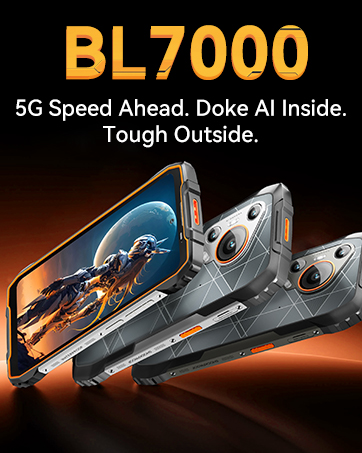
Image: A team of Blackview customer service representatives, symbolizing available support.


