1. Introduzione
This manual provides essential information for the setup, operation, and maintenance of your Thomson Go TV 32-inch Portable Android TV, Model 32HA4M44. Designed for flexible viewing, this HD Ready television features Android TV for access to numerous streaming services, Google Assistant for voice control, and a built-in battery for up to 4 hours of portable use. Its adjustable stand and integrated wheels enhance mobility, allowing you to enjoy entertainment anywhere in your home.

Figura 1: Fronte view of the Thomson Go TV 32-inch Portable Android TV on its stand.
2. Contenuto della confezione
Ensure all the following items are included in your product packaging:
- Thomson Go TV 32-inch Unit
- Adattatore di alimentazione
- Cavo di alimentazione
- Telecomando
- Manuale dell'utente (questo documento)
- Scheda di garanzia
3. Configurazione fisica
3.1. Dimensioni e posizionamento
Before setting up, consider the dimensions of your TV for optimal placement.

Figure 2: Diagram illustrating the dimensions of the Thomson Go TV, including its height, width, and depth.
3.2. Adjusting the TV View
The Thomson Go TV offers adjustable tilt, height, and rotation features for a comfortable viewesperienza di acquisizione.
- Inclinazione: Adjust the screen vertically to reduce glare or optimize viewangolo di ing.
- Altezza: Sollevare o abbassare lo schermo all'altezza degli occhi.
- Rotazione: Swivel the screen horizontally to share content with others in the room.

Figure 3: The TV stand allows for various adjustments to achieve an optimal viewangolo di ing.
3.3. Mobilità
The integrated wheels at the base of the stand allow for easy movement of the TV between rooms or locations.
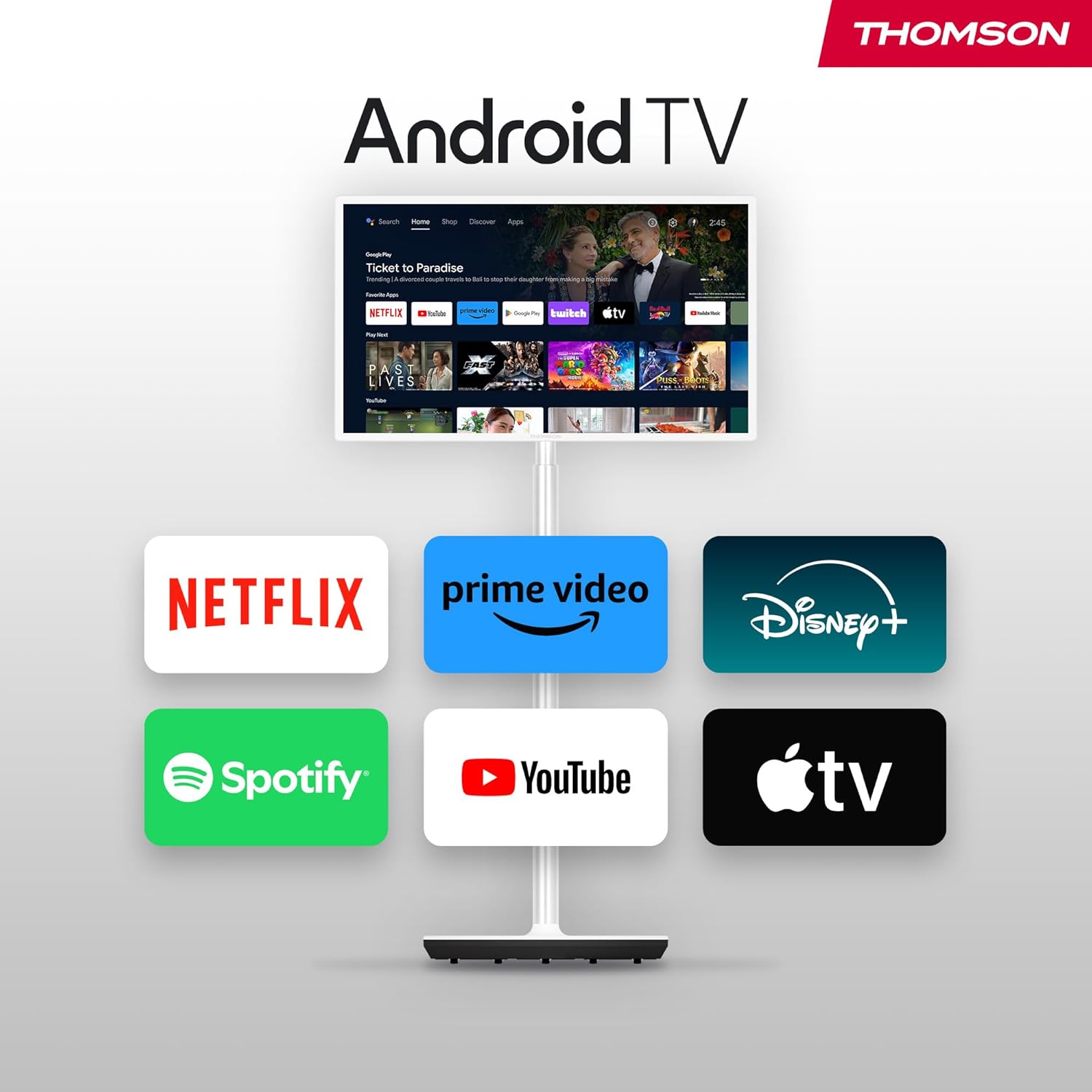
Figure 4: The TV can be easily moved around your home thanks to its wheeled base.
4. Connessioni
The Thomson Go TV provides various ports for connecting external devices:
- HDMI: Connect high-definition devices such as Blu-ray players, gaming consoles, or set-top boxes.
- USB: Collegare dispositivi di archiviazione USB per la riproduzione di contenuti multimediali.
- LAN (Ethernet): Per una connessione Internet cablata.
- INGRESSO AV: Per collegare dispositivi analogici più vecchi.
- Antenna: For connecting to a terrestrial antenna for live TV broadcasts.

Figure 5: Rear panel showing available connection ports.
5. Accensione iniziale e configurazione
To power on your Thomson Go TV, connect the power adapter to the TV and a power outlet. Press the power button on the TV or the remote control. Follow the on-screen instructions for initial setup, including language selection, network connection (Wi-Fi or Ethernet), and Google account login for Android TV features.
6. Operating Your Thomson Go TV
6.1. Interfaccia Android TV
Your Thomson Go TV runs on Android TV, providing a user-friendly interface for accessing a wide range of applications and content. The home screen displays your favorite apps, recommended content, and various categories for easy navigation.

Figure 6: The Android TV home screen with various streaming applications.
6.2. Controllo vocale con Google Assistant
The remote control features a dedicated button for Google Assistant, allowing you to control your TV and search for content using voice commands. Simply press the Google Assistant button and speak your command.

Figure 7: The remote control with Google Assistant and direct access buttons.

Figure 8: Using voice commands with Google Assistant on the Thomson Go TV.
6.3. Streaming and Casting
Access popular streaming services like Netflix, Prime Video, YouTube, Disney+, and Spotify directly from the Android TV interface. Utilize Google Cast to stream movies, music, and videos from your smartphone, tablet, or laptop directly to your TV screen.

Figure 9: Content being cast from a mobile device to the Thomson Go TV using Google Cast.
6.4. Funzionamento a batteria
The integrated battery provides up to 4 hours of viewing time, allowing for flexible placement without immediate need for a power outlet.
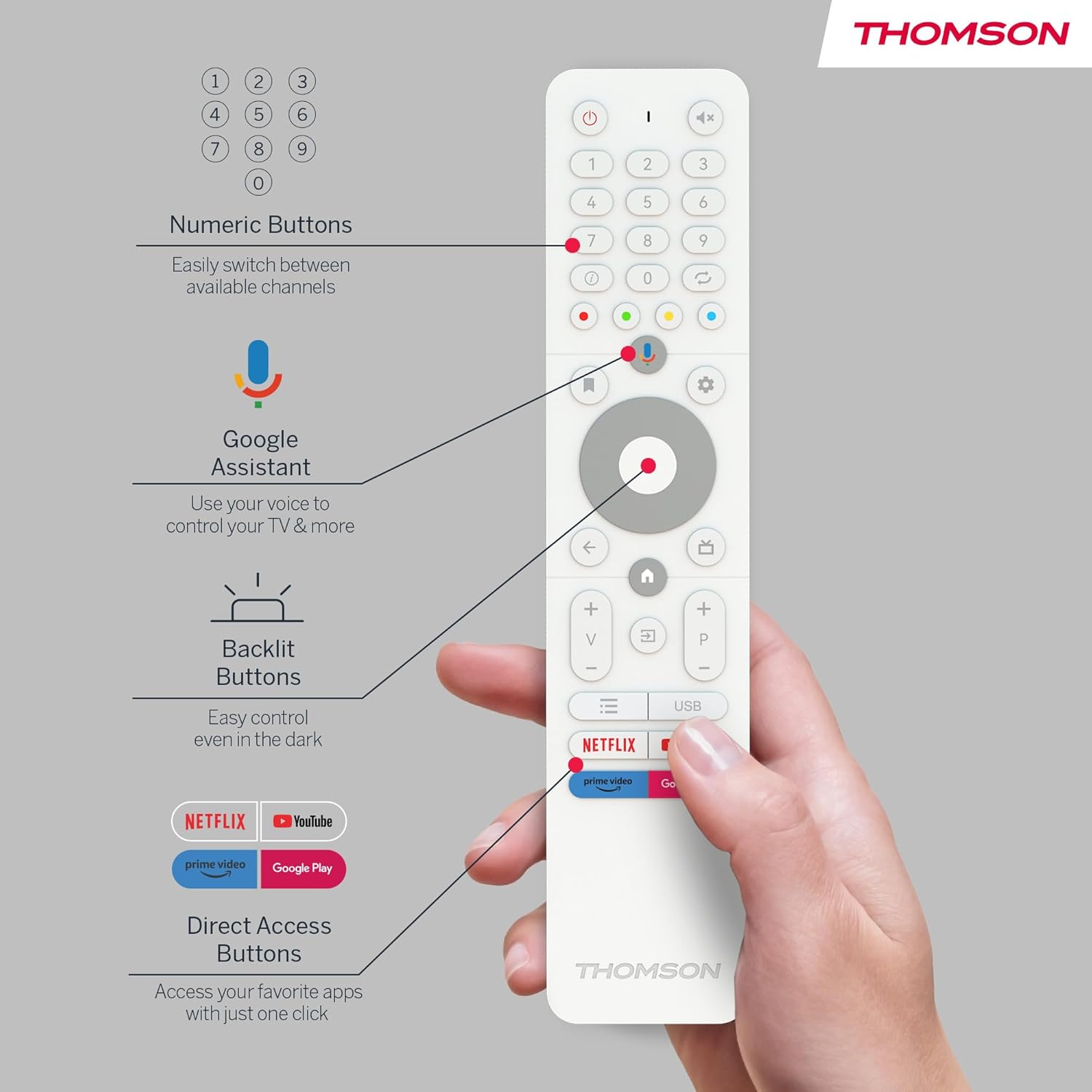
Figure 10: The TV's built-in battery supports portable use for up to 4 hours.
6.5. Caratteristiche audio
Experience clear audio with Dolby Audio technology and 16W speakers.

Figure 11: Dolby Audio enhances the sound experience on the Thomson Go TV.
6.6. Hotspot Functionality
The TV supports hotspot functionality, allowing it to share its internet connection with other devices.
Figure 12: The TV's hotspot feature in use, sharing its internet connection.
7. Manutenzione e cura
To ensure the longevity and optimal performance of your Thomson Go TV, follow these general maintenance guidelines:
- Pulizia: Use a soft, dry cloth to clean the screen and exterior surfaces. For stubborn marks, slightly dampPulisci il panno con acqua o con un detergente per schermi delicato e non abrasivo. Evita prodotti chimici aggressivi.
- Ventilazione: Assicurarsi che le aperture di ventilazione del televisore non siano ostruite per evitare il surriscaldamento.
- Magazzinaggio: When not in use for extended periods, store the TV in a cool, dry place away from direct sunlight and extreme temperatures.
- Cura della batteria: Per una durata ottimale della batteria, evitare di scaricarla completamente frequentemente. Caricarla regolarmente, anche se non viene utilizzata costantemente.
8. Risoluzione Dei Problemi
If you encounter issues with your Thomson Go TV, try the following basic troubleshooting steps:
- Nessun potere: Controllare che il cavo di alimentazione sia collegato saldamente sia al televisore che alla presa di corrente. Assicurarsi che la presa sia funzionante.
- Nessuna immagine/suono: Verify that the correct input source is selected. Check all cable connections (HDMI, AV, Antenna).
- Il telecomando non funziona: Sostituisci le batterie del telecomando. Assicurati che non ci siano ostacoli tra il telecomando e il sensore IR del televisore.
- Problemi di connessione di rete: Riavvia il router Wi-Fi. Ricollega la TV alla rete Wi-Fi o prova una connessione Ethernet cablata.
- L'app non risponde: Try closing and reopening the application. If the issue persists, restart the TV.
Per problemi più complessi, fare riferimento alle risorse di supporto online o contattare il servizio clienti.
9. Specifiche tecniche
| Caratteristica | Specificazione |
|---|---|
| Marca | Tommaso |
| Numero di modello | 32HA4M44 |
| Dimensioni dello schermo | 32 pollici (81 centimetri) |
| Tecnologia di visualizzazione | LCD |
| Risoluzione | 720p (1366x768) |
| Frequenza di aggiornamento | Frequenza 60 Hz |
| Sistema operativo | TV Androide |
| Caratteristiche speciali | Chromecast, Browser, Voice Control (Google Assistant), Hotspot Function |
| Connettività | HDMI, USB (1 port), Wi-Fi, Ethernet |
| Tecnologia audio | Audio Dolby |
| Tipo di batteria | Ioni di litio (inclusi) |
| Durata della batteria | Fino a 4 ore |
| Valutazione dell'efficienza energetica | E |
| Dimensioni del prodotto | 6P x 73W x 43H centimetri |
| Produttore | FlussoView Società a responsabilità limitata |
| Paese di origine | Cina |
For detailed energy information, please visit the EPREL database: https://eprel.ec.europa.eu/qr/2062485
10. Garanzia e supporto
The Thomson Go TV 32HA4M44 comes with a manufacturer's warranty of 3 years. For warranty claims, technical support, or service inquiries, please refer to the contact information provided on your warranty card or visit the official Thomson support websito.


