Introduzione
Thank you for choosing the Monster S290 Portable Bluetooth Speaker. This manual provides essential information for setting up, operating, and maintaining your speaker to ensure optimal performance and longevity. Please read these instructions carefully before using the product.
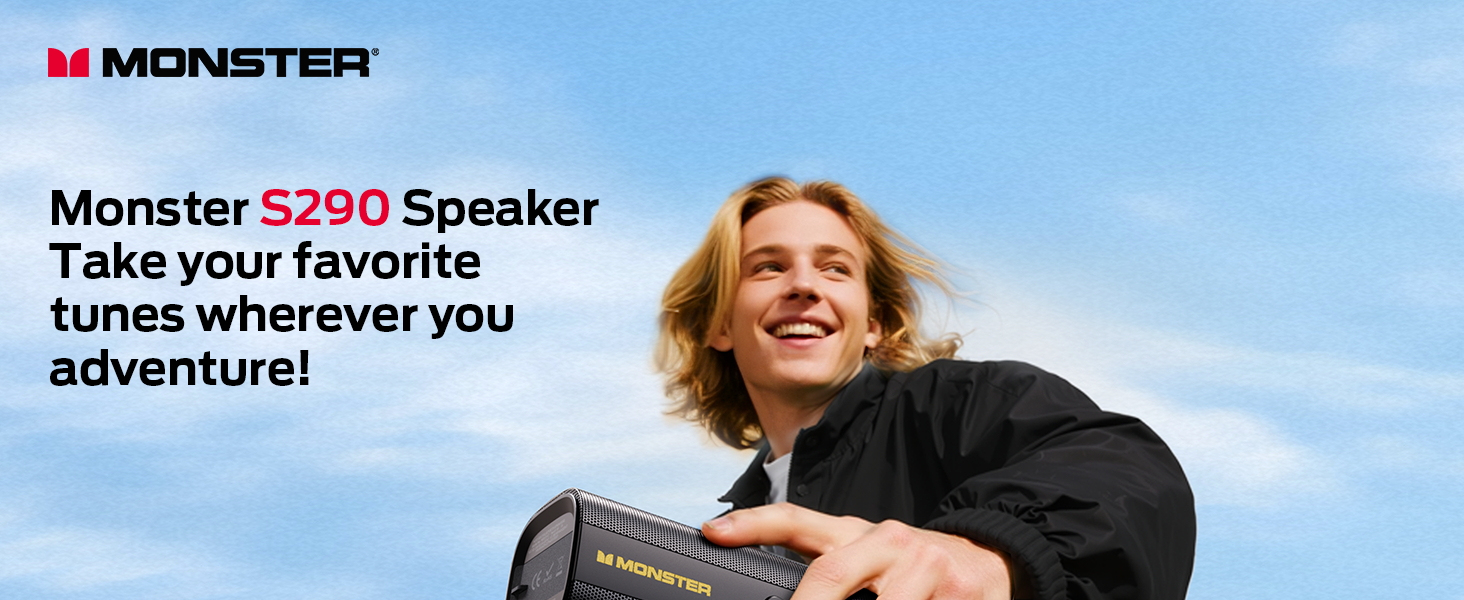
Image: The Monster S290 speaker, designed for portability, shown being carried by a person outdoors.
Contenuto della confezione
Verifica che tutti gli articoli elencati di seguito siano inclusi nel tuo pacchetto:
- Monster S290 Speaker x1
- Cavo AUX-IN x1
- Cavo di ricarica USB-C x1
- Guida rapida x1
- Scheda di garanzia x1
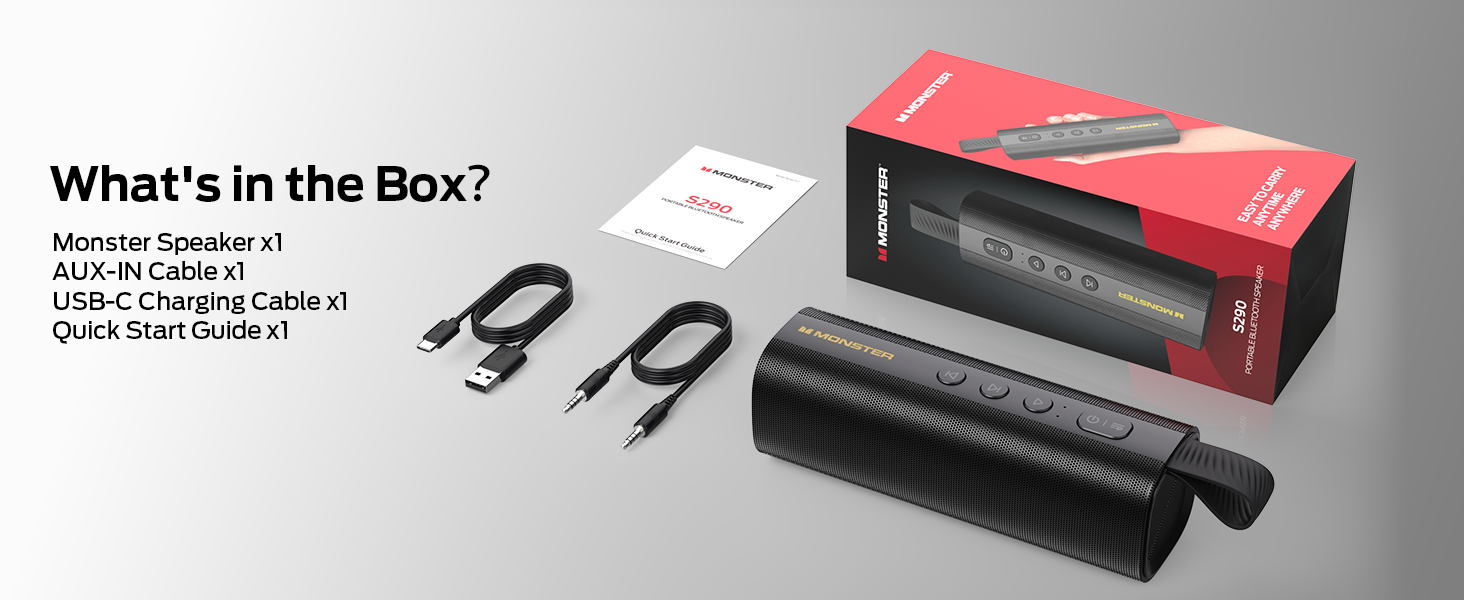
Image: A visual representation of the Monster S290 speaker and its included accessories: AUX-IN cable, USB-C charging cable, quick start guide, and warranty card.
Prodotto finitoview
Disposizione degli altoparlanti
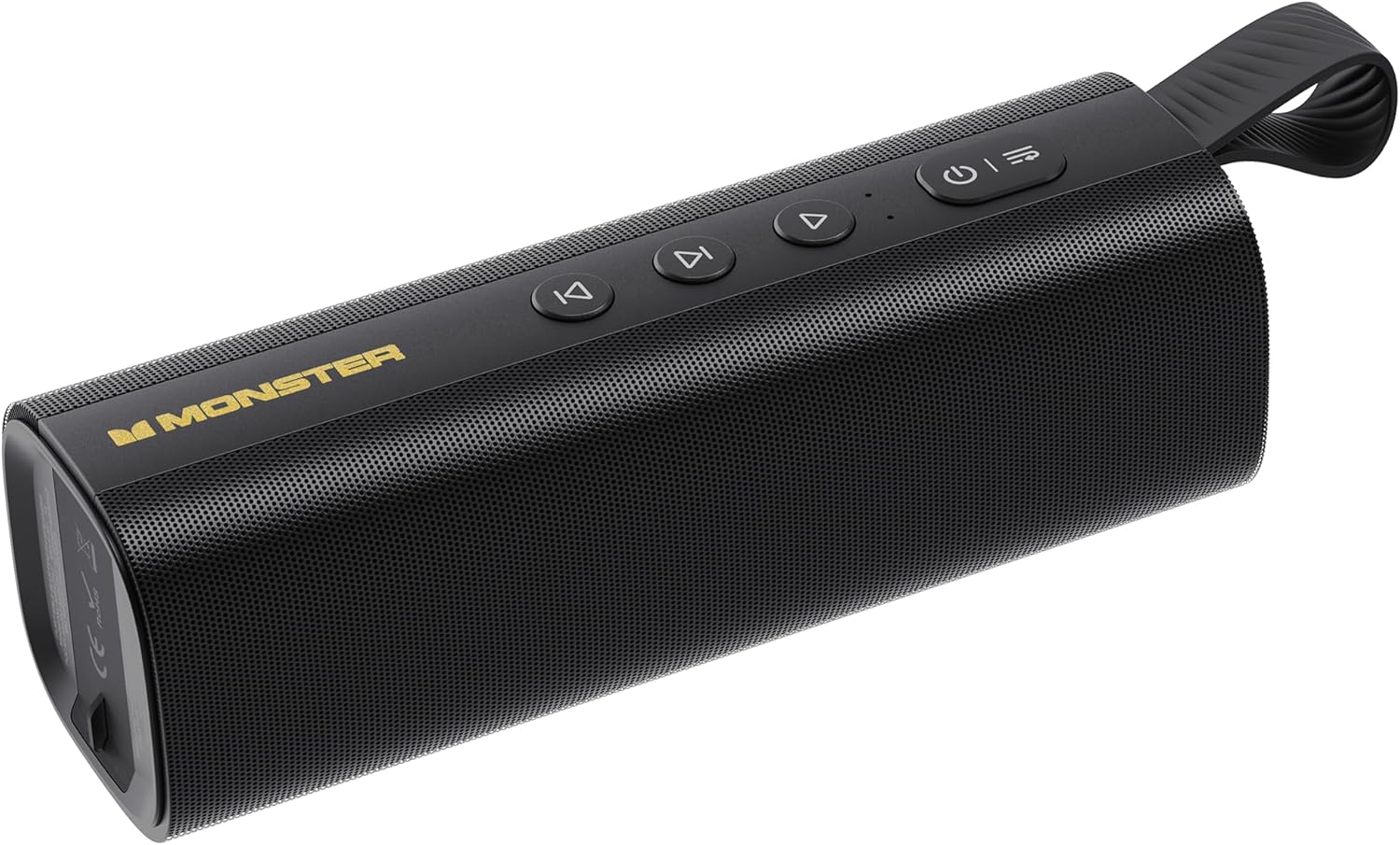
Image: The Monster S290 Portable Bluetooth Speaker, showcasing its cylindrical design, control buttons on top, and integrated carrying strap.
Pulsanti di controllo
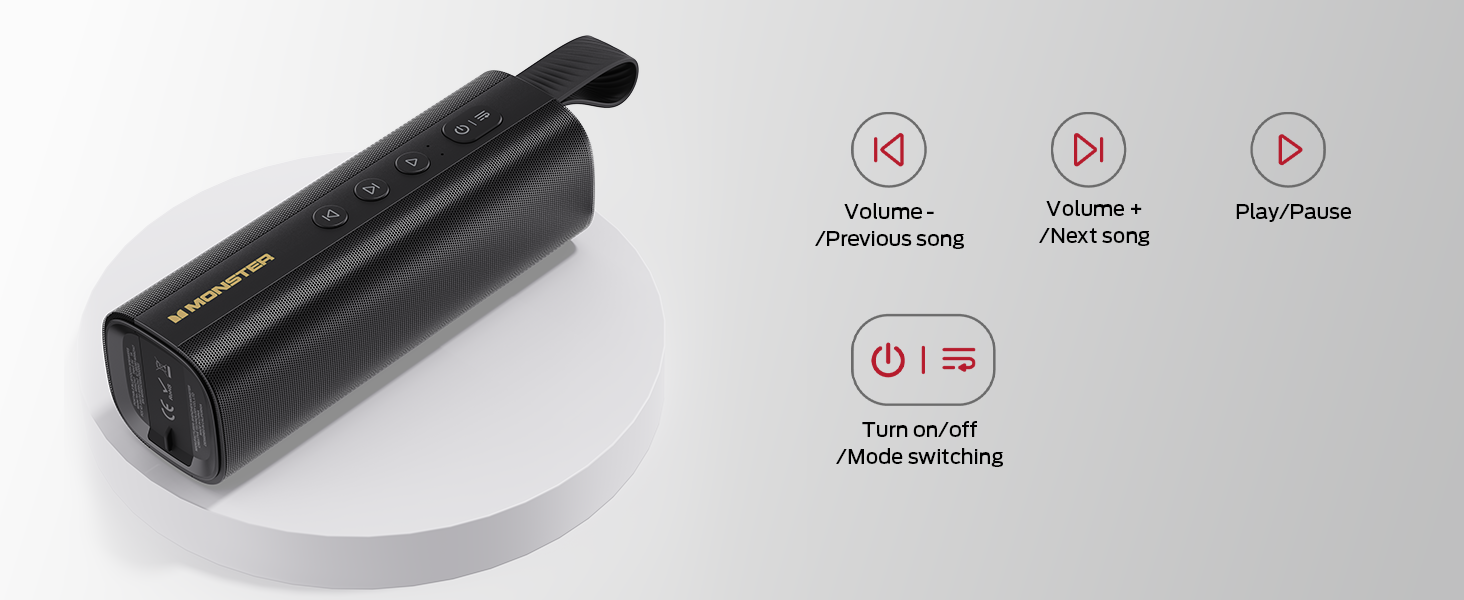
Image: A diagram detailing the functions of the speaker's buttons: Power On/Off/Mode Switching, Volume Down/Previous Song, Volume Up/Next Song, and Play/Pause.
- Pulsante di accensione (⏻): Press and hold to power on/off. Short press to switch between input modes (Bluetooth, AUX, TF Card, USB).
- Volume Down / Previous Song (⏮): Short press for previous song. Press and hold to decrease volume.
- Play / Pause (⏯): Short press to play or pause audio.
- Volume Up / Next Song (⏭): Short press for next song. Press and hold to increase volume.
Porte di ingresso

Immagine: Un dettaglio view of the speaker's connectivity panel, showing the TF card slot, USB port, USB-C charging port, and AUX-IN port, protected by a rubber flap.
- Slot per schede TF: For playing audio directly from a MicroSD/TF card.
- Porta USB: For playing audio directly from a USB flash drive.
- USB-C (5 V CC): Charging port for the speaker.
- Ingresso AUX: 3.5mm audio input for wired connection to devices.
Impostare
Caricamento dell'altoparlante
- Collegare il cavo di ricarica USB-C in dotazione alla porta USB-C dell'altoparlante.
- Collegare l'altra estremità del cavo a un adattatore di alimentazione USB (non incluso) o alla porta USB di un computer.
- La spia di carica si accenderà durante la ricarica e si spegnerà quando la carica sarà completamente completata.
- Una carica completa garantisce circa 15 ore di riproduzione.

Image: The Monster S290 speaker held in a hand, visually representing its extended battery life of up to 15 hours on a single charge.
Accensione/spegnimento
- Per accendere: Tenere premuto il pulsante di accensione (⏻) per circa 2-3 secondi finché non si sente un segnale acustico e la spia luminosa non si accende.
- Per spegnere: Tenere premuto il pulsante di accensione (⏻) per circa 2-3 secondi finché non si sente un segnale acustico e la spia si spegne.
Istruzioni per l'uso
Accoppiamento Bluetooth (singolo altoparlante)
- Ensure the speaker is powered on and in Bluetooth pairing mode (indicated by a flashing blue LED). If not, short press the Power button (⏻) to cycle through modes until Bluetooth mode is active.
- Sul tuo dispositivo mobile (smartphone, tablet, ecc.), attiva il Bluetooth.
- Cercare available Bluetooth devices. You should see "Monster S290" in the list.
- Select "Monster S290" to connect. Once connected, the indicator light will turn solid blue, and you will hear a confirmation sound.
- Una volta acceso, l'altoparlante tenterà automaticamente di riconnettersi all'ultimo dispositivo associato.

Immagine: una radiografia view of the Monster S290 speaker, emphasizing the integrated Bluetooth 6.0 chip for stable and efficient wireless connectivity.
Accoppiamento TWS (True Wireless Stereo)
TWS pairing allows you to connect two Monster S290 speakers together for a stereo sound experience.
- Assicurarsi che entrambi gli altoparlanti Monster S290 siano accesi e non connessi ad alcun dispositivo Bluetooth.
- On one of the speakers (this will be the primary speaker), press and hold the Play/Pause button (⏯) for 2-3 seconds. You will hear a prompt indicating TWS pairing mode.
- The two speakers will automatically search for and connect to each other. Once connected, you will hear a confirmation sound, and the primary speaker's indicator light will flash, while the secondary speaker's light will be solid.
- Ora collega il tuo dispositivo mobile all'altoparlante principale tramite Bluetooth come descritto nella sezione "Associazione Bluetooth".
- Ora l'audio verrà riprodotto in stereo attraverso entrambi gli altoparlanti.

Image: Two Monster S290 speakers demonstrating TWS connectivity, allowing them to play audio in stereo from a single Bluetooth source.
Modalità AUX-IN
- Connect one end of the 3.5mm AUX-IN cable to the AUX-IN port on the speaker.
- Collegare l'altra estremità del cavo alla presa di uscita audio del dispositivo.
- Premere brevemente il pulsante di accensione (⏻) to switch to AUX mode. The speaker will announce "AUX mode".
- Controlla la riproduzione e il volume dal tuo dispositivo connesso.
Modalità di riproduzione delle carte TF
- Inserire una scheda TF (MicroSD) con audio files nello slot per schede TF.
- Premere brevemente il pulsante di accensione (⏻) to switch to TF Card mode. The speaker will announce "TF card mode" and begin playing audio.
- Use the speaker's control buttons for playback (Play/Pause, Next/Previous Song, Volume Up/Down).
Modalità di riproduzione USB
- Inserisci un'unità flash USB con audio files nella porta USB.
- Premere brevemente il pulsante di accensione (⏻) to switch to USB mode. The speaker will announce "USB mode" and begin playing audio.
- Use the speaker's control buttons for playback (Play/Pause, Next/Previous Song, Volume Up/Down).
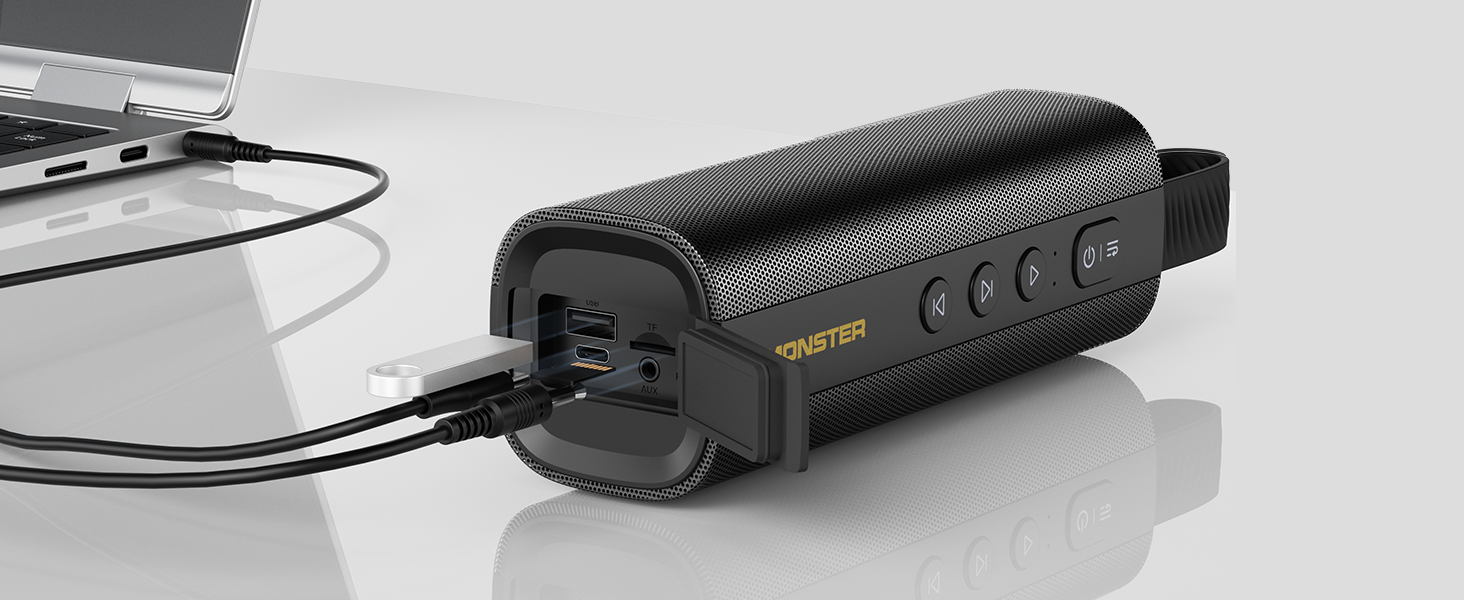
Image: The Monster S290 speaker connected to a laptop, illustrating its versatility with AUX, USB, and TF card input options.
Manutenzione
Resistenza all'acqua (IPX6)
The Monster S290 speaker features an IPX6 waterproof rating, meaning it is protected against high-pressure water jets from any direction. This makes it suitable for outdoor use and resistant to splashes, rain, and sweat.
- Ensure the rubber flap covering the charging and input ports is securely closed to maintain water resistance.
- Non immergere l'altoparlante in acqua.
- Dopo l'esposizione all'acqua, asciugare l'altoparlante con un panno morbido prima di caricarlo o di aprire il coperchio della porta.

Image: The Monster S290 speaker positioned near a pool, illustrating its IPX6 waterproof capability, making it suitable for use in wet environments.
Pulizia e conservazione
- Pulisci l'altoparlante con un panno morbido eamp panno. Non usare detergenti abrasivi o solventi.
- Conservare l'altoparlante in un luogo fresco e asciutto, lontano dalla luce solare diretta e da temperature estreme.
- Se si prevede di non utilizzarla per un periodo prolungato, caricare periodicamente la batteria per mantenerla in buone condizioni.
Risoluzione dei problemi
| Problema | Possibile causa | Soluzione |
|---|---|---|
| L'altoparlante non si accende. | Batteria scarica. | Carica l'altoparlante utilizzando il cavo USB-C in dotazione. |
| Nessun suono. | Volume troppo basso sull'altoparlante o sul dispositivo collegato. Modalità di input errata. | Increase volume on both speaker and device. Ensure correct input mode is selected (Bluetooth, AUX, TF, USB). |
| Impossibile effettuare l'associazione tramite Bluetooth. | Speaker not in pairing mode. Device Bluetooth is off. Speaker already connected to another device. | Ensure speaker is in Bluetooth pairing mode (flashing blue LED). Turn on Bluetooth on your device. Disconnect from other devices or restart the speaker. |
| L'associazione TWS non riesce. | Speakers are too far apart. One speaker is already paired to a device. | Ensure speakers are within 10 meters of each other. Disconnect both speakers from any Bluetooth devices before initiating TWS pairing. |
| Qualità del suono scadente. | Low battery. Device too far from speaker (Bluetooth). Interference. | Charge the speaker. Move device closer to the speaker. Avoid obstacles between device and speaker. |
Specifiche
- Nome del modello: S290 (Item Model Number: S38)
- Marca: Monster
- Versione Bluetooth: 6.0
- Uscita audio: 30 W
- Tempo di gioco: Up to 15 hours (varies by volume and content)
- Grado di impermeabilitàGrado di protezione: IPX6
- Interfacce di input: Bluetooth, AUX-IN, TF Card, USB
- Porta di ricarica: USB-C (DC 5V)
- Batteria: 1 batteria A (inclusa)
- Dimensioni del prodotto: 2.36 x 7.24 x 2.68 pollici
- Peso dell'articolo: 1.08 libbre
- Materiale: Plastica
- Colore: Nero
Garanzia e supporto
The Monster S290 Portable Bluetooth Speaker comes with a warranty. Please refer to the included "Warranty Card" for detailed terms and conditions. For further assistance or technical support, please consult the "Quick Start Guide" or visit the official Monster support websito.
Conservare la ricevuta d'acquisto come prova d'acquisto per eventuali reclami in garanzia.


