1. Introduzione
This manual provides essential information for setting up, operating, maintaining, and troubleshooting your Sony BRAVIA 2M2 Series 4K Ultra HD Smart LED Google TV, model K-55S25BM2. Please read this manual thoroughly before using your television to ensure proper and safe operation.
The Sony BRAVIA 2M2 Series TV features a 4K Ultra HD display, Google TV operating system, and advanced audio technologies for an immersive viewesperienza di acquisizione.
2. Impostazione
2.1 Cosa c'è nella scatola
Verificare che tutti i componenti siano presenti nella confezione:
- 1 unità TV LED
- 1 cavo di alimentazione CA
- 1 telecomando
- 2 batterie AAA (per il telecomando)
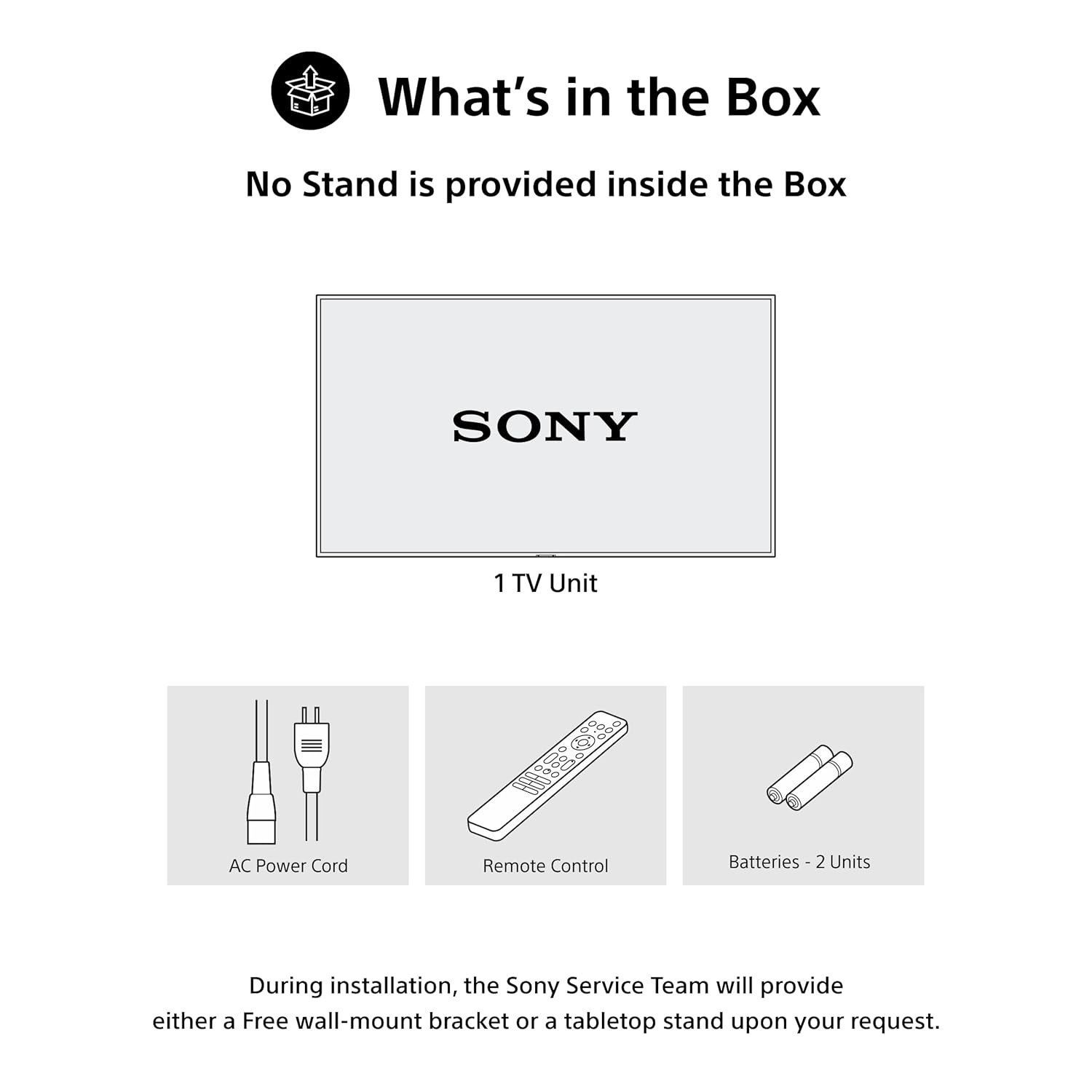
Figure 2.1: Included items in the product packaging. Note: A stand is not provided inside the box. During installation, the Sony Service Team will provide either a free wall-mount bracket or a tabletop stand upon your request.
2.2 Installazione fisica
The television can be installed using a wall mount or a tabletop stand. Ensure the chosen location provides adequate ventilation and is away from direct sunlight or heat sources. Refer to the separate installation guide for detailed instructions on mounting the TV.
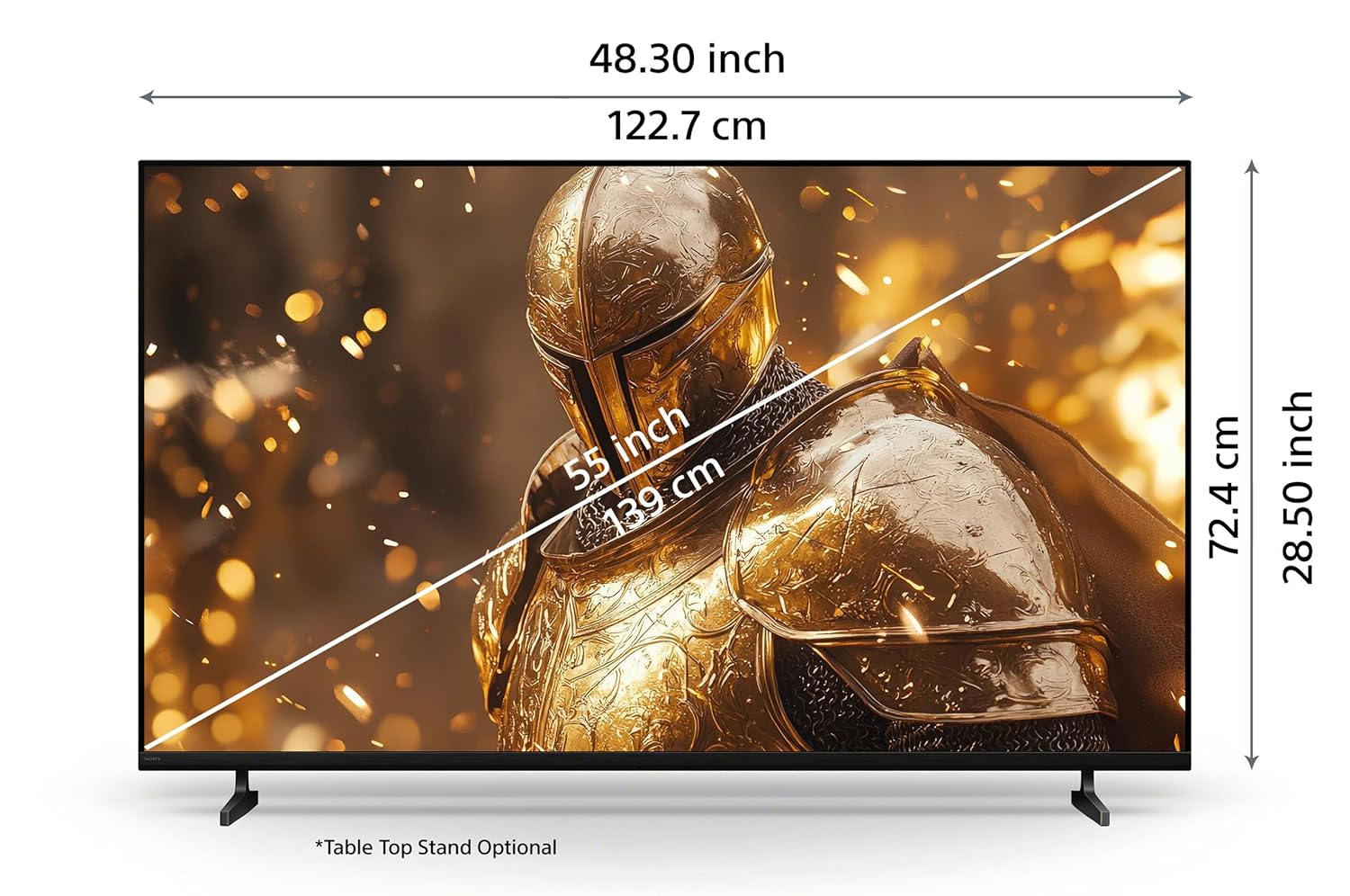
Figure 2.2: Product dimensions for the 55-inch model. Tabletop stand is optional.
2.3 Collegamento dei dispositivi
Connect your external devices such as set-top boxes, Blu-ray players, gaming consoles, and USB storage devices to the appropriate ports on the TV. Ensure the TV is powered off before making any connections.
- Porte HDMI: The TV features 4 HDMI ports for high-definition audio and video input. HDMI 3 supports eARC/ARC for enhanced audio return channel functionality.
- Porte USB: Sono disponibili due porte USB per il collegamento di dischi rigidi e altri dispositivi USB.
- Porta LAN: Utilizzare la porta LAN per una connessione Internet cablata.

Figura 2.3: Posteriore view of the TV showing various connectivity ports.
3. Istruzioni per l'uso
3.1 Accensione/Spegnimento
Press the power button on the remote control or on the TV to turn the television on or off. Ensure the power cord is securely connected to both the TV and a power outlet.
3.2 Funzioni del telecomando
The included remote control provides access to all TV functions. Insert the two AAA batteries into the remote control, observing the correct polarity.
- One Click Google Assistant: Utilizzare il pulsante dedicato per i comandi vocali.
- Pulsanti di accesso rapido: Direct access to Sony Picture Core, YouTube, Netflix, Sony Liv, Prime Video, and Crunchyroll.

Figure 3.1: Remote control layout with key function buttons.
3.3 Interfaccia di Google TV
Navigate the Google TV interface to access apps, streaming services, and personalized content recommendations. Use the directional pad and select button on the remote to browse.

Figure 3.2: Google TV home screen displaying various applications and content.
3.4 Ricerca vocale
Utilize the built-in Google Assistant for voice commands. Press the Google Assistant button on your remote and speak clearly to search for content, control your TV, or get information.

Figure 3.3: Voice search functionality via the remote control.
3.5 Connettività wireless
The TV supports Wi-Fi, Bluetooth, Apple AirPlay 2, and Google Cast for seamless wireless connectivity.
- Wifi: Connect to your home network for internet access and smart TV features.
- Bluetooth: Pair Bluetooth headphones or other compatible audio devices.
- Apple AirPlay 2 / Google Cast: Stream videos, photos, and music directly from your iOS or Android devices to the TV.

Figure 3.4: Streaming content from a smartphone to the TV.
3.6 Caratteristiche di gioco
The TV is equipped with features to enhance your gaming experience:
- Menu di gioco: Access gaming-specific settings and adjustments for optimal performance.
- ALLM/eARC (HDMI 2.1 Compatible): Auto Low Latency Mode (ALLM) reduces input lag, and enhanced Audio Return Channel (eARC) provides high-quality audio passthrough to compatible sound systems.
4. Manutenzione
4.1 Pulizia del televisore
To clean the screen, gently wipe it with a soft, dry cloth. For stubborn marks, slightly dampen the cloth with water. Do not use harsh chemicals or abrasive cleaners. For the TV frame and stand, use a soft, dry cloth.
4.2 Power Saving (Eco Dashboard)
The Eco Dashboard 2 provides real-time energy consumption insights and allows you to optimize settings for eco-friendly performance. This includes adjusting brightness based on ambient light and other power-saving options.

Figure 4.1: Eco Dashboard 2 for managing power consumption.
5. Risoluzione Dei Problemi
Se riscontri problemi con il tuo televisore, fai riferimento ai seguenti problemi comuni e alle relative soluzioni:
- Nessun potere: Ensure the AC power cord is securely connected to the TV and a working power outlet. Check if the power outlet is functional.
- Nessuna immagine/suono: Verify that the correct input source is selected. Check all cable connections (HDMI, antenna, etc.) for secure fit. Restart connected devices.
- Il telecomando non risponde: Controlla le batterie del telecomando e sostituiscile se necessario. Assicurati che non ci siano ostacoli tra il telecomando e il sensore IR del televisore.
- Problemi di connessione di rete: For Wi-Fi, ensure your router is on and within range. For wired connections, check the LAN cable. Try restarting your router and modem.
- Problemi di qualità dell'immagine: Adjust picture settings (brightness, contrast, sharpness) in the TV menu. Ensure you are watching high-quality content (e.g., 4K content for optimal 4K display).
Per una risoluzione dei problemi più dettagliata o per problemi persistenti, contattare l'assistenza clienti Sony.
6. Specifiche
| Caratteristica | Specificazione |
|---|---|
| Marca | Sony |
| Modello | Modello K-55S25BM2 |
| Nome del modello | Bravia |
| Dimensioni dello schermo | 55 pollici (139 cm) |
| Risoluzione | Risoluzione 4K Ultra HD (3840 x 2160) |
| Frequenza di aggiornamento | 60 Hertz |
| Tecnologia di visualizzazione | GUIDATO |
| Processore | Processore 4K X1 |
| Sistema operativo | TV di Google |
| Uscita audio | 20 Watts, 2ch, Open Baffle Speaker |
| Caratteristiche audio | DTS Digital Surround, DTS:X, Dolby Atmos, Dolby Audio |
| Porte HDMI | 4 (ALLM/eARC compatible) |
| Porte USB | 2 |
| Connettività wireless | Wi-Fi, Bluetooth |
| Caratteristiche della Smart TV | Google TV, Watchlist, Google Assistant, Google Cast, Game Menu, Apple Airplay 2, Apple Homekit, Alexa |
| Classe energetica | 2 stelle |
| Dimensioni del prodotto (LxWxH) | Dimensioni: 122.7 x 8.2 x 72.4 cm |
| Peso dell'articolo | 13.2 kg |
7. Garanzia e supporto
7.1 Informazioni sulla garanzia
Your Sony BRAVIA TV comes with a 1-year comprehensive warranty on the product from the date of purchase. This includes the remote control for technical issues. Please retain your purchase invoice to avail warranty services.
7.2 Assistenza clienti
For assistance, technical support, or service requests, please contact Sony customer care:
- Numero assistenza clienti: 080 6500 6500
- E-mail: Sonyindia.care@ap.sony.com
- Websito: Visita sonyindia.co.in per informazioni sul riciclaggio dei prodotti e ulteriore supporto.
Sony provides trained and verified experts for installation and support services.

Figure 7.1: Sony's customer support and installation services.


