1. Introduzione
This manual provides essential information for setting up, operating, maintaining, and troubleshooting your Roku Smart TV 2025 – 24-Inch Select Series 720p HD TV. Please read these instructions carefully before using your television.
The Roku Select Series HD TV offers a streamlined entertainment experience. It features bright HD picture quality, auto speech clarity, and a night mode. Access free live television directly from the home screen and utilize the voice remote for content discovery across various applications. This television is suitable for various rooms including bedrooms, living rooms, kitchens, or children's rooms.
2. Cosa c'è nella scatola
Verificare che tutti i componenti siano presenti nella confezione:
- Roku Select Series 24" HD TV
- Stands and screws
- Roku Voice Remote with batteries
- Guida rapida

Image: The Roku Select Series TV box contents, showing the television, remote, and stand components.
3. Impostazione
3.1 Fissaggio dei supporti TV
- Posizionare con cautela lo schermo del televisore su una superficie morbida e pulita per evitare graffi.
- Allineare ciascun supporto con i fori delle viti corrispondenti nella parte inferiore del televisore.
- Fissare i supporti utilizzando le viti fornite. Assicurarsi che siano ben serrate.
3.2 Collegamento delle periferiche
Your Roku TV includes multiple ports for connecting external devices:
- Porte HDMI: Connect devices such as cable boxes, gaming consoles, or Blu-ray players. The HDMI 1 (ARC) port supports Audio Return Channel for simplified audio connections.
- Porta USB: For media playback from a USB drive or powering compatible devices.
- Ingresso antenna/cavo: Collegare un'antenna per le trasmissioni via etere o una connessione TV via cavo.
- Uscita audio ottica: Per il collegamento a una soundbar o a un ricevitore audio.
- Ingresso AV: Per collegare dispositivi più vecchi utilizzando cavi video composito e audio stereo.

Image: Close-up of the back of the Roku TV, highlighting the HDMI, USB, optical, and AV input ports.
3.3 Accensione iniziale e connessione di rete
- Collegare il cavo di alimentazione al televisore e poi a una presa a muro.
- Insert the included AAA batteries into the voice remote.
- Premere il pulsante di accensione sul telecomando per accendere la TV.
- Follow the on-screen instructions to select your language, connect to your Wi-Fi network, and activate your Roku account.
4. Operating Your Roku TV
4.1 Utilizzo del telecomando vocale
The Roku Voice Remote simplifies navigation and content search. It features dedicated buttons for popular streaming services and voice control capabilities.
- Pulsante vocale: Press and hold to speak commands for searching content, launching apps, or controlling playback.
- Pad di navigazione: Use the directional arrows and OK button to move through menus and select items.
- Scorciatoie dell'app: Dedicated buttons provide quick access to services like Netflix, Disney+, and Prime Video.
- Controlli del volume: Adjust TV volume directly from the remote.
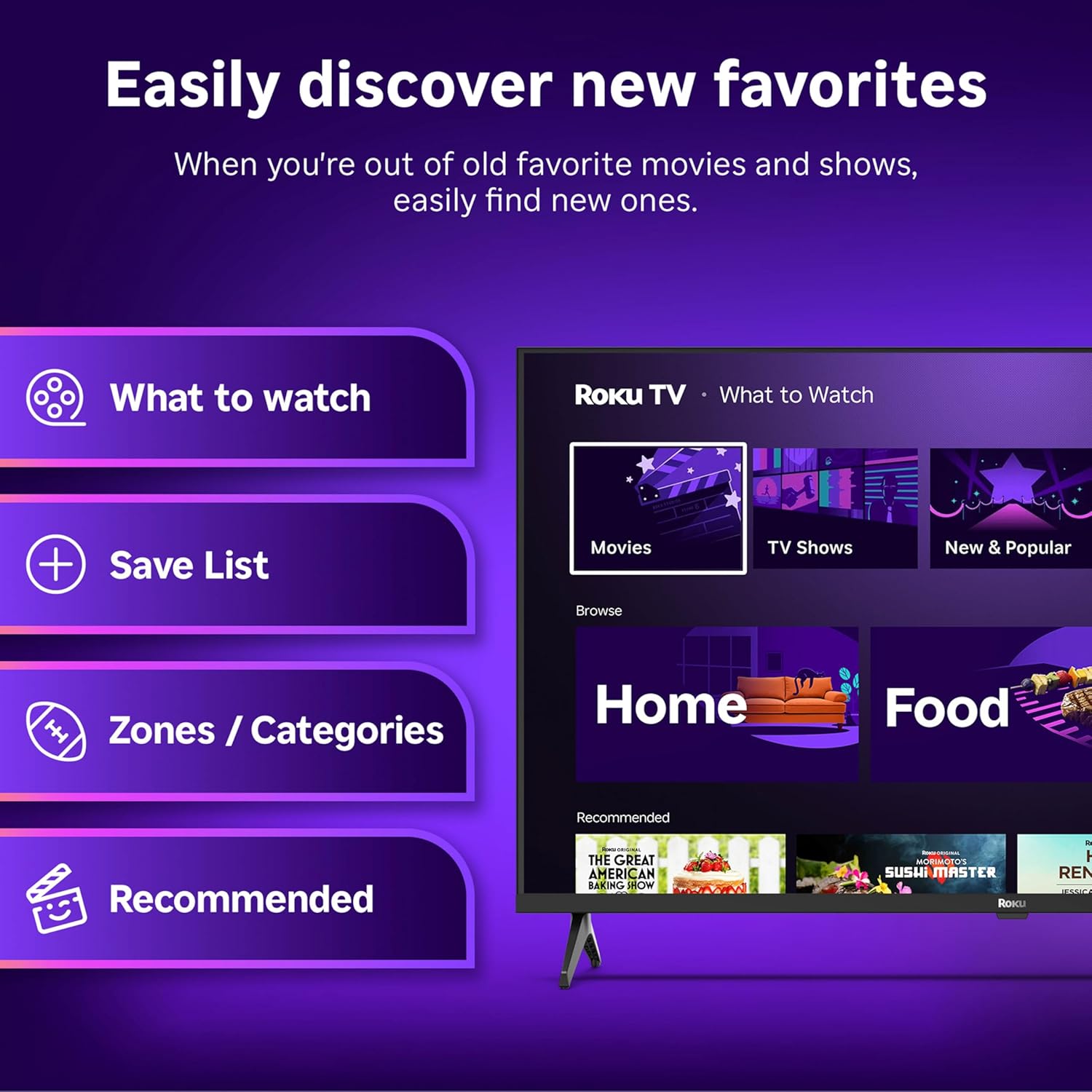
Image: The Roku Voice Remote, showing its layout and key functions.
4.2 Streaming and App Navigation
The Roku TV home screen provides quick access to all your streaming channels and inputs. You can customize the order of your apps for personalized access.
- Schermata iniziale: Displays your installed apps, recommended content, and TV inputs.
- Negozio di streaming: Browse and add new streaming channels.
- TV in diretta: Access free live television channels directly from the home screen.
- Ricerca: Use the search function or voice remote to find movies, shows, actors, or directors across various services.

Image: The Roku TV user interface, showing the home screen with app tiles and menu options.
4.3 Impostazioni immagine e audio
Your Roku TV features Smart Picture technology to optimize viewing and offers enhanced audio features.
- Smart Picture: Automatically adjusts picture settings based on the content being viewed (e.g., movie, sports, vivid, standard).
- Chiarezza audio: Designed for clear speech and louder sound.
- Bluetooth Headphone Mode: Connect your wireless headphones for private listening.

Image: A vibrant nature scene displayed on the Roku TV, demonstrating the clear picture quality.
4.4 Integrazione della casa intelligente
The Roku TV integrates with various smart home ecosystems for convenient voice control and content sharing.
- Controllo vocale: Compatible with Roku Voice, Siri, Alexa, and Google Assistant for hands-free operation.
- Utilizzo di Apple AirPlay: Effortlessly share videos, photos, and music from your Apple devices to your TV.

Image: A Roku TV screen with a smart speaker nearby, illustrating voice control integration with smart home systems.
5. Manutenzione
5.1 Pulizia del televisore
- Scollegare sempre la TV prima di pulirla.
- Utilizzare un panno morbido e privo di lanugine per pulire delicatamente lo schermo e il telaio.
- Per segni ostinati, leggermente dampImmergere il panno in acqua o in un detergente per schermi delicato e non abrasivo. Non spruzzare mai il detergente direttamente sullo schermo.
- Evitare l'uso di prodotti chimici aggressivi, spugne abrasive o solventi.
5.2 Aggiornamenti software
Your Roku TV receives automatic software updates to provide new features and improve performance. Ensure your TV is connected to the internet to receive these updates.
6. Risoluzione Dei Problemi
If you encounter issues with your Roku TV, try the following basic troubleshooting steps:
- Nessun potere: Assicurati che il cavo di alimentazione sia collegato saldamente sia al televisore che a una presa elettrica funzionante. Prova una presa diversa.
- Nessuna immagine/suono: Verificare che sia selezionata la sorgente di ingresso corretta. Verificare che tutti i collegamenti dei cavi (HDMI, AV, ecc.) siano saldi.
- Il telecomando non risponde: Sostituisci le batterie del telecomando. Assicurati che non ci siano ostacoli tra il telecomando e il televisore.
- Problemi di connessione di rete: Restart your Wi-Fi router. Go to the TV's network settings to reconnect to your Wi-Fi.
- L'app non si carica: Try restarting the app. If the issue persists, remove the app and reinstall it from the Streaming Store.
- Ripristino di fabbrica: As a last resort, a factory reset can resolve many software issues. This will erase all personal settings and installed apps. Access this option through the TV's Settings menu.
7. Specifiche
| Caratteristica | Specificazione |
|---|---|
| Marca | Roku |
| Numero di modello | 24R2D5 |
| Dimensioni dello schermo | 24 pollici |
| Tecnologia di visualizzazione | GUIDATO |
| Risoluzione | Formato: 720p |
| Frequenza di aggiornamento | Frequenza 60 Hz |
| Proporzioni | 16:9 |
| Tecnologia di connettività | Wifi bluetooth |
| Caratteristiche speciali | Bluetooth Headphone Mode, Dolby Audio, Voice Remote |
| Peso dell'articolo | 5.7 libbre |
| Dimensioni del prodotto | 7 x 21.1 x 14.3 pollici |
| Batterie richieste | 2 batterie AAA (per il telecomando) |
8. Garanzia e supporto
For warranty information and technical support, please refer to the documentation included with your product or visit the official Roku support webluogo. Conserva la ricevuta di acquisto per eventuali richieste di garanzia.
Roku offers various support resources, including online FAQs, troubleshooting guides, and customer service contact options.