1. Introduzione
Thank you for choosing the ACMER S2 12W Laser Engraver Machine. This powerful and precise tool is designed for a wide range of engraving and cutting applications on various materials. This manual provides essential information for safe operation, setup, maintenance, and troubleshooting to ensure optimal performance and longevity of your device.

Figure 1: The ACMER S2 12W Laser Engraver in operation, demonstrating its capability to engrave intricate designs on wood.
2. Informazioni sulla sicurezza
Operating a laser engraver requires strict adherence to safety guidelines to prevent injury and damage. Please read and understand all safety instructions before using the device.
Precauzioni generali di sicurezza:
- Always wear the provided protective anti-UV safety goggles when the laser is active.
- Non guardare mai direttamente il raggio laser o il suo riflesso.
- Assicurarsi che l'area di lavoro sia ben ventilata per dissipare i fumi e il fumo generati durante l'incisione o il taglio.
- Tenere i materiali infiammabili lontano dall'incisore laser.
- Non lasciare la macchina incustodita durante il funzionamento.
- The S2 includes an automatic pause feature if movement is detected during engraving, enhancing safety.
- Tenere bambini e animali domestici lontani dall'area operativa.
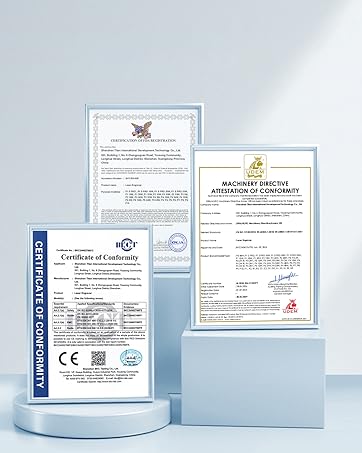
Figure 2: Product certifications indicating compliance with safety standards.
3. Contenuto della confezione
Verify that all components are present in the package before assembly. Refer to the included parts list in your physical manual for a detailed breakdown. Key components include:
- Modulo laser (12 W)
- Frame Components (profiles, X-axis, Y-axis)
- Scatola di controllo
- Adattatore di alimentazione e cavi
- occhiali protettivi
- Cavo dati USB
- Blocco di messa a fuoco
- Tool Kit (screws, wrenches)
Video 1: Un overview of the ACMER S1 12W Laser Engraver Machine, showcasing i suoi componenti e l'aspetto generale.
4. Guida all'installazione
Follow these steps to assemble your ACMER S2 12W Laser Engraver. Detailed visual instructions are available in the included manual and the assembly video.
Fasi di assemblaggio:
- Disimballare tutti i componenti e verificarli rispetto all'elenco delle parti.
- Assemble the frame using the provided screws and tools.
- Install the X-axis and Y-axis components, ensuring smooth movement.
- Montare il modulo laser sul carrello dell'asse X.
- Connect the control box and power adapter.
- Adjust the laser focus using the focusing block.
Video 2: A user demonstrating the setup process of the ACMER S2 laser engraver, highlighting its ease of assembly.

Figure 3: The POM pulley and dovetail slide mechanism, designed for stable and quiet operation (less than 45dB).
5. Istruzioni per l'uso
The ACMER S2 12W Laser Engraver is compatible with various software and materials, offering versatility for your projects.
Compatibilità software:
The engraver supports LightBurn and LaserGRBL, two mainstream engraving software applications. It is compatible with Windows, macOS, and Linux operating systems. Supported file i formati includono NC, DXF, BMP, JPG e PNG.
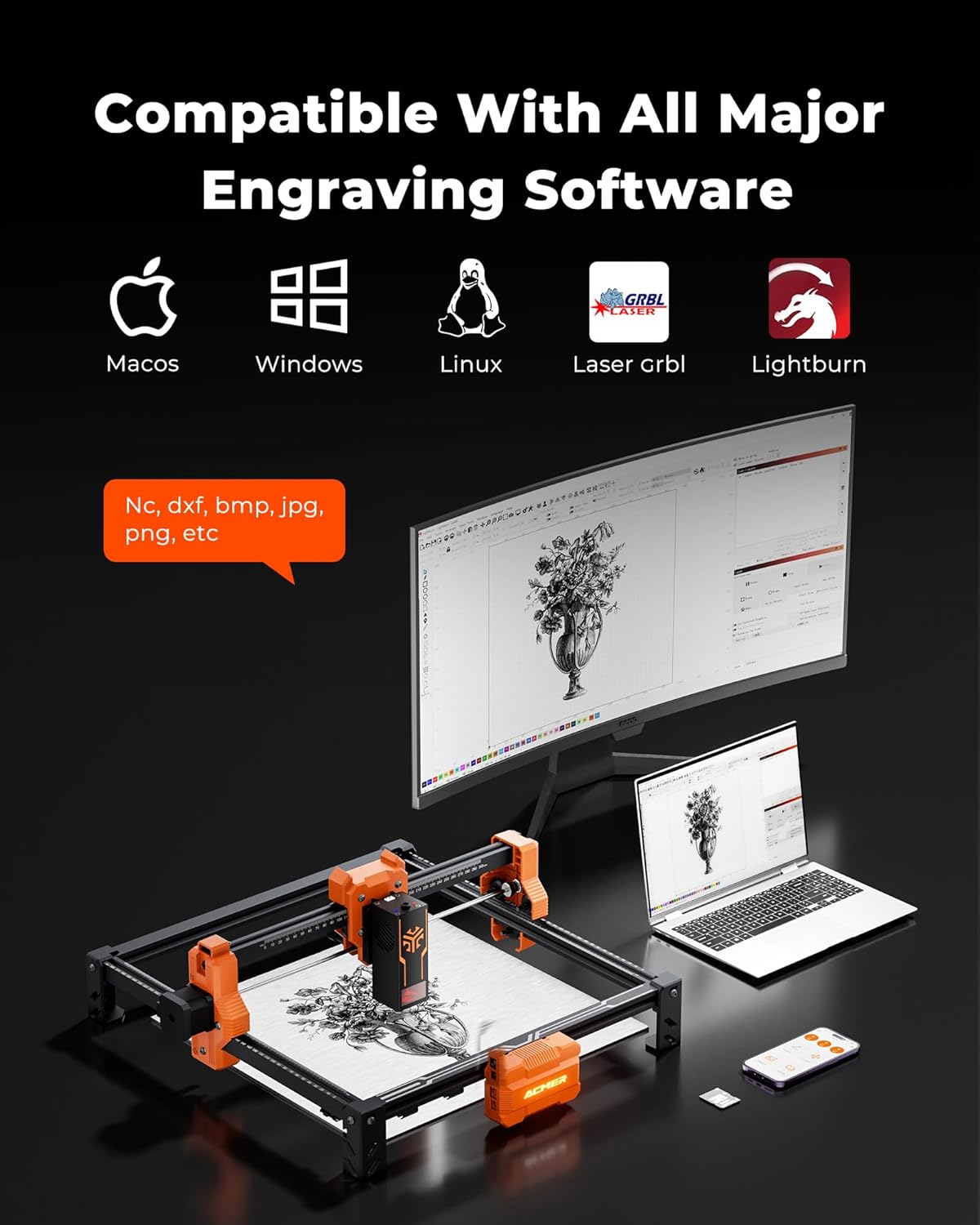
Figure 4: The ACMER S2 connected to a computer, illustrating its compatibility with major engraving software like LightBurn and LaserGRBL across different operating systems.
Versatilità del materiale:
The 12W laser head allows engraving and cutting on over 100 different materials, including wood, metal, leather, and acrylic. It can cut up to 15mm paulownia wood and 12mm black acrylic (multi-pass).

Figure 5: A chart detailing the cutting capabilities of different laser wattages (4W, 7W, 12W) on various materials like black acrylic and wood, for both single and multiple passes.
Compatibilità pompa aria:
For smoother edges, clearer engraving, and reduced fire risks, an optional air pump (sold separately) can be integrated with the engraver.
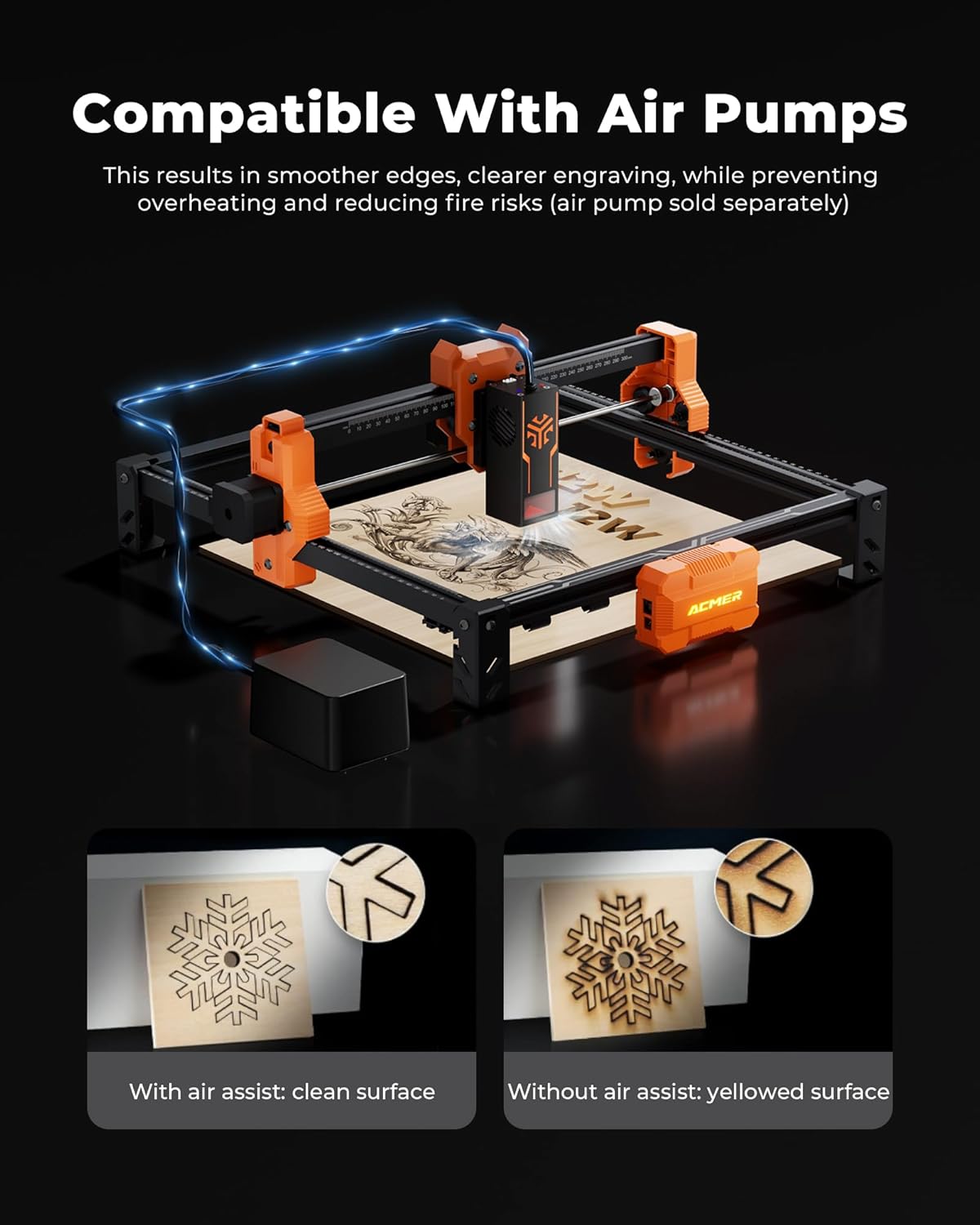
Figure 6: Visual comparison demonstrating the benefits of using an air assist pump for cleaner cuts and reduced yellowing on engraved surfaces.
Area di incisione:
The spacious 300x300mm (11.81x11.81 inch) working area allows for large-scale projects. Optional rotary modules and risers (sold separately) enable engraving on cylindrical objects.

Figure 7: The working area of the ACMER S2, measuring 300x300mm, suitable for various project sizes.
Video 3: A demonstration of the ACMER Laser Engraver creating a magic card box, showcasing its precision and application in crafting.
6. Manutenzione
Una manutenzione regolare garantisce la longevità e le prestazioni ottimali del tuo incisore laser ACMER S2.
- Pulisci la lente laser: Per mantenere la qualità dell'incisione, pulire periodicamente la lente laser con un panno morbido e privo di lanugine e una soluzione detergente per lenti.
- Ispezionare cinghie e pulegge: Check the drive belts and pulleys for wear or looseness. Tighten or replace as necessary to ensure precise movement.
- Rimozione detriti: Remove any debris or dust from the work area and moving parts to prevent interference with operation.
- Lubrificare le parti mobili: Apply a small amount of appropriate lubricant to the guide rails and lead screws as recommended in the full product manual.
7. Risoluzione Dei Problemi
This section addresses common issues you might encounter with your ACMER S2 Laser Engraver.
Problemi comuni e soluzioni:
- Il laser non funziona: Ensure the power cable is securely connected, the machine is turned on, and the laser module is properly seated. Check software settings for laser power and enable status.
- Scarsa qualità dell'incisione: Verify the laser focus is correctly set. Adjust engraving speed and power settings in your software. Clean the laser lens if smudges are present. Ensure the material is flat and properly secured.
- Macchina non in movimento: Check all cable connections, especially the data cable to your computer. Ensure the software is correctly configured and sending commands. Restart the machine and software.
- Problemi di connessione software: Confirm the correct COM port is selected in your engraving software. Reinstall drivers if necessary. Try a different USB port or cable.
- Incisione/taglio impreciso: Check for loose belts or pulleys. Ensure the frame is stable and not vibrating. Calibrate the machine if necessary (refer to advanced manual sections).
If you encounter issues not covered here, please refer to the comprehensive troubleshooting section in your full product manual or contact customer support.
8. Specifiche
| Caratteristica | Specificazione |
|---|---|
| Modello | Modello S2-12W |
| Potenza di uscita laser | 12 W (12,000 mW) |
| Potenza totale del sistema | 72W |
| Precisione dell'incisione | 0.01mm |
| Dimensioni del punto laser | 0.08x0.08 millimetri |
| Area di lavoro | 300x300 mm (11.81x11.81 inches) |
| Velocità di incisione | Fino a 10,000 mm/min |
| Dimensioni del prodotto | 12.6 x 12.6 x 7.8 pollici |
| Peso dell'articolo | 8.13 libbre |
| Produttore | ACMER |
| Data prima disponibilità | 19 maggio 2025 |
9. Garanzia e supporto
ACMER is committed to providing high-quality products and excellent customer service. For any inquiries or assistance, please refer to the contact information provided with your product or visit the official ACMER websito.
- Supporto online: 24/7 online support is available for technical assistance and troubleshooting.
- Informazioni sulla garanzia: Please refer to the warranty card included in your product packaging for details on coverage and terms.

Figure 8: Representation of ACMER's 24/7 online support for customer assistance.


