1. Prodotto finitoview
The BUGANI Luster Bluetooth Speaker is a portable wireless stereo speaker designed for high-quality audio output with dynamic colorful lighting. It features Bluetooth 5.3 connectivity, IPX6 waterproofing, and extended playtime, making it suitable for various indoor and outdoor environments.

Image: The BUGANI Luster Bluetooth Speaker, showcasing its design and the vibrant light effects, surrounded by water splashes to highlight its waterproof capabilities.
2. Cosa c'è nella scatola
- BUGANI Luster Bluetooth Speaker
- Cavo di ricarica USB-C
- Cavo di ingresso AUX
- Guida rapida
- Cordino staccabile
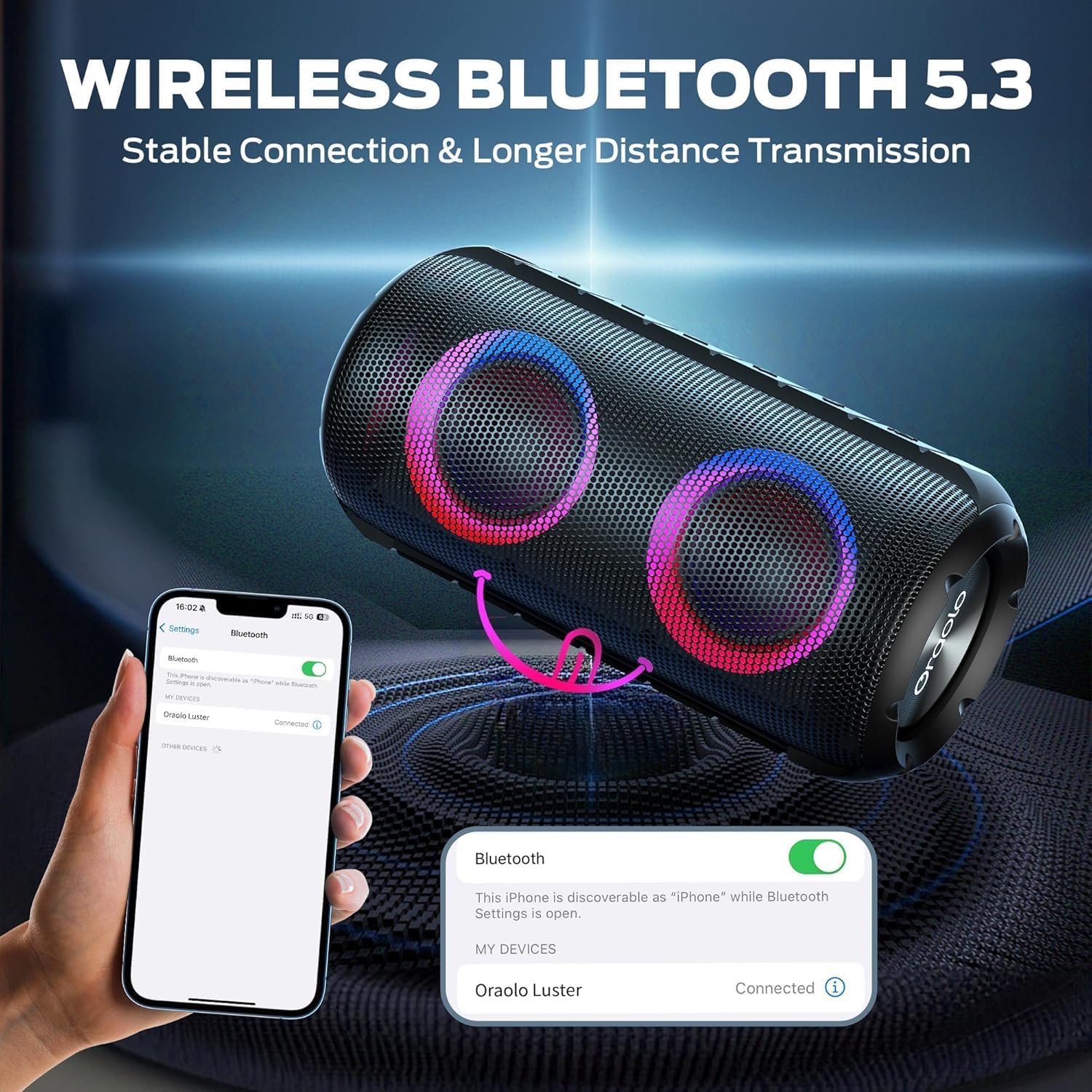
Image: The BUGANI Luster Bluetooth Speaker with its detachable lanyard, illustrating its portability and ease of carrying.
3. Impostazione
3.1 Carica iniziale
Before first use, fully charge the speaker. Connect the provided USB-C cable to the speaker's charging port and the other end to a USB power adapter (not included) or a computer's USB port. The charging indicator light will show the charging status.
3.2 Accensione/spegnimento
- Accensione: Tieni premuto il pulsante di accensione (⏻) for 2-3 seconds until you hear an audible prompt and the lights illuminate.
- Spegni: Tieni premuto il pulsante di accensione (⏻) for 2-3 seconds until you hear an audible prompt and the lights turn off.
3.3 Associazione Bluetooth
- Assicurarsi che l'altoparlante sia acceso e in modalità di associazione Bluetooth (indicata da una luce blu lampeggiante).
- Sul tuo dispositivo (smartphone, tablet, ecc.), attiva il Bluetooth e cerca i dispositivi disponibili.
- Select "BUGANI Luster" from the list of devices.
- Una volta effettuata la connessione, sentirai un suono di conferma e la spia luminosa del Bluetooth diventerà blu fissa.
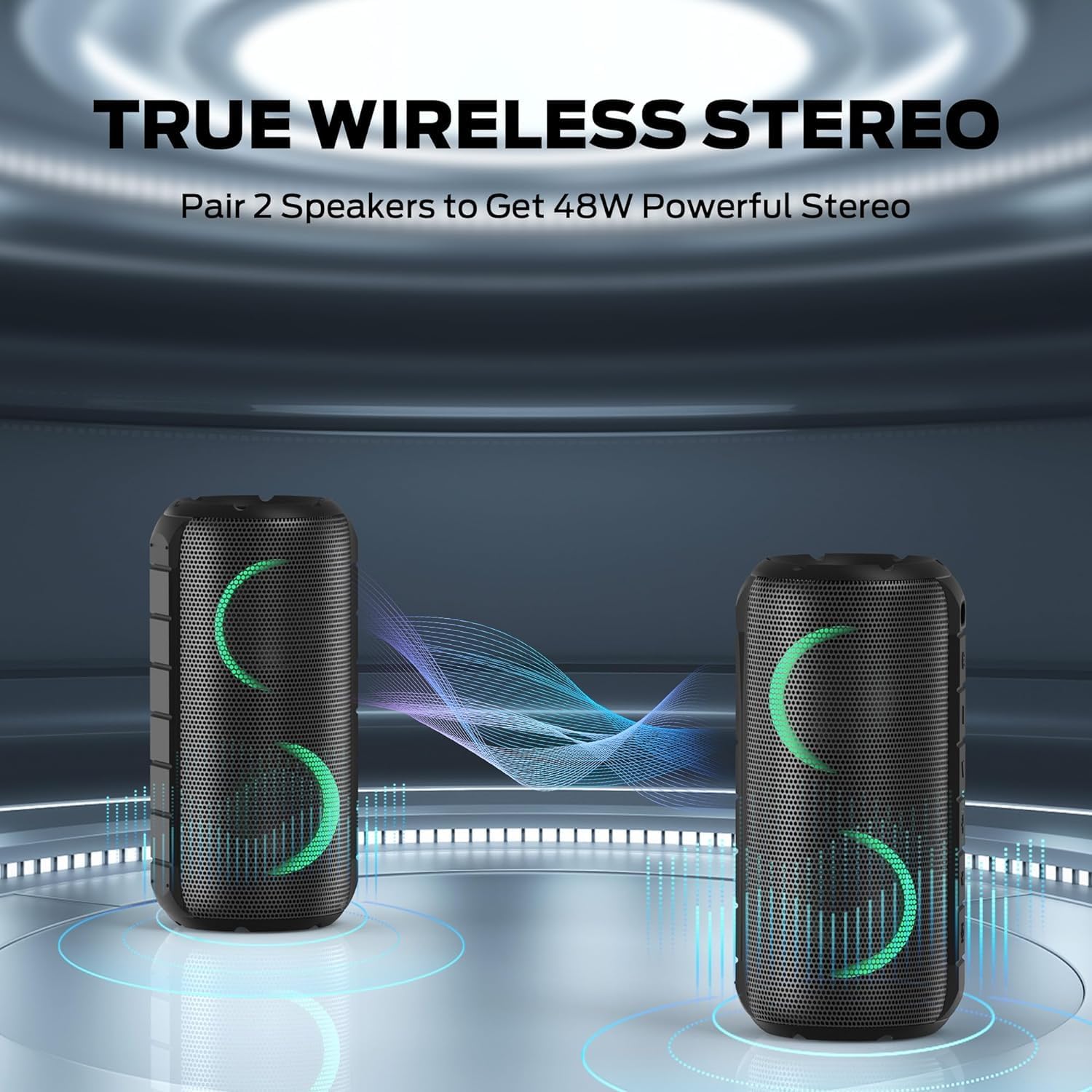
Image: A smartphone displaying its Bluetooth settings, showing a successful connection to the "Oraolo Luster" (BUGANI Luster) speaker, demonstrating the ease of Bluetooth 5.3 pairing.
3.4 Accoppiamento True Wireless Stereo (TWS)
To achieve a more immersive stereo sound, you can pair two BUGANI Luster speakers together.
- Assicurarsi che entrambi gli altoparlanti siano accesi e non connessi ad alcun dispositivo Bluetooth.
- On one speaker (this will be the primary speaker), press the TWS button (often indicated by two interlocking circles or a dedicated TWS icon). The speaker will enter TWS pairing mode.
- The primary speaker will automatically search for the secondary speaker. Once connected, you will hear a confirmation sound, and the lights on both speakers will synchronize.
- Ora collega il tuo dispositivo all'altoparlante principale tramite Bluetooth come descritto nella sezione 3.3. L'audio verrà riprodotto in stereo da entrambi gli altoparlanti.

Image: Two BUGANI Luster speakers positioned to illustrate their True Wireless Stereo (TWS) pairing capability, creating a wider soundstage.
3.5 Connessione AUX-in
For non-Bluetooth devices, use the provided 3.5mm AUX-in cable.
- Collegare un'estremità del cavo AUX-in da 3.5 mm alla porta AUX-in dell'altoparlante.
- Collegare l'altra estremità al jack di uscita audio del dispositivo.
- L'altoparlante passerà automaticamente alla modalità AUX-in.
4. Istruzioni per l'uso
4.1 Funzioni dei pulsanti

Immagine: un primo piano view of the BUGANI Luster speaker's top panel, clearly showing the control buttons for various functions.
| Pulsante | Funzione (pressione breve) | Funzione (pressione lunga) |
|---|---|---|
| ⏻ (Energia) | N / A | Accensione/spegnimento |
| + (Volume su) | Alza il volume | Traccia successiva |
| - (Volume basso) | Abbassa il volume | Traccia precedente |
| ▶‖ (Riproduci/Pausa) | Riproduci/Pausa; Rispondi/Termina chiamata | Reject Call; Activate Voice Assistant |
| 💡 (Light Mode) | Cycle through Light Modes | Accendi/spegni le luci |
| TWS (TWS Pairing) | N / A | Entra in modalità di associazione TWS |
4.2 Colorful Light Show
The speaker features a dynamic RGB light system with 7 colors and 5 light modes. Press the Light Mode button (💡) to cycle through the available modes. Long press the button to turn the lights on or off.

Image: The BUGANI Luster speaker showcasing its vibrant and dynamic colorful light patterns, which enhance the listening experience.
4.3 Chiamate in vivavoce
Se connesso tramite Bluetooth, il microfono integrato nell'altoparlante consente di effettuare chiamate in vivavoce.
- Rispondi/Termina chiamata: Premere brevemente il pulsante Play/Pausa (▶‖).
- Rifiuta chiamata: Premere a lungo il pulsante Play/Pausa (▶‖).
4.4 Attivazione dell'assistente vocale
Premere a lungo il pulsante Play/Pausa (▶‖) to activate your phone's voice assistant (e.g., Siri, Google Assistant).
5. Manutenzione
5.1 Pulizia
Pulisci l'altoparlante con un morbido, damp panno. Non utilizzare detergenti abrasivi, alcol o solventi chimici, poiché potrebbero danneggiare la superficie o i componenti interni.
5.2 Cura impermeabile (IPX6)
The speaker has an IPX6 waterproof rating, meaning it is protected against powerful water jets. It is suitable for use in rainy conditions or near water bodies like pools and beaches. However, it is non designed for submersion in water. Ensure the charging port cover is securely closed before exposing the speaker to water.
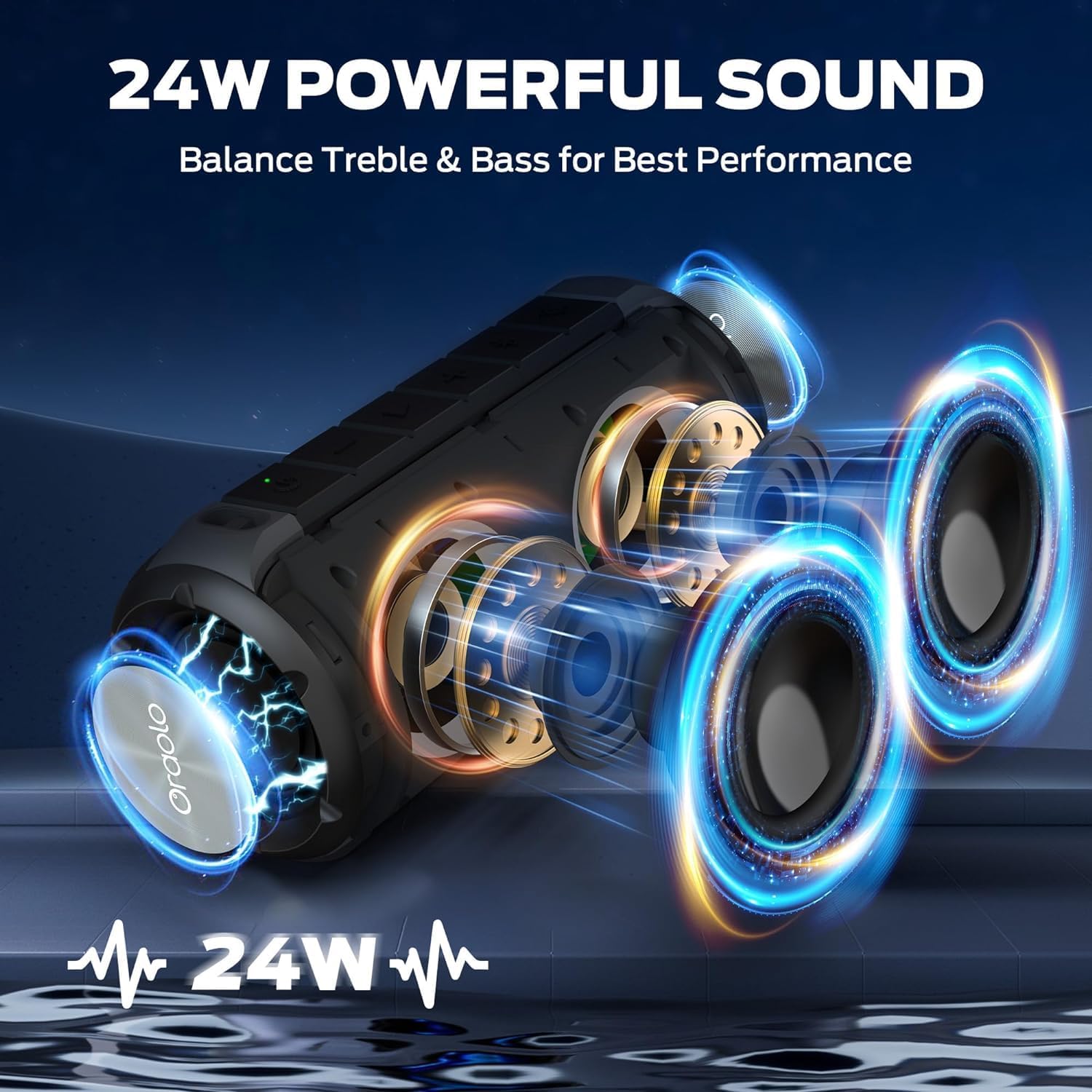
Image: The BUGANI Luster speaker resting on a wet rock with water droplets, visually confirming its IPX6 waterproof rating for outdoor use.
5.3 Conservazione
Conservare l'altoparlante in un luogo fresco e asciutto, lontano dalla luce solare diretta e da temperature estreme. Se non lo si utilizza per un periodo prolungato, caricare la batteria a circa il 50% ogni pochi mesi per mantenerla in buone condizioni.
6. Risoluzione Dei Problemi
6.1 Nessun potere
- Assicurarsi che l'altoparlante sia completamente carico.
- Tenere premuto il pulsante di accensione per 2-3 secondi.
6.2 Nessun suono
- Controlla il livello del volume sia sull'altoparlante che sul dispositivo collegato.
- Ensure the speaker is correctly paired via Bluetooth or the AUX-in cable is securely connected.
- Se si utilizza il Bluetooth, provare a disconnettere e riassociare il dispositivo.
6.3 Problemi di associazione Bluetooth
- Ensure the speaker is within the effective range (up to 33 feet/10 meters) of your device.
- Cancella la cronologia degli abbinamenti Bluetooth sul tuo dispositivo e riprova ad associarlo.
- Spegni e riaccendi sia l'altoparlante che il dispositivo.
- Assicurarsi che nessun altro dispositivo Bluetooth interferisca.
6.4 Errore di associazione TWS
- Assicurarsi che entrambi gli altoparlanti siano completamente carichi e non connessi ad altri dispositivi Bluetooth.
- Durante il processo di associazione TWS, posizionare gli altoparlanti uno vicino all'altro.
- Follow the TWS pairing steps precisely as described in section 3.4.
7. Specifiche
| Caratteristica | Dettaglio |
|---|---|
| Marca | BUGANI |
| Nome del modello | Numero di modello: M166 |
| Tipo di altoparlante | Altoparlante stereo portatile |
| Potenza massima in uscita dell'altoparlante | 24 Watt |
| Tecnologia di connettività | Bluetooth 5.3, Auxiliary (3.5mm AUX-in) |
| Grado di impermeabilità | Grado di protezione IPX6 |
| Tempo di gioco | Fino a 24 ore (al 50% del volume, luci spente) |
| Dimensioni del prodotto | 4"P x 8"L x 4"A |
| Peso dell'articolo | 1.34 libbre (0.61 chilogrammi) |
| Batterie | È necessaria 1 batteria AA (inclusa) |
8. Garanzia e supporto
BUGANI products are manufactured to high-quality standards. For specific warranty information and support, please refer to the warranty card included with your product or visit the official BUGANI websito. Conservare la ricevuta d'acquisto come prova d'acquisto per eventuali reclami in garanzia.
For technical assistance or customer service inquiries, please contact BUGANI customer support through their official channels.


