1. Introduzione
This manual provides detailed instructions for the setup, operation, and maintenance of your XBJ K6 Mini Portable Projector. Please read this manual thoroughly before using the device to ensure proper functionality and to maximize your viewesperienza. Conservare questo manuale per future consultazioni.
2. Cosa c'è nella scatola
- XBJ K6 Portable Projector
- Cavo di alimentazione
- Telecomando
- Manuale dell'utente (questo documento)
3. Prodotto finitoview
The XBJ K6 Mini Portable Projector is designed for versatile entertainment and presentation. It features 1080P support with 4K decoding, electric focus, auto keystone correction, and a 360° rotatable stand. Integrated with a Smart Android System, WiFi 6, and Bluetooth 5.2, it offers seamless connectivity and access to various applications.

Figure 3.1: XBJ K6 Mini Portable Projector front view con caratteristiche chiave.
4. Istruzioni per l'installazione
4.1 Posizionamento
Position the projector on a stable, flat surface. The 360° rotatable stand allows for flexible projection angles, including walls, ceilings, or tents. Ensure there are no obstructions in front of the lens.

Figure 4.1: Projector placement flexibility with 360° rotating stand.
4.2 Collegamento di alimentazione
- Collegare il cavo di alimentazione alla porta di ingresso alimentazione del proiettore.
- Collegare l'altra estremità del cavo di alimentazione a una presa elettrica adatta.
- Premere il pulsante di accensione sul proiettore o sul telecomando per accendere il dispositivo.
4.3 Regolazione della messa a fuoco
The projector features electric focus. Use the remote control to adjust the sharpness of the projected image. Press the 'F+' or 'F-' buttons on the remote until the image is clear.

Figure 4.2: Adjusting electric focus with the remote control.
4.4 Correzione trapezoidale
The XBJ K6 projector includes automatic keystone correction. This feature automatically adjusts the image to be rectangular, even if the projector is placed at an angle. Manual adjustments may also be available through the settings menu if needed.
5. Istruzioni per l'uso
5.1 Navigating the Smart Android System
The projector runs on a Smart Android System, providing access to various pre-installed applications like Netflix and YouTube. Use the remote control to navigate the interface, select apps, and adjust settings.
5.2 Connettività Wi-Fi
The projector supports Dual-Band WiFi 6 (2.4G/5G) for fast and stable internet connection.
- Vai al menu delle impostazioni del proiettore.
- Selezionare "Rete" o "Wi-Fi".
- Scegli la rete Wi-Fi desiderata dall'elenco.
- Se richiesto, inserisci la password e connettiti.
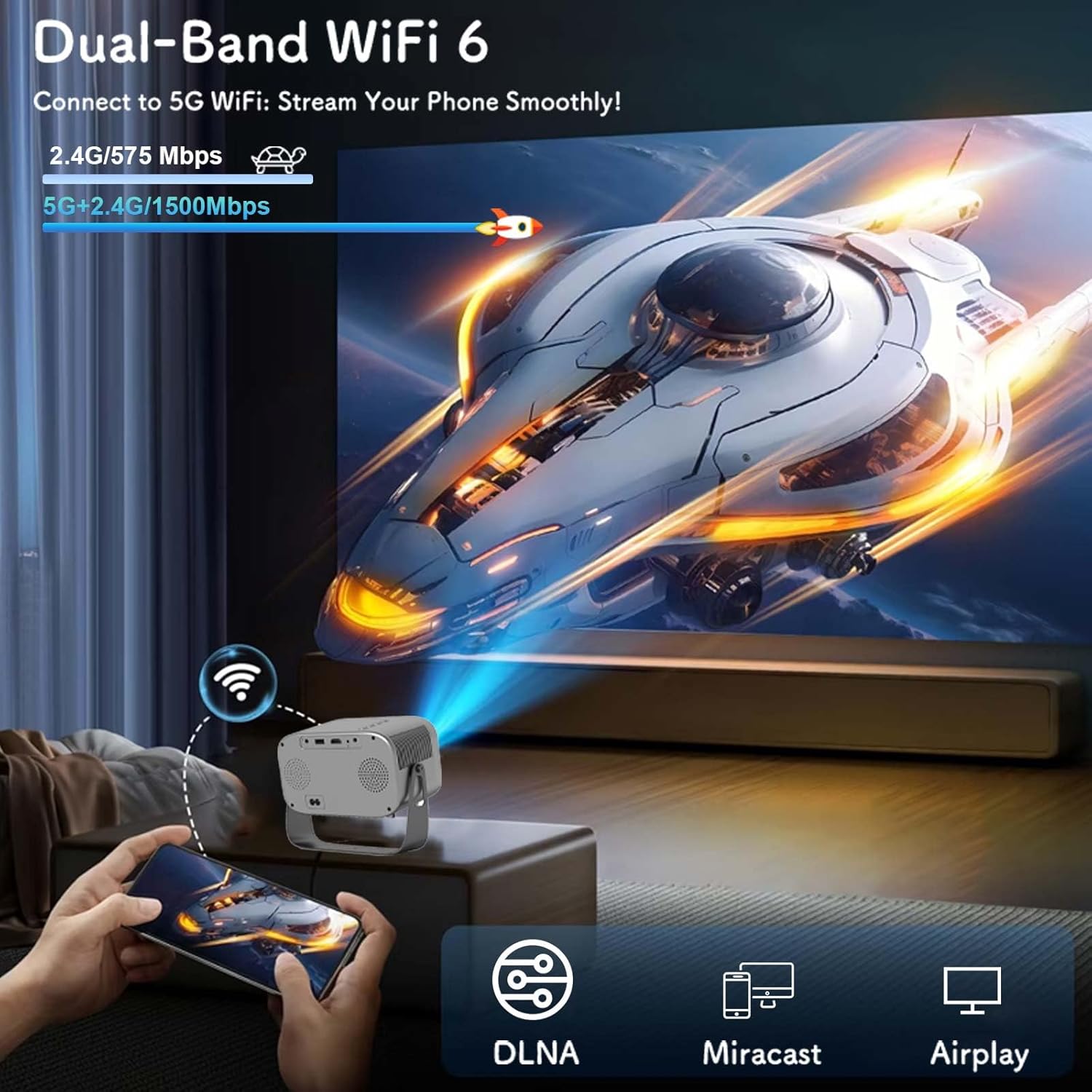
Figure 5.1: Connecting to Dual-Band WiFi 6 and screen mirroring.
5.3 Connettività Bluetooth
The projector features Bluetooth 5.2, allowing connection to external audio devices like HiFi speakers or headphones for enhanced sound.
- Assicurati che il tuo dispositivo audio Bluetooth sia in modalità di associazione.
- On the projector, go to the settings menu and select 'Bluetooth'.
- Scan for available devices and select your audio device to pair.

Figure 5.2: Bluetooth 5.2 connectivity for external audio.
5.4 Mirroring dello schermo
The projector supports DLNA, Miracast, and Airplay for screen mirroring from smartphones and other compatible devices. Ensure your device and the projector are connected to the same Wi-Fi network for optimal performance.
5.5 Collegamento di dispositivi esterni
The projector offers multiple interfaces for connecting various devices:
- HDMI: Connect laptops, game consoles, TV sticks, etc.
- USB: Play media from USB flash drives.
- AV: Collegare i dispositivi più vecchi tramite un cavo AV (non incluso).
- Jack audio da 3.5 mm: Collegare cuffie cablate o altoparlanti esterni.
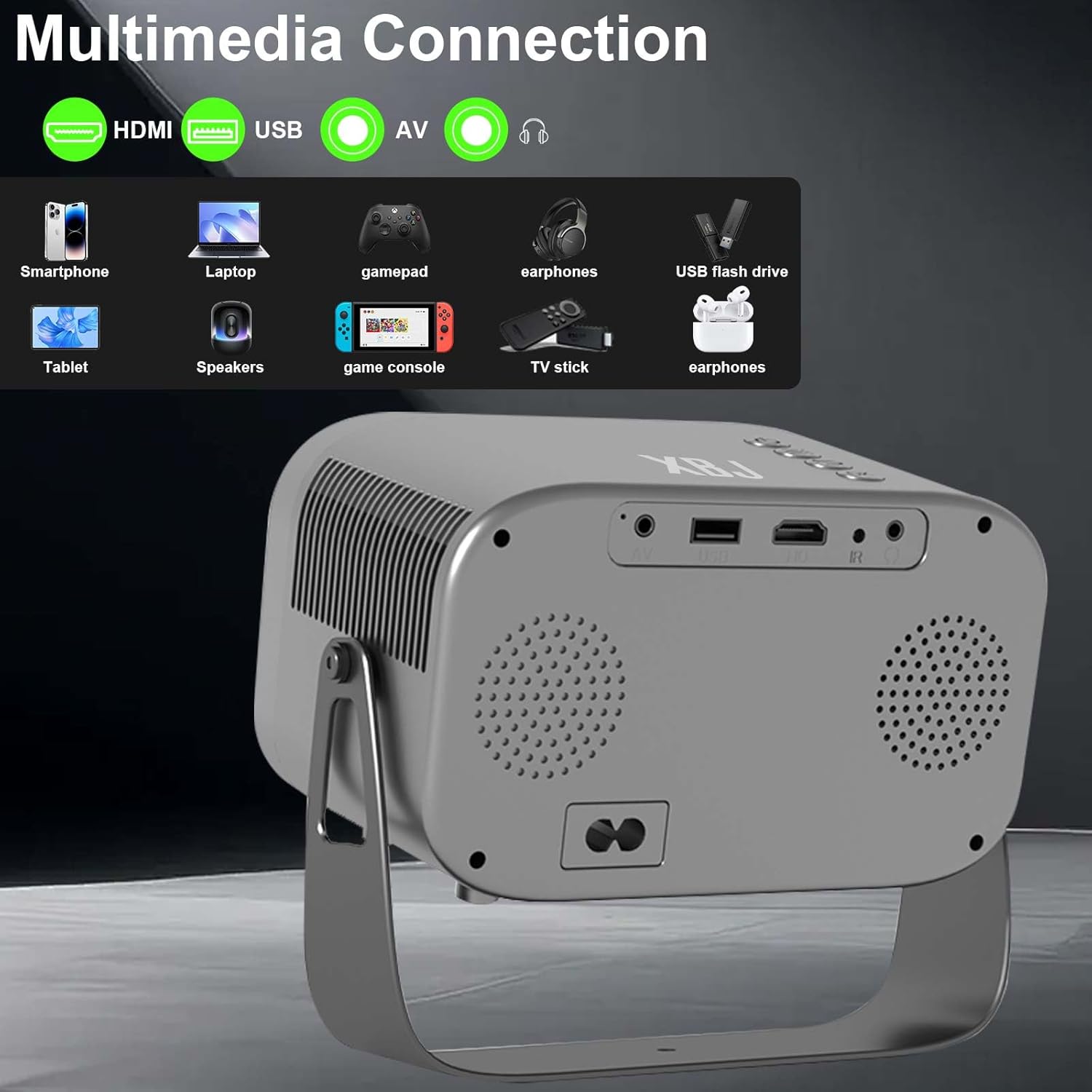
Figure 5.3: Multimedia connection ports on the XBJ K6 projector.
6. Manutenzione
6.1 Pulizia della lente
Use a soft, lint-free cloth specifically designed for optical lenses to gently wipe the projector lens. Avoid using abrasive materials or harsh chemicals, which can damage the lens coating.
6.2 Pulizia dell'esterno
Pulire l'esterno del proiettore con un panno morbido e asciutto. Per macchie ostinate, utilizzare un panno leggermenteamp È possibile utilizzare un panno, seguito da un panno asciutto. Assicurarsi che nessun liquido penetri nel dispositivo.
6.3 Conservazione
When not in use for extended periods, store the projector in a cool, dry place, away from direct sunlight and extreme temperatures. It is recommended to cover the lens to protect it from dust.
7. Risoluzione Dei Problemi
If you encounter issues with your XBJ K6 projector, please refer to the following common solutions:
- Nessun potere: Assicurarsi che il cavo di alimentazione sia collegato saldamente sia al proiettore che alla presa di corrente. Provare una presa diversa.
- Nessuna immagine: Check all cable connections (HDMI, AV). Ensure the correct input source is selected in the projector's menu. Adjust focus.
- Immagine sfocata: Use the remote control's 'F+' and 'F-' buttons to adjust the electric focus. Ensure the projection surface is flat.
- Nessun suono o suono basso: Adjust the volume on both the projector and any connected external audio devices. Check Bluetooth connection if using wireless speakers/headphones. Ensure internal speakers are not muted.
- Problemi di connessione Wi-Fi/Bluetooth: Ensure the projector is within range of your router/Bluetooth device. Restart the projector and your network devices. Re-pair Bluetooth devices.
- Problemi di funzionalità dell'app: Ensure the projector is connected to the internet. Check for app updates within the Android system. Some apps may have specific device compatibility requirements.
Per ulteriore assistenza, contattare l'assistenza clienti.
8. Specifiche
| Caratteristica | Specificazione |
|---|---|
| Marca | XBJ |
| Numero di modello | TYYK6SKS001 |
| Peso dell'articolo | 1.87 libbre |
| Dimensioni del prodotto | 7.28 x 4.17 x 6.06 pollici |
| Risoluzione dello schermo | 1280 x 720 (Supports 1080P/4K decoding) |
| Luminosità | 300 ANSI Lumen |
| Tecnologia di connettività | Jack da 3.5 mm, Bluetooth 5.2, HDMI, USB, Wi-Fi 6 |
| Caratteristiche speciali | Built-In Cooling System, Built-In Speaker, Built-In Wi-Fi, Digital Keystone Correction, Portable, Electric Focus, 360° Rotatable Stand |
| Usi consigliati | Istruzione, Giochi, Home Cinema |
9. Garanzia e supporto
9.1 Informazioni sulla garanzia
New products may be damaged during shipping. If you receive a damaged item, please contact our store immediately. We are fully responsible for products sold via our official store.
9.2 Assistenza clienti
For technical support or any issues you encounter with your XBJ K6 Mini Portable Projector, please contact our customer support team. We are committed to helping you resolve any problems.
E-mail: ESzxkj@outlook.com
24/7 Customer Support is available.