1. Introduzione
This manual provides detailed instructions for the safe and efficient use of your Gembird TWST-01-W Transparent Bluetooth Earbuds. These earbuds feature a unique transparent design, offering up to 4 hours of listening time per charge. Key functionalities include automatic music muting for incoming calls, an LCD battery indicator, and a color-changing backlight. Please read this manual thoroughly before operating the device.
2. Contenuto della confezione
Assicurati che tutti gli articoli elencati di seguito siano presenti nel tuo pacco:
- Gembird TWST-01-W Transparent Bluetooth Earbuds (Left and Right)
- Custodia di ricarica
- Cavo o connettore di ricarica
- Manuale di istruzioni
3. Prodotto finitoview
Familiarize yourself with the components of your Gembird TWST-01-W earbuds.

Figura 3.1: The Gembird TWST-01-W Transparent Bluetooth Earbuds shown within their charging case. The case features a clear design, revealing the internal components and an LCD display indicating battery levels for both earbuds (L and R) and the case itself.
Caratteristiche principali:
- Design trasparente: Unique clear housing for both earbuds and charging case.
- Ascolto prolungato: Up to 4 hours of continuous listening per charge.
- Gestione delle chiamate: Automatically mutes music for incoming calls.
- Indicatore della batteria: LCD display on the charging case shows battery levels.
- Retroilluminazione dinamica: Charging case features a color-changing backlight.
- Controllo touch: Intuitive touch-sensitive controls for various functions.
- Resistente all'acqua: Progettato per resistere agli schizzi e al sudore.
4. Impostazione
4.1 Carica iniziale
Prima del primo utilizzo, caricare completamente gli auricolari e la custodia di ricarica.
- Posiziona entrambi gli auricolari nella custodia di ricarica.
- Collegare il cavo di ricarica alla porta di ricarica sulla custodia e a una fonte di alimentazione USB.
- The LCD display on the case will show the charging status. Allow sufficient time for a full charge.

Figura 4.1: Lato view of the Gembird TWST-01-W charging case, highlighting its transparent construction and the integrated LCD battery display. The charging port is typically located at the bottom or rear of the case.
4.2 Associazione Bluetooth
Per collegare gli auricolari a un dispositivo:
- Assicurarsi che gli auricolari siano carichi e inseriti nella custodia di ricarica.
- Aprire la custodia di ricarica. Gli auricolari entreranno automaticamente in modalità di associazione (indicata dalle luci lampeggianti sugli auricolari).
- Sul tuo dispositivo (smartphone, tablet, ecc.), vai alle impostazioni Bluetooth e attiva il Bluetooth.
- Cercare available devices and select "Gembird TWST-01-W" from the list.
- Una volta connessi, gli auricolari indicheranno l'avvenuta associazione (ad esempio, tramite un messaggio vocale o una luce fissa).
- Per l'uso successivo, gli auricolari si connetteranno automaticamente all'ultimo dispositivo associato quando vengono rimossi dalla custodia.
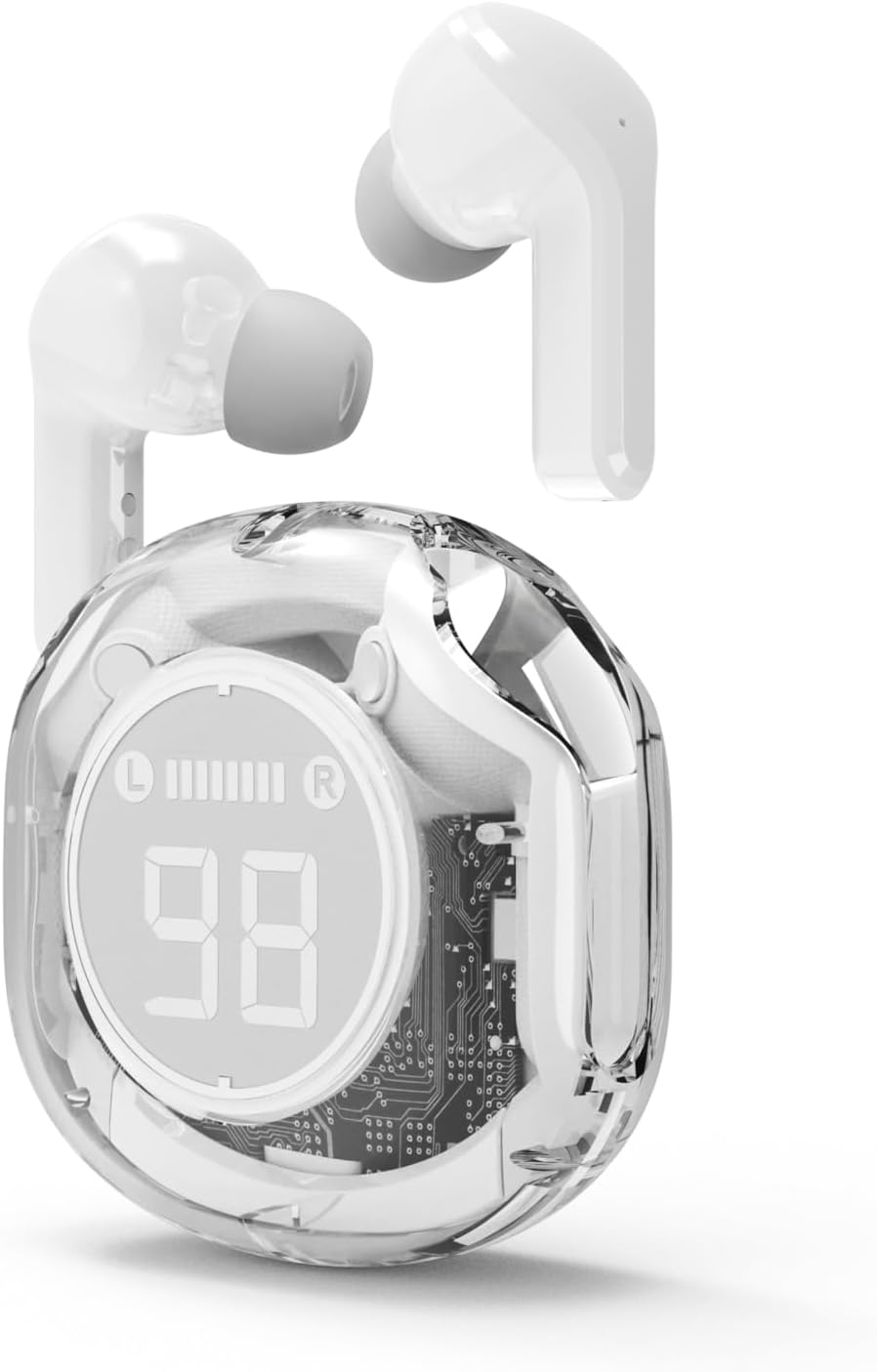
Figura 4.2: The Gembird TWST-01-W Transparent Bluetooth Earbuds shown outside their charging case, ready for use or pairing. The transparent design of the earbuds themselves is visible.
5. Istruzioni per l'uso
The Gembird TWST-01-W earbuds utilize touch controls. Specific gestures may vary slightly; refer to the quick start guide included in your package for precise commands.
| Funzione | Azione (controllo touch) |
|---|---|
| Accendere | Rimuovere dalla custodia di ricarica. |
| Spegnimento | Riposizionarlo nella custodia di ricarica. |
| Riproduci/Pausa musica | Un solo tocco su uno degli auricolari. |
| Traccia successiva | Tocca due volte l'auricolare destro. |
| Traccia precedente | Tocca due volte l'auricolare sinistro. |
| Rispondi/Termina chiamata | Un singolo tocco su uno degli auricolari durante una chiamata in arrivo. |
| Rifiuta chiamata | Durante una chiamata in arrivo, tenere premuto uno dei due auricolari per 2 secondi. |
| Attiva l'Assistente Vocale | Triple tap on either earbud (functionality depends on device support). |
Note: Touch control sensitivity and specific functions may vary. Experiment to find the optimal touch points.
6. Ricarica
6.1 Ricarica degli auricolari
To charge the earbuds, simply place them into their designated slots within the charging case. Ensure the charging contacts align. The LCD display on the case will show the individual battery levels of the left (L) and right (R) earbuds.
6.2 Ricarica della custodia
When the charging case battery is low, connect the provided charging cable to the case's charging port and to a standard USB power adapter (not included) or a computer's USB port. The LCD display will show the charging progress of the case. The color-changing backlight indicates active charging.
A full charge for the case typically takes a few hours. The earbuds provide up to 4 hours of listening time, and the fully charged case can provide multiple additional charges, extending total playback time.
7. Manutenzione
7.1 Pulizia
- Per pulire gli auricolari e la custodia di ricarica, utilizzare un panno morbido, asciutto e privo di lanugine.
- Non utilizzare detergenti abrasivi, alcol o solventi chimici.
- Pulisci delicatamente i contatti di ricarica sia sugli auricolari che sulla custodia per garantire una connessione corretta.
7.2 Conservazione
- Conserva gli auricolari nella custodia di ricarica quando non vengono utilizzati per proteggerli e mantenerli carichi.
- Evitare di conservare a temperature estreme (calde o fredde) o in ambienti molto umidi.
7.3 Resistenza all'acqua
The earbuds are water resistant, meaning they can withstand splashes and sweat. They are not designed for submersion in water. Do not use them while swimming or showering. Ensure the earbuds are dry before placing them back into the charging case to prevent damage.
8. Risoluzione Dei Problemi
Se riscontri problemi, prova le seguenti soluzioni:
| Problema | Soluzione |
|---|---|
| Gli auricolari non si accoppiano |
|
| Nessun suono da un auricolare |
|
| Problemi di ricarica |
|
| Scarsa qualità audio |
|
9. Specifiche
| Caratteristica | Dettaglio |
|---|---|
| Modello | TWST-01-W |
| Marca | Uccello gemma |
| Materiale | Plastica |
| Peso | 80 grammi |
| Tipo di batteria | Lithium Ion (1 AAAA battery included) |
| Tempo di ascolto | Fino a 4 ore per carica |
| Metodo di controllo | Tocco |
| Diametro dell'altoparlante | 5 centimetri |
| Resistenza all'acqua | Water resistant (splash and sweat proof) |
| Connettività | Bluetooth (USB per la ricarica) |
| Uso consigliato | Al chiuso |
10. Garanzia e supporto
Your Gembird TWST-01-W Transparent Bluetooth Earbuds come with a garanzia di tre anni contro difetti di fabbricazione. La presente garanzia copre i difetti di materiali e di fabbricazione in condizioni di normale utilizzo.
For warranty claims or technical support, please contact your retailer or the official Gembird support channels. Keep your proof of purchase for warranty validation.


