Introduzione
This manual provides comprehensive instructions for the Zintronic P3 PTZ IP WiFi Outdoor Camera, model IKPW330V1. This advanced surveillance camera features a 3MP sensor for crystal-clear Full HD video, Pan-Tilt-Zoom (PTZ) functionality for wide area coverage, automatic motion tracking, and efficient LED night vision for clear images in low-light conditions. It supports local recording to a microSD card (up to 128GB) and offers remote management via the intuitive CamHipro application. Key features include two-way audio communication, instant motion detection notifications, and live remote viewing from any location. This camera is an ideal solution for monitoring homes, offices, or businesses, combining advanced functions with ease of use.
Informazioni sulla sicurezza
- Ensure the power supply meets the camera's specifications (5W).
- Install the camera in a location where it is protected from extreme weather conditions, despite being rated for outdoor use.
- Avoid direct exposure to water or moisture during installation and operation.
- Non tentare di smontare o modificare la fotocamera. Ciò potrebbe invalidare la garanzia e causare danni.
- Keep the camera away from strong magnetic fields or sources of interference.
- Utilizzare solo accessori approvati dal produttore.
Contenuto della confezione
Verificare che tutti gli articoli siano presenti nel pacco:
- Zintronic P3 PTZ IP WiFi Camera (IKPW330V1)
- Antenna WiFi
- Manuale dell'utente (questo documento)
Prodotto finitoview
The Zintronic P3 PTZ IP WiFi Camera is designed for outdoor surveillance, offering robust features in a compact, rotatable dome-shaped housing. Familiarize yourself with the camera's components:
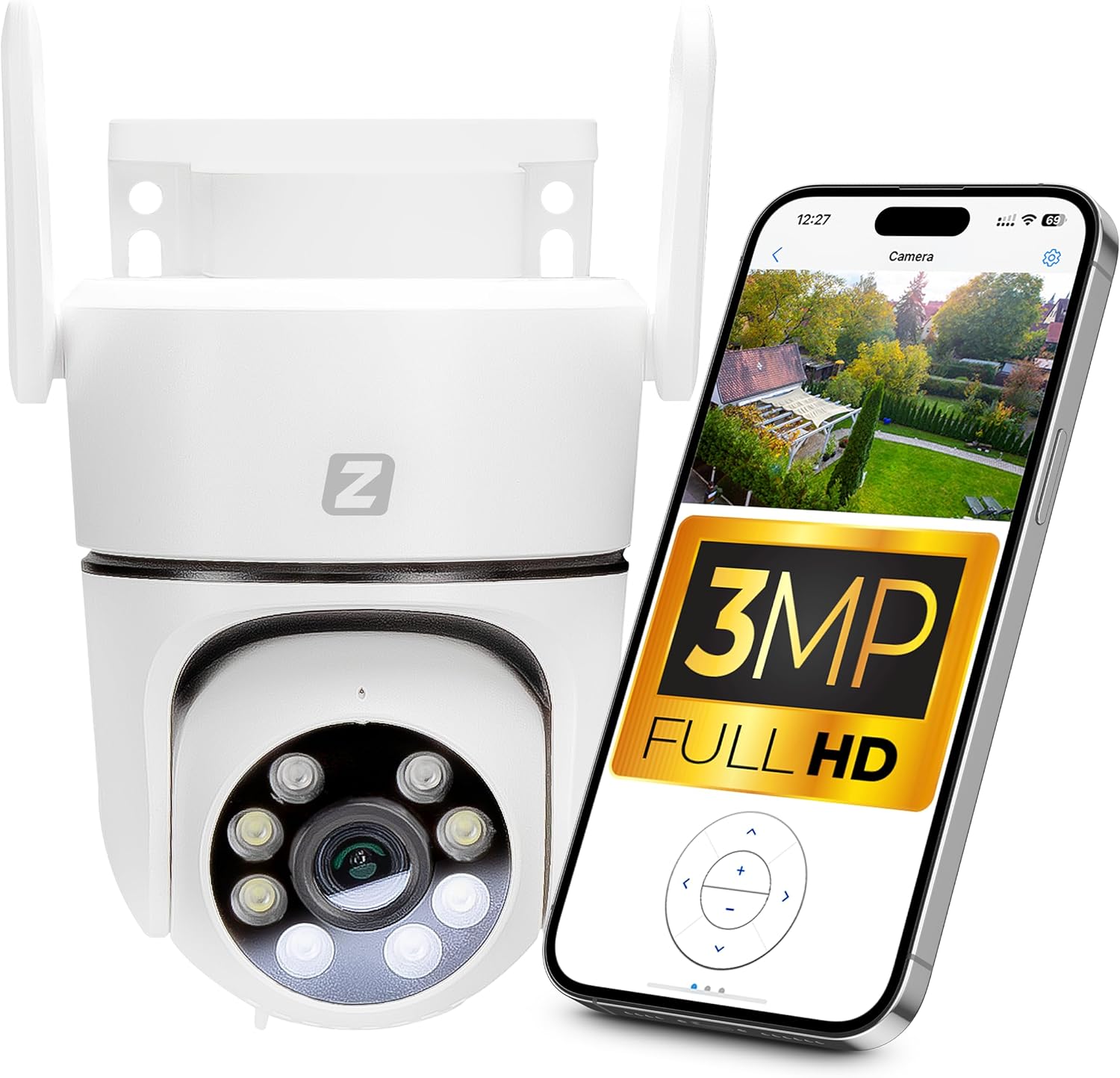
Figure 1: Zintronic P3 PTZ IP WiFi Camera with mobile app interface showing live feed.

Figura 2: Fronte view of the Zintronic P3 PTZ camera, highlighting the lens and LED illuminators.

Figura 3: lato view of the Zintronic P3 PTZ camera, showing the antenna and mounting bracket.

Figura 4: Posteriore view of the Zintronic P3 PTZ camera, showing the antenna connections.
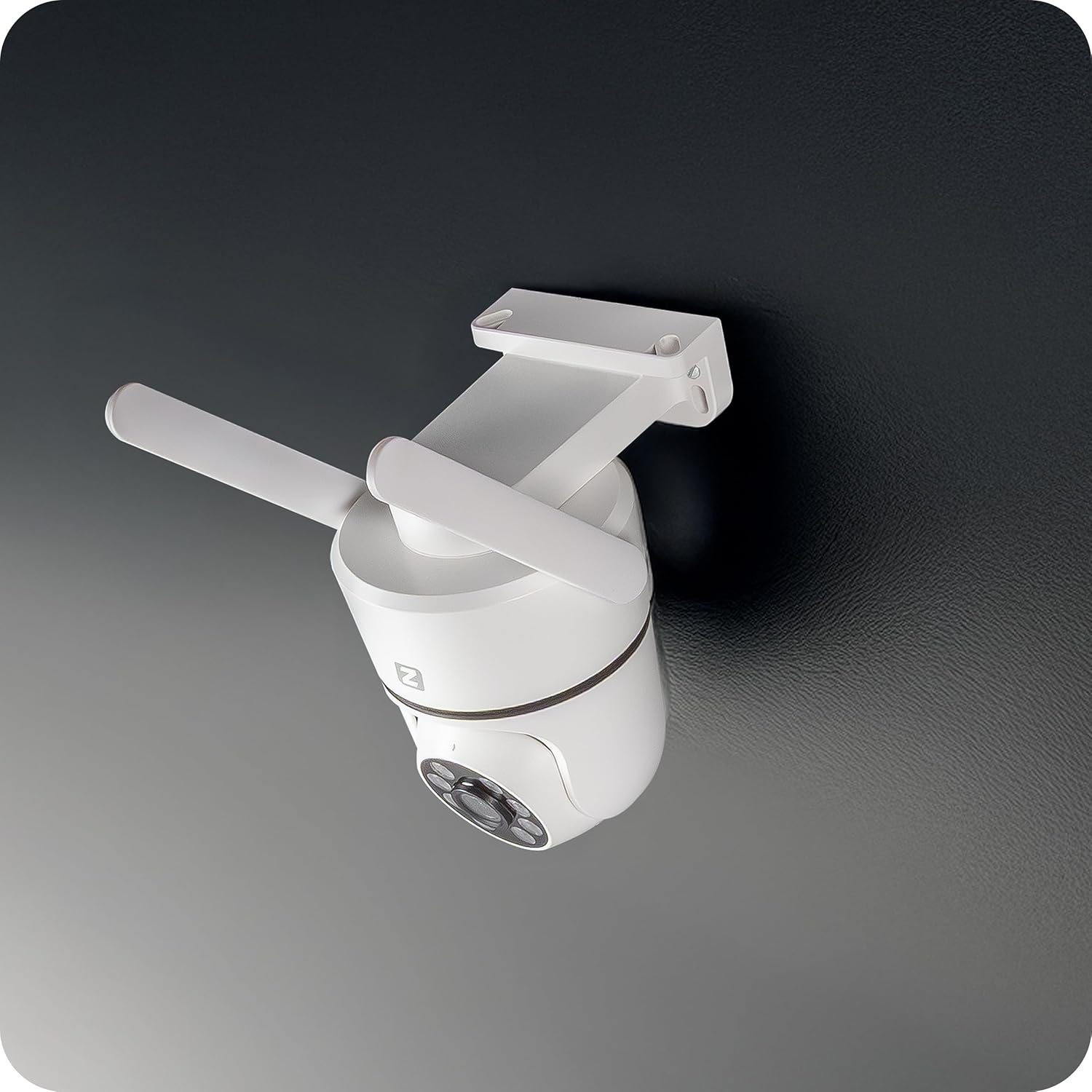
Figura 5: Angolato view of the Zintronic P3 PTZ camera, showcasing its rotational capability.

Figura 6: Primo piano frontale view of the Zintronic P3 PTZ camera, detailing the lens and LED array.
Componenti chiave:
- Obiettivo della fotocamera: Cattura video footage.
- LED Illuminators: Provide illumination for night vision, including color night vision.
- Microfono: Per l'ingresso audio e la comunicazione bidirezionale.
- Oratore: Per l'uscita audio e la comunicazione bidirezionale.
- Antenne Wi-Fi: Per la connettività di rete wireless.
- Staffa di fissaggio: Per installazione a parete o a soffitto.
- Slot per scheda MicroSD: Per l'archiviazione video locale (fino a 128 GB).
- Porta di alimentazione: Per collegare l'adattatore di alimentazione.
Impostare
1. Installazione fisica
- Scegli una posizione: Select a suitable outdoor location for optimal surveillance coverage, considering the camera's 89-degree viewing angle and 40-meter night vision range. Ensure the location has a stable Wi-Fi signal and access to a power source.
- Montaggio: The camera supports wall or ceiling mounting. Use the provided mounting bracket and hardware to securely attach the camera.
- Collegare l'antenna WiFi: Screw the WiFi antenna(s) onto the designated ports on the camera.
- Accensione: Connect the power adapter to the camera's power port and plug it into an electrical outlet. The camera will initiate its self-test and rotation.

Figure 7: Ceiling mount examplui.

Figure 8: Wall mount examplui.
2. Installazione dell'app e creazione dell'account
- Download CamHipro App: Cercare "CamHipro" in your smartphone's app store (Google Play Store for Android or Apple App Store for iOS) and install it.
- Registra conto: Open the CamHipro app and follow the on-screen instructions to register a new account using your email address or phone number.
3. Connessione di rete
- Aggiungi dispositivo: In the CamHipro app, tap the "+" icon to add a new device.
- Seleziona il tipo di dispositivo: Choose "IP Camera" or scan the QR code usually found on the camera or its packaging.
- Connessione Wi-Fi: Follow the app's prompts to connect the camera to your 2.4GHz Wi-Fi network. This typically involves entering your Wi-Fi password and allowing the app to generate a QR code for the camera to scan, or using an audio pairing method.
- Inizializzazione del dispositivo: Once connected, the camera will be added to your account. You can then name the camera and begin live viewing.
Istruzioni per l'uso
1. Vivere View
Open the CamHipro app and select your camera from the device list to access the live video feed. You can view il cazzotage in real-time from your smartphone, tablet, or computer.
2. PTZ Control (Pan-Tilt-Zoom)
In diretta view screen, use the on-screen controls to pan (rotate horizontally 360°), tilt (rotate vertically), and digitally zoom the camera. The camera also features automatic motion tracking, where it can follow detected movement within its field of view.
3. Registrazione e riproduzione
- Registrazione su scheda MicroSD: Insert a microSD card (up to 128GB, not included) into the camera's slot for local storage of recordings. The camera will automatically record based on your settings (e.g., continuous, motion-triggered).
- Archiviazione cloud (facoltativo): Check the CamHipro app for available cloud storage options, which may require a subscription.
- Riproduzione: Accedi a foo registratotage through the "Playback" section in the CamHipro app. You can filter by date and time.
4. Impostazioni di rilevamento del movimento
Configure motion detection sensitivity and areas within the app's settings. When motion is detected, the camera can send instant notifications to your smartphone and begin recording.
5. Audio bidirezionale
Utilize the built-in microphone and speaker for two-way audio communication. Tap the microphone icon in the live view per parlare attraverso la telecamera e ascoltare l'audio proveniente dall'ambiente circostante.
6. Modalità di visione notturna
The camera features advanced LED illuminators for night vision up to 40 meters. It can automatically switch to night mode in low light, providing clear, and in some configurations, color images at night.
Manutenzione
- Pulizia: Pulisci delicatamente l'obiettivo e l'alloggiamento della fotocamera con un panno morbido e asciutto. Non utilizzare prodotti chimici aggressivi o detergenti abrasivi.
- Aggiornamenti del firmware: Regularly check the CamHipro app for firmware updates. Keeping the firmware updated ensures optimal performance and security.
- Stabilità della rete: Assicurati che la tua rete Wi-Fi sia stabile e potente per garantire il funzionamento ininterrotto della telecamera.
Risoluzione dei problemi
- Fotocamera non in linea: Check power connection and Wi-Fi signal strength. Restart the camera and your router. Ensure the camera is within Wi-Fi range.
- Impossibile connettersi all'app: Verify correct Wi-Fi password. Ensure your phone is connected to a 2.4GHz Wi-Fi network during setup. Try resetting the camera (refer to app instructions for reset procedure).
- Scarsa qualità video: Check network bandwidth. Ensure the lens is clean. Adjust camera placement for optimal lighting.
- Il rilevamento del movimento non funziona: Verifica le impostazioni di rilevamento del movimento nell'app. Assicurati che l'area di rilevamento sia configurata correttamente.
- Nessun audio: Controlla le impostazioni del volume sul telefono e nell'app. Assicurati che il microfono e l'altoparlante della fotocamera non siano ostruiti.
Specifiche
| Caratteristica | Specificazione |
|---|---|
| Marca | Zintronico |
| Nome del modello | P3 (IKPW330V1) |
| Risoluzione video efficace | 3 MP (2304 x 1296 pixel) |
| Colore | White (as pictured, note: product specification listed "Black") |
| Componenti inclusi | Camera, WiFi Antenna |
| Tecnologia di comunicazione wireless | Wifi |
| Tipo di alloggio | PTZ Rotary Camera (Dome Shape) |
| Viewangolo di ing | 89 gradi |
| Tipo di installazione | Montaggio a parete o a soffitto |
| Gamma di visione notturna | 40 metri |
| Frequenza dei fotogrammi | 25 fotogrammi al secondo |
| Materiale | Plastica |
| Consumo energetico | 5W |
| Dimensioni articolo (L x P x A) | Dimensioni: 22.4 x 11 x 12.8 cm |
| Tipo di sorgente luminosa | GUIDATO |
| Caratteristiche speciali | Motion sensor, Two-way audio, Night vision, PTZ rotation, Remote control |
| Sono necessarie batterie? | NO |
| Usi consigliati | Office monitoring, Home monitoring, Business monitoring, Outdoor surveillance, Property protection |
| Uso interno/esterno | All'aperto |
| Dispositivi compatibili | Computer, smartphone, tablet |
| Fonte di alimentazione | Alimentazione elettrica |
| Protocollo di connettività | Certificazione ONVIF |
| Tipo di montaggio | Montaggio a parete |
Garanzia e supporto
For warranty information and technical support, please refer to the documentation provided with your purchase or visit the official Zintronic website. You may also contact Zintronic customer service directly for assistance with your IKPW330V1 camera.


