1. Introduzione
The Yottamaster 5-Bay Hard Drive Docking Station KB500 is a versatile device designed for efficient data management, offering both high-speed data transfer and offline cloning capabilities. It supports up to five 2.5-inch or 3.5-inch SATA SSD/HDD drives, with a total capacity of up to 90TB. This manual provides detailed instructions for setup, operation, maintenance, and troubleshooting to ensure optimal performance and longevity of your device.
- 5-Bay Offline Cloning: Simultaneously clone up to four hard drives from a single source without a PC connection.
- 90TB Large Capacity: Supports five 2.5" or 3.5" SATA I/II/III SSD/HDD drives, with a single disk capacity up to 18TB.
- 5Gbps High-Speed Transfer: Features USB 3.2 Gen 1 Type-C output and UASP acceleration protocol for fast data transfer.
- Compatibilità: Compatible with Windows and Mac OS, offering tool-free installation, plug-and-play, and hot-swappable capability.
- Design durevole: Constructed from high-quality plastic and aluminum alloy for protection and enhanced heat dissipation.
2. Prodotto finitoview

The Yottamaster 5-Bay Hard Drive Docking Station facilitates efficient file backup and data transfer, safeguarding your valuable data.
Official product video demonstrating the features and usage of the Yottamaster 5-Bay Hard Drive Docking Station KB500, including drive installation and connectivity.
3. Configurazione e installazione
3.1 Installazione dell'unità
The Yottamaster docking station features tool-free installation for both 2.5-inch and 3.5-inch SATA SSD/HDD drives. Ensure the device is powered off before inserting or removing drives.
- Gently open the drive bay flap.
- Align your 2.5-inch or 3.5-inch SATA drive with the connector inside the bay.
- Carefully push the drive down until it is securely seated. The flap will close around the drive.
- Ripetere l'operazione per altre unità, se necessario.
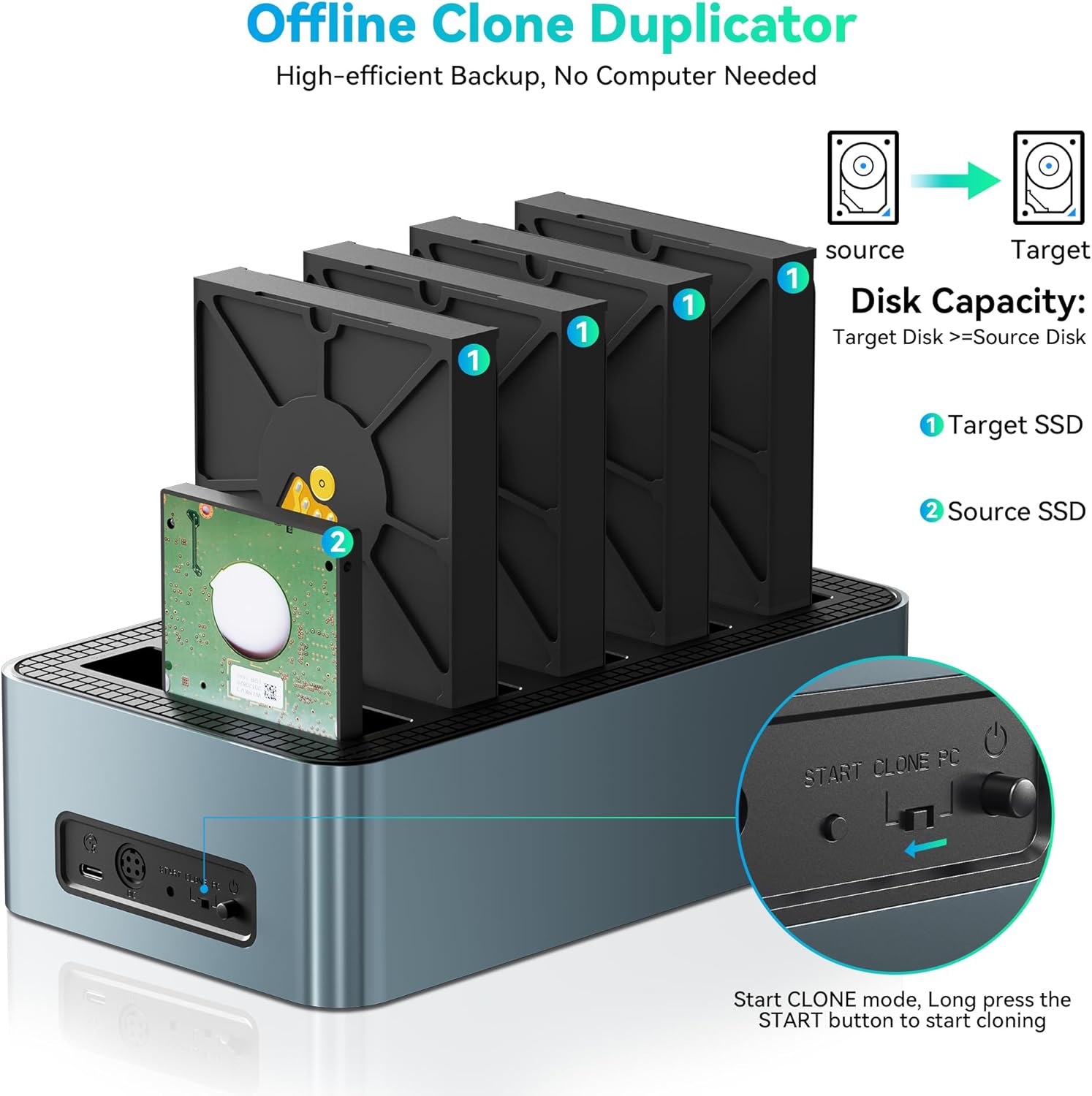
Image illustrating the tool-free installation process for 2.5-inch and 3.5-inch SATA SSD/HDD drives.
3.2 Collegamento a un computer
The docking station supports both USB-C and USB-A connections for broad compatibility.
- Collegare l'adattatore di alimentazione alla porta CC 12V sul retro della docking station e collegarlo a una presa di corrente.
- Connect the included USB 3.2 Gen 1 Type-C cable to the docking station's Type-C port.
- Connect the other end of the USB cable to an available USB-C or USB-A port on your computer. For optimal performance, use a USB 3.0 or higher port.
- Flip the power switch on the back of the docking station to the 'ON' position. The power indicator LED will illuminate.
- Your computer should automatically detect the connected drives.

Diagram illustrating the universal compatibility of the docking station with various USB-C and USB-A devices and operating systems.
4. Istruzioni per l'uso
4.1 Modalità di trasferimento dati
Once connected to your computer and powered on, the installed drives will appear as individual storage devices. You can drag and drop files, perform backups, or access data directly from any of the five bays. The USB 3.2 Gen 1 interface, combined with UASP, ensures transfer speeds of up to 5Gbps.

Image demonstrating high-speed 5Gbps data transfer from the docking station to a laptop.
4.2 Offline Cloning Mode
The offline cloning function allows you to duplicate a source drive to up to four target drives without needing a computer connection. Ensure the target drives have equal or greater capacity than the source drive.
- Assicurarsi che la docking station sia spenta.
- Inserire il Unità sorgente into the designated 'Source' bay (usually the first bay).
- Inserire il Unità di destinazione into the 'Target' bays (up to four drives).
- Collegare l'adattatore di alimentazione e accendere la docking station.
- Press and hold the 'CLONE' button for approximately 3-5 seconds until the cloning indicator lights begin to flash.
- Release the button, then press it again within 5 seconds to confirm and start the cloning process.
- The progress indicator LEDs (25%, 50%, 75%, 100%) will illuminate sequentially to show the cloning status.
- Once all indicator LEDs are solid, the cloning process is complete. Power off the device before removing drives.

Diagram showing the offline cloning process from a source drive to multiple target drives.

Step-by-step visual instructions for initiating the offline cloning function.
Video demonstrating the offline cloning process on a similar multi-bay hard drive duplicator.
Video mostraasing the offline cloning and drive docking features of an M.2 NVMe and SATA SSD/HDD dock.
5. Manutenzione
To ensure the longevity and optimal performance of your Yottamaster docking station, follow these maintenance guidelines:
- Pulizia: Utilizzare un panno morbido e asciutto per pulire l'esterno del dispositivo. Evitare detergenti liquidi o materiali abrasivi.
- Magazzinaggio: Conservare il dispositivo in un luogo fresco e asciutto, lontano dalla luce solare diretta e da temperature estreme.
- Gestione: Maneggiare il dispositivo con cura. Evitare di farlo cadere o di sottoporlo a forti urti.
- Dissipazione del calore: Ensure proper ventilation around the device. The aluminum alloy design aids in heat dissipation, but do not block ventilation holes.
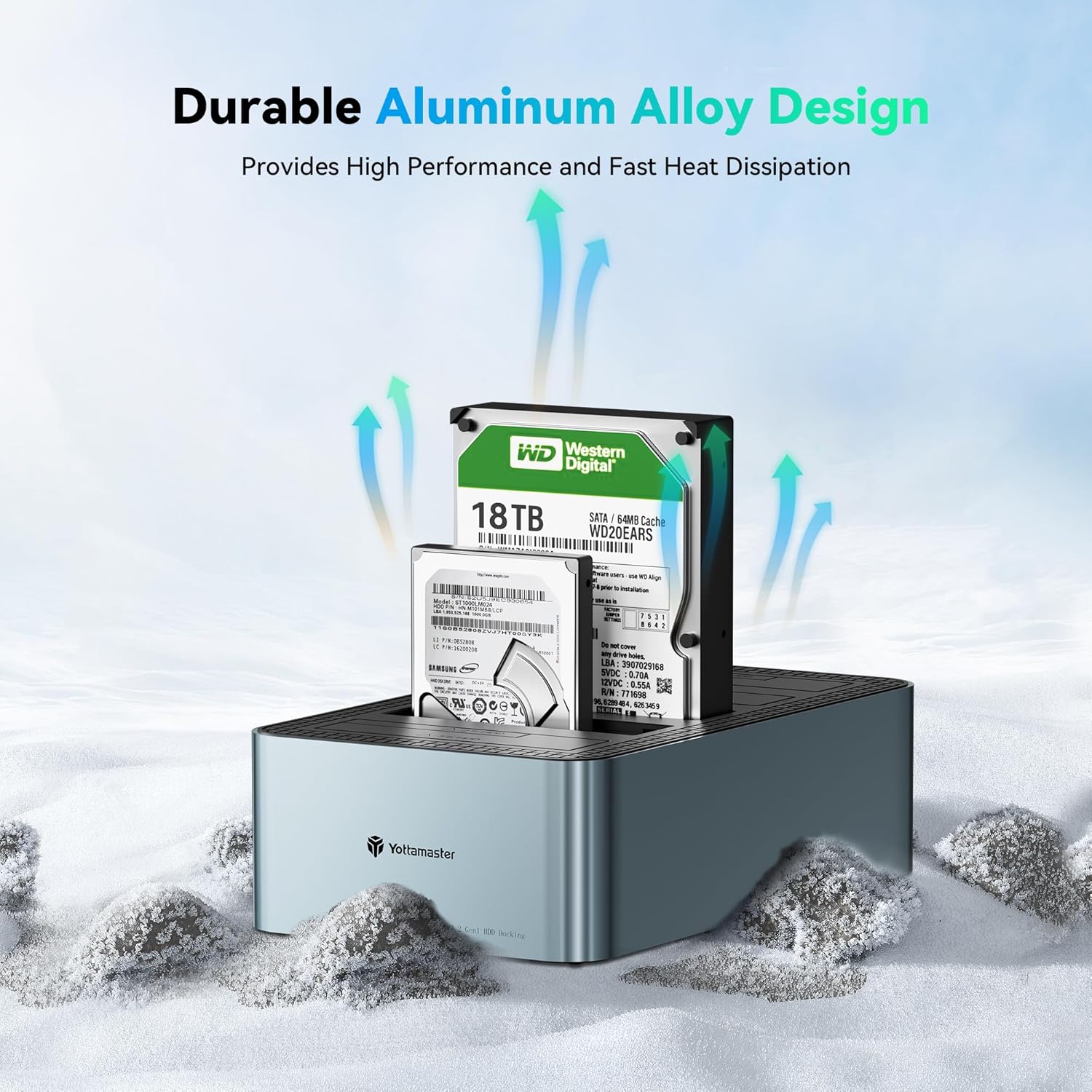
Image highlighting the durable aluminum alloy design, which contributes to effective heat dissipation.
6. Risoluzione Dei Problemi
If you encounter issues with your Yottamaster docking station, please refer to the following common troubleshooting steps:
- Unità non rilevata:
- Assicurarsi che l'adattatore di alimentazione sia collegato saldamente e che il dispositivo sia acceso.
- Verify that the USB cable is properly connected to both the docking station and your computer.
- Prova una porta USB diversa sul tuo computer.
- Ensure the drive is correctly seated in its bay. Remove and reinsert the drive.
- Controlla Gestione disco (Windows) o Utility Disco (Mac OS) del tuo computer per verificare se l'unità è riconosciuta ma non è inizializzata o non è formattata.
- Velocità di trasferimento lente:
- Ensure you are connected to a USB 3.0 (or higher) port on your computer. USB 2.0 ports will result in slower speeds.
- Per prestazioni migliori, verifica che il tuo sistema operativo supporti UASP (USB Attached SCSI Protocol).
- The performance of the drives themselves can affect transfer speeds. Older HDDs will be slower than modern SSDs.
- Errore di clonazione offline:
- Ensure the target drive(s) capacity is equal to or larger than the source drive's capacity.
- Verificare che le unità di origine e di destinazione siano inserite correttamente nei rispettivi alloggiamenti.
- Follow the offline cloning steps precisely, especially the timing for pressing the 'CLONE' button.
7. Specifiche
| Caratteristica | Dettaglio |
|---|---|
| Marca | Maestro Yotta |
| Modello | KB500 |
| Alloggiamenti unità | 5 |
| Unità compatibili | 2.5"/3.5" SATA I/II/III SSD/HDD |
| Capacità massima del singolo disco | 18 TB |
| Capacità massima totale | 90 TB (5x18 TB) |
| Interfaccia | USB 3.2 Gen 1 Tipo-C |
| Velocità di trasferimento | Fino a 5 Gbps |
| Supporto UASP | SÌ |
| Clonazione offline | 1-to-4 Cloning |
| Materiale | Plastic and Aluminum Alloy |
| Colore | Nero |
| Sistema operativo compatibile | Windows, Mac OS |
| Peso dell'articolo | 2.92 libbre |
| Dimensioni del pacco | 3.94 x 1.97 x 1.18 pollici |
8. Garanzia e supporto
Yottamaster products are designed for reliability and performance. This product comes with a standard manufacturer's warranty against defects in materials and workmanship. For specific warranty terms and conditions, please refer to the documentation included with your product or visit the official Yottamaster websito.
For technical support, troubleshooting assistance, or any inquiries regarding your Yottamaster 5-Bay Hard Drive Docking Station KB500, please contact Yottamaster customer service through their official websito o rivenditore presso cui è stato acquistato il prodotto.


